> ## Documentation Index
> Fetch the complete documentation index at: https://koreai.mintlify.site/llms.txt
> Use this file to discover all available pages before exploring further.
# Billing
[Back to Admin Console](/ai-for-service/administration/overview)
The **Billing** section lets the Admins view and track their Invoices and plan details.
## Billing Sessions
The Billing sessions are calculated based on
* App Usage (Usage Session)
* A usage session is defined as 'Fifteen minutes' of user conversation with the app. For example, if a user converses with the app for 31 minutes, then it would be counted as 3 sessions (0-15, 16-30,31-End).
* In the case of Human-agent transfer, if the user-app interaction results in human agent transfer, the time spent with the human agent will be excluded from the app session.
* Alerts Delivered (Alert Session)
* Every alert delivered to a user will be counted as an Alert session. For example, if the user has set up to receive a sales report every 8 hours in a day, this user would consume 3 alert sessions.
For more information, refer to [Product-specific Billing Sessions](/ai-for-service/manage-assistant/plan-and-usage/billing-and-payments).
## Order Invoices
This section displays the history of Orders and Invoices and includes the fields as shown in the image:
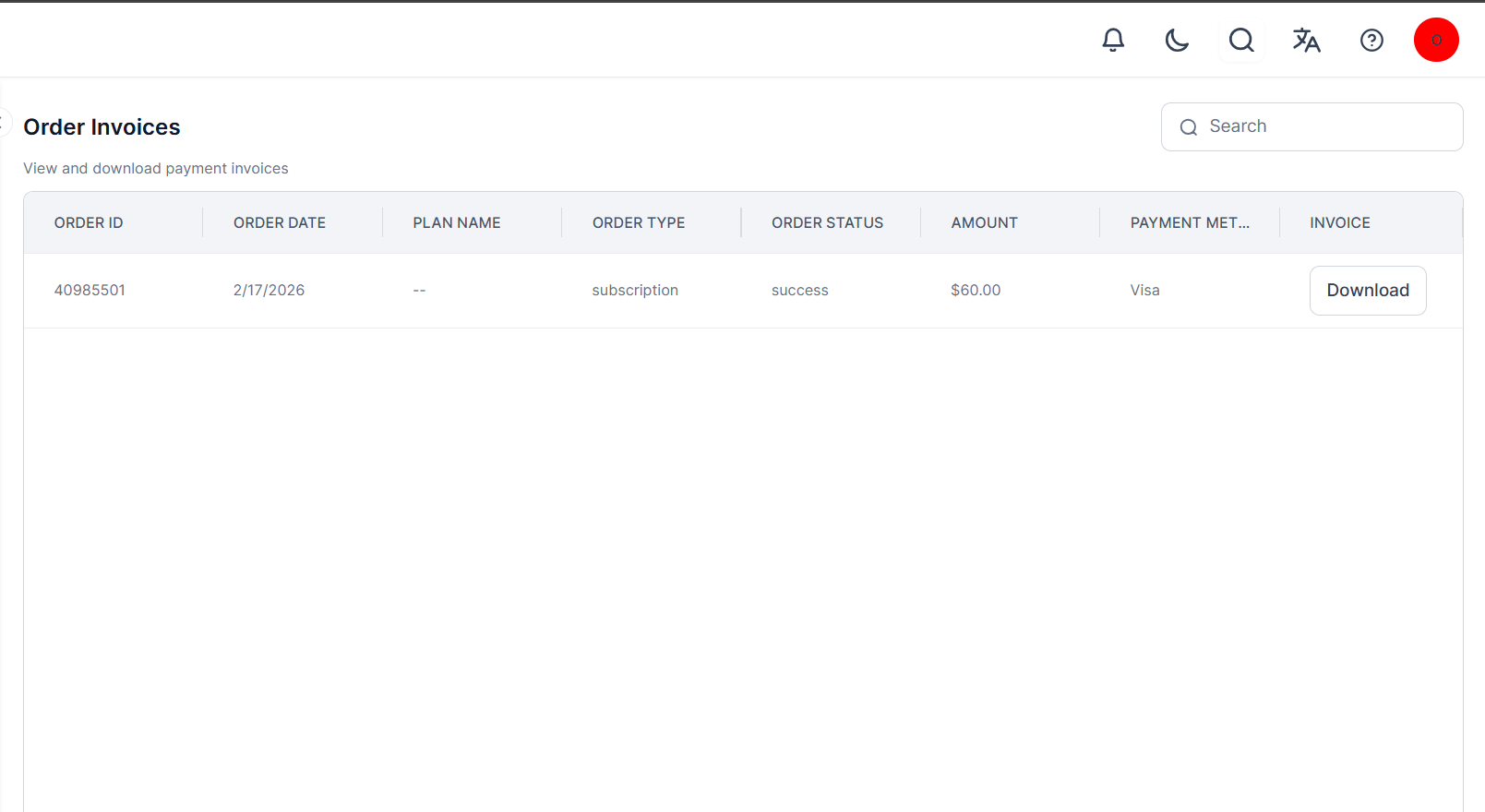 You have the option to download the Invoice from the invoice field.
This section isn't available for customers under the Enterprise plan.
## Plan
Admin users can view and manage all plan subscriptions for their account and published apps on the Admin Console. The Plan section displays all the Apps in your account, along with their status and balance. An information icon highlights plan changes, such as downgrade notifications and expiring plans. Click the **Ellipses** icon to change the App Owner.
You have the option to download the Invoice from the invoice field.
This section isn't available for customers under the Enterprise plan.
## Plan
Admin users can view and manage all plan subscriptions for their account and published apps on the Admin Console. The Plan section displays all the Apps in your account, along with their status and balance. An information icon highlights plan changes, such as downgrade notifications and expiring plans. Click the **Ellipses** icon to change the App Owner.
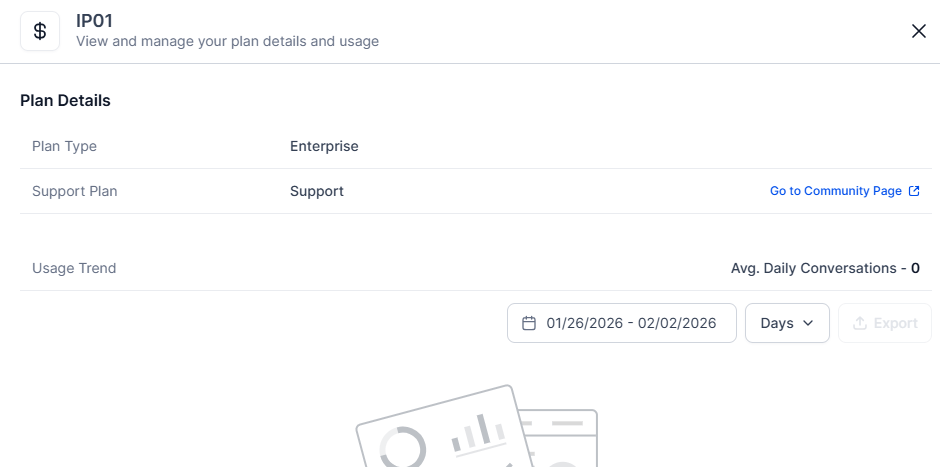
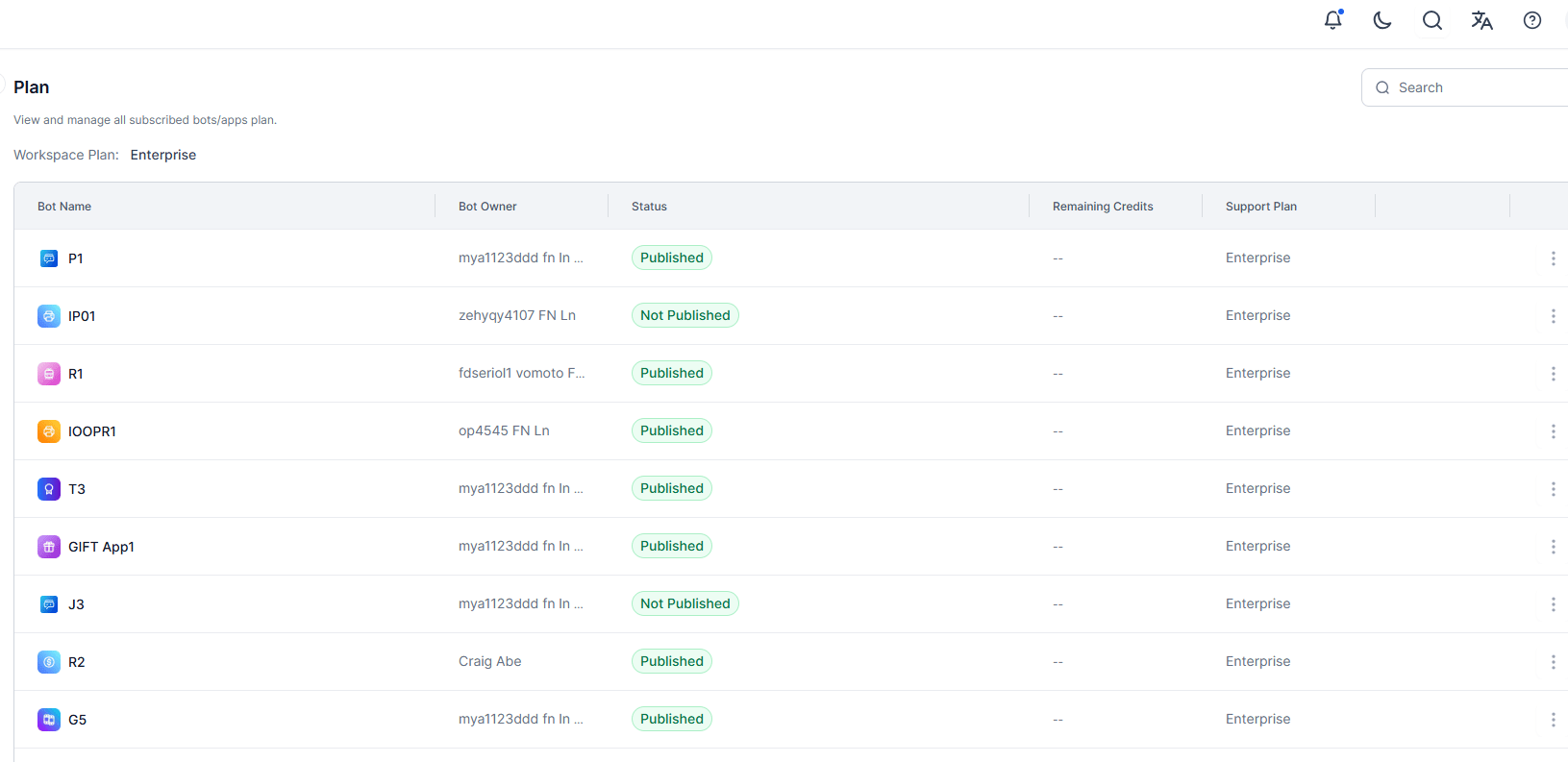 Hover over a line item to view the **Manage** option. The **Manage** option displays the current plan based on eligibility and usage details. You can change the plan, add funds, and request for extension of your plan from here.
 The **Billing** > **Plan** option doesn't appear on the Admin Console (left menu) for a shared account user.
## Usage
Admin users can access detailed usage information for Apps directly in the Admin Console. For administrators managing multiple apps, it offers consolidated billing insights across all apps within a workspace.
The **Billing** > **Plan** option doesn't appear on the Admin Console (left menu) for a shared account user.
## Usage
Admin users can access detailed usage information for Apps directly in the Admin Console. For administrators managing multiple apps, it offers consolidated billing insights across all apps within a workspace.
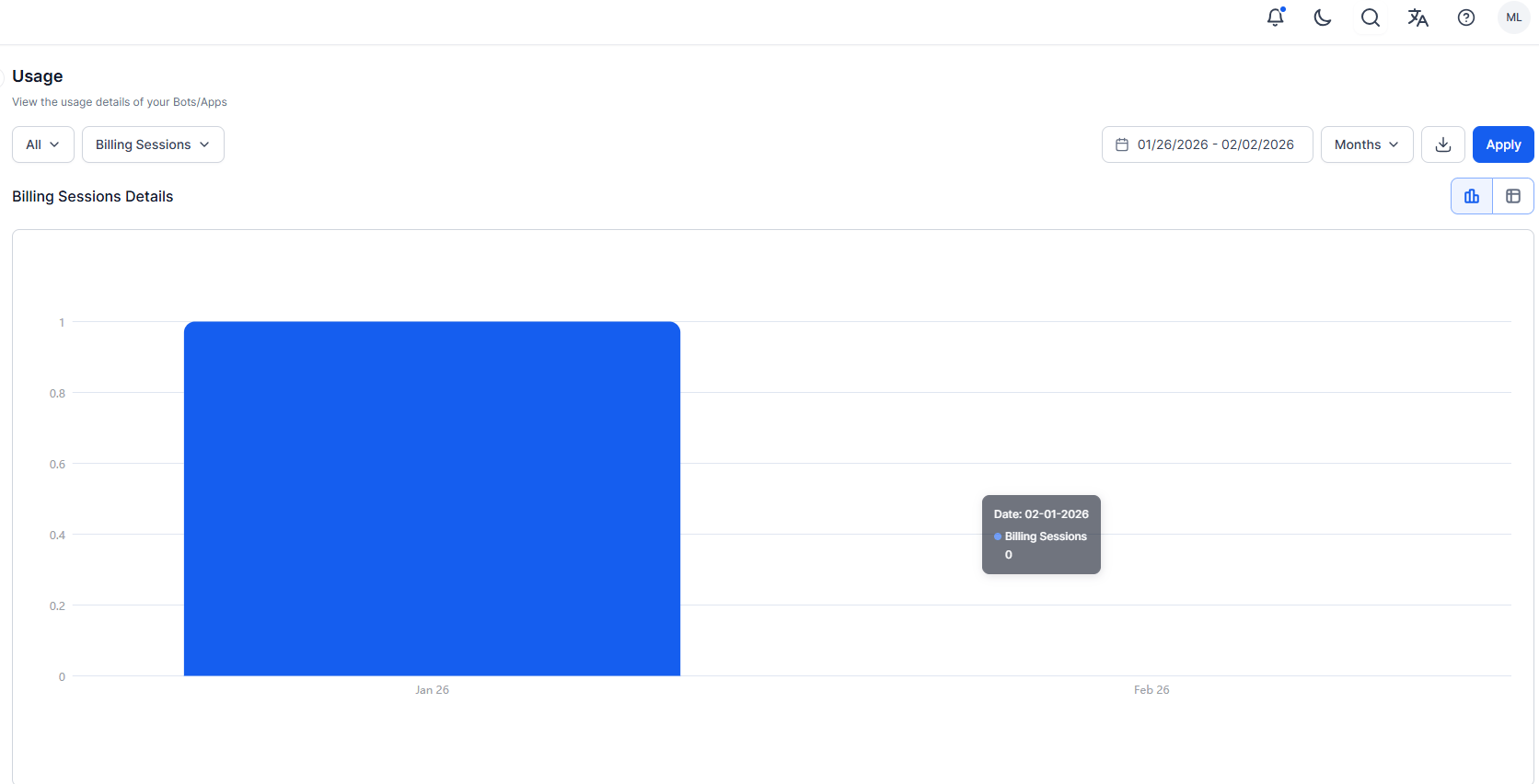 The dashboard provides a consolidated view of cumulative billing data, including Billing sessions, voice sessions, and agent counts, across all apps within the workspace.
* **Billing Sessions**: Total number of completed sessions.
* **Voice Sessions**: The count of Voice Sessions in a conversation consumed in an App; calculated as every 15 minutes of interaction with the AI Agent or a human Agent.
* **Agent Count**: The count of agents subscribed to the plan for each app, aggregated by Day/Week/Month.
Users can filter and view billing data for individual apps and refine the data further with date filters. They can select from predefined ranges such as 24 hours, 7 days, or 3 months.
Billing metrics are shown using a graph or table, making it easy to understand usage patterns. Hover over a data point to view the date, sessions, voice sessions, and agents.
The dashboard provides a consolidated view of cumulative billing data, including Billing sessions, voice sessions, and agent counts, across all apps within the workspace.
* **Billing Sessions**: Total number of completed sessions.
* **Voice Sessions**: The count of Voice Sessions in a conversation consumed in an App; calculated as every 15 minutes of interaction with the AI Agent or a human Agent.
* **Agent Count**: The count of agents subscribed to the plan for each app, aggregated by Day/Week/Month.
Users can filter and view billing data for individual apps and refine the data further with date filters. They can select from predefined ranges such as 24 hours, 7 days, or 3 months.
Billing metrics are shown using a graph or table, making it easy to understand usage patterns. Hover over a data point to view the date, sessions, voice sessions, and agents.