> ## Documentation Index
> Fetch the complete documentation index at: https://koreai.mintlify.site/llms.txt
> Use this file to discover all available pages before exploring further.
# Check Agent Availability Node
Use this node to check agent availability based on skills and route the flow accordingly.
!!! Note
This node is experimental and may be deprecated in a future release.
## Configure the Node
### General Settings
In **General Settings**, configure the following:
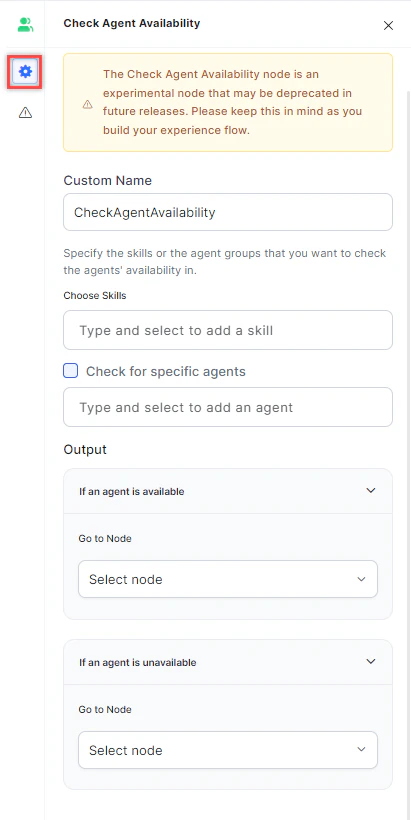 1. **Custom Name**: Enter a name to identify the node.
2. **Choose Skills**: Select the skills or skill groups to check availability for.
3. **Check for specific agents**: Enable this option to restrict the check to selected agents only.
!!! Note
You can check availability by skills or by specific agents, but not both at the same time.
4. **Output**: Define the routing paths based on availability:
* **If an agent is available**: The flow routes to this node when an available agent is found.
* **If no agent is available**: The flow routes to this node when no available agent is found.
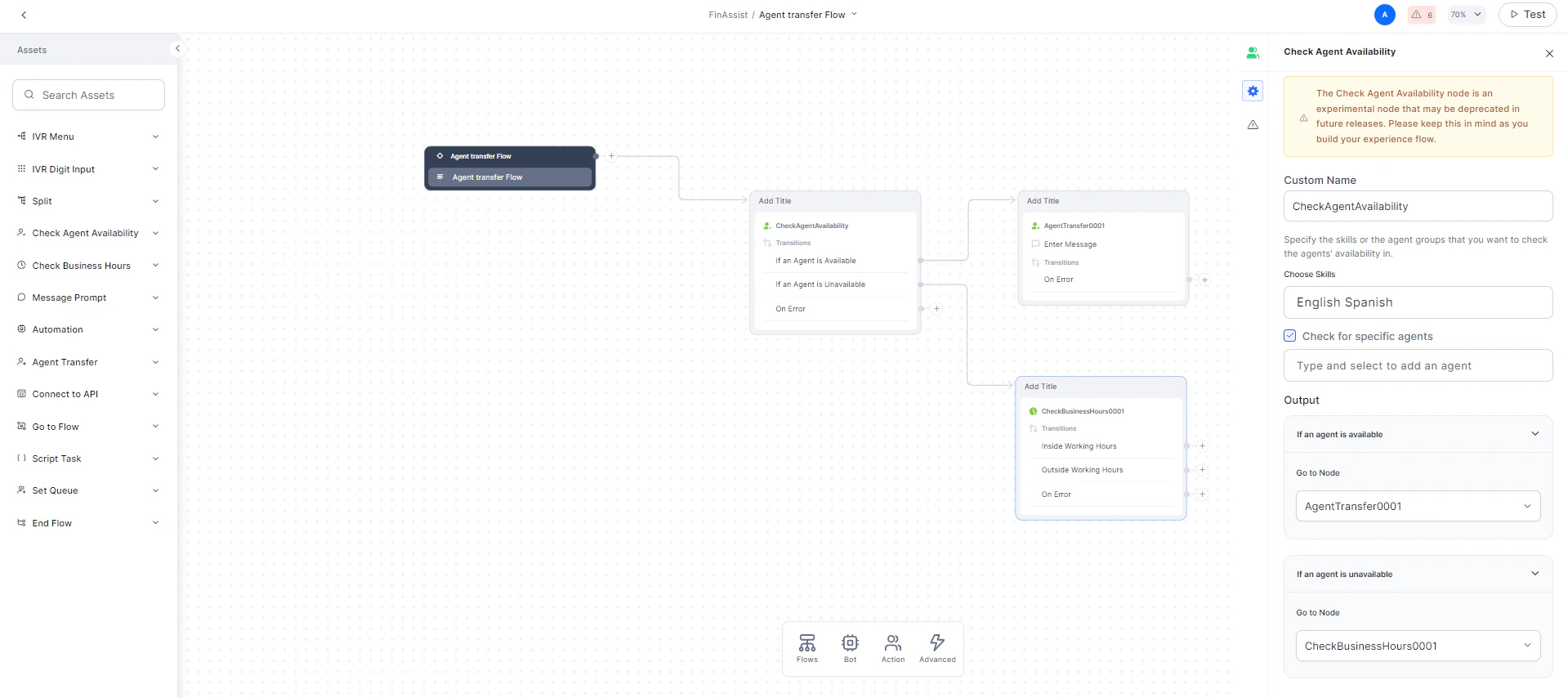
After configuring the output, your flow will show both paths on the canvas:
1. **Custom Name**: Enter a name to identify the node.
2. **Choose Skills**: Select the skills or skill groups to check availability for.
3. **Check for specific agents**: Enable this option to restrict the check to selected agents only.
!!! Note
You can check availability by skills or by specific agents, but not both at the same time.
4. **Output**: Define the routing paths based on availability:
* **If an agent is available**: The flow routes to this node when an available agent is found.
* **If no agent is available**: The flow routes to this node when no available agent is found.
After configuring the output, your flow will show both paths on the canvas:
 ### Error Handling
Use this section to handle system errors during customer interactions.
### Error Handling
Use this section to handle system errors during customer interactions.
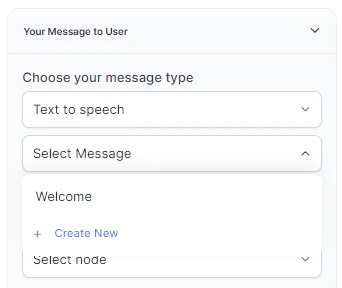
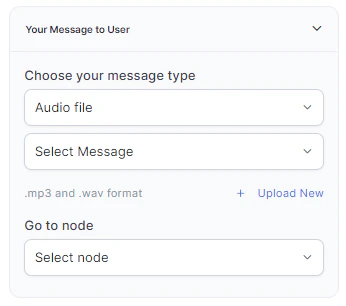
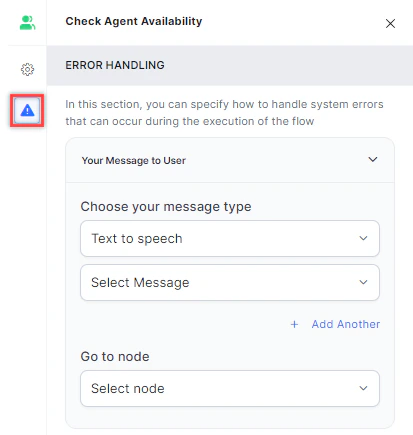 * **Your Message to User**: Select a message type under **Choose your message type**:
* **Text to Speech**: Type or select a message to convert to speech. Click **+ Create New** to add a new prompt, or **+ Add Another** to define multiple messages (one is randomly selected at runtime).
* **Your Message to User**: Select a message type under **Choose your message type**:
* **Text to Speech**: Type or select a message to convert to speech. Click **+ Create New** to add a new prompt, or **+ Add Another** to define multiple messages (one is randomly selected at runtime).
 * **Audio File**: Type a message or click **+ Upload New** to upload an .mp3 or .wav file.
 * **Link**: Click **+ Create New** to add message text and an audio file URL (.mp3 or .wav). Click **+ Add Another** for additional URLs.
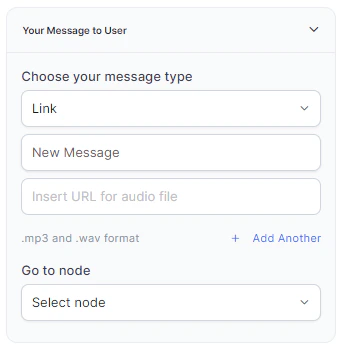 * **Go to node**: Select the node to direct the error handling flow. You can create a new node or select an existing one.