> ## Documentation Index
> Fetch the complete documentation index at: https://koreai.mintlify.app/llms.txt
> Use this file to discover all available pages before exploring further.
# Using the DHL Action Templates
[Back to Actions Integrations](/ai-for-service/integrations/overview#actions)
Use prebuilt DHL action templates to auto-create dialog tasks.
**Prerequisites:** Configure [DHL](/ai-for-service/integrations/dhl/configuring-the-dhl-action) and [install templates](/ai-for-service/integrations/dhl/configuring-the-dhl-action#install-dhl-action-templates) before proceeding.
Navigate to **Automation AI > Use Cases > Dialogs**, then click the auto-created dialog to open the canvas.
***
## Supported Actions
| Action | Description | Method |
| -------------- | --------------------------------------------------- | ------ |
| Track Shipment | Tracks a shipment using the DHL tracking ID | GET |
| Find Locations | Retrieves locations by country code and postal code | GET |
***
## Track Shipment
1. Install the template from [DHL Templates](/ai-for-service/integrations/dhl/configuring-the-dhl-action#install-dhl-action-templates).
2. The *Track Shipment* dialog task is added with:
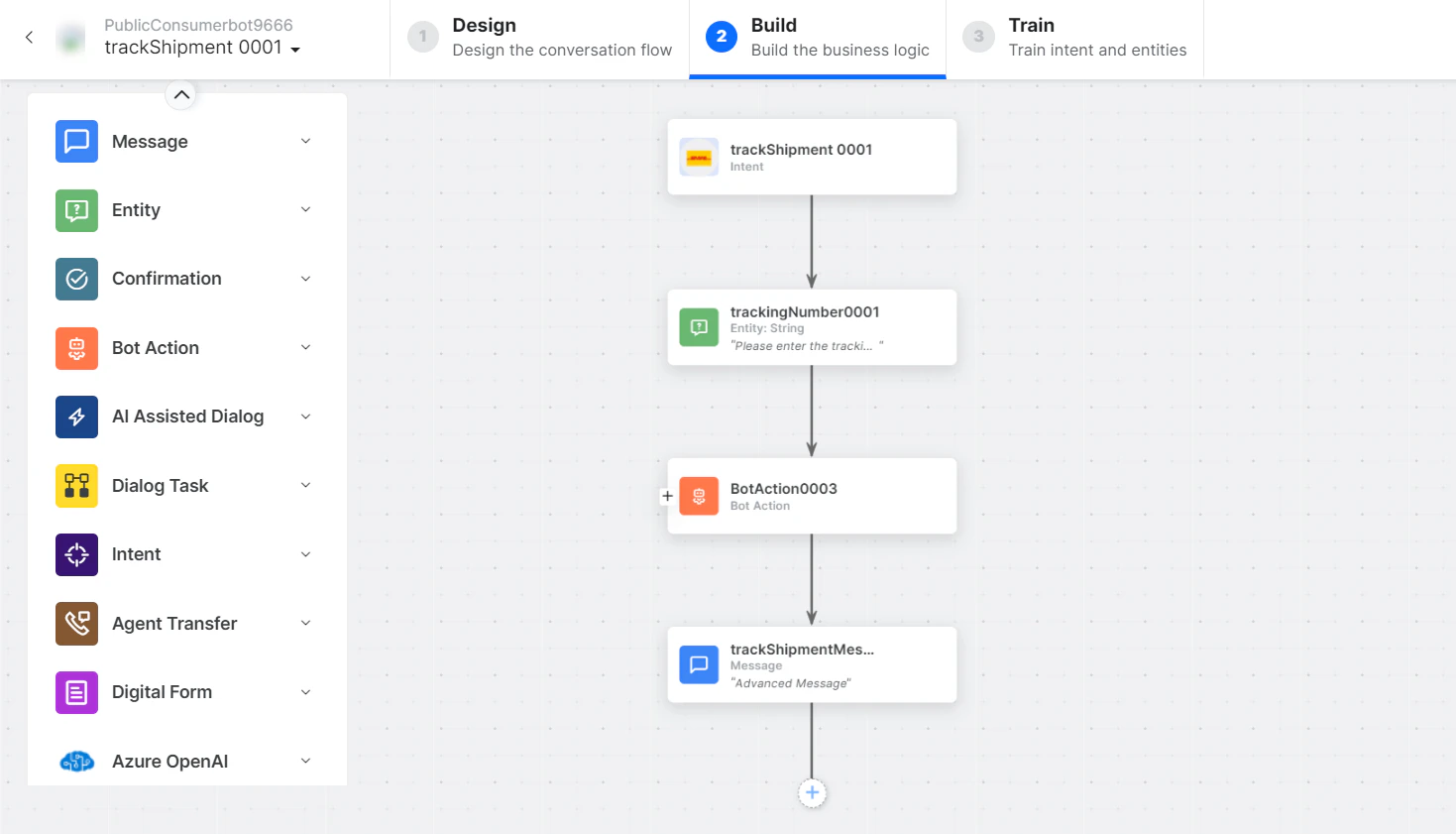 * **trackShipment** - User intent to track a shipment by DHL ID.
* **trackingNumber** - Entity node for the tracking number.
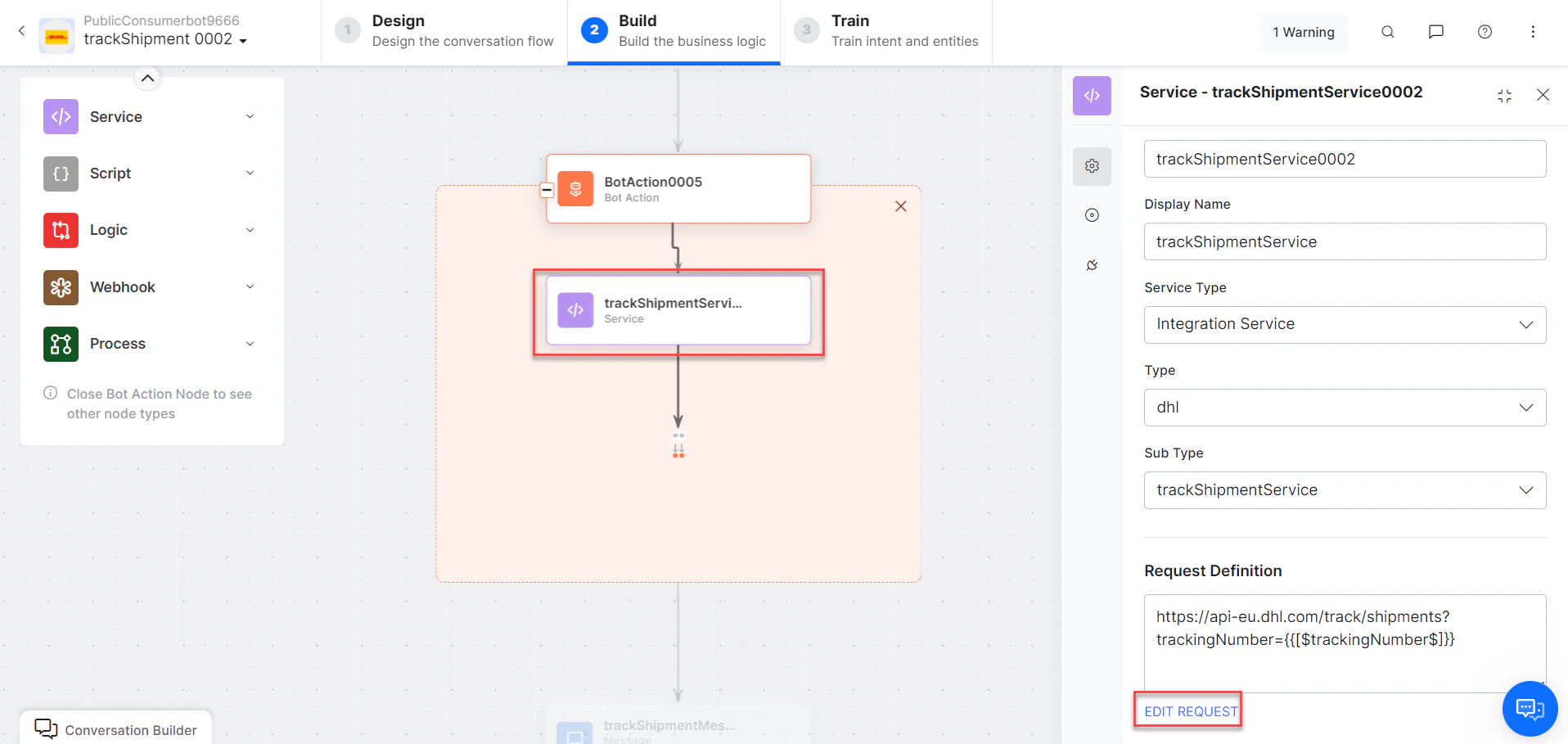
* **trackShipmentService** - Bot action service to track the shipment. Optionally click **Edit Request**:
* **trackShipment** - User intent to track a shipment by DHL ID.
* **trackingNumber** - Entity node for the tracking number.
* **trackShipmentService** - Bot action service to track the shipment. Optionally click **Edit Request**:
 Click **+Add Response**:
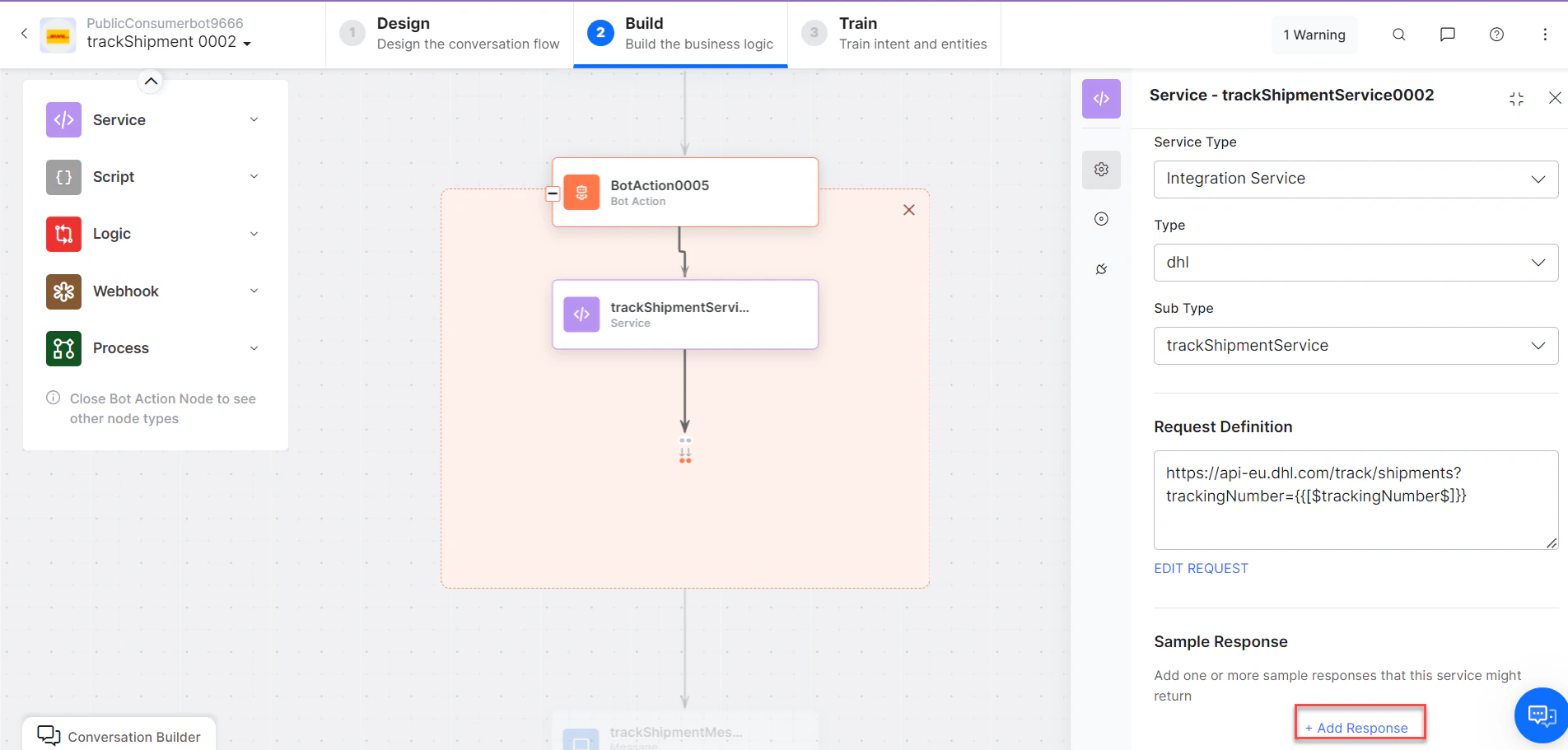 **Sample Response:**
```json theme={null}
{
"shipments": [
{
"id": "7777777770",
"service": "express",
"origin": { "address": { "addressLocality": "-" } },
"destination": { "address": { "addressLocality": "-" } },
"status": {
"timestamp": "2023-05-23T12:30:00",
"location": { "address": { "addressLocality": "NUREMBERG - GERMANY" } },
"statusCode": "transit",
"description": "Arrived at DHL Delivery Facility NUREMBERG - GERMANY"
},
"events": [
{ "description": "Arrived at DHL Delivery Facility NUREMBERG - GERMANY" },
{ "description": "Shipment picked up" }
]
}
]
}
```
* **trackShipmentMessage** - Message node to display results.
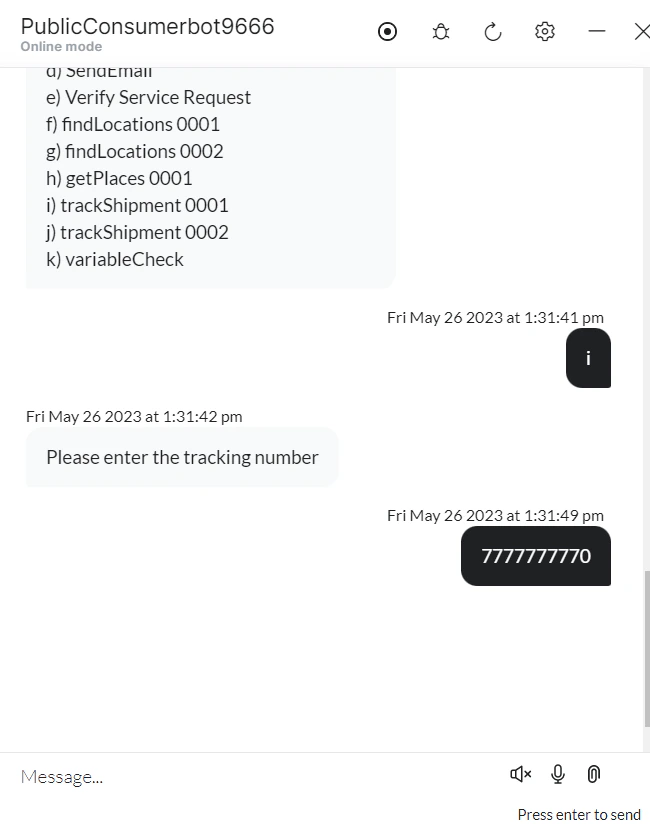
3. Click **Train**, then **Talk to Bot** to test.
4. Follow prompts to track a shipment.
**Sample Response:**
```json theme={null}
{
"shipments": [
{
"id": "7777777770",
"service": "express",
"origin": { "address": { "addressLocality": "-" } },
"destination": { "address": { "addressLocality": "-" } },
"status": {
"timestamp": "2023-05-23T12:30:00",
"location": { "address": { "addressLocality": "NUREMBERG - GERMANY" } },
"statusCode": "transit",
"description": "Arrived at DHL Delivery Facility NUREMBERG - GERMANY"
},
"events": [
{ "description": "Arrived at DHL Delivery Facility NUREMBERG - GERMANY" },
{ "description": "Shipment picked up" }
]
}
]
}
```
* **trackShipmentMessage** - Message node to display results.
3. Click **Train**, then **Talk to Bot** to test.
4. Follow prompts to track a shipment.
 ***
## Find Locations
1. Install the template from [DHL Templates](/ai-for-service/integrations/dhl/configuring-the-dhl-action#install-dhl-action-templates).
2. The *Find Locations* dialog task is added with:
***
## Find Locations
1. Install the template from [DHL Templates](/ai-for-service/integrations/dhl/configuring-the-dhl-action#install-dhl-action-templates).
2. The *Find Locations* dialog task is added with:
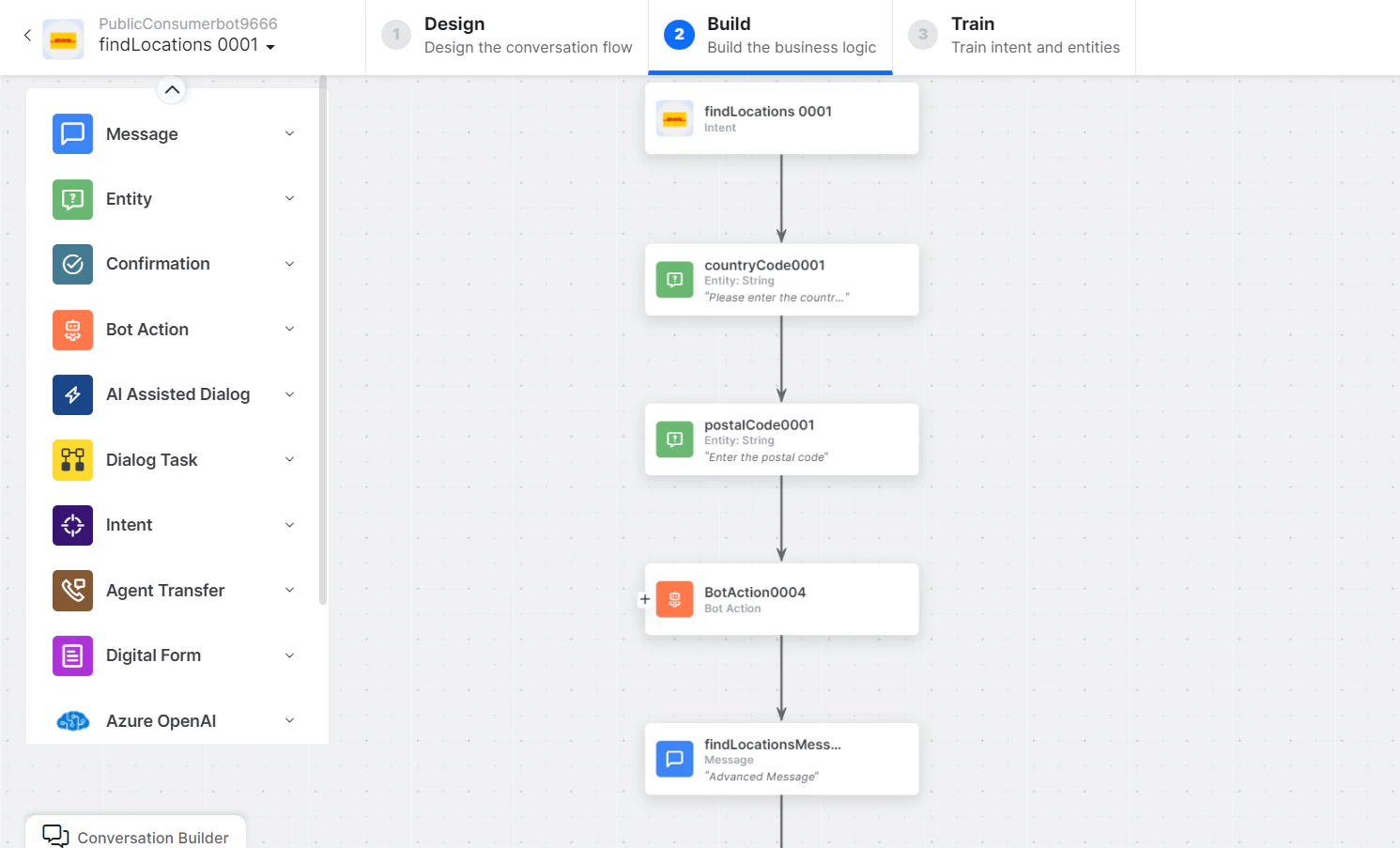 * **findLocations** - User intent to find locations by coordinates.
* **countryCode** and **postalCode** - Entity nodes for country and postal codes.
* **findLocationsService** - Bot action service to find locations. Optionally click **Edit Request**:
* **findLocations** - User intent to find locations by coordinates.
* **countryCode** and **postalCode** - Entity nodes for country and postal codes.
* **findLocationsService** - Bot action service to find locations. Optionally click **Edit Request**:
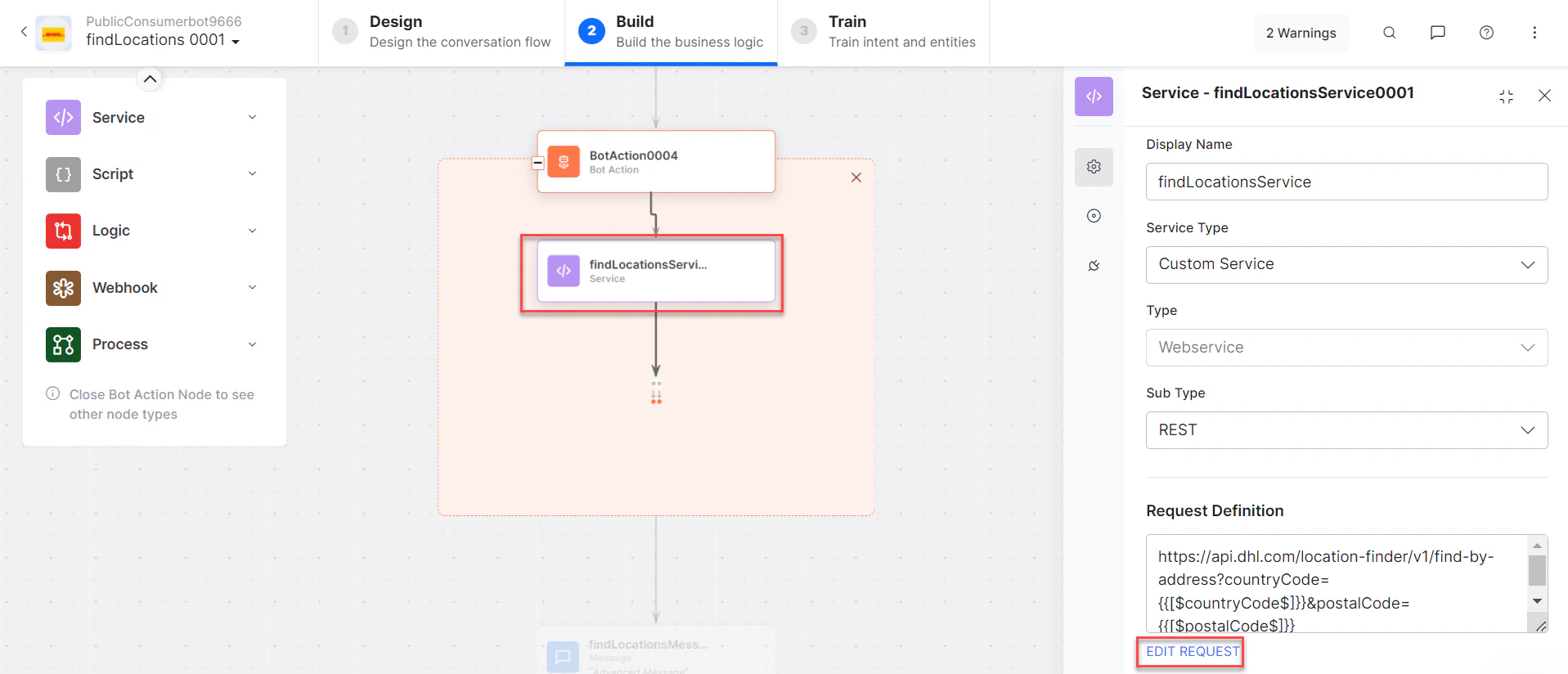 Click **+Add Response**:
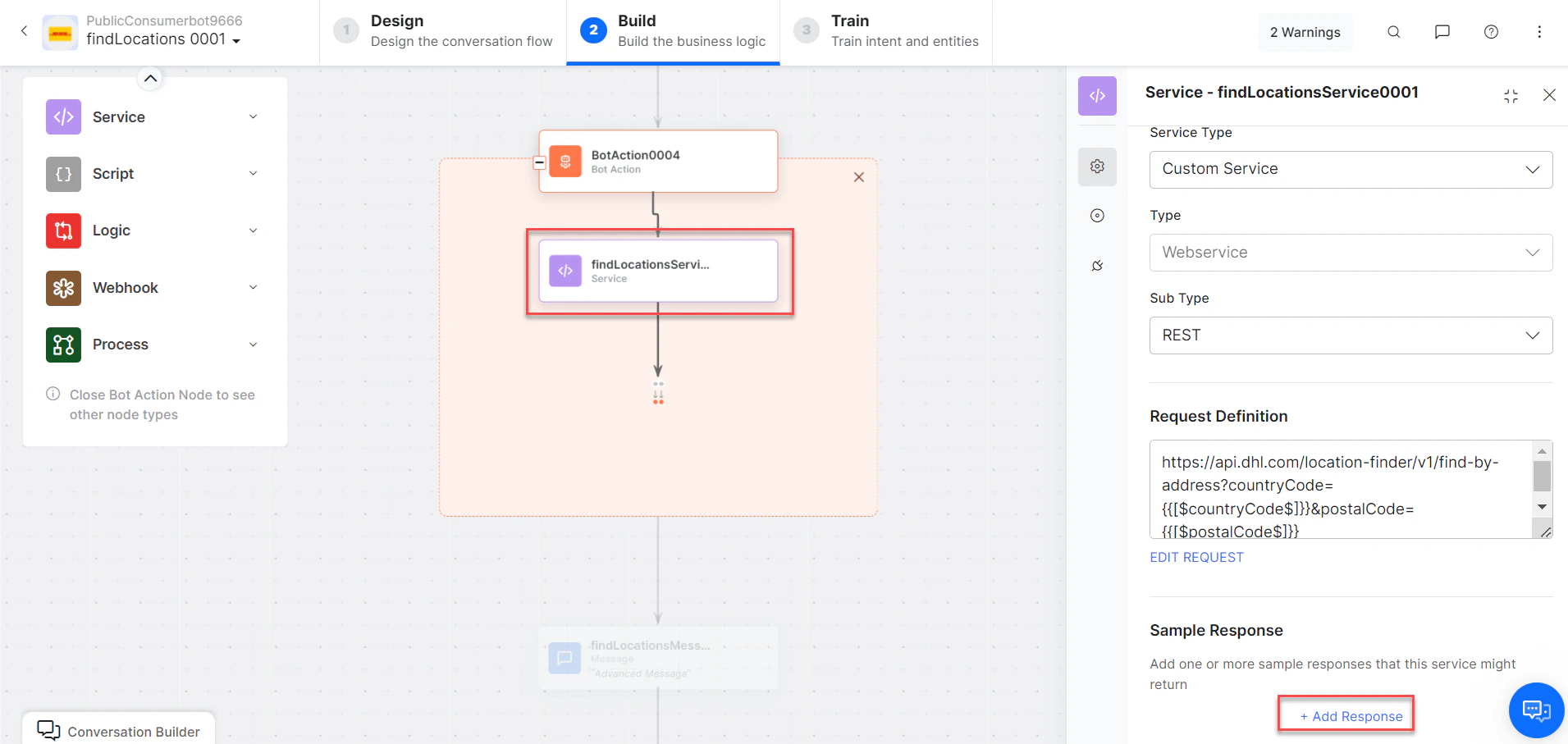 **Sample Response:**
```json theme={null}
{
"locations": [
{
"url": "/locations/HYD102",
"name": "Madhapur Office, HYDERABAD",
"distance": 1076,
"place": {
"address": {
"countryCode": "IN",
"postalCode": "500081",
"addressLocality": "HYDERABAD",
"streetAddress": "H.No.2-52/1, Plot No.12 Opp Kasanigr Hotel,"
},
"geo": { "latitude": 17.441049, "longitude": 78.392052 }
},
"serviceTypes": [
"express:drop-off-easy",
"express:drop-off",
"express:pick-up"
]
}
]
}
```
* **getLocationsbyCoordinatesMessage** - Message node to display results.
3. Click **Train**, then **Talk to Bot** to test.
4. Follow prompts to find locations.
**Sample Response:**
```json theme={null}
{
"locations": [
{
"url": "/locations/HYD102",
"name": "Madhapur Office, HYDERABAD",
"distance": 1076,
"place": {
"address": {
"countryCode": "IN",
"postalCode": "500081",
"addressLocality": "HYDERABAD",
"streetAddress": "H.No.2-52/1, Plot No.12 Opp Kasanigr Hotel,"
},
"geo": { "latitude": 17.441049, "longitude": 78.392052 }
},
"serviceTypes": [
"express:drop-off-easy",
"express:drop-off",
"express:pick-up"
]
}
]
}
```
* **getLocationsbyCoordinatesMessage** - Message node to display results.
3. Click **Train**, then **Talk to Bot** to test.
4. Follow prompts to find locations.
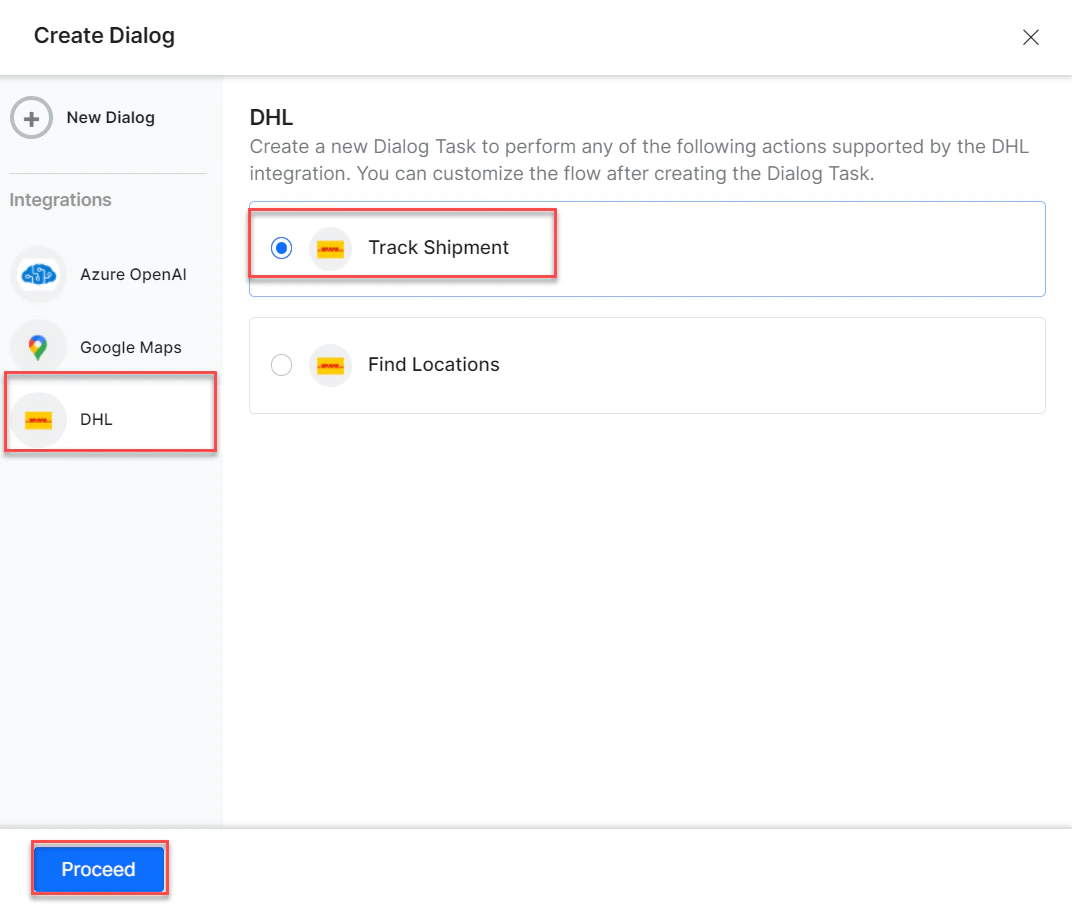 5. Click and expand the desired result to view location details.
Built with [Mintlify](https://mintlify.com).
5. Click and expand the desired result to view location details.
Built with [Mintlify](https://mintlify.com).