> ## Documentation Index
> Fetch the complete documentation index at: https://koreai.mintlify.site/llms.txt
> Use this file to discover all available pages before exploring further.
# SDK App Registration
[Back to Web SDK Overview](/ai-for-service/sdk/web-sdk)
Register your app on the Platform to obtain credentials required for secure communication between your application and the bot.
When registering, choose a JWT signing algorithm:
| Algorithm | Credentials generated |
| ----------------- | ------------------------------------------------------------------------------------------ |
| **HS256 / HS512** | Client ID and Client Secret (used to generate the JWT on your server) |
| **RS256 / RS512** | Upload your public key to the Platform; use your private key on the server to sign the JWT |
***
## Register an App
1. Open the bot you are working with.
2. Go to **App Settings > Dev Tools > Web/Mobile SDK**.
3. In the **JWT App** dropdown, select an existing app or click **Add** to create a new one.
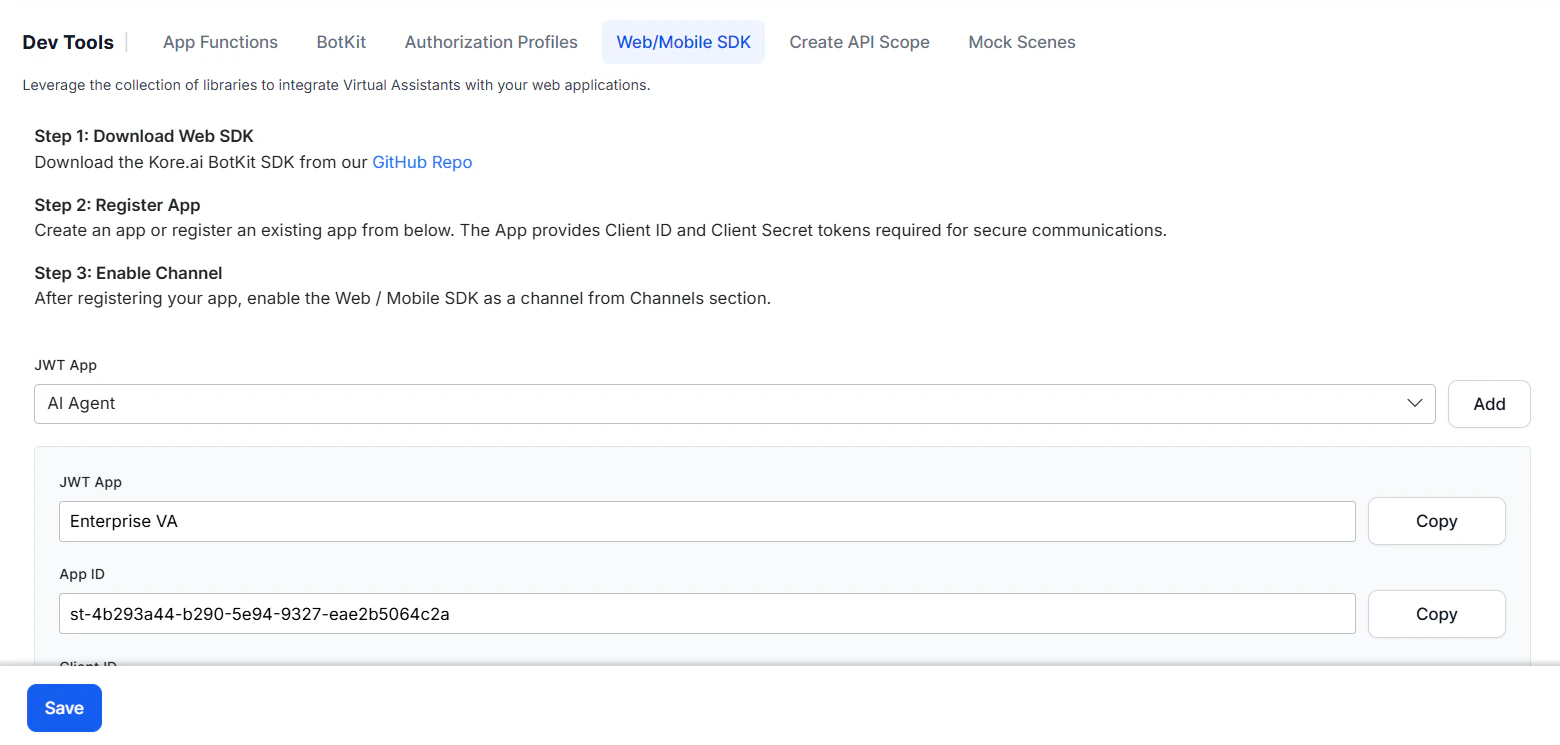 4. Fill in the app details:
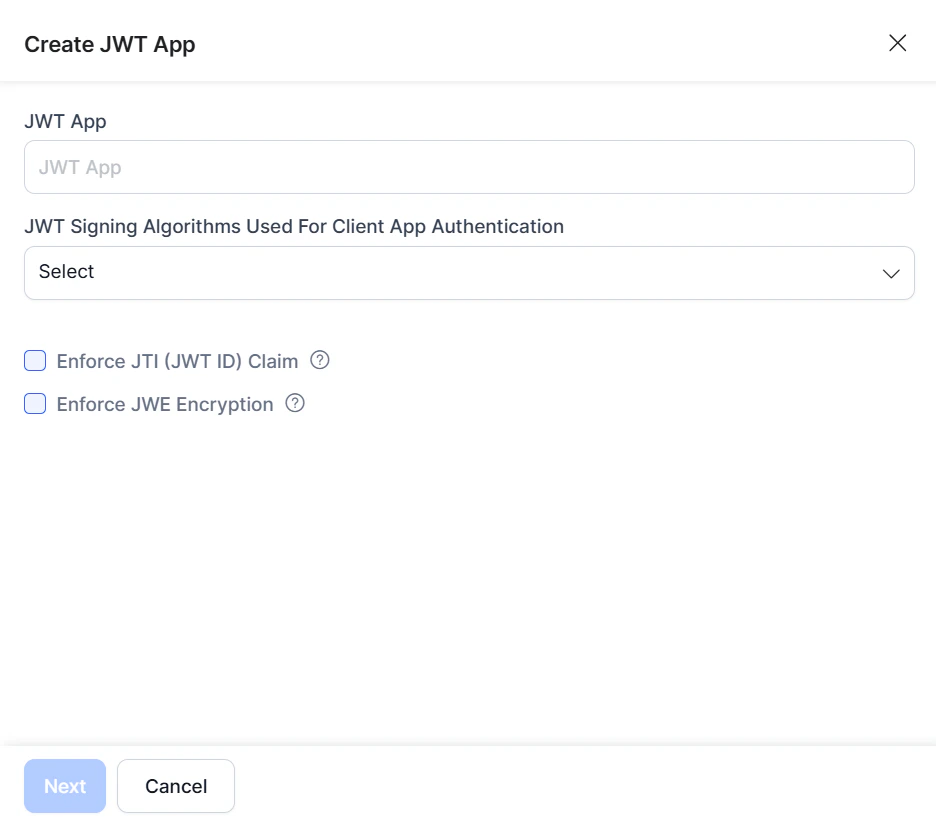 * **JWT App** — Enter a name for the app, for example, `weather app`.
* **JWT Signing Algorithm** — Select one:
* **RS256/RS512** — The Platform provides the public key for decryption; you supply the private key for encryption. Both keys are required for token generation.
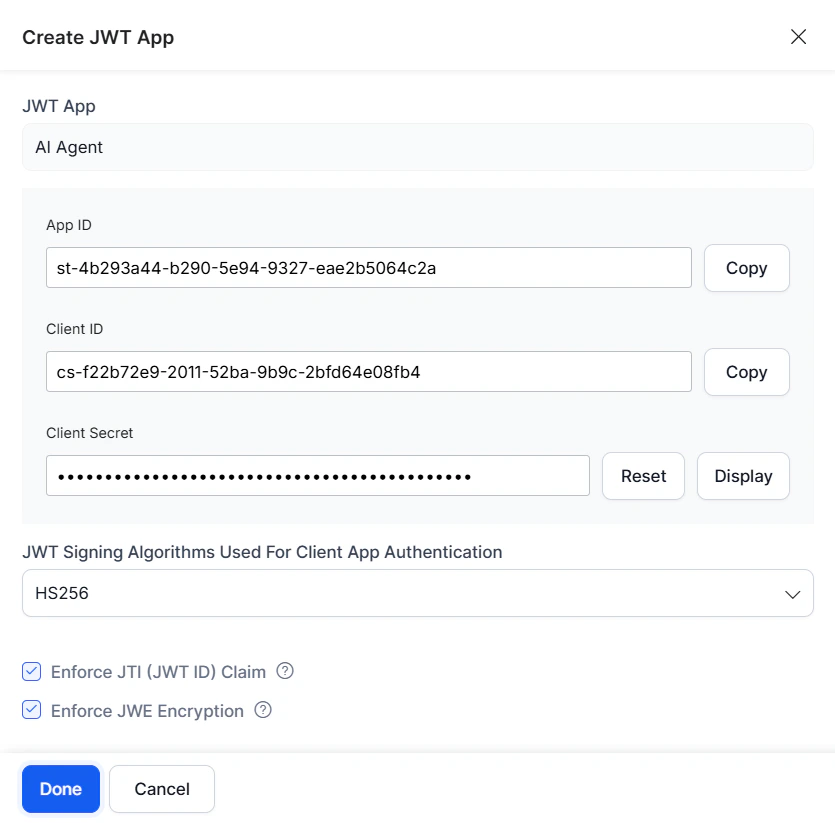
* **HS256/HS512** — The Platform generates a **Client ID** and **Secret Key**. Use the Client ID for app initialization and the Secret Key for authentication.
* **Enforce JTI Claim** — Enable to prevent replay attacks.
* **Enforce JWE Encryption** — Enable to encrypt the JWT payload.
5. Click **Next**. On success, the Client ID and Secret are displayed. Click **Done**.
* **JWT App** — Enter a name for the app, for example, `weather app`.
* **JWT Signing Algorithm** — Select one:
* **RS256/RS512** — The Platform provides the public key for decryption; you supply the private key for encryption. Both keys are required for token generation.
* **HS256/HS512** — The Platform generates a **Client ID** and **Secret Key**. Use the Client ID for app initialization and the Secret Key for authentication.
* **Enforce JTI Claim** — Enable to prevent replay attacks.
* **Enforce JWE Encryption** — Enable to encrypt the JWT payload.
5. Click **Next**. On success, the Client ID and Secret are displayed. Click **Done**.
 ***
***