

The cards have no status colours.
Date range selector: Use the toggle to select Today, 7d, or 30d.
Filters: Select All environments at the top of the page to narrow the data by deployment environment. Filter selections are reflected in the page URL, so you can bookmark a filtered view or share it with a colleague.
Channel filtering isn’t available on this page. The underlying voice data source doesn’t carry a channel dimension, so the channel selector is hidden here even though it appears on other analytics pages.
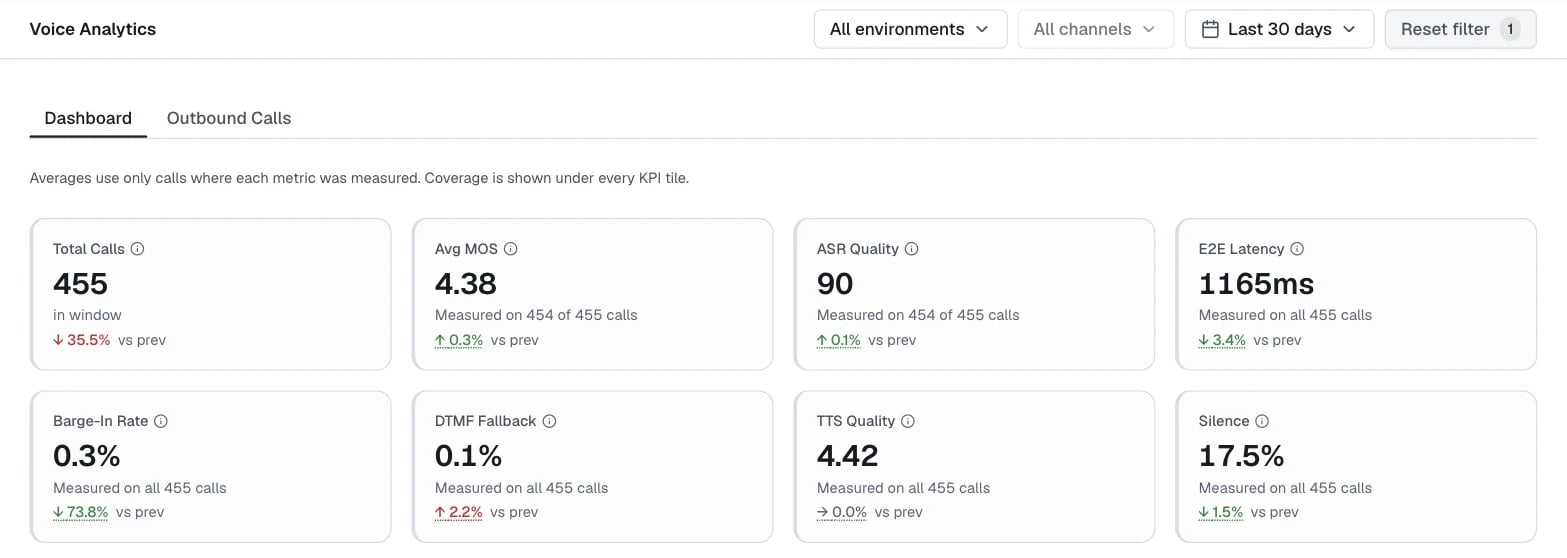
KPI metric cards
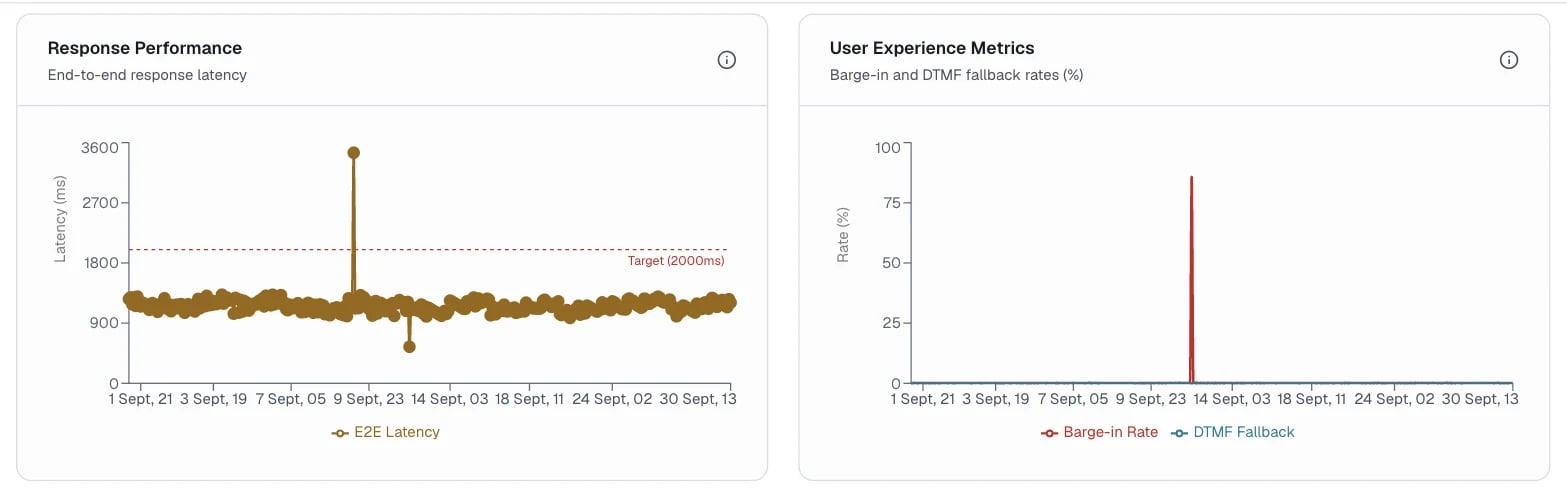
Trend charts
Track E2E Latency trends after model or pipeline changes. Even small latency increases (50 to 100 ms) can affect caller experience and drive up barge-in rates.
Streamed responses used to be measured to the end of the stream. Now that the measurement ends at the first audio the caller hears, E2E Latency can drop at the point this change took effect. Account for that step before you read it as a latency improvement when you compare periods on either side of it.
Hourly breakdown
The Hourly Breakdown table shows one row per hour that had calls, newest first.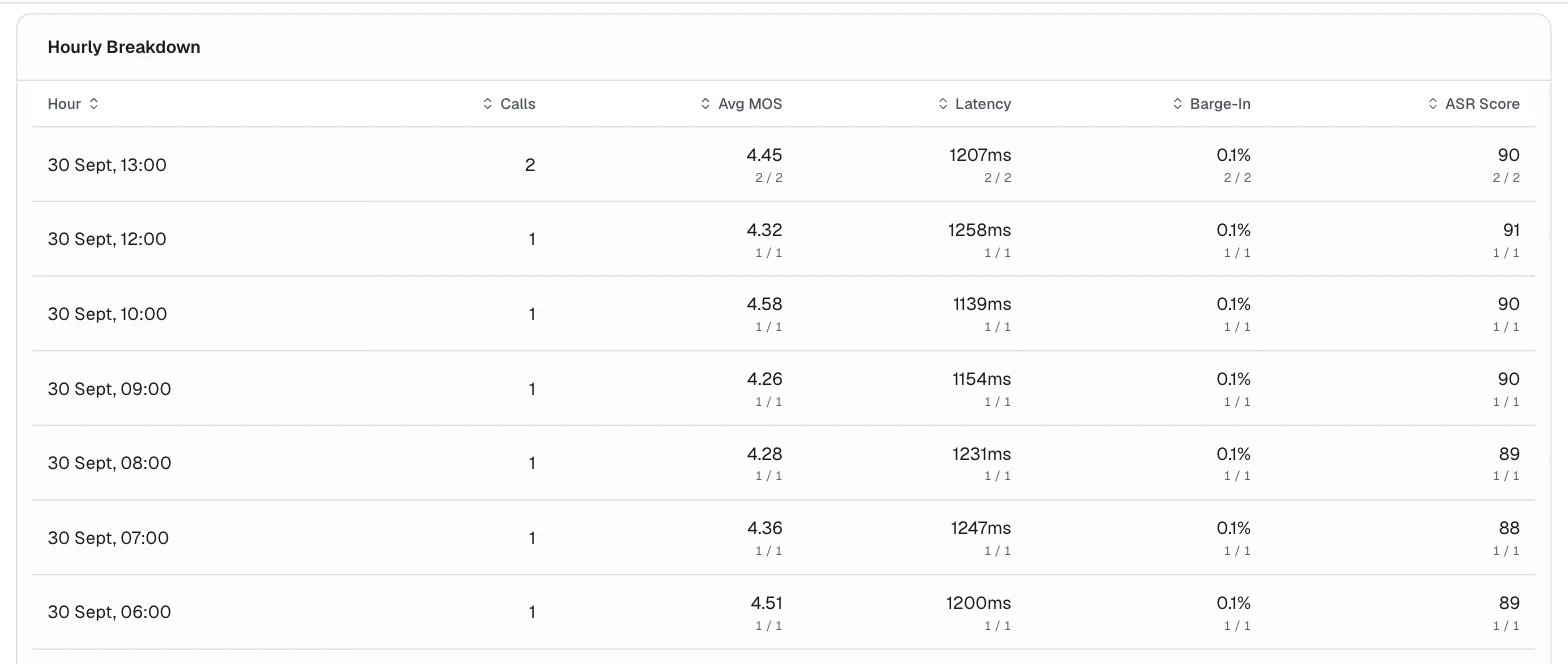
Outbound calls
The Outbound Calls tab reports calls the platform dialed out. If the project has no outbound calls, the cards read 0.Filters
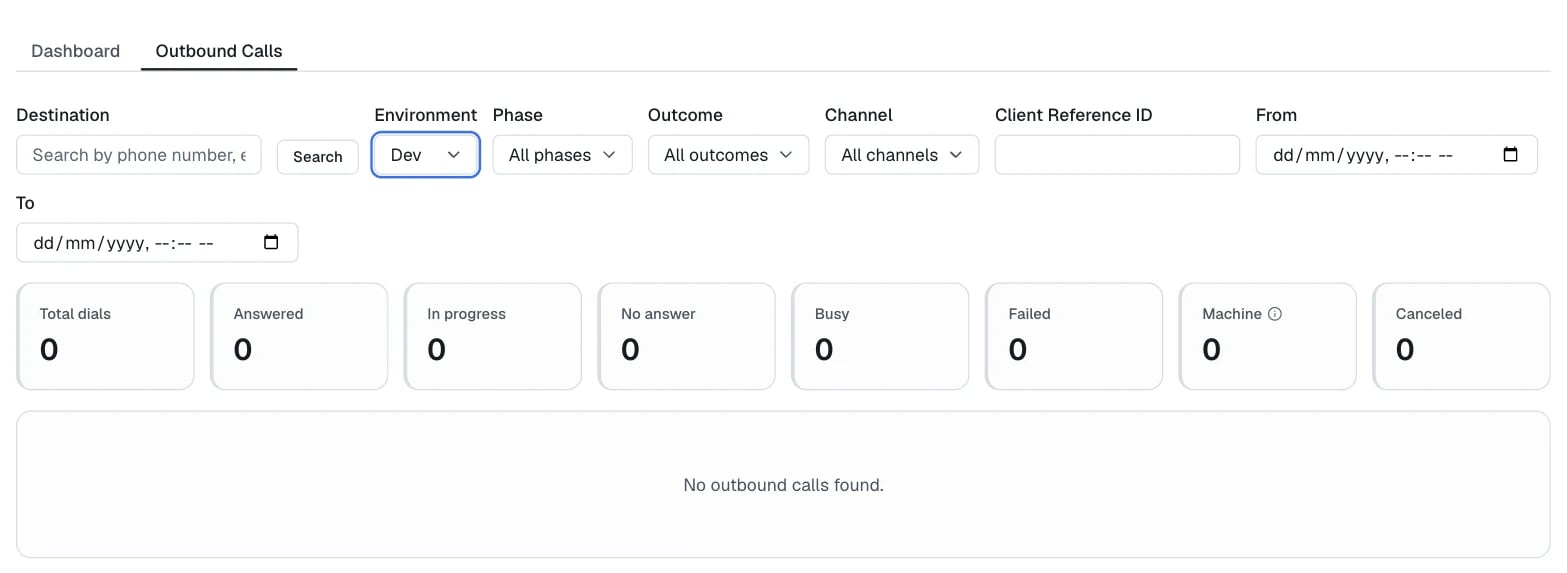
Outbound metric cards
The telephony provider reports all outbound figures.