

Key capabilities
The platform introduces five capabilities that together change how enterprise agents are built and operated.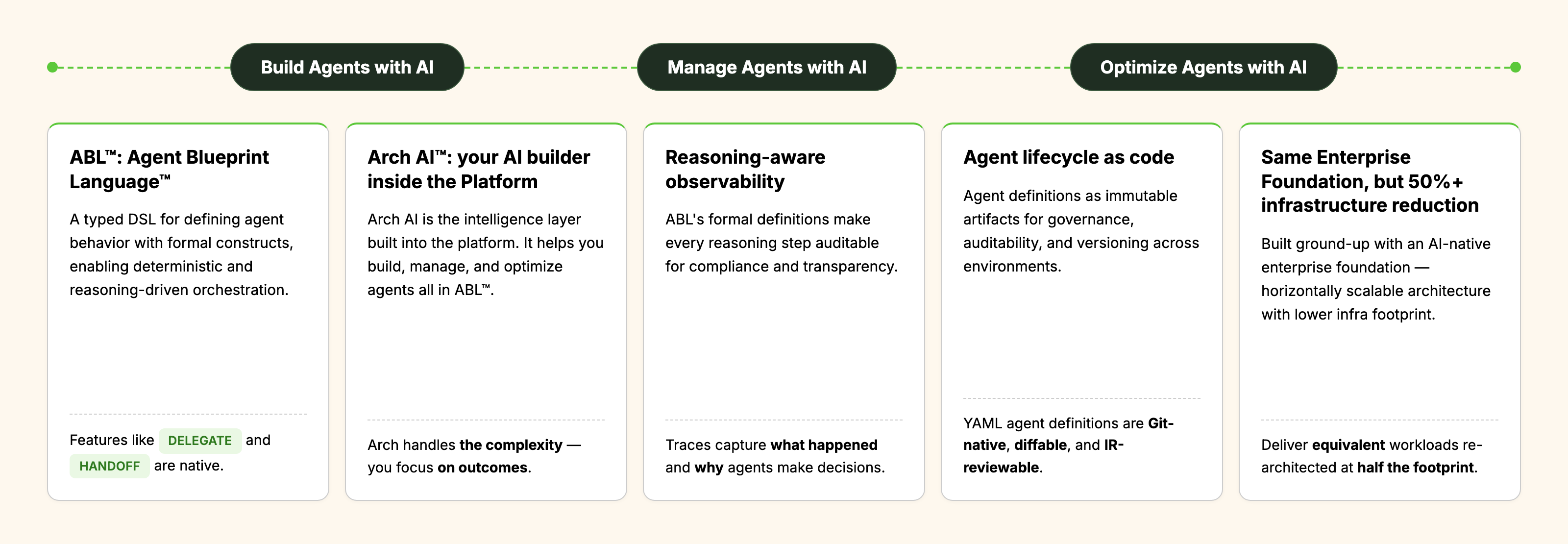
Key components
The platform is organized into four planes that sit on a shared enterprise foundation. Builders interact with the Studio plane; the Compiler and Runtime planes execute agents; the Operations plane provides observability and governance. The platform connects to enterprise ecosystems — AI models, channels, data sources, and cloud or on-premise infrastructure — through pluggable adapters.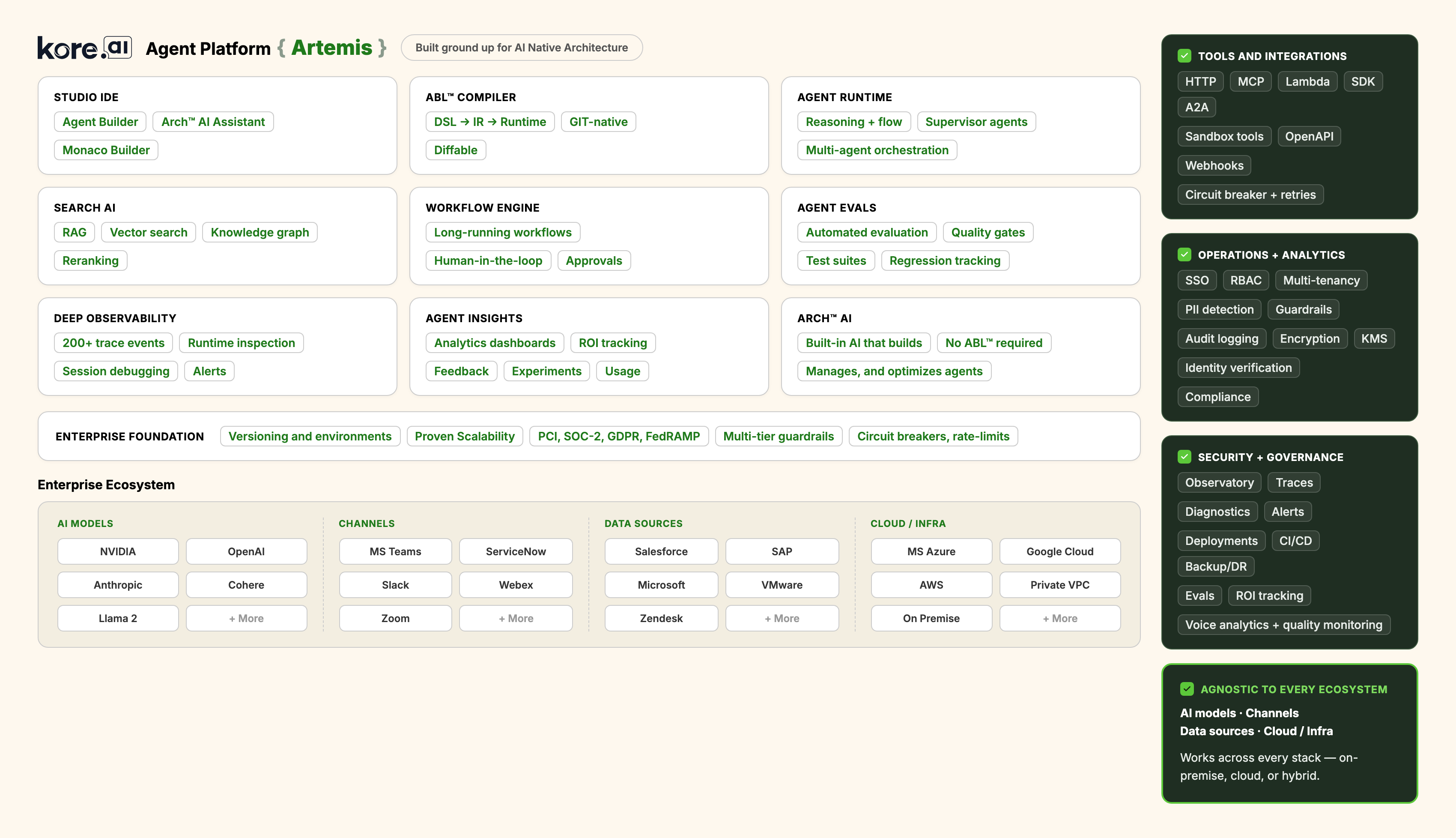
Enterprise ecosystem
The platform is agnostic to every ecosystem layer. Each layer is pluggable: customers can swap providers without rewriting agents.Agent Blueprint Language
ABL is the language used to define agents on the platform. It is a typed, schema-driven domain-specific language that produces an intermediate representation (IR) that the runtime can execute. The same blueprint compiles to the same AST and IR, whether it is authored as ABL syntax or as YAML. See Agent Blueprint Language.Multi-agent orchestration
The runtime supports four orchestration patterns out of the box. Each pattern is invoked through ABL constructs and is enforced by the runtime, including the difficult cases — parallel fan-out with barrier synchronization, asynchronous delegation that survives pod restarts, and multi-intent messages where a single user turn maps to multiple agents.See Multi-Agent Orchestration. Cross-runtime and supervisory features
- Google A2A Protocol (v0.3.0+) – Used for cross-runtime agent communication, including agents hosted outside the platform.
- Supervisor Routing – Handoff and delegation decisions are guardrail-aware; the runtime can override an agent’s chosen route when policy requires it.
- Pipeline Classifier – Short-circuits the orchestrator for high-confidence intents, so simple requests do not pay the cost of a full reasoning loop.
Agent lifecycle with Arch AI
Arch AI is not a copilot or a suggestion engine; it is a multi-agent system with specialized sub-agents that drive every phase of the agent lifecycle. There is no separate manual step to author ABL, run tests, or promote between environments — Arch AI runs each phase end-to-end and surfaces work products for human review. See Arch AI.Agent lifecycle as code
Agent definitions are first-class software artifacts. They are stored as YAML files, reviewed in pull requests, and promoted across environments using the same CI/CD practices used for application code.Environment pipeline
Agents move through four environments. Each environment runs the same compiled IR; configuration and credentials are externalized.- Dev – Where agents are authored and unit-tested.
- Staging – Where automated test suites and regression checks run.
- Pilot – Where a limited production audience validates behavior on real traffic.
- Production – Where the agent serves the full audience.
YAML definitions
Agent configurations are Git-native and diffable. A change to an agent’s behavior produces a reviewable diff in version control, just like a change to application code. Compiler validation runs on every commit, so broken definitions never reach a downstream environment.How it works
Every enterprise interaction is processed by two cognitive engines that operate in parallel. ABL defines both engines in a single language, the runtime executes both, and a shared memory layer coordinates state between them. This split-brain model allows a single agent definition to combine autonomous reasoning with deterministic, auditable execution.See Dual-Brain Architecture.