Intent Extraction from Summary
How do I configure the Intent Extraction from Summary feature? This feature extracts customer intents from a conversation summary captured during the On-Connect Dialog Task. Follow these steps to set it up. Step 1 — Add the context variable to the Dialog Task:- Go to Bot Builder > Dialog Tasks.
- Open the Dialog Task you want to configure for intent extraction.
- Select Component Properties > Edit Script (or Define Script for a new task).
-
Add the following context variable in the script field:

- Select Save.
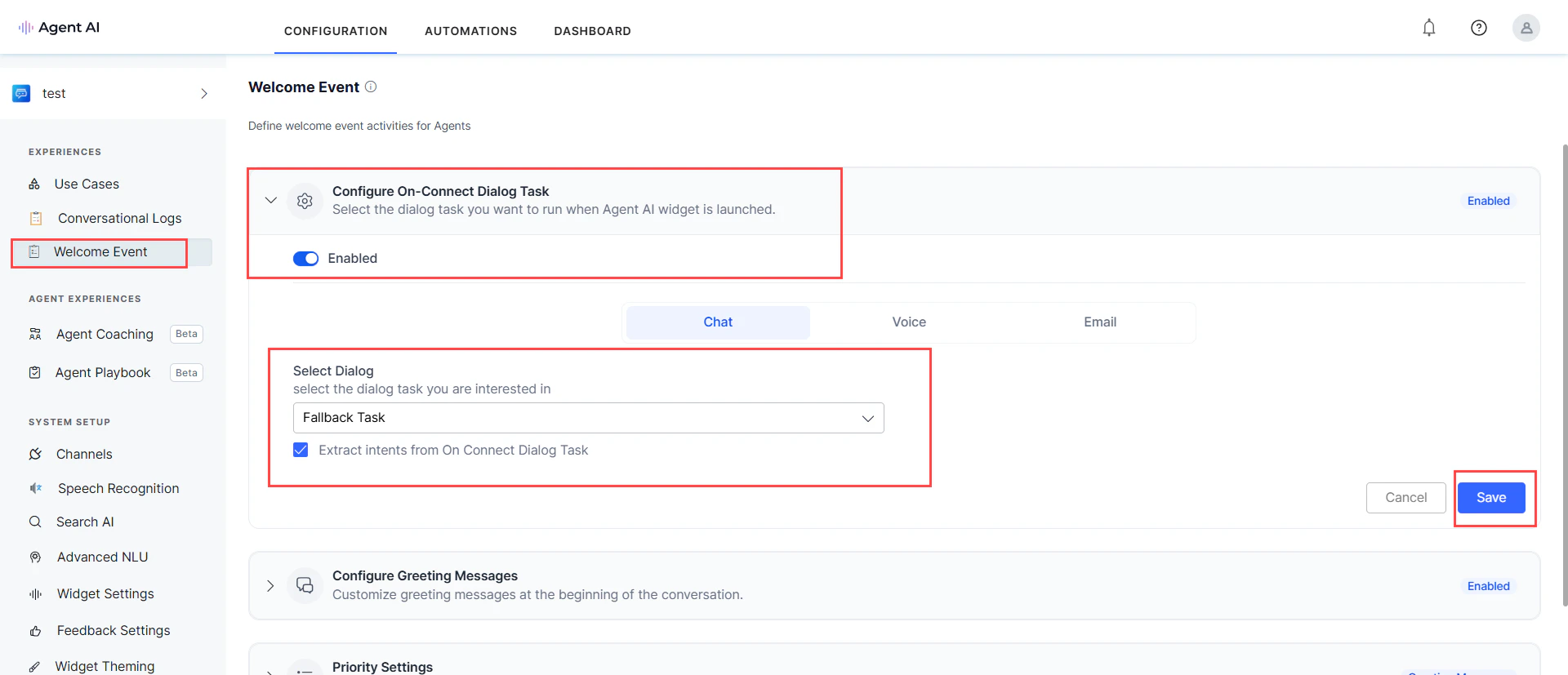
- Go to Welcome Event > Configure On-Connect Dialog Task and enable it.
- Select the relevant dialog task from the Select Dialog dropdown.
- Enable the Extract intents from On Connect Dialog Task checkbox.
-
Select Save.