Create a Custom LLM
- Sign in to AI for Service.
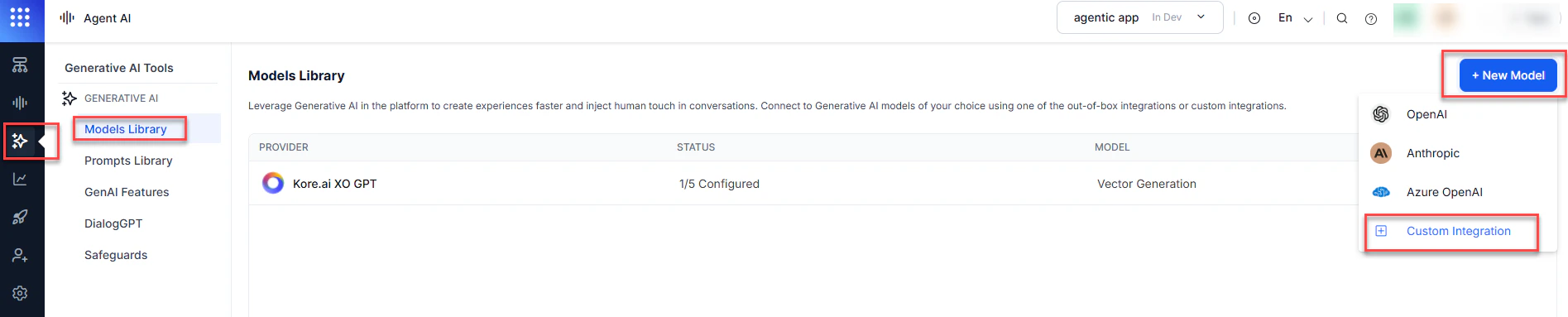
- Go to Agent AI > Generative AI Tools from the left navigation.
-
Select Models Library > New Model > Custom Integration.
-
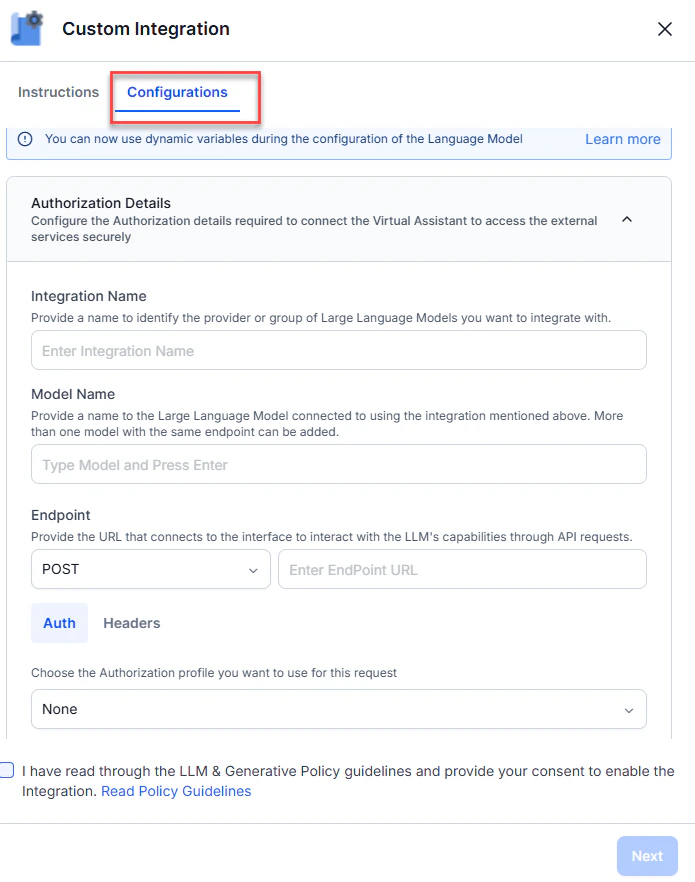
Select Configurations on the Custom Integration page.
-
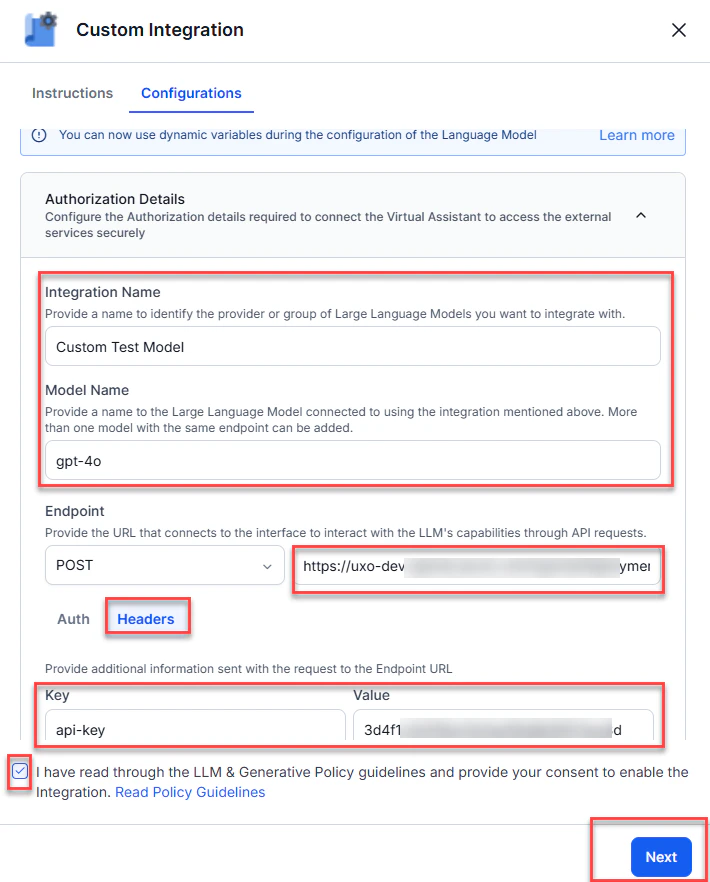
Enter the following details:
-
Select Headers and enter the key-value credentials:
- Key: For example,
api-key. - Value: For example,
3d4f1cOdxxxxxxxxxxxxxxx.
- Key: For example,
- Select the LLM and Generative Policy guidelines checkbox.
-
Select Next.
-
Enter a JSON request body (model, prompt, or other parameters) and select Test.

-
Select Save.
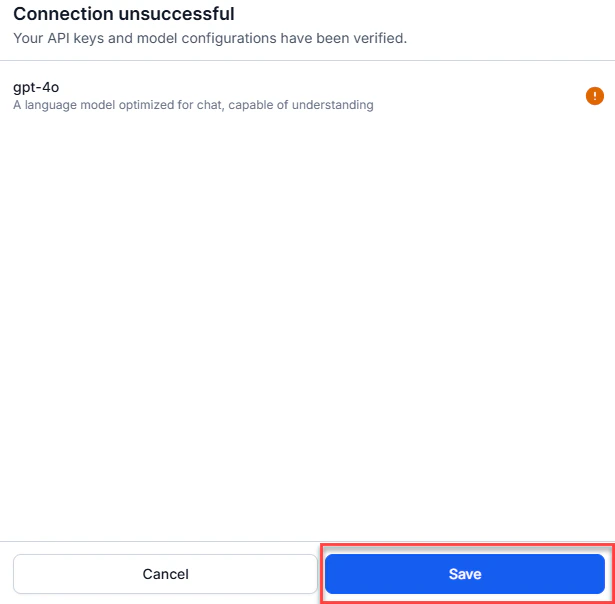
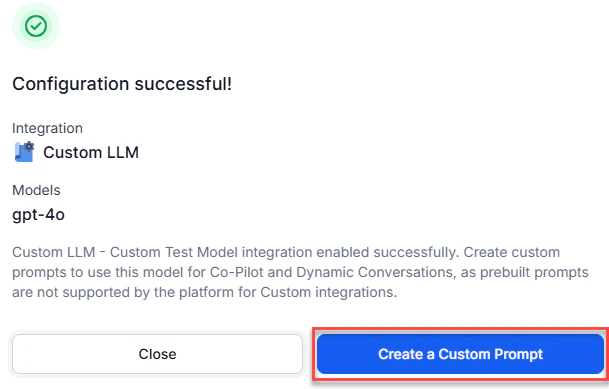
-
Select Create a Custom Prompt.
-
On the Conversation Summary page, fill in the following:
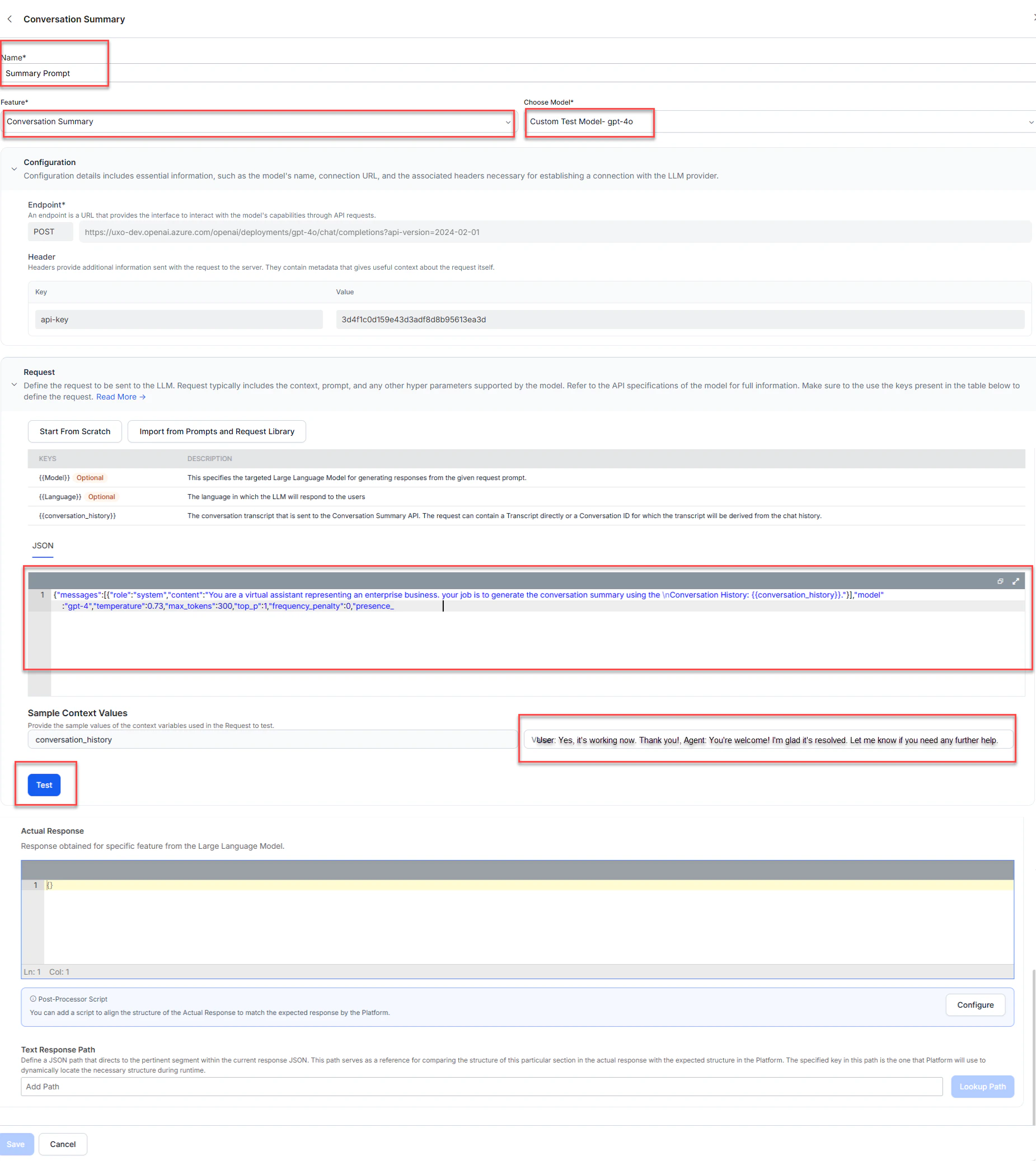
- Select Test.
- Enter the response path in Text Response Path. For example,
choices[0].message.content. - Select Lookup Path. The summary is generated.
- Select Save.

Select the Custom Model
- Sign in to AI for Service.
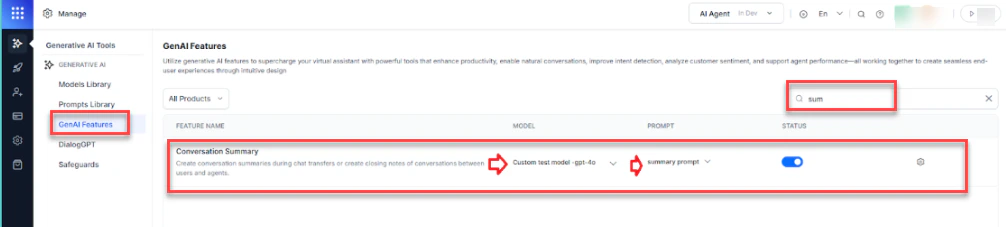
- Go to Agent AI > Generative AI Tools > GenAI Features.
-
Search for
conversation summaryin the search box. -
Select your model and prompt from the MODEL and PROMPT dropdowns.