Contact Kore Support to enable Wallboards.
Launch Wallboard
- Select the (…) icon and select Launch Wallboard. The wallboard opens in a new browser tab.


- Dashboard data refreshes every 60 seconds. Live widget data refreshes every second.

Wallboard Widgets
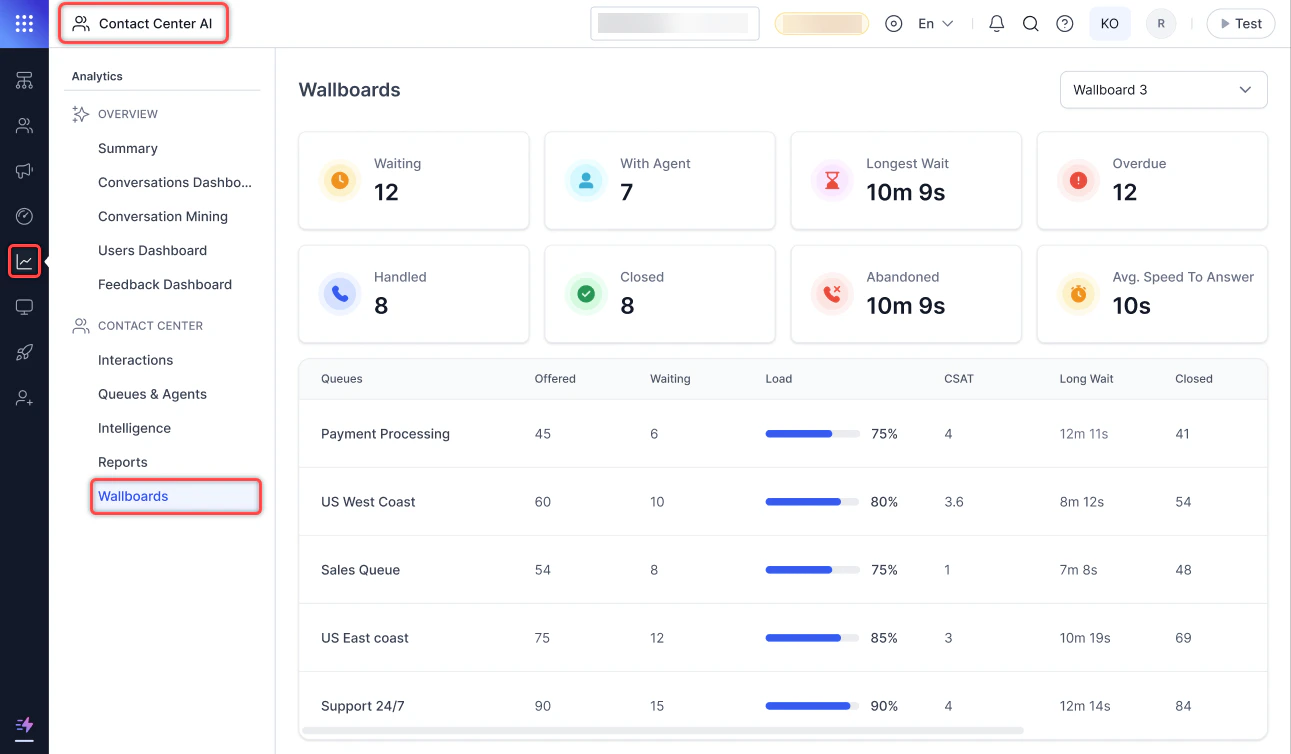
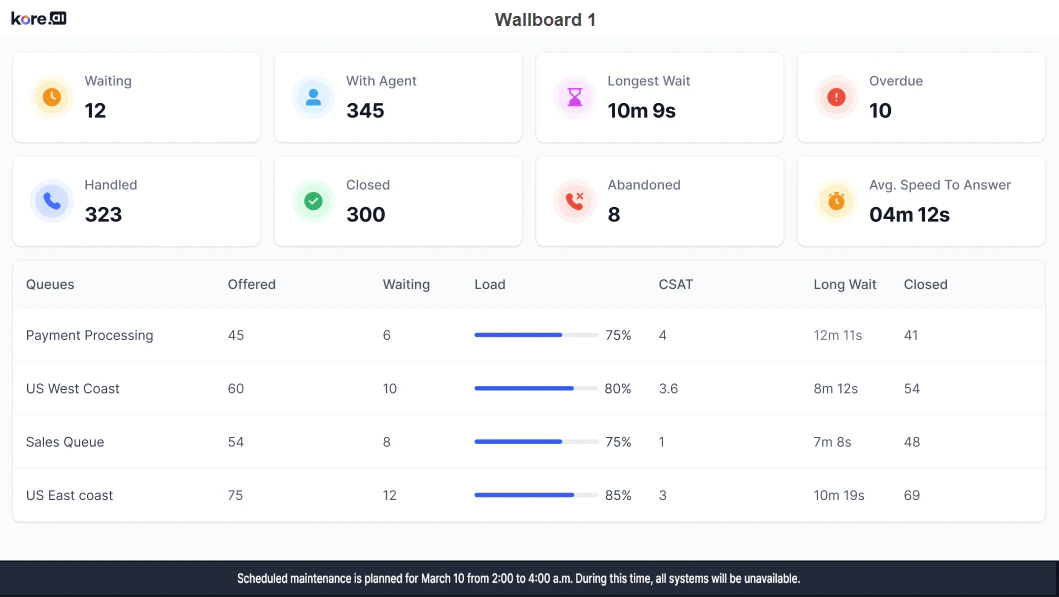
The wallboard displays widgets showing KPI data for the contact center over a configured time duration.Center Wide
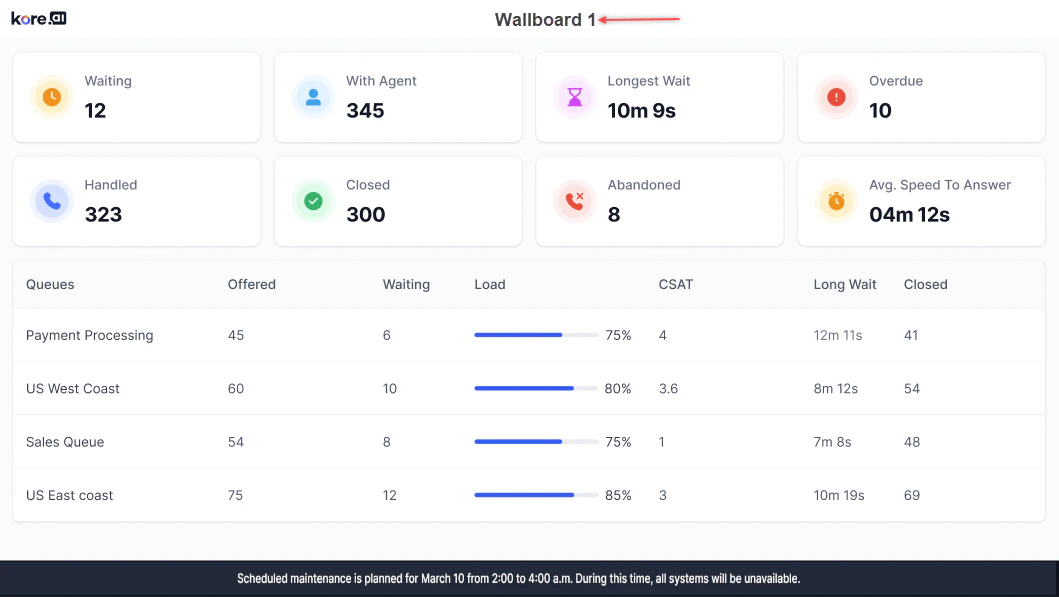
The wallboard name appears at the top.
Top Section Widgets

| Name | Live/Time Based | Description |
|---|---|---|
| Waiting | Live | Count of all conversations waiting in all queues. |
| With Agent | Live | Count of all conversations currently with agents. |
| Longest Wait | Live | Duration of the longest wait for any conversation currently in a waiting state. |
| Overdue | Live | Count of all conversations currently overdue with agents. |
| Handled | Time-based | Count of all conversations handled (completed) by the contact center. |
| Closed | Time-based | Count of all conversations properly closed by agents. |
| Abandoned | Time-based | Count of all conversations abandoned by users in queues. |
| Avg. Speed To Answer (ASA) | Time-based | Average speed to answer for all conversations. |
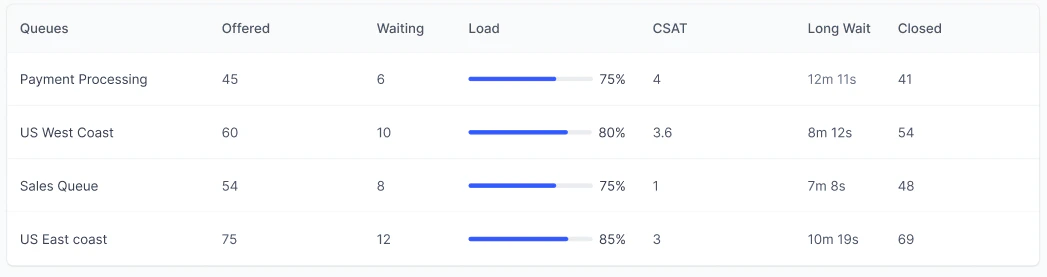
Bottom Section — Queue Data

| Name | Live/Time Based | Description |
|---|---|---|
| Queues | NA | Names of the configured queues. |
| Offered | Time-based | Count of all conversations offered in the queue. |
| Waiting | Live | Count of all conversations waiting in the queue. |
| Load | Live | Current load on the queue as a percentage. |
| CSAT | Time-based | Average CSAT of all conversations in the queue / count of conversations with CSAT in the queue. |
| Long Wait | Live | Longest wait duration for any conversation currently waiting in the queue. |
| Closed | Time-based | Count of conversations properly closed in the queue. |
Queue Specific
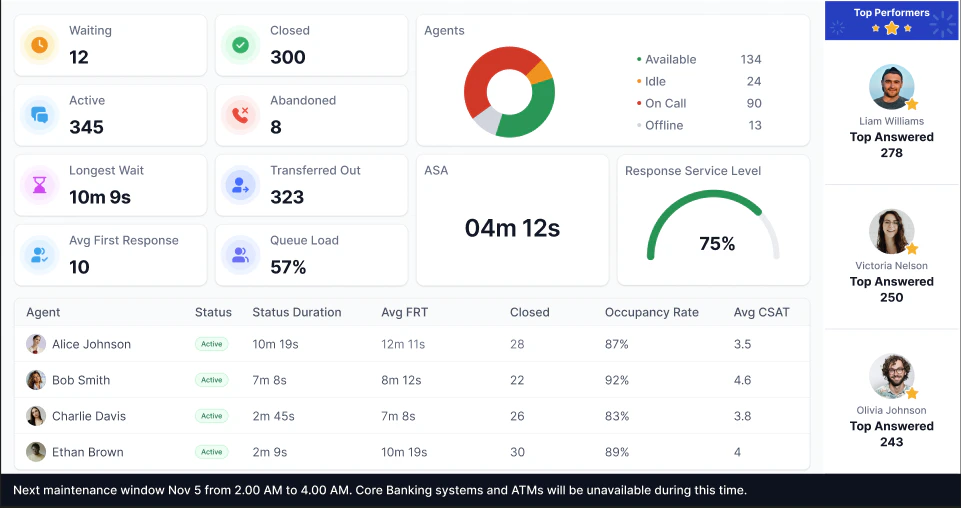
The wallboard name appears at the top.
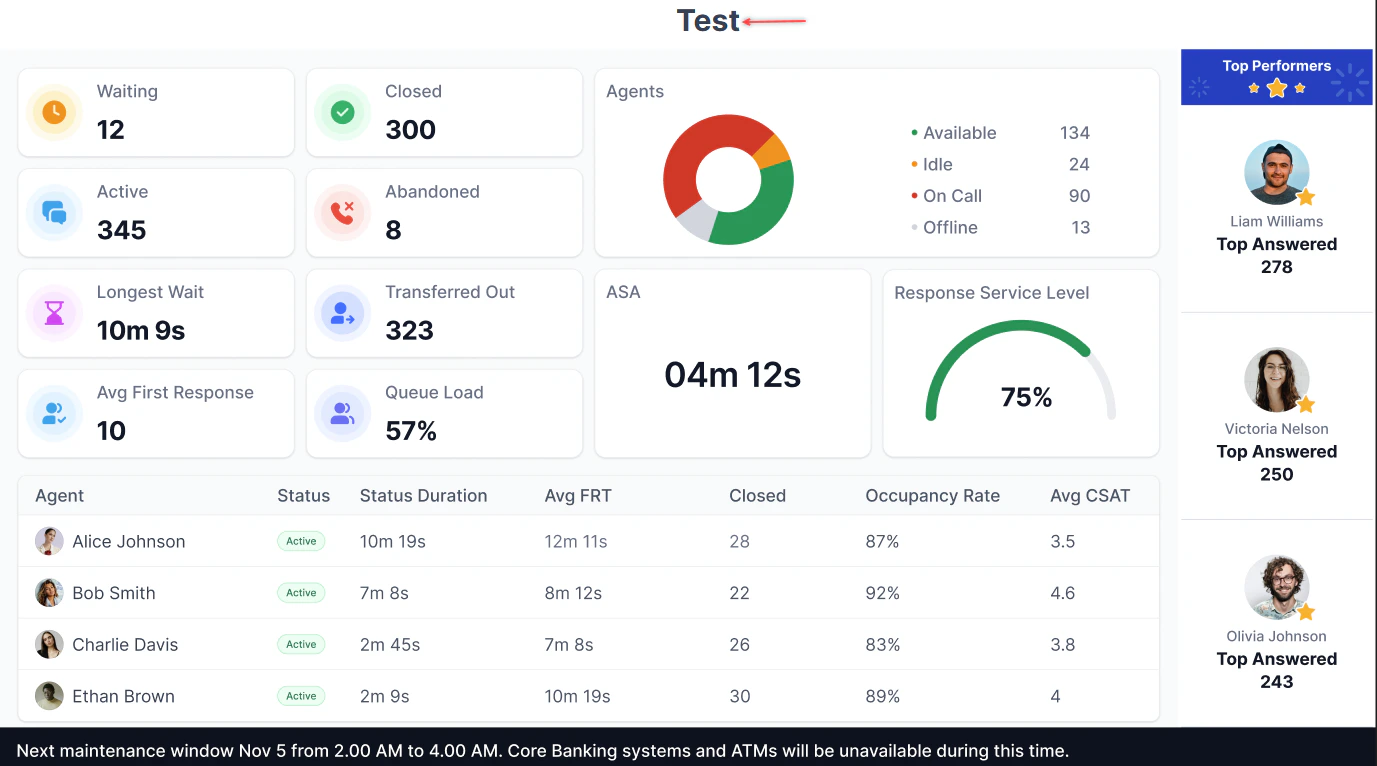
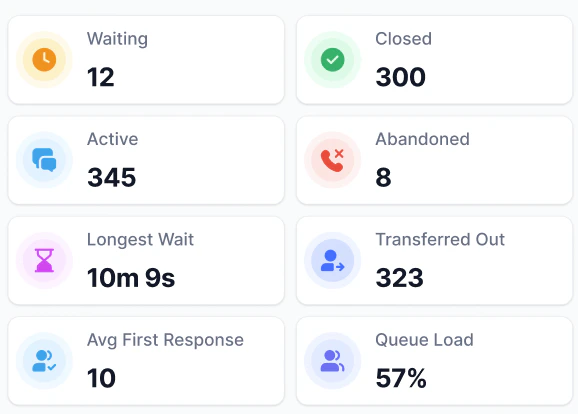
Top Section Widgets
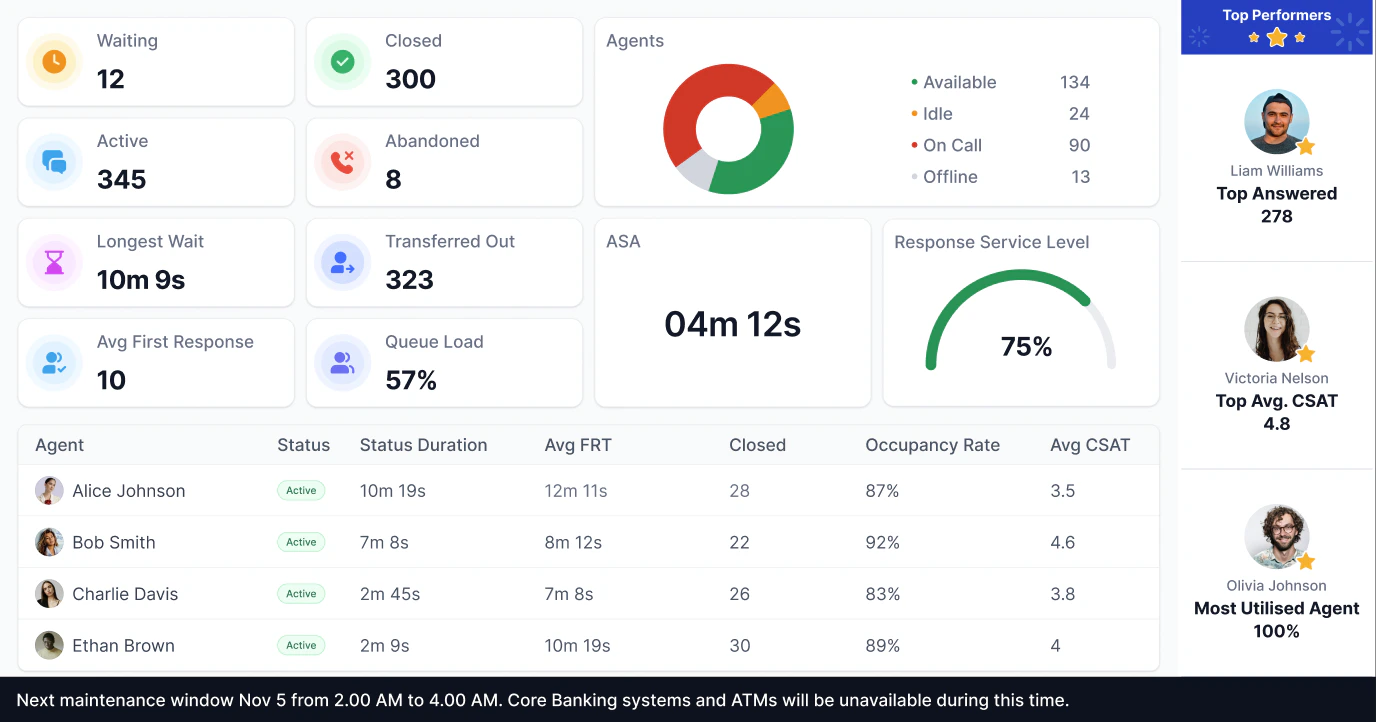
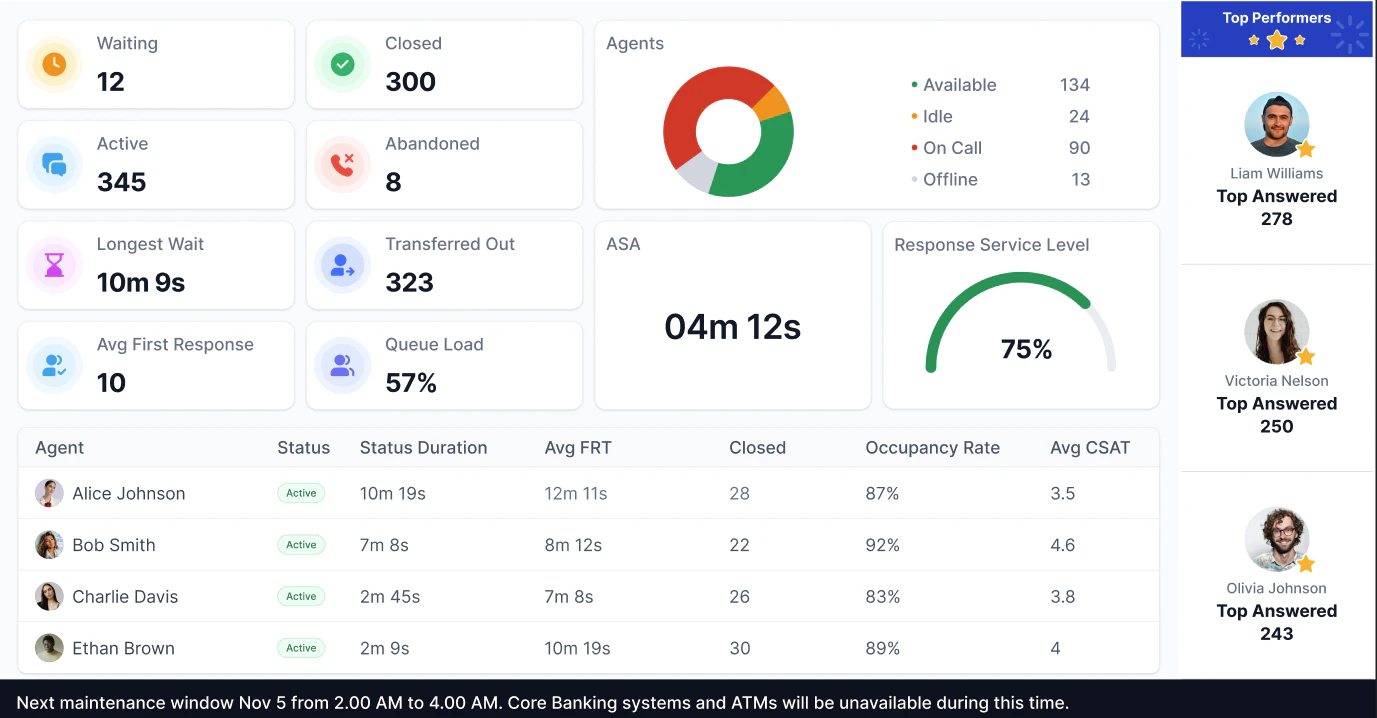
Multiple Insights

| Name | Description |
|---|---|
| Waiting | Number of conversations waiting in the selected queue. |
| Closed | Number of conversations properly closed by agents in the selected queue. |
| Active | Number of conversations in active conversations with agents in the selected queue. |
| Abandoned | Number of conversations abandoned in the selected queue. |
| Longest Wait | Longest wait time for all conversations in the selected queue (format: NNNh NNm NNs). |
| Transferred Out | Number of conversations transferred to other queues from the selected queue. |
| Avg. First Response Time (FRT) | Average first response time for all conversations in the selected queue. |
| Queue Load Percentage | Ratio of current queue demand to queue handling capacity, as a percentage. Formula: (Waiting conversations + Active conversations) / (Available agents × Target conversations per agent) × 100% |
Right Section Widgets

| Name | Range | Description |
|---|---|---|
| Top N Closed | N in the range of 1–3 | Shows agents with the highest number of closed conversations. |
| Top N Answered | N in the range of 1–3 | Shows agents with the highest number of accepted conversations. |
| Top N CSAT | N in the range of 1–3 | Shows agents with the highest CSAT. |
| Top N Occupancy Rate | N in the range of 1–3 | Shows agents with the highest occupancy rate. |
| Top N Average First Response Time | N in the range of 1–3 | Shows agents with the lowest Average First Response Time (FRT). |
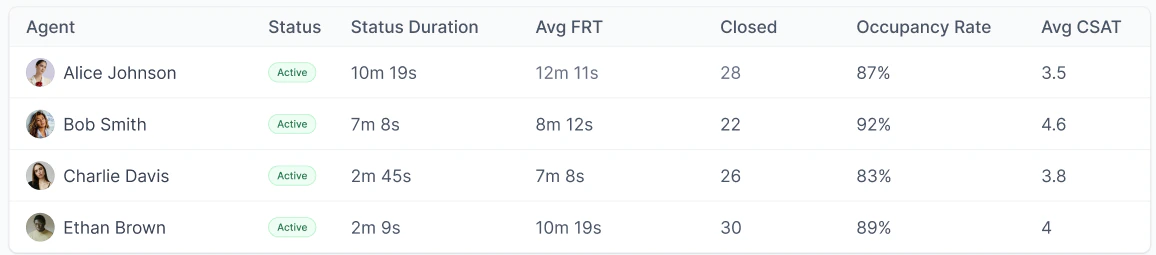
Bottom Section — Agent Data

| Name | Description |
|---|---|
| Agent | Name and display picture of agents. |
| Status | Current status of the agent. |
| Status Duration | How long the agent has been in the current status (format: NNNh NNm NNs). |
| Avg. FRT | Average First Response Time of the agent. |
| Closed | Number of conversations properly closed by the agent. |
| Occupancy Rate | Percentage of logged-in time the agent spent actively handling conversations. Formula: (Time spent actively working [talk + hold + snooze + mute + ACW]) × 100 / (Time spent logged in) |
| Avg. CSAT | Average CSAT of the agent. |
Center Wide Abandoned
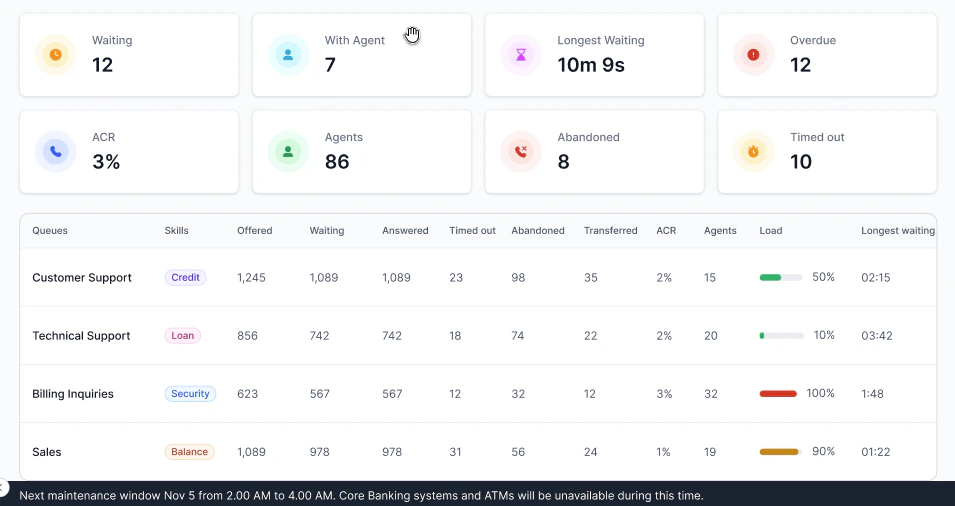
The wallboard name appears at the top.
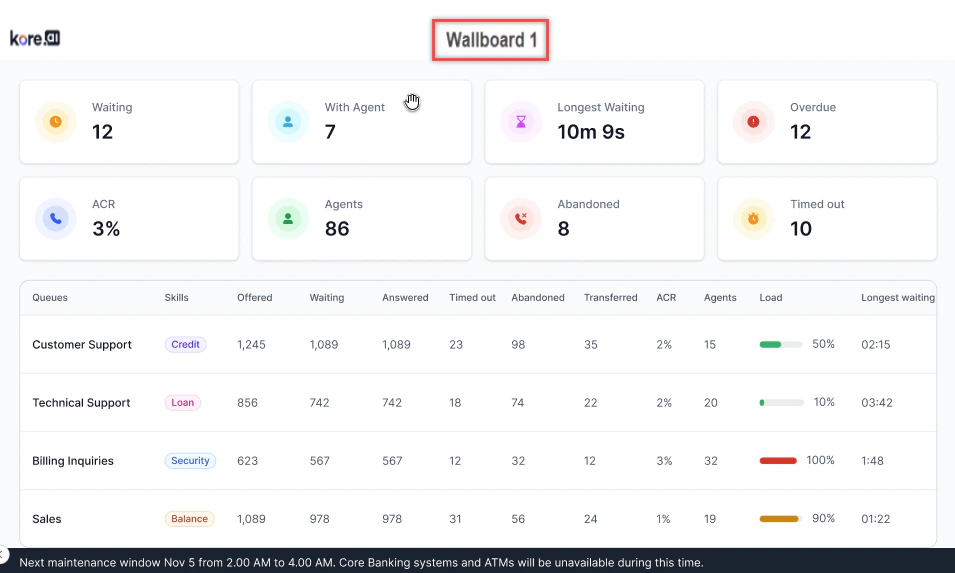
Top Section Widgets
The top section of the wallboard shows the following widgets:
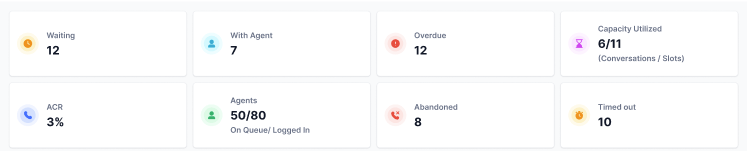
| Name | Live / Time-Based | Description |
|---|---|---|
| Waiting | Live | Count of all conversations waiting in all queues. |
| With Agent | Live | Count of all conversations currently handled by agents. |
| Longest Waiting Time | Live | Duration of the longest wait for any conversation currently in the waiting state. |
| Overdue | Live | Count of all conversations currently overdue with agents. |
| ACR | Time-Based | Percentage of conversations abandoned in queue or timed out, divided by offered conversations. |
| Agents | Live | Number of agents currently logged in. |
| Abandoned | Time-Based | Count of conversations abandoned by users in queues. |
| Timed Out | Time-Based | Number of conversations that timed out while waiting in the queue. |
Bottom Section Widgets
The bottom section of the wallboard displays the following queue data.
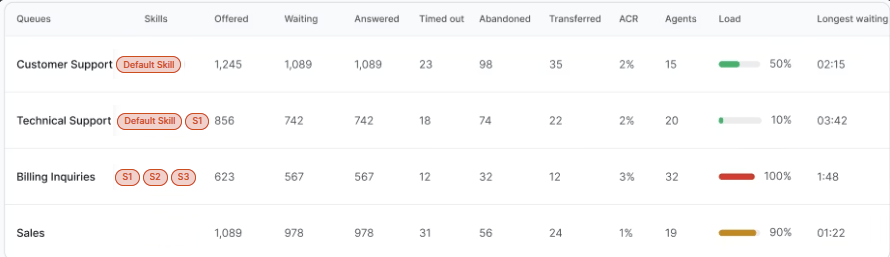
| Name | Live / Time-Based | Description |
|---|---|---|
| Offered | Time-Based | Count of all conversations offered. |
| Waiting | Live | Count of all conversations currently waiting in the queue. |
| Answered | Time-Based | Count of all conversations accepted by any agent. |
| Timed Out | Time-Based | Count of all conversations timed out while waiting in the queue. |
| Abandoned | Time-Based | Count of all conversations abandoned in the queue. |
| Transferred | Time-Based | Count of all conversations transferred from this queue. |
| ACR | Time-Based | Percentage of conversations abandoned in queue or timed out divided by offered conversations. |
| Agents | Live | Count of all available or system-busy agents assigned to the queue with the required skill combination. |
| Load | Live | Queue load calculated using the queue load formula from the Queues and Agents dashboard. Skills are ignored for this metric. |
| Longest Waiting Time | Live | Duration of the longest wait for any conversation currently waiting in the queue with the skill. |
If the scroll text toggle is enabled, the configured text scrolls at the bottom of the page at the selected speed.