

Configure the Node
General Settings
In General Settings, configure the following: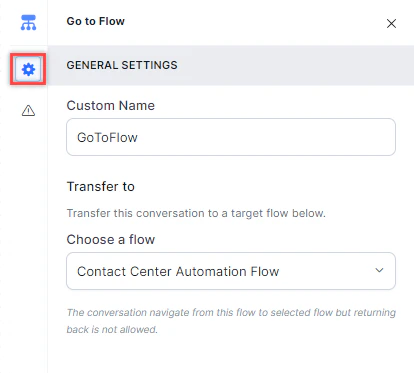
- Custom Name: Enter a name to identify the node.
- Transfer To: Under Choose a Flow, select the target flow from the dropdown.
Error Handling
Use this section to handle system errors during customer interactions.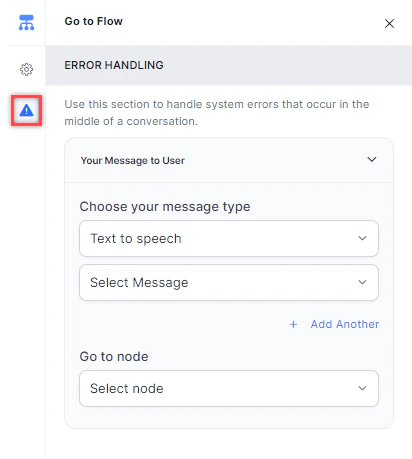
-
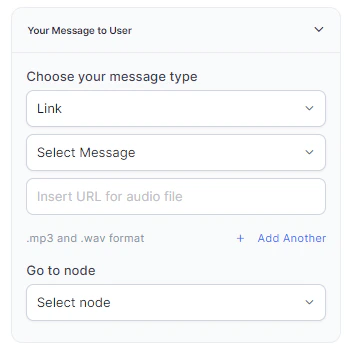
Your Message to User: Select a message type under Choose your message type:
-
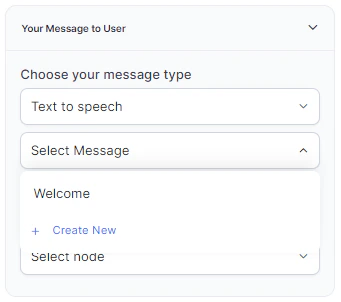
Text to Speech: Type or select a message to convert to speech. Click + Create New to add a new prompt, or + Add Another to define multiple messages (one is randomly selected at runtime).
-
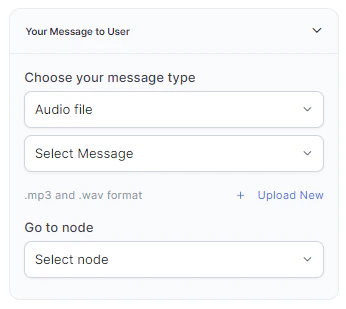
Audio File: Type a message or click + Upload New to upload an .mp3 or .wav file.
-
Link: Click + Create New to add message text and an audio file URL (.mp3 or .wav). Click + Add Another for additional URLs.
-
Text to Speech: Type or select a message to convert to speech. Click + Create New to add a new prompt, or + Add Another to define multiple messages (one is randomly selected at runtime).
- Go to node: Select the node to direct the error handling flow. You can create a new node or select an existing one. !!! note Waiting experience overrides defined in GoTo flows don’t override waiting experience utils configured in main flows.