

- A valid Agent AI account.
- Bot Owner access is required to upgrade.
What Changes
Bot to App Transition
Agent AI bot and child bots become individual Apps in XO v11.Upgrade Journey from Agent AI XO10 to XO v11
Upgrade Notification
-
Sign in to Agent AI > Configurations. A notification appears at the top of the screen.
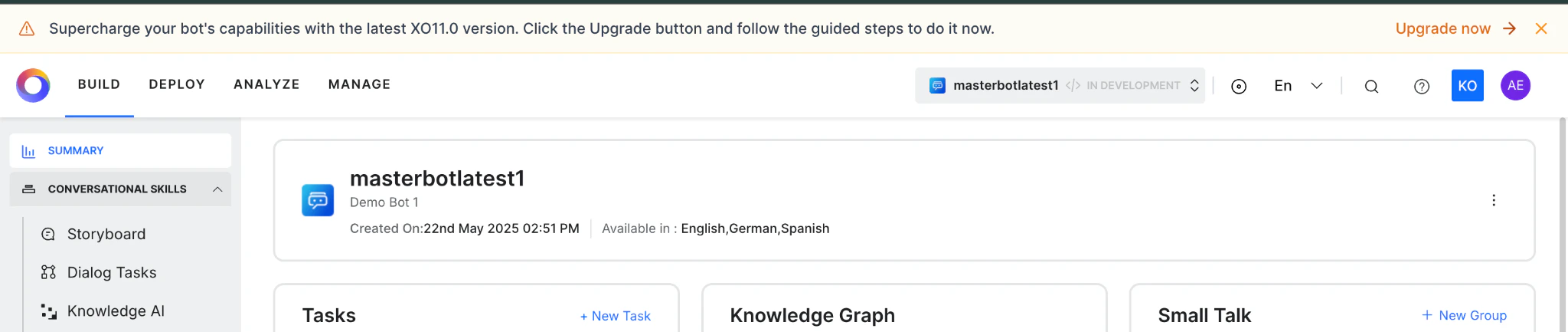
- Click Go to XO11 to start the upgrade. !!! note Only bot owners can upgrade Agent AI bots and child bots.
-
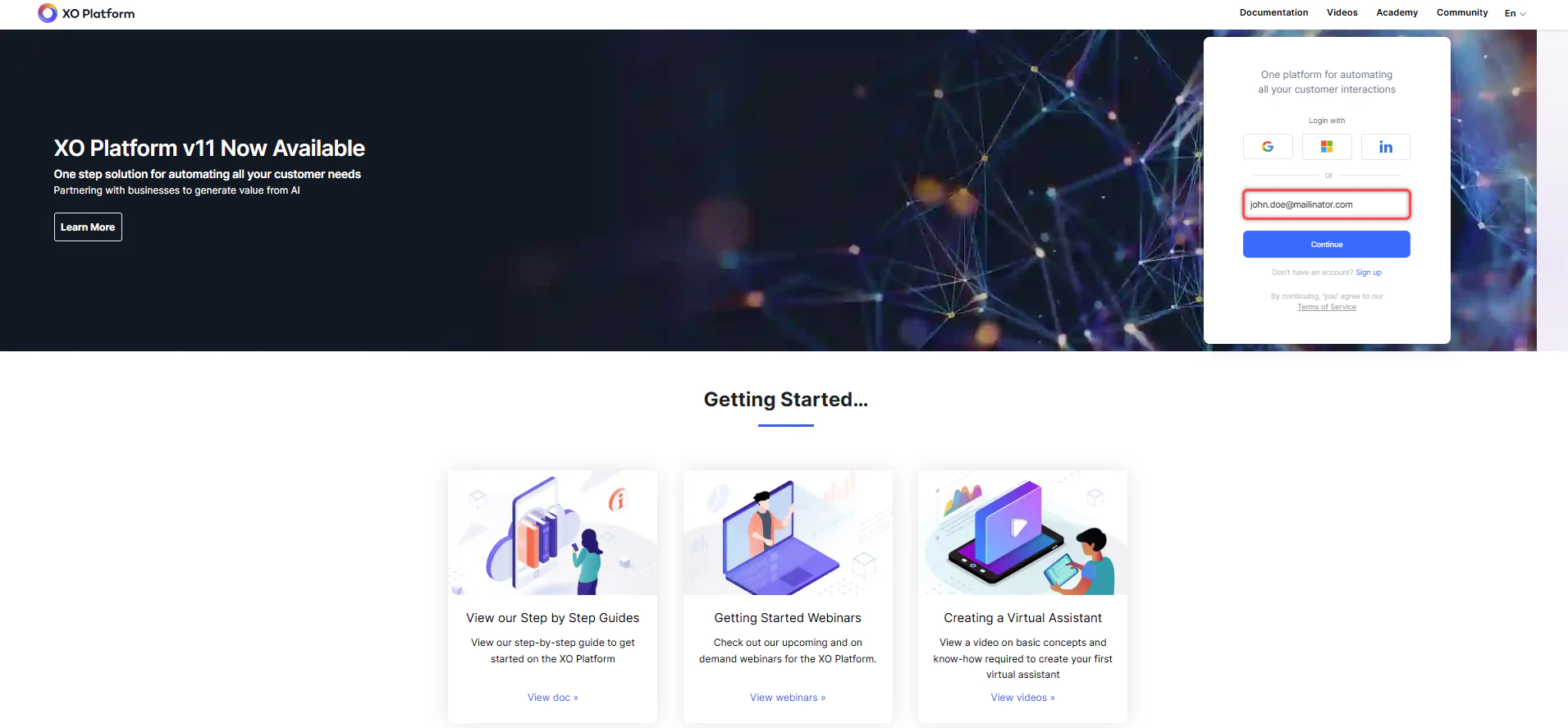
Sign in to XO v11 using your Agent AI credentials.
-
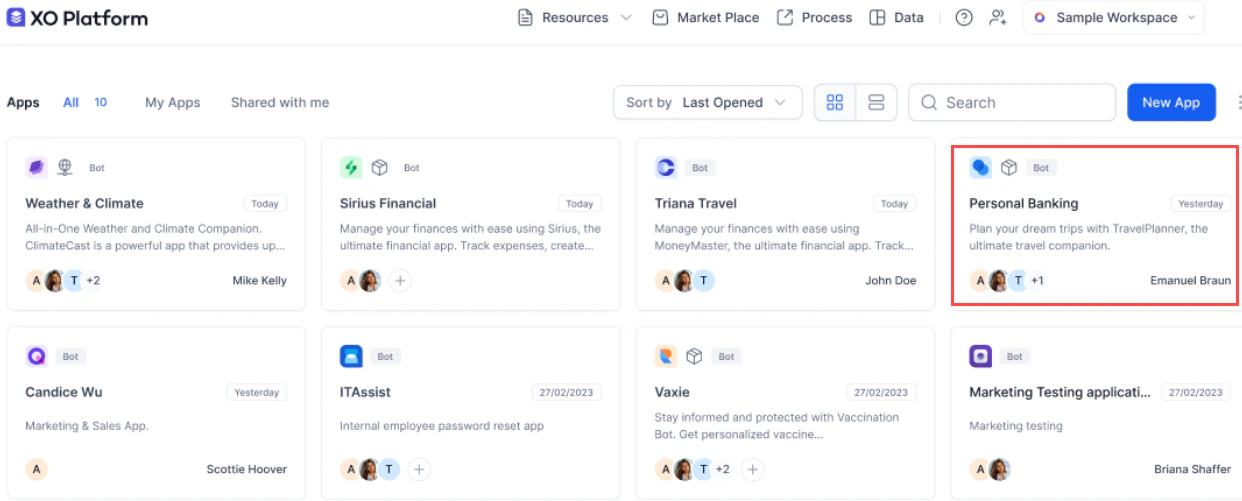
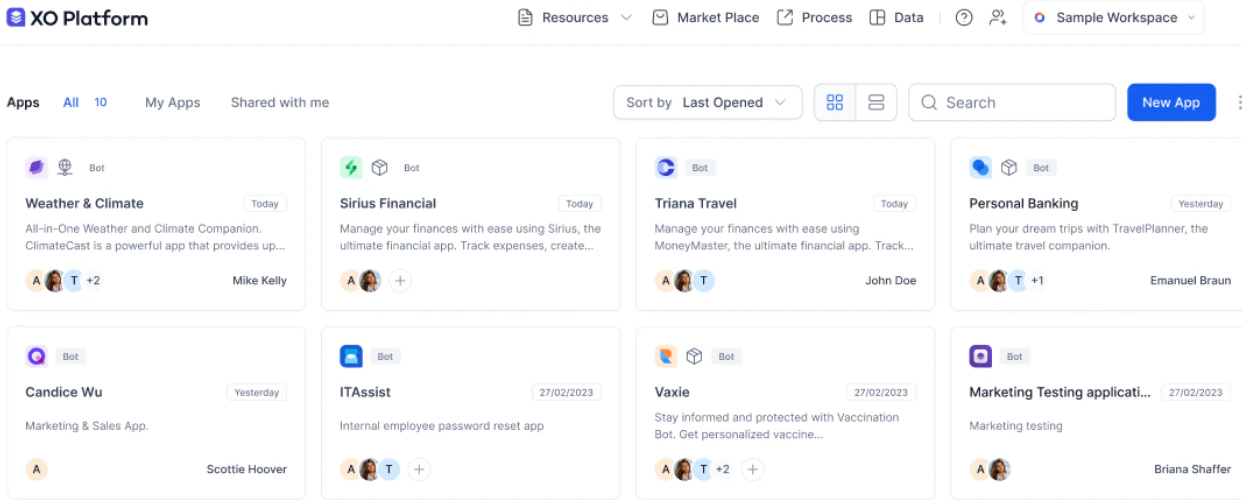
All apps (Agent AI and automation bots) are displayed. Click the Agent AI bot to upgrade it to an App in XO v11.
-
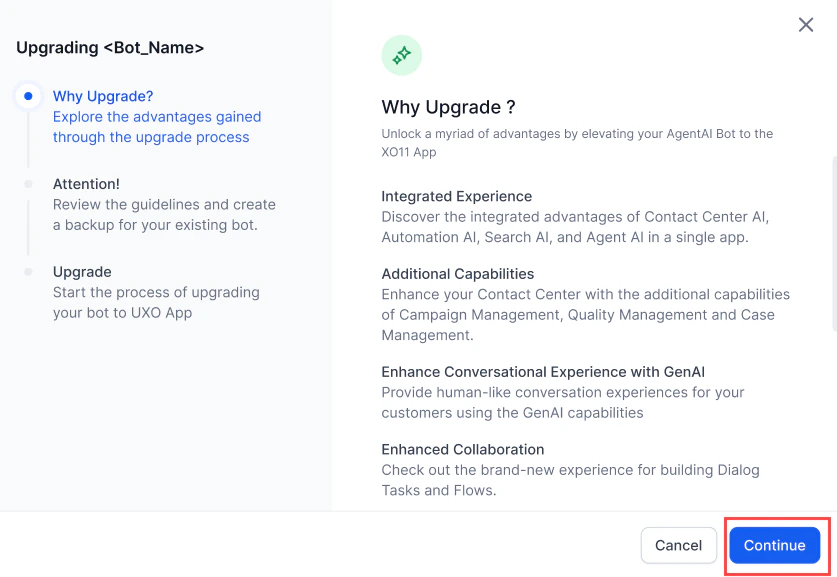
A pop-up appears with Why Upgrade?, Attention!, and Upgrade options. Click Continue.
-
Review the guidelines, download and back up your Agent AI bot, then click Start Upgrade.
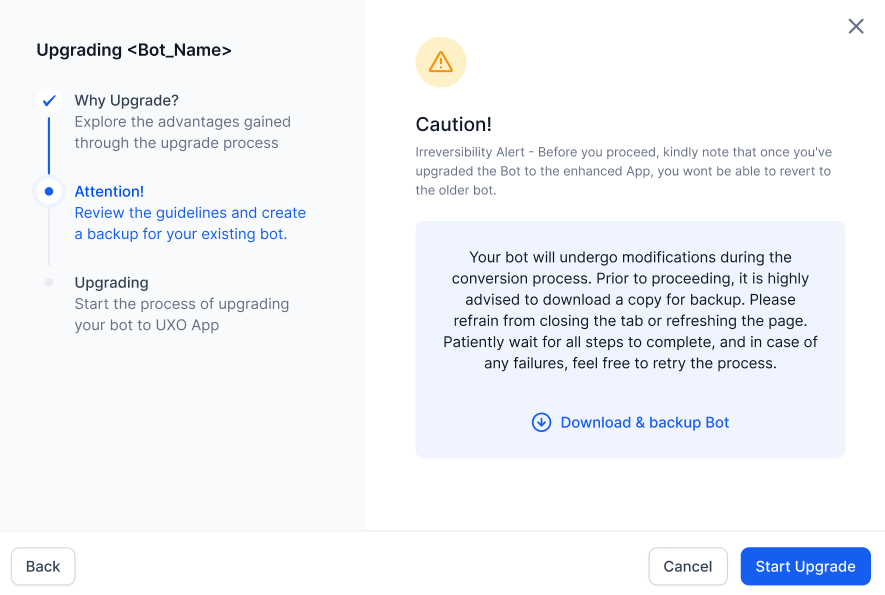
-
A progress bar appears. Click Finish when complete.
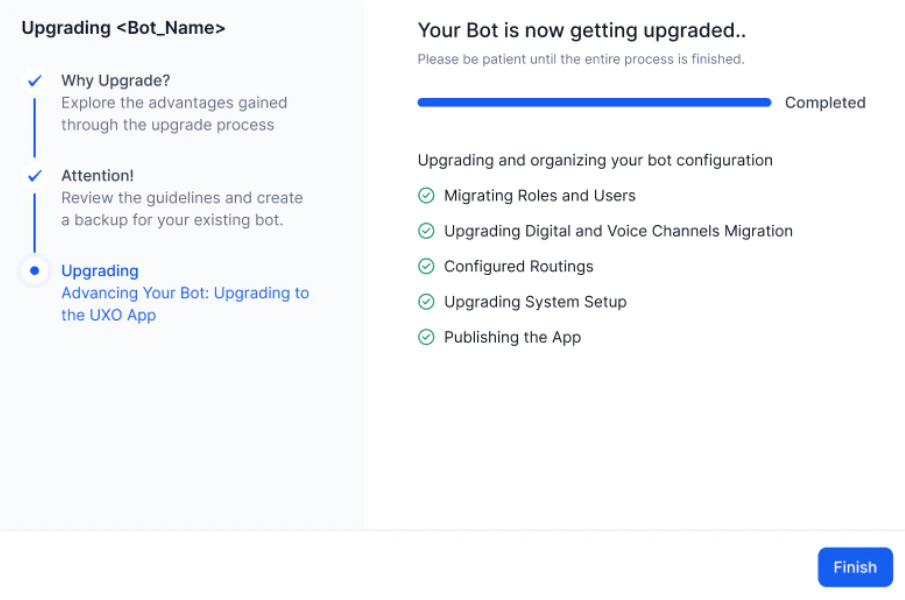
-
A success message confirms the upgrade. The Agent AI bot is now an App in XO v11.
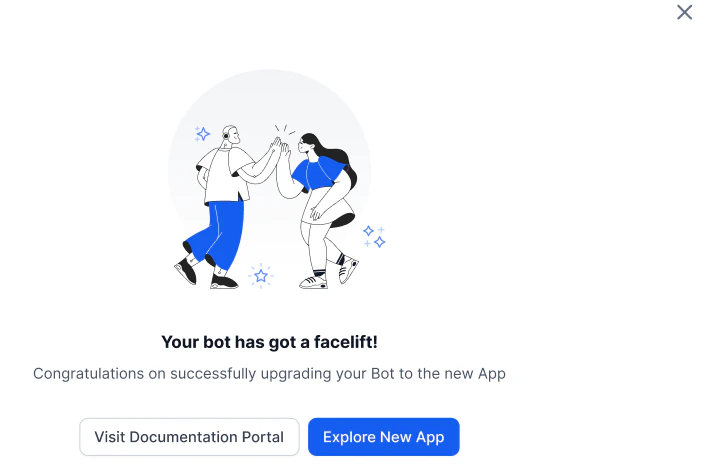
Upgrade Failure
If an error occurs, the system stops the upgrade and lets you revert it.-
An error notification appears in the upgrade window.
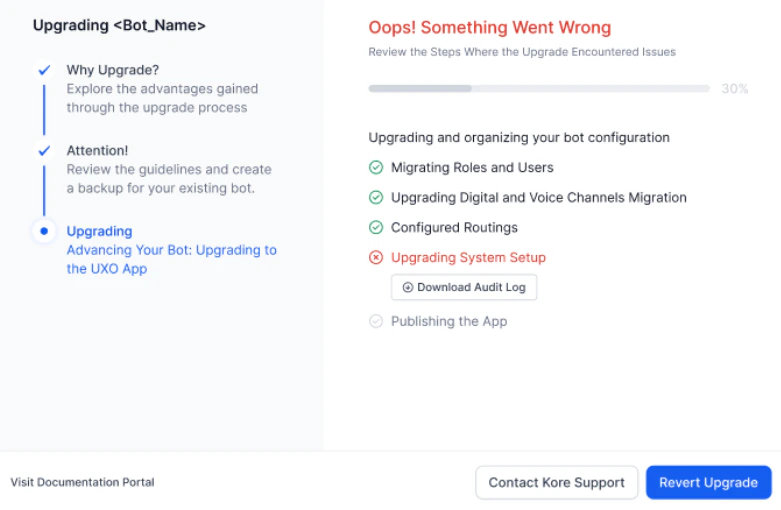
-
Click Revert Upgrade. You are redirected to the XO v11 home page.
Related Links