

bots.kore.ai platform prompts you to try the new platform at platform.kore.ai. Your existing bots are available on the new platform with the same functionality—creating dialogs, configuring settings, and publishing. A banner inside each bot also lets you upgrade it to an XO v11 app.
The upgrade process includes user consent, a bot backup download, a multi-step guided journey, and a success or failure outcome with a retry option.
Important notes before starting:
- Upgrades aren’t available for paid bots on standard accounts.
- For Standard account workspaces in trial, the remaining trial period transfers to the new app with updated trial conditions.
- XO v10 has two bot variants: Standard Bot and Universal Bot. Each has a different migration process.
Prerequisites
- Access to both the XO v10 and XO v11 platforms.
- Bot Owner access for the bot you plan to upgrade.
- The bot exists in XO v10 and is fully functional.
- Permission to duplicate and upgrade bots in XO v10.
- Automate Deployment Requests is enabled in the Deployment Request section of the XO v10 Admin Console. Refer to Automate Deployment Requests.
- Familiarity with the changes in XO v11, including updated event handling and deprecated features.
Upgrade Journey for Standard Bots
-
Sign in to the XO v10 Platform and duplicate the bot you plan to upgrade.
- Open the bot and go to Deploy > Bot Management > Export & Import Bot.
- Export the latest version of the bot.
- Return to the homepage, click New Bot > Import Bot, and upload the exported files. Name the duplicate appropriately.
- Sign in to the XO v11 Platform.
- Confirm that your XO v10 bots are visible on the platform.
-
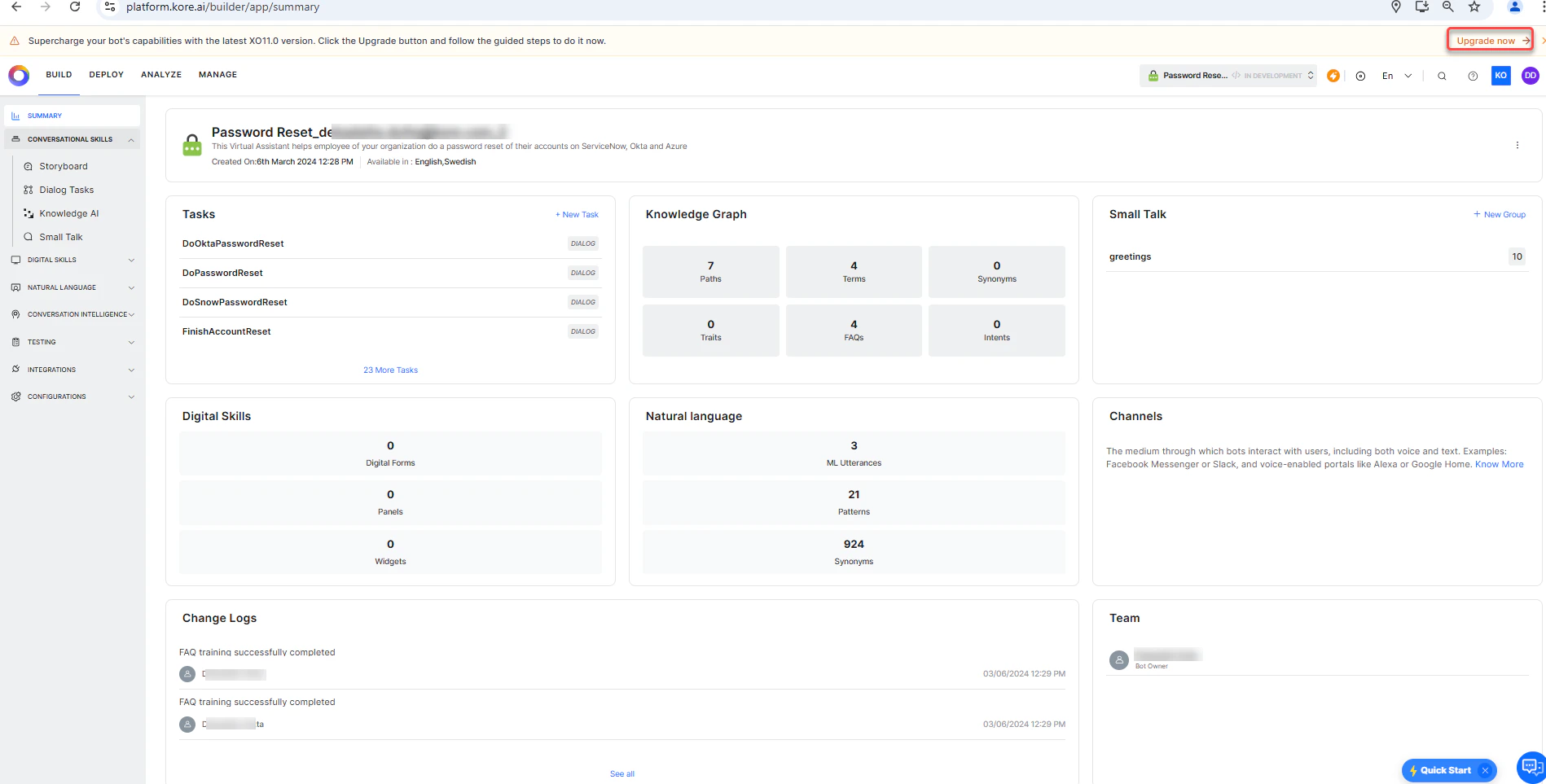
Open the duplicate bot and click upgrade now on the banner.
-
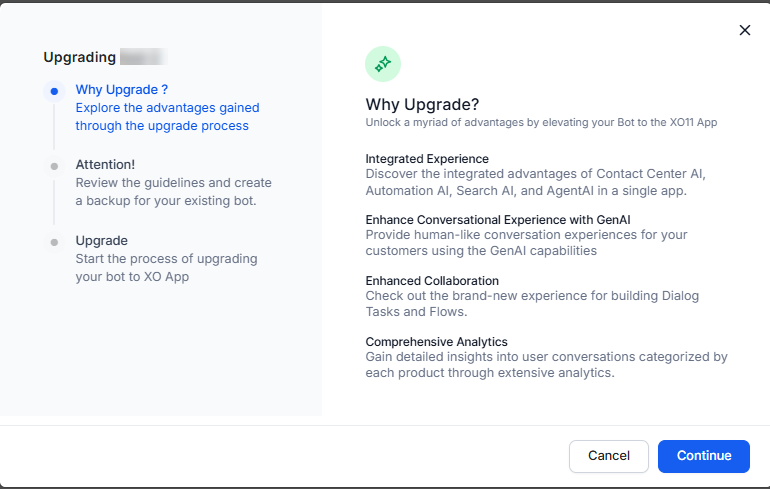
Follow the guided upgrade journey to upgrade the duplicate bot to an XO v11 App.
- Test the upgraded App, verify functionality, and assess the migration’s impact.
- Once the duplicate bot works as expected, upgrade the original bot to XO v11.
- Always maintain a backup of your original bot.
- Test thoroughly in a non-production environment before deployment.
- Document any customizations or special configurations.
- Allow sufficient testing time before proceeding with the final migration.
Upgrade Journey for Universal Bots
XO v10 Universal Bots act as orchestrators that route user inputs to linked Standard Bots for intent handling. In XO v11, this orchestration is supported within a Standard App via DialogGPT, eliminating the need for a separate Universal Bot construct. The migration process for a Universal Bot follows the same steps as a Standard Bot, with the following additional task: Configure DialogGPT An embedding model, BGE M3, is selected by default.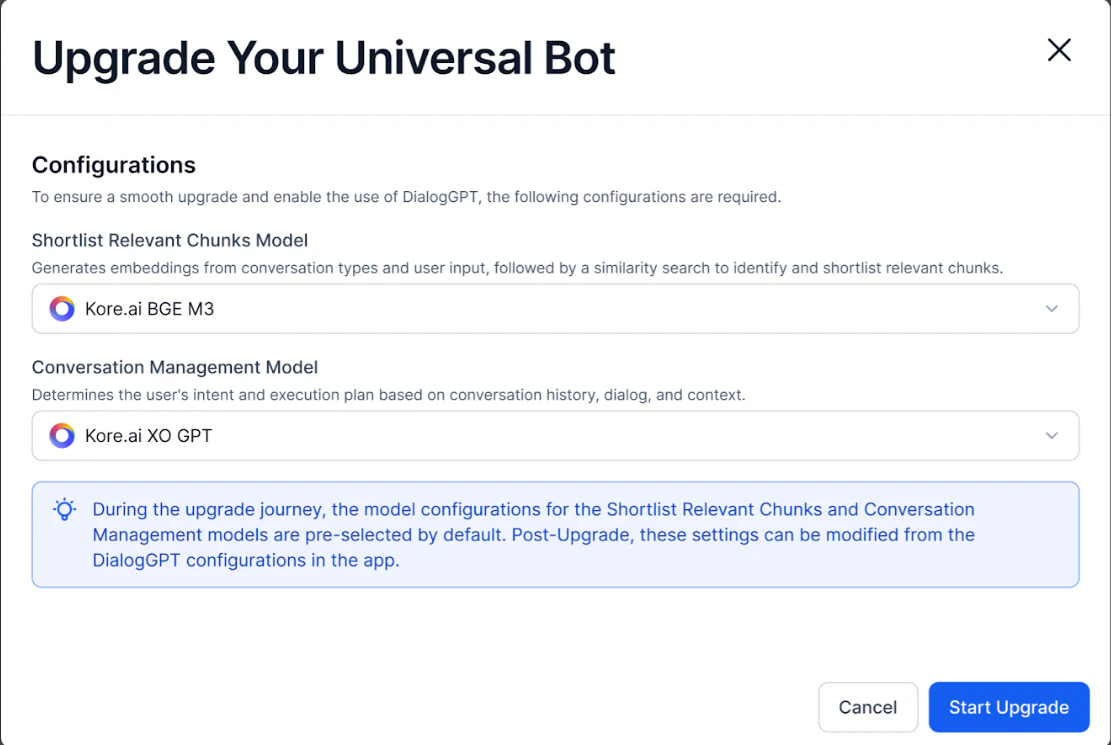
- Linked Apps
- Events
- Default Dialog
- Standard Responses
- Variables
Training utterances in the Universal Bot are no longer relevant.
- Refine dialog and FAQ descriptions: Enhance dialog descriptions and add FAQ descriptions to effectively capture each dialog task’s intent. Use manual descriptions or GenAI for automated generation. Accurate descriptions are essential because the Conversation Orchestration model relies on them for intent identification.