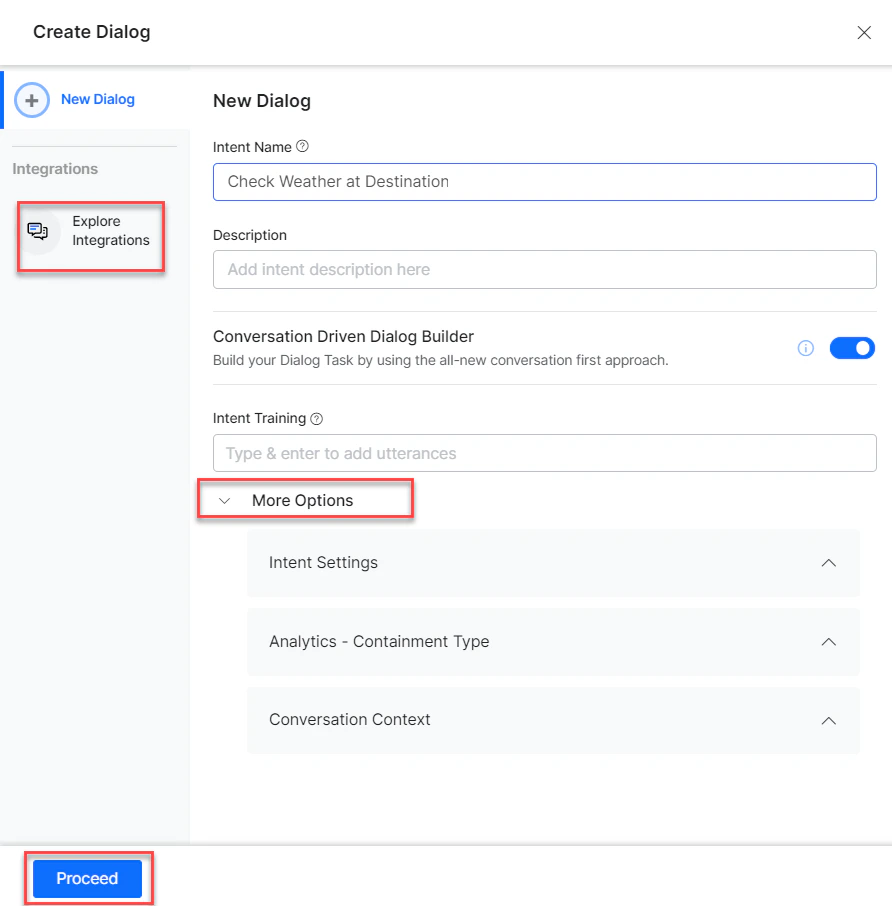
- Go to Automation AI > Use Cases > Dialogs and click Create a Dialog Task.
-
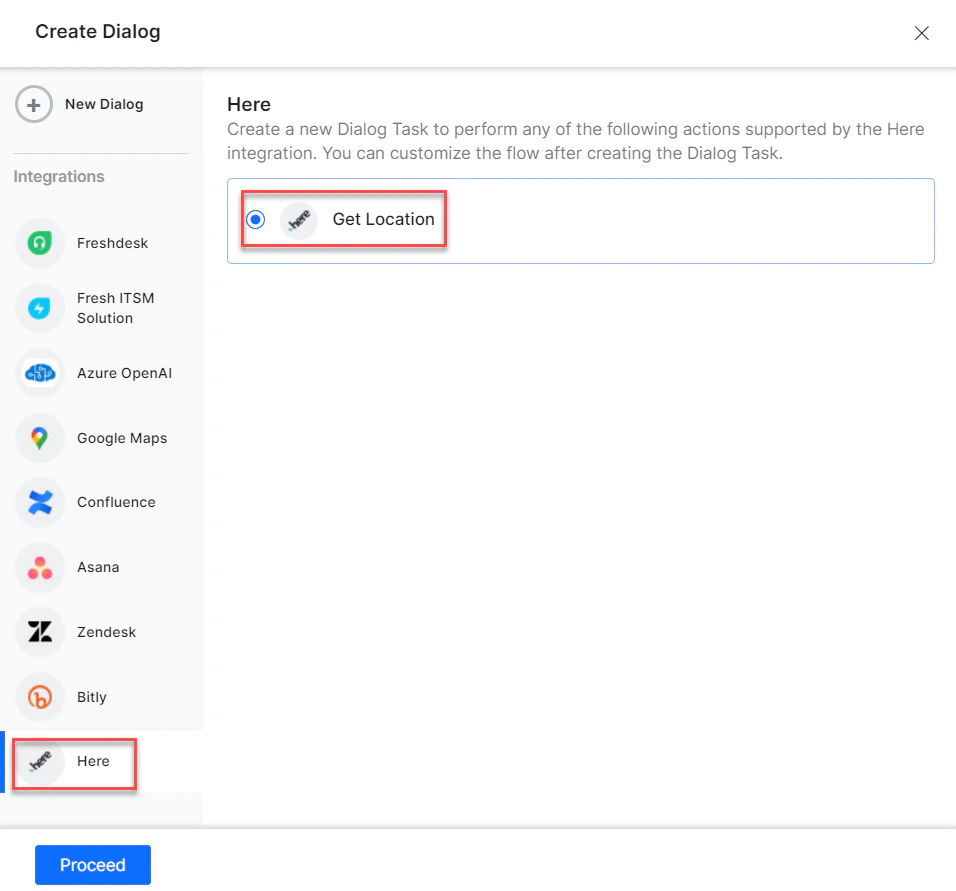
Under Integration, select Here to view action templates.
Supported Actions
Get Locations
- Install the template from Here Templates.
-
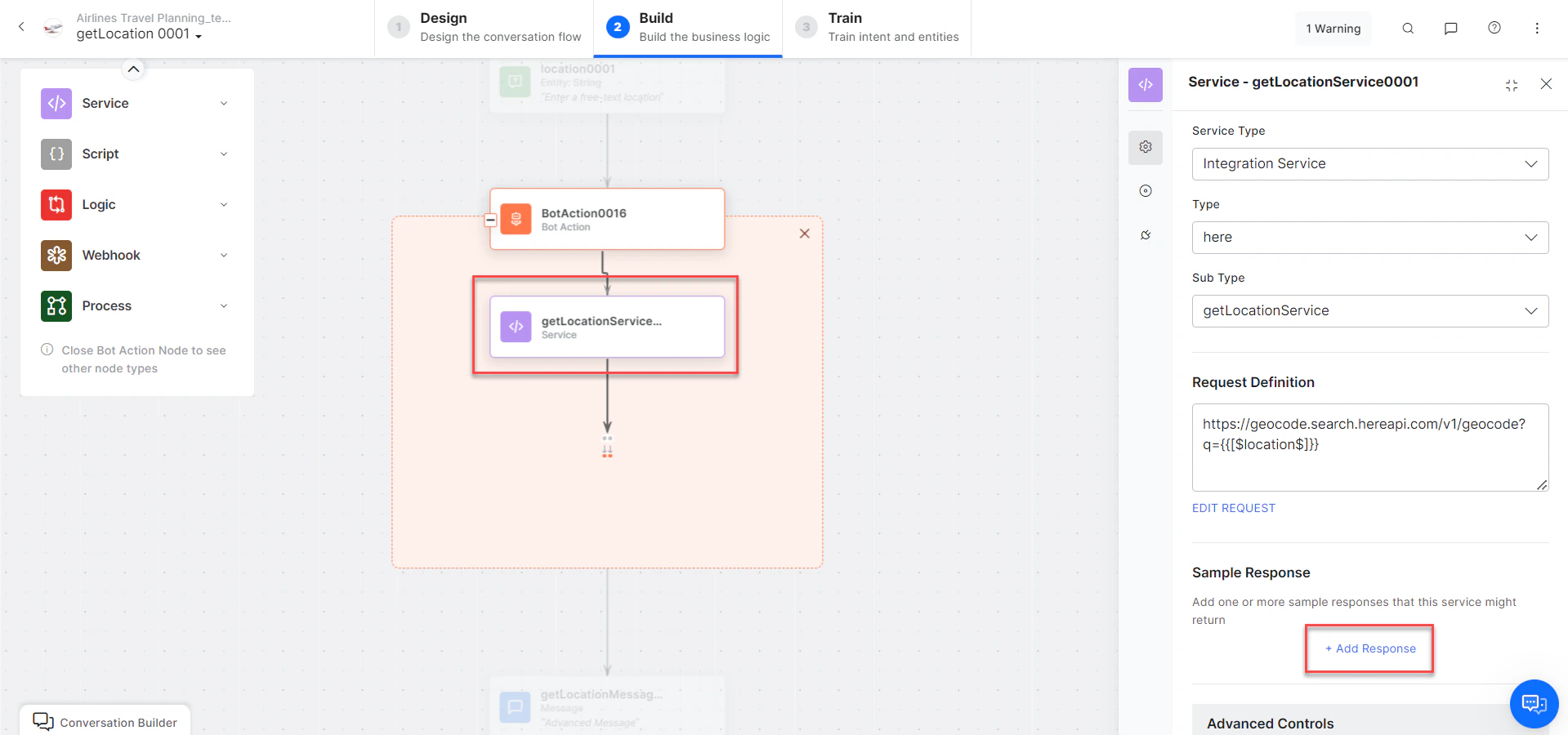
The Get Location dialog task is added with:
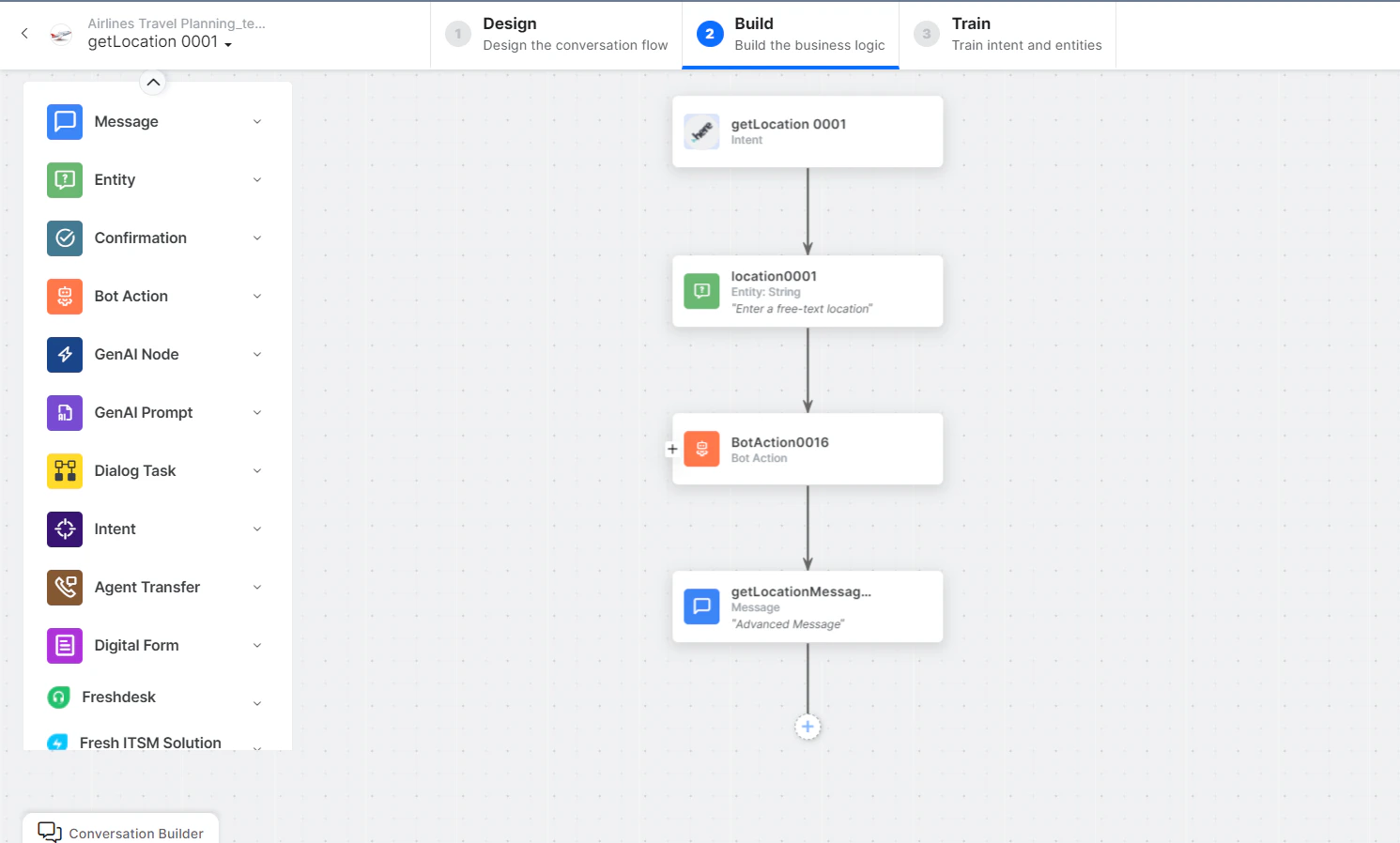
- getLocation - User intent to find a location.
- location - Entity node to enter a location.
-
getLocationService - Bot action service to find the location. Click +Add Response:
- getLocationMessage - Message node to display the result.
- Click Train to complete training.
- Click Talk to Bot to test.
-
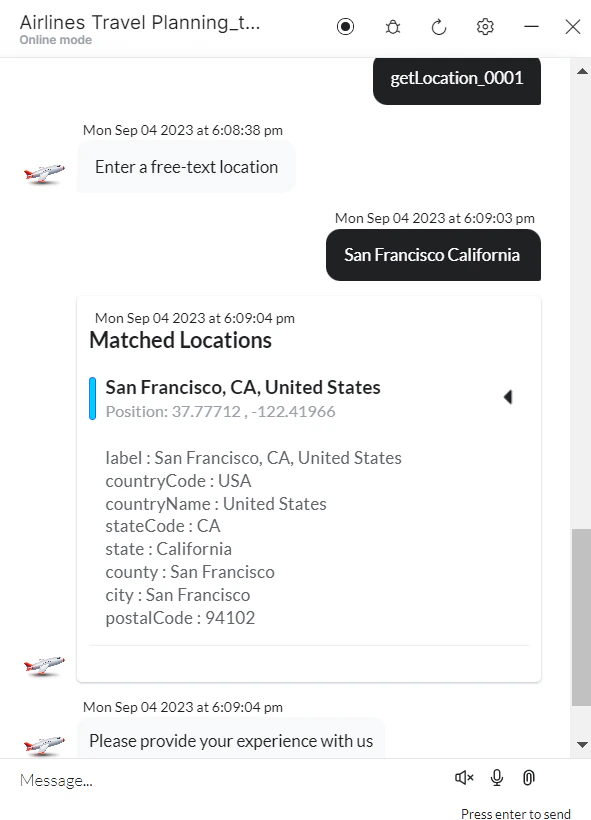
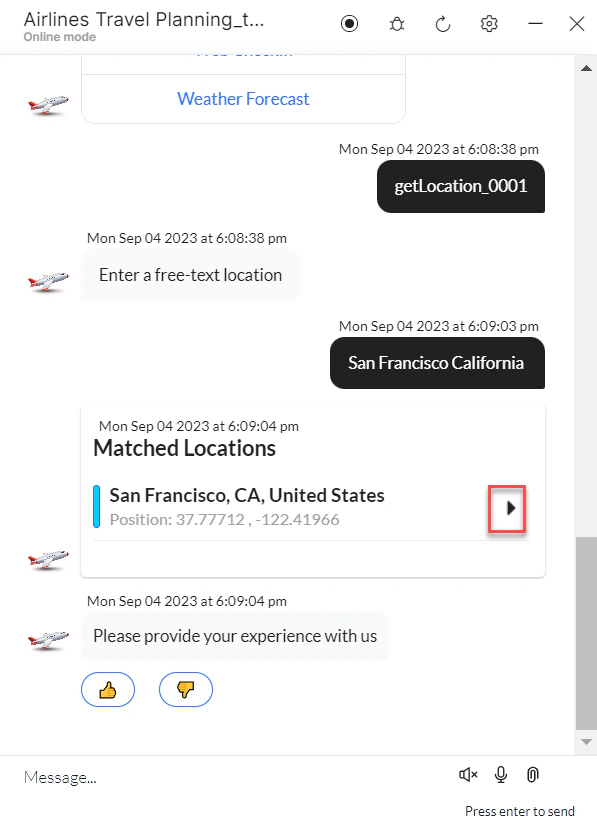
Enter a free text location when prompted.
-
A location is identified based on your text.