Supported Actions
Shorten a URL
- Install the template from Bitly Templates.
-
The Short URL dialog task is added with:
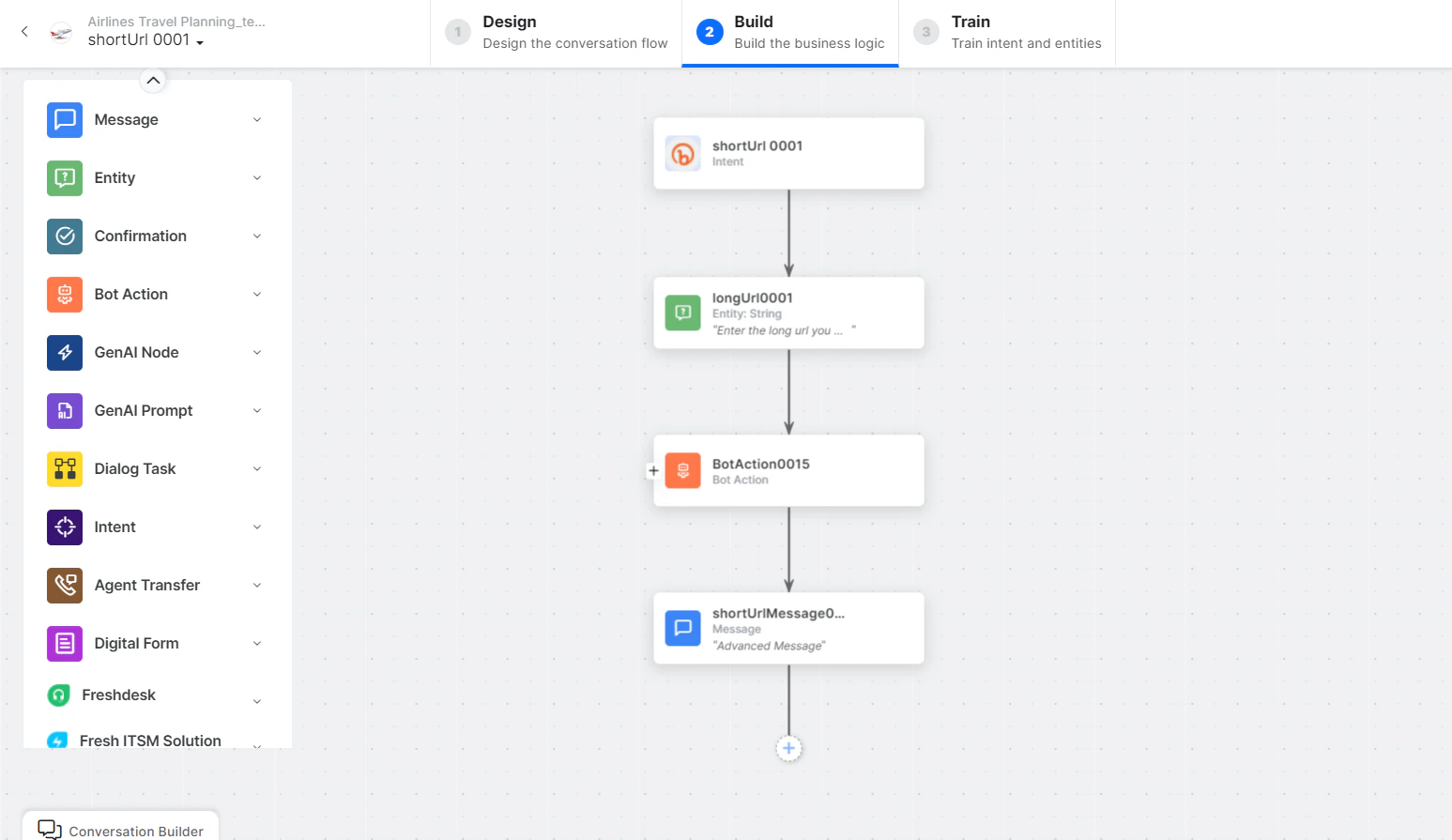
- shortUrl - User intent to shorten a URL.
- longURL - Entity node to enter a long URL.
-
shortUrlService - Bot action service to shorten the URL. Click Edit Request:
 Click +Add Response to add sample responses: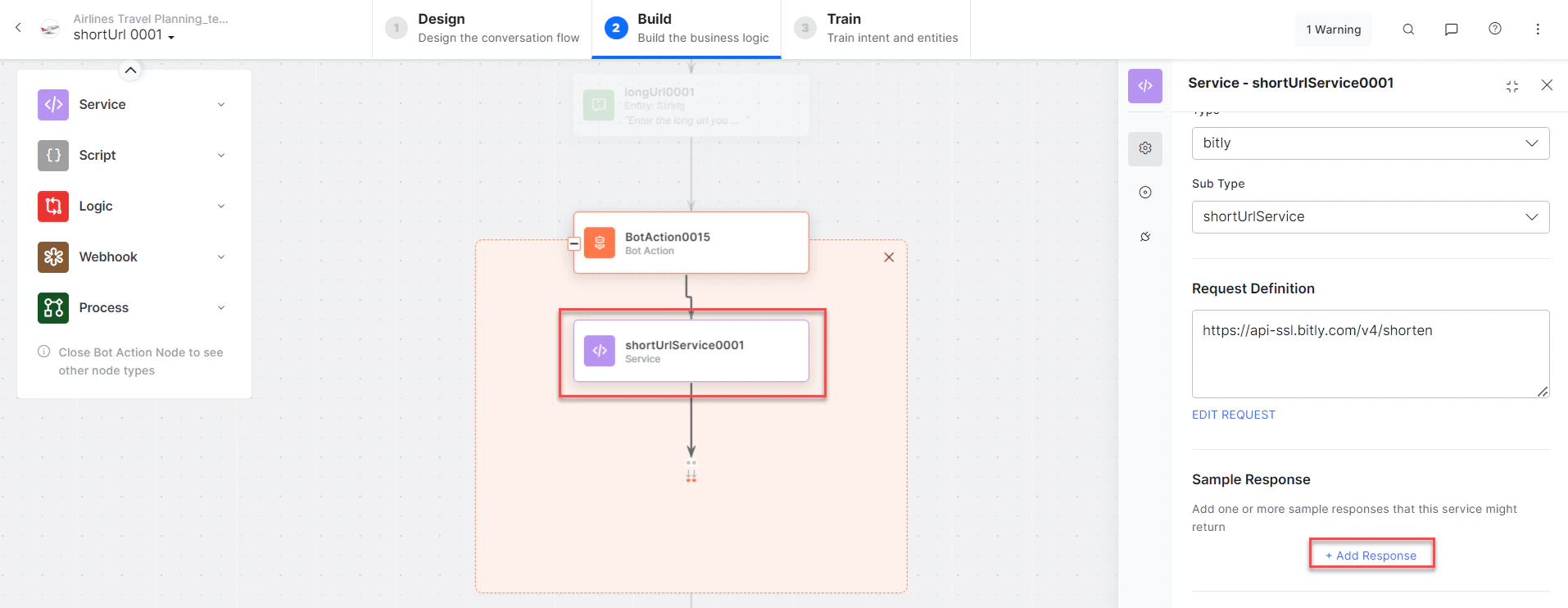
- generalQueryMessage - Message node to display the shortened URL.
- Click Train to complete training.
- Click Talk to Bot to test.
-
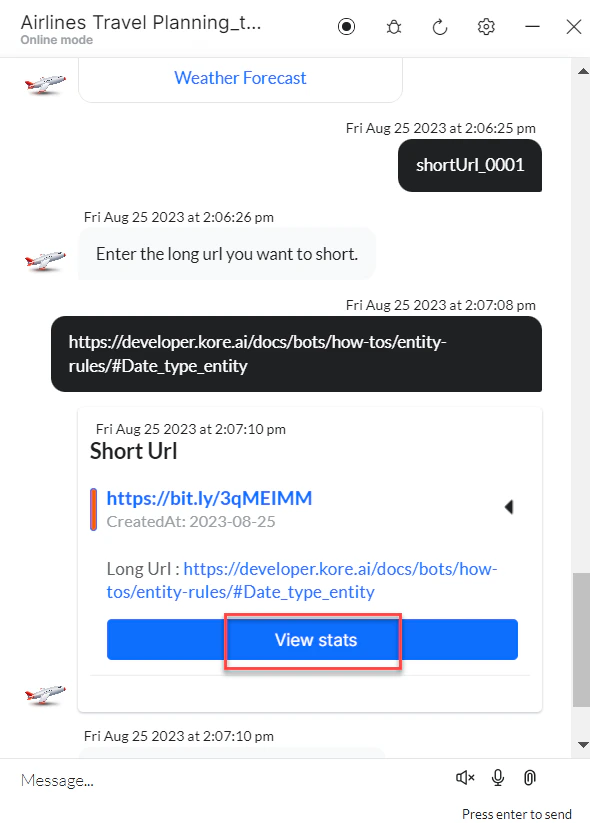
Enter a long URL when prompted.

-
The URL is shortened. Click View Stats to see URL statistics in Bitly.