

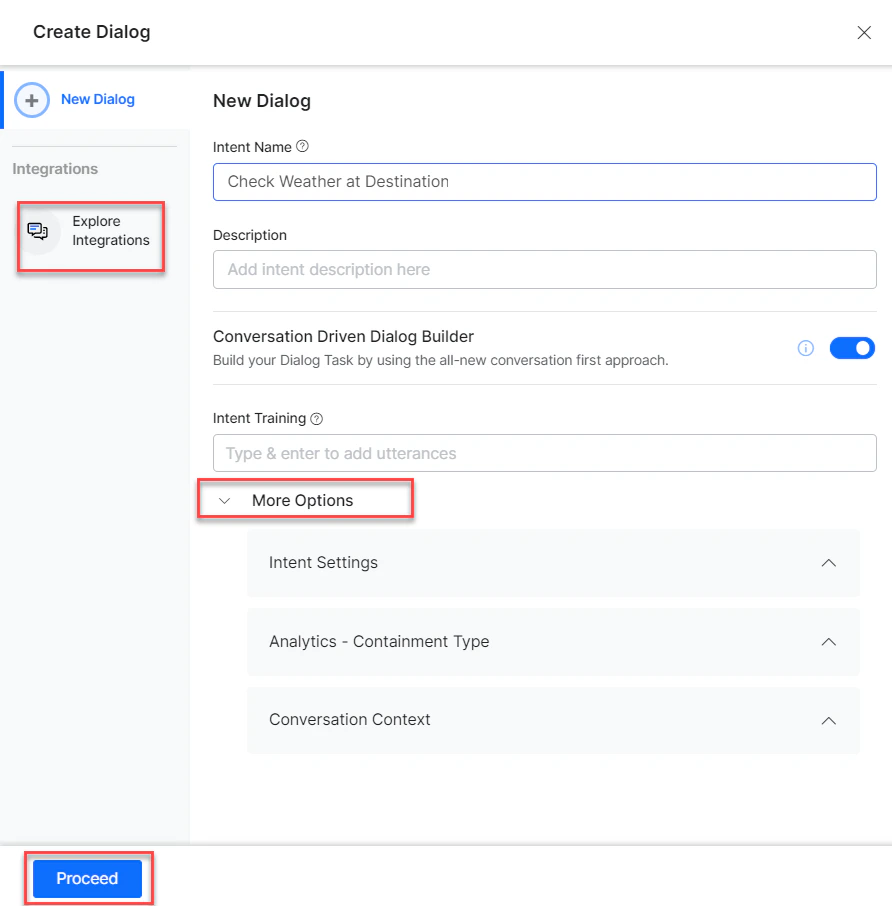
- Go to Automation AI > Use Cases > Dialogs and click Create Dialog.
-
Under Integration, select Freshdesk to view action templates.
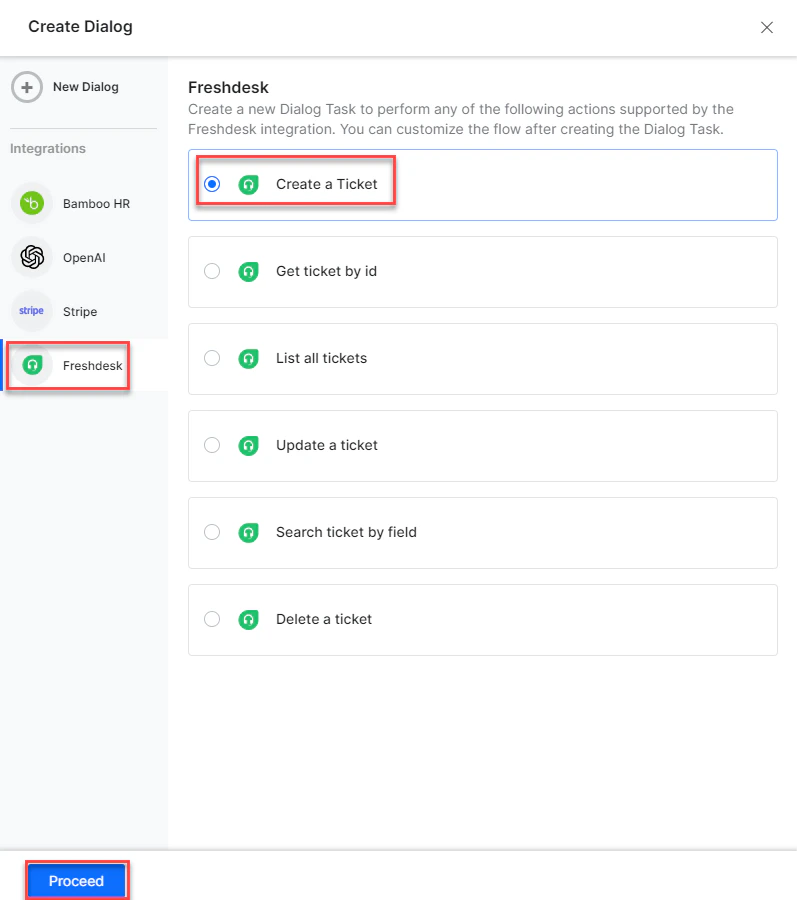
Supported Actions
Create a Ticket
- Install the template from Freshdesk Templates.
-
The Create Ticket dialog task is added with:
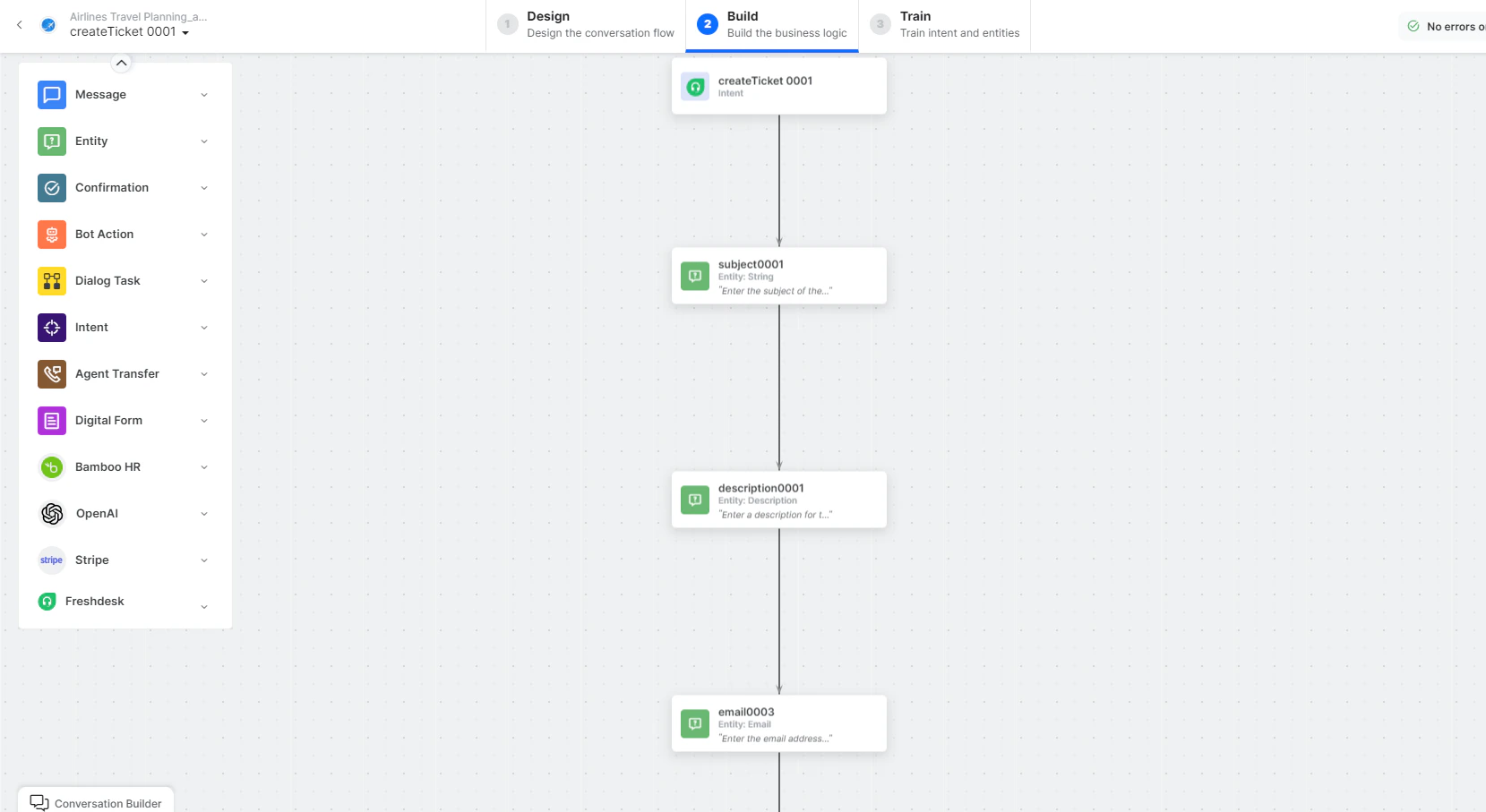
- createTicket - User intent to create a ticket.
- subject, description, email, priority, status, phone - Entity nodes for ticket details.
- createTicketScript - Bot action script to prepare the request.
-
createTicketService - Bot action service to create the ticket. Click Edit Request:
 Sample Response:
 - createTicketMessage - Message node to display the result.
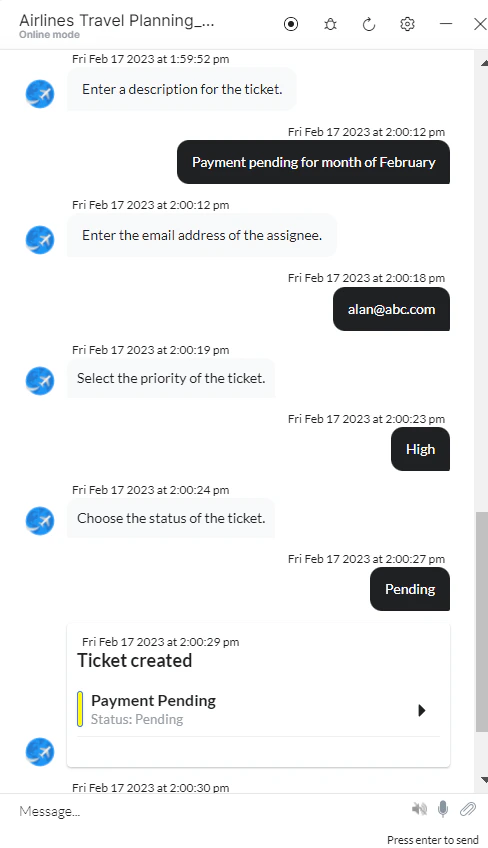
- Click Train, then Talk to Bot to test.
-
Follow prompts to create a ticket.
Get Ticket by ID
- Install the template from Freshdesk Templates.
-
The Get Ticket by ID dialog task is added with:
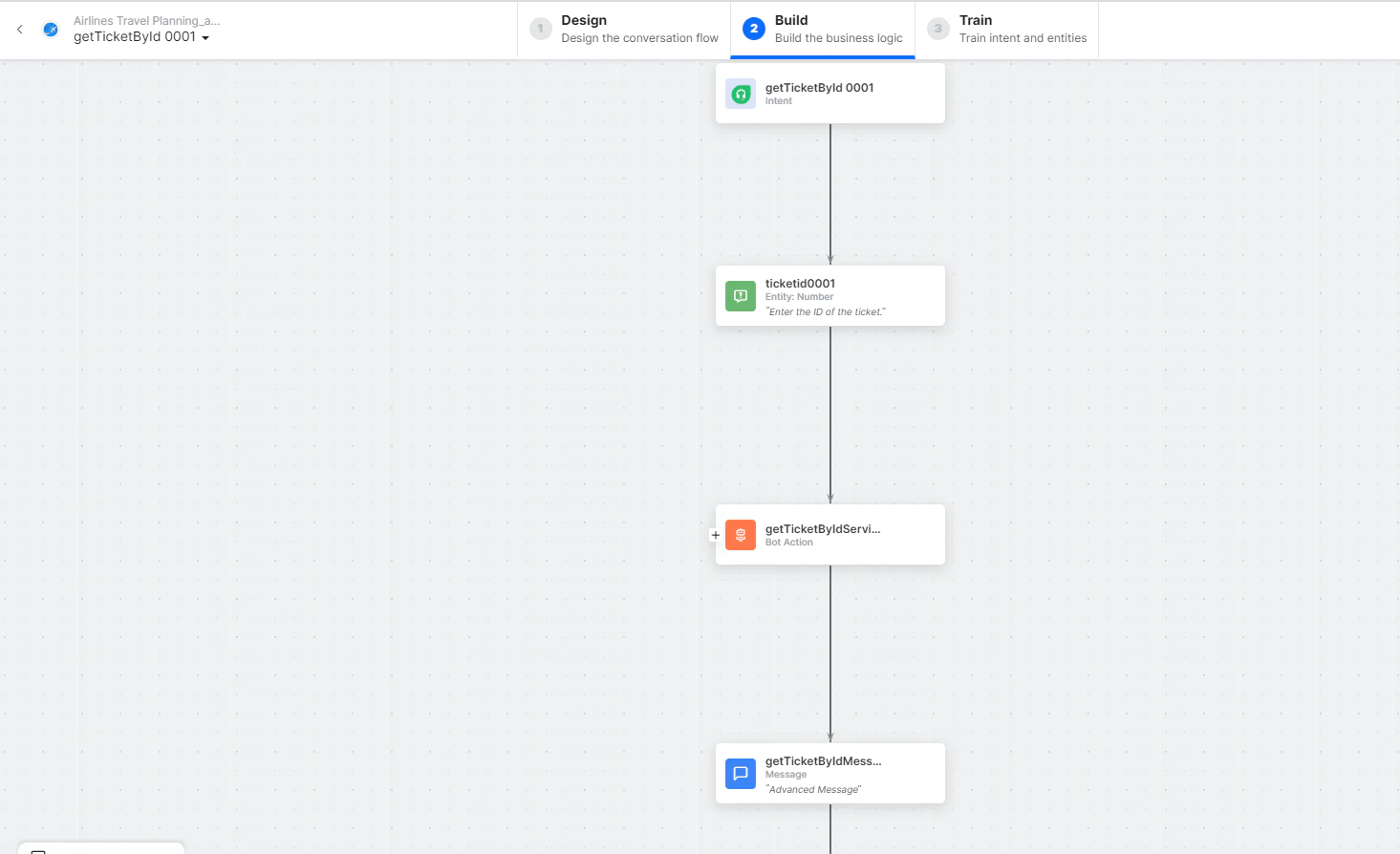
- getTicketbyId - User intent to find a ticket by ID.
- ticketID - Entity node for the ticket ID.
-
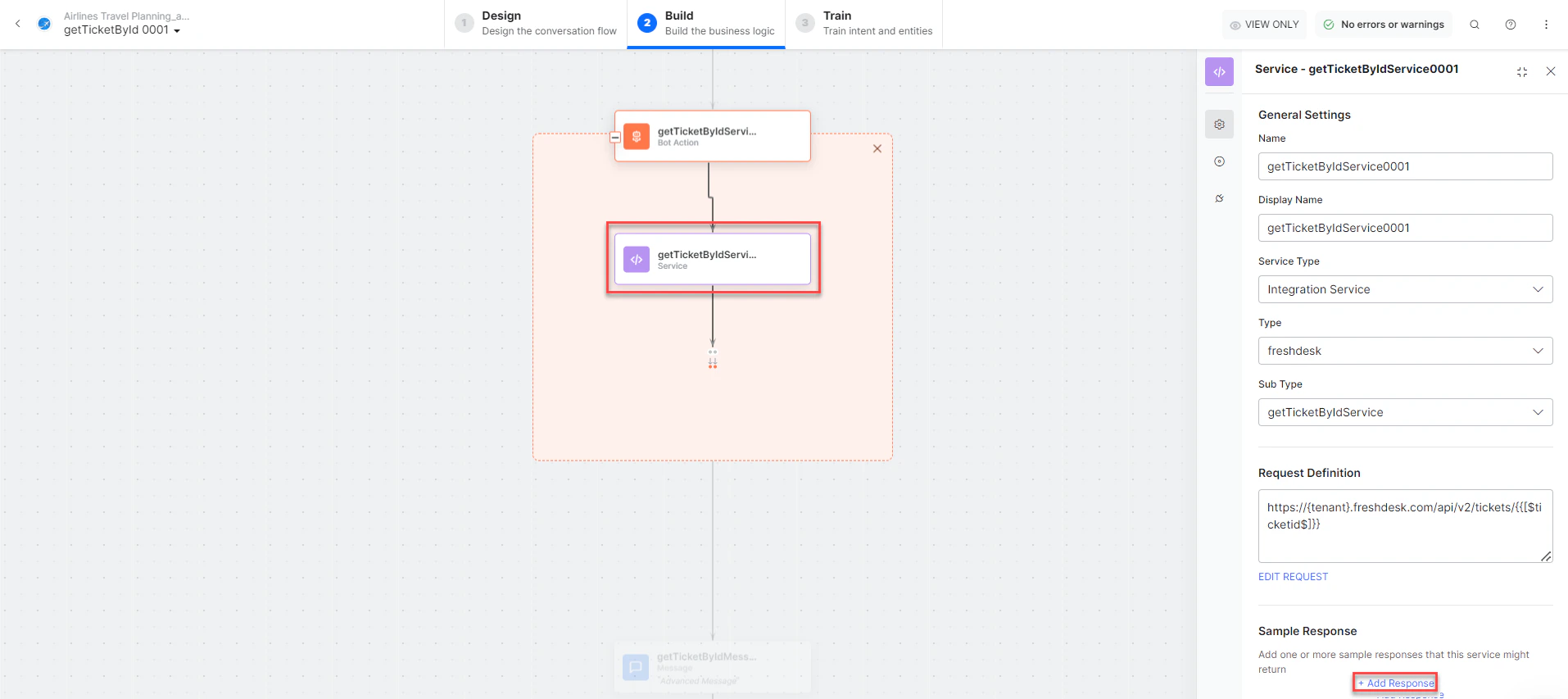
getTicketbyIdService - Bot action service to find the ticket. Click +Add Response:
- getTicketbyIdMessage - Message node to display the result.
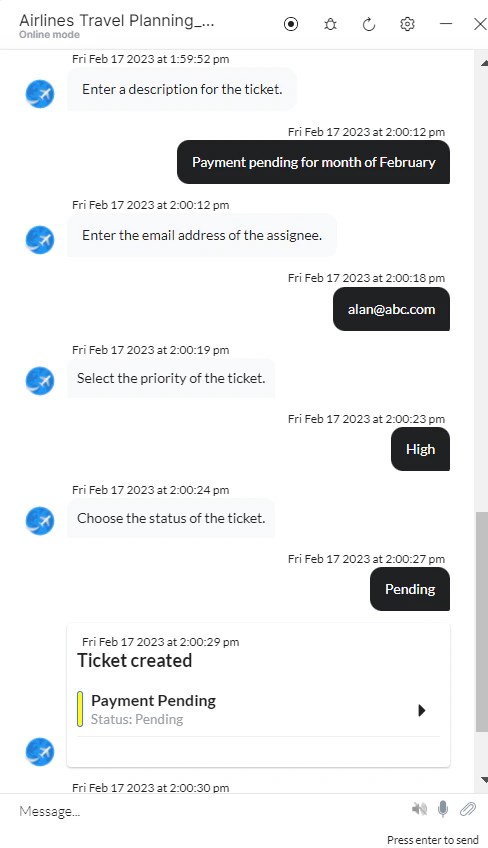
- Click Train, then Talk to Bot to test.
-
Follow prompts to find a ticket by ID.
List All Tickets
- Install the template from Freshdesk Templates.
-
The List All Tickets dialog task is added with:
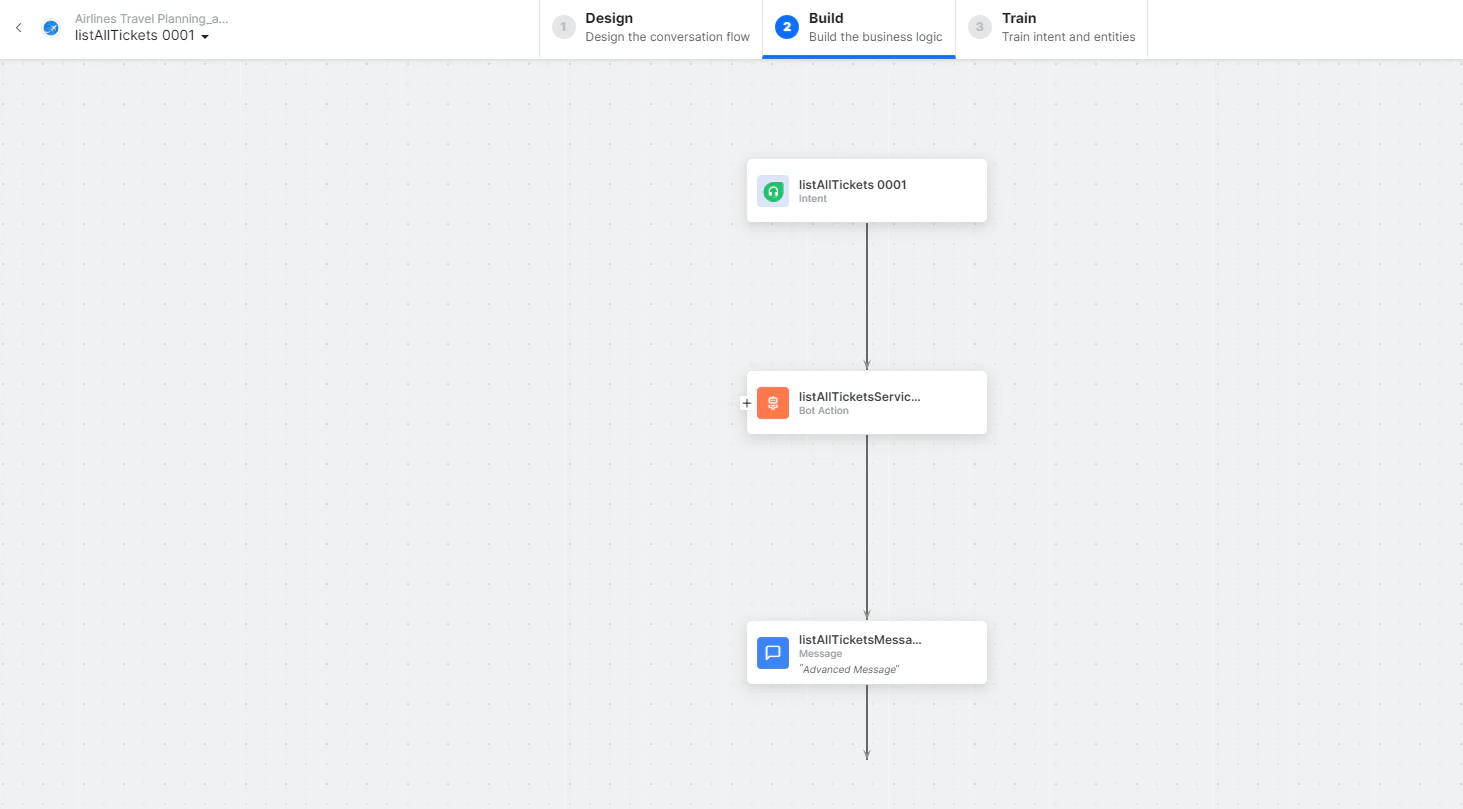
- listAllTickets - User intent to view all tickets.
-
listAllTicketsService - Bot action service to fetch all tickets. Click +Add Response:
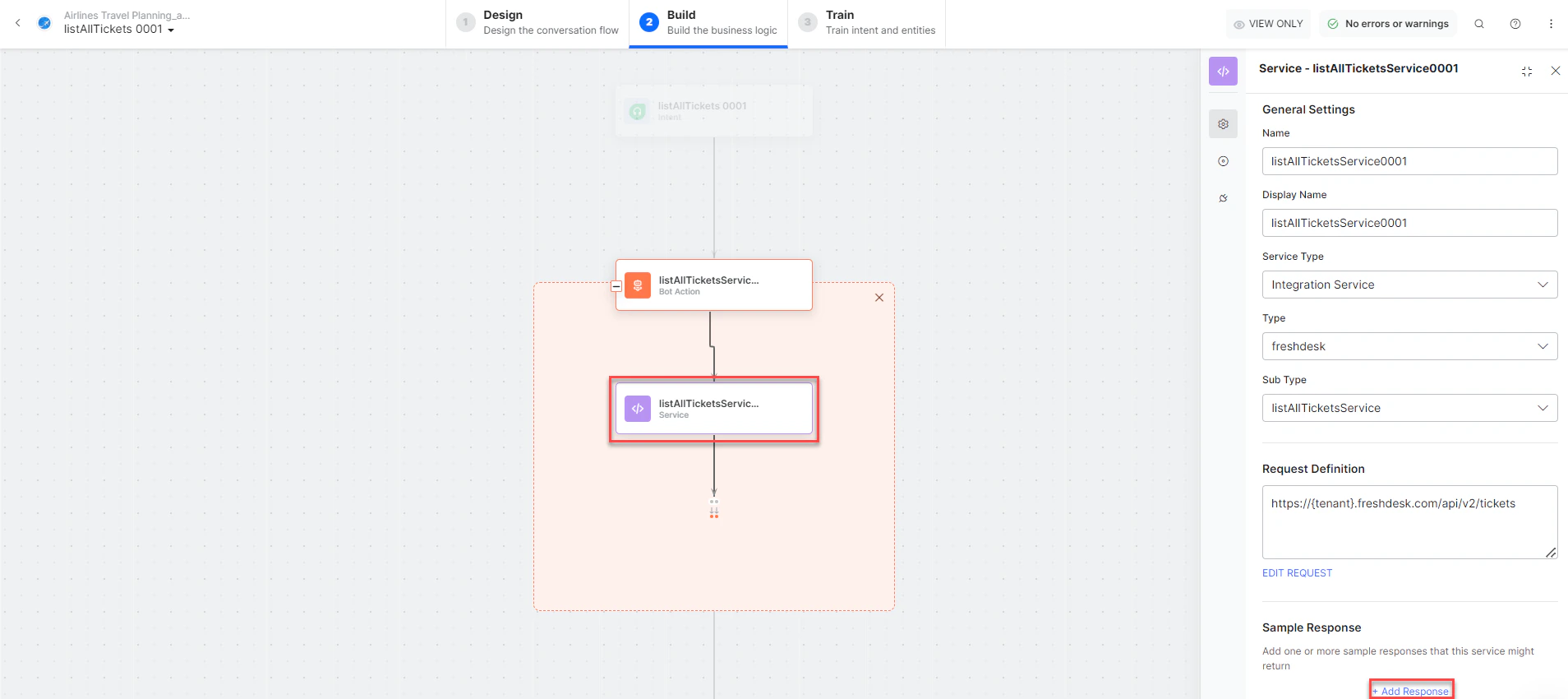
- listAllTicketsMessage - Message node to display results.
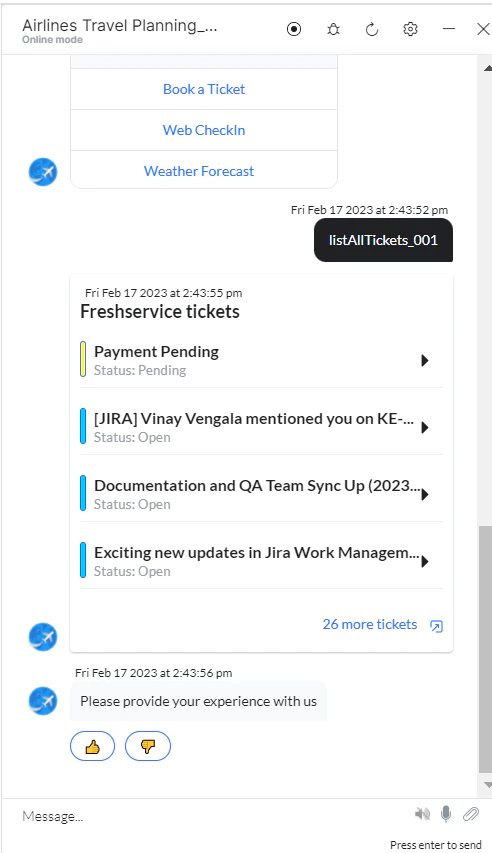
- Click Train, then Talk to Bot to test.
-
Follow prompts to view all tickets.
Update a Ticket
- Install the template from Freshdesk Templates.
-
The Update a Ticket dialog task is added with:
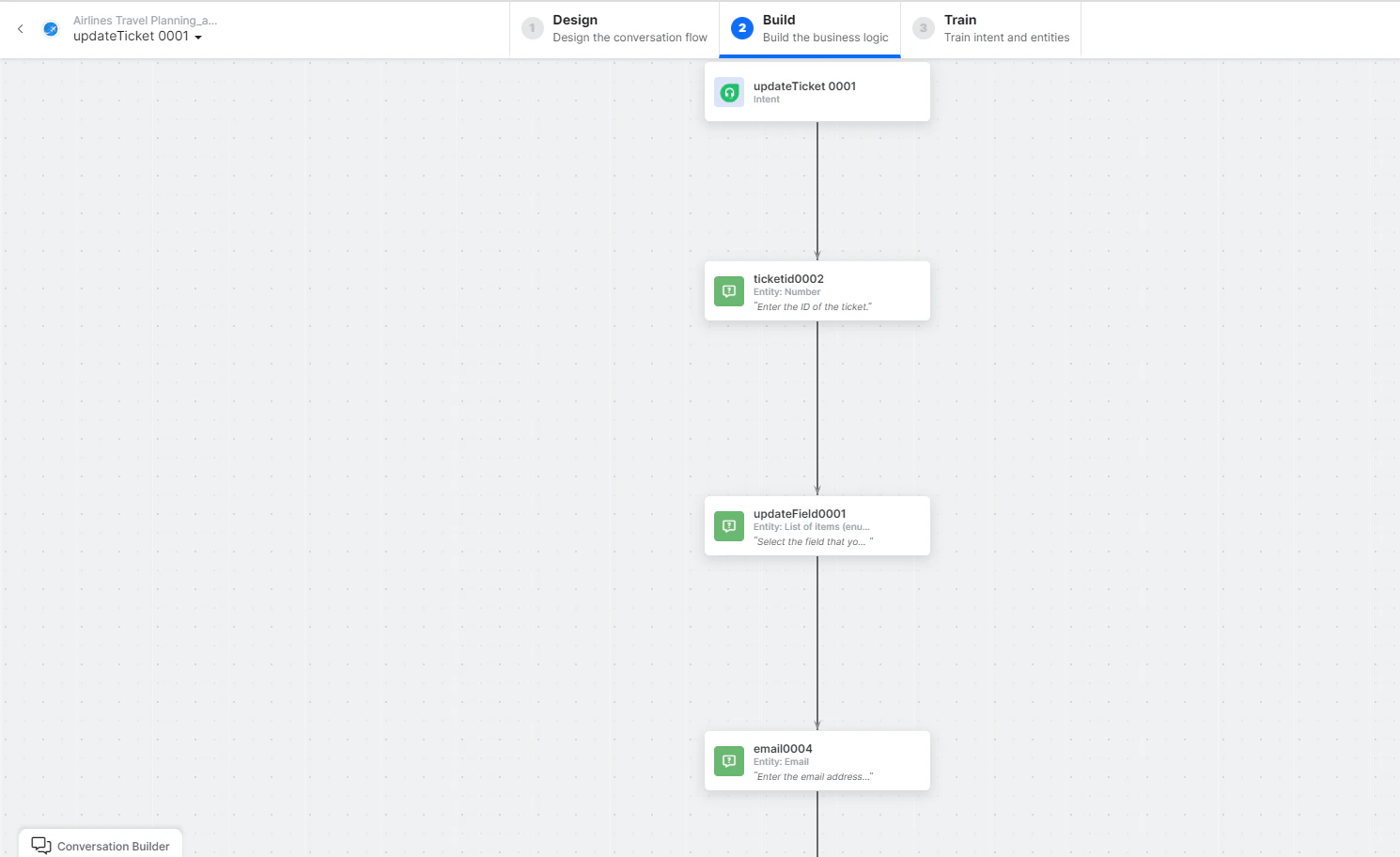
- updateTicket - User intent to update a ticket.
- ticketID, updateField, email, subject, description, status, priority - Entity nodes.
-
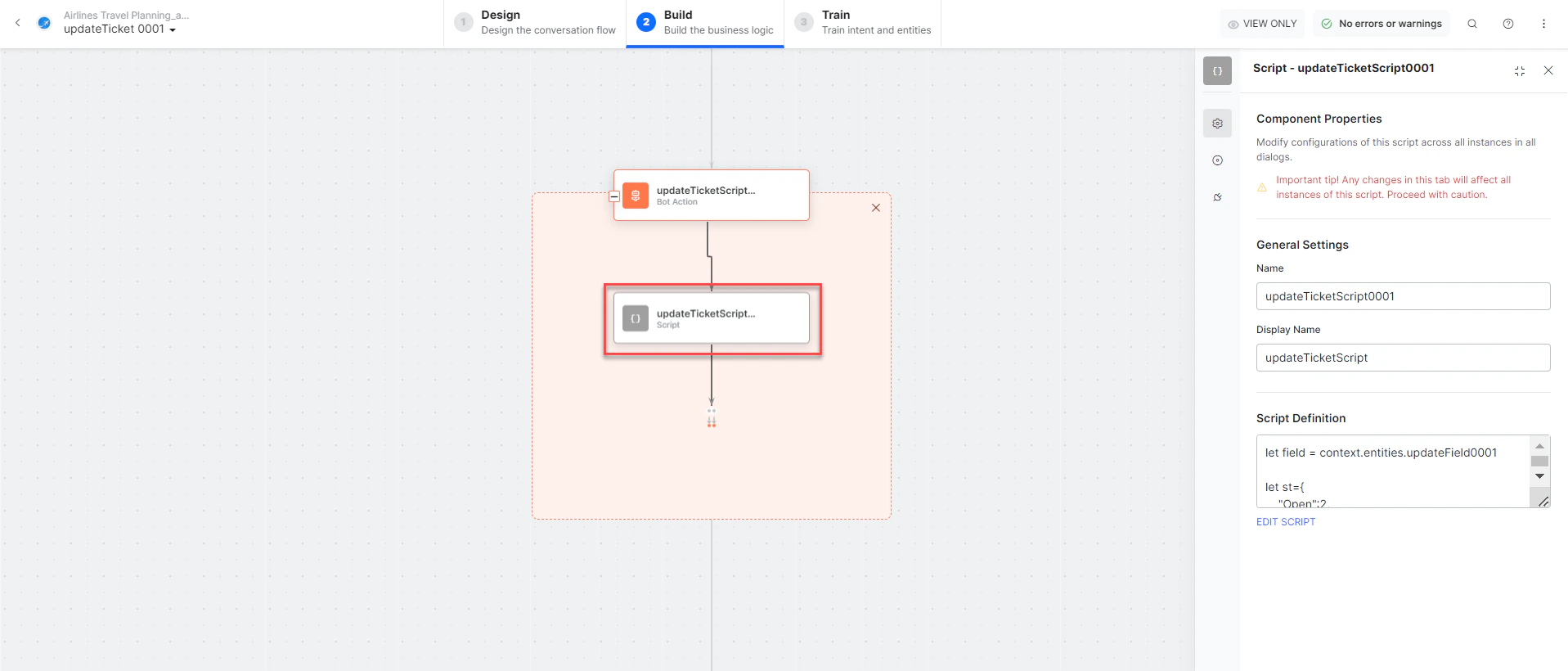
updateTicketScript - Bot action script for the update.
-
Click Edit Request:
 Sample Response:
 - updateTicketMessage - Message node to display the result.
- Click Train, then Talk to Bot to test.
-
Follow prompts to update a ticket.
Search Ticket by Field
- Install the template from Freshdesk Templates.
-
The Search Ticket by Field dialog task is added with:
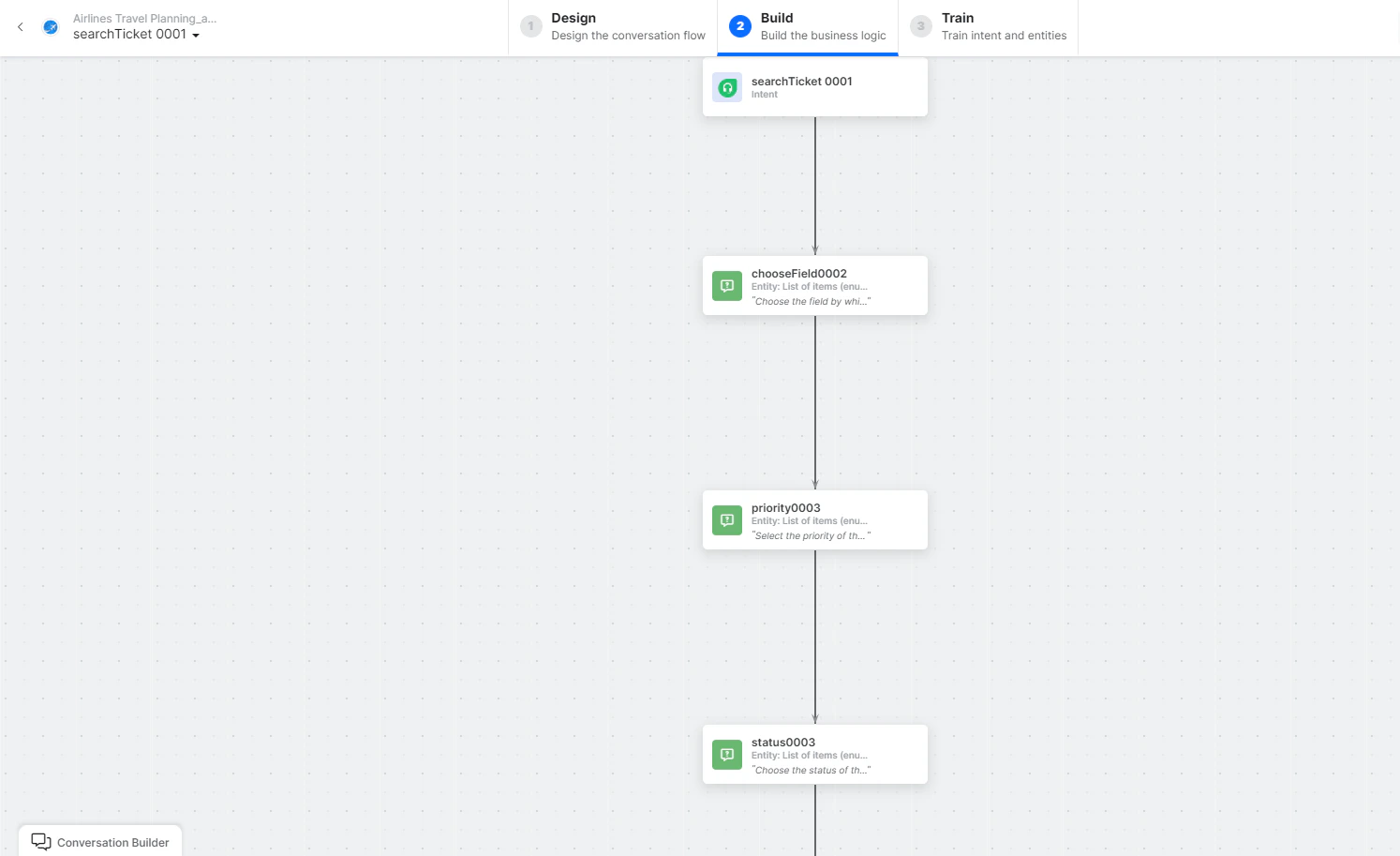
- searchTicket - User intent to search tickets.
- chooseField, priority, email, status - Entity nodes for search criteria.
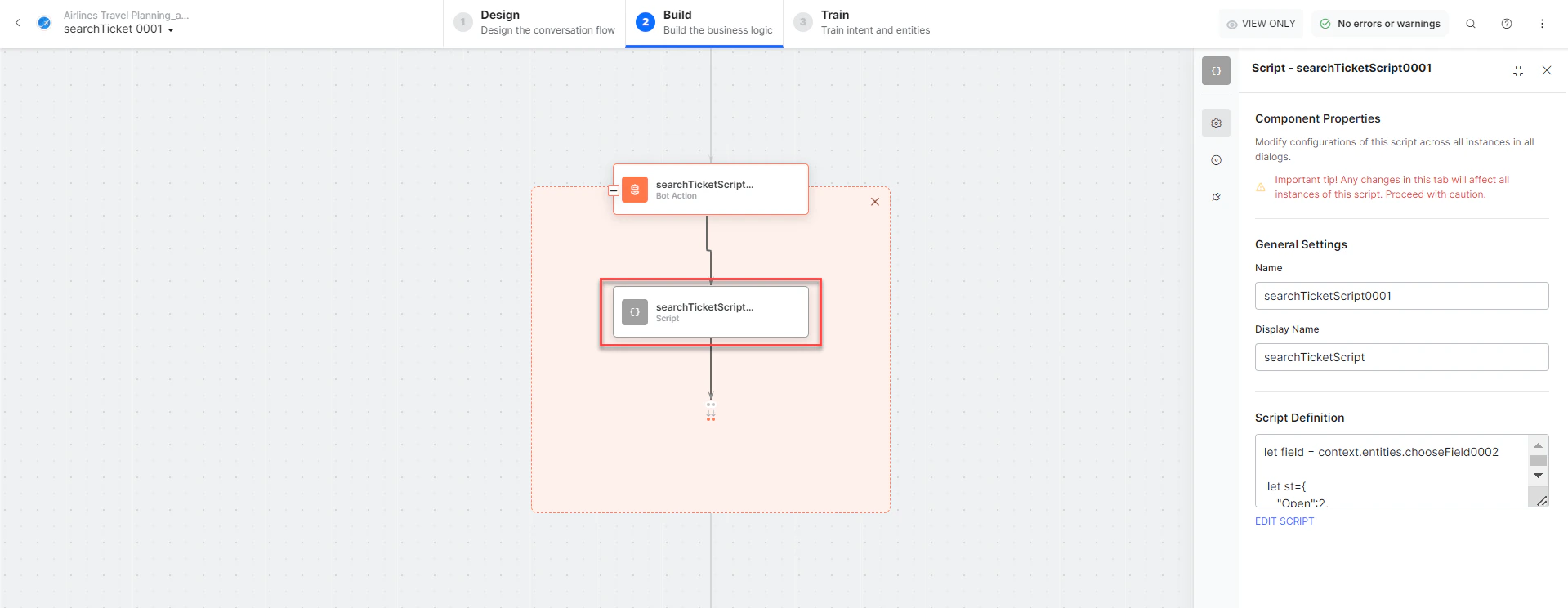
- searchTicketScript - Bot action script to prepare the search.
-
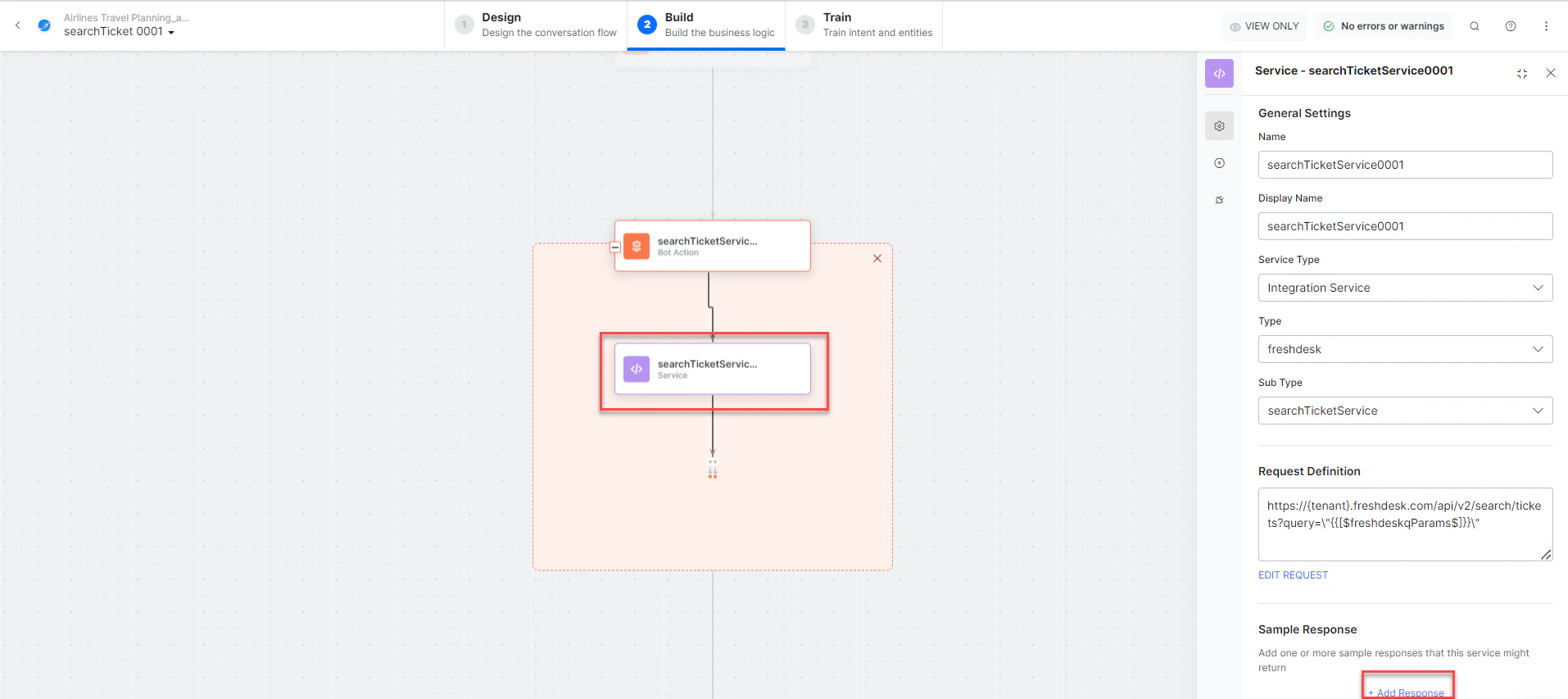
searchTicketService - Bot action service to search tickets. Click +Add Response:
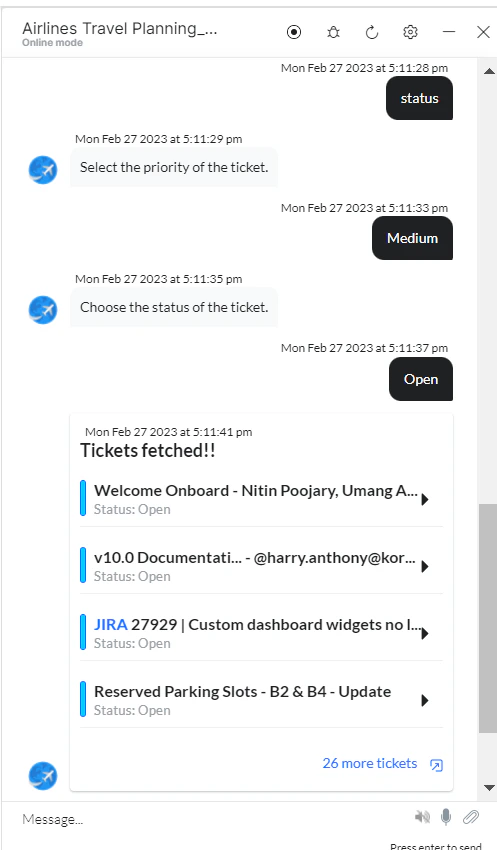
- searchTicketMessage - Message node to display results.
- Click Train, then Talk to Bot to test.
-
Follow prompts to search tickets.
Delete a Ticket
- Install the template from Freshdesk Templates.
-
The Delete a Ticket dialog task is added with:
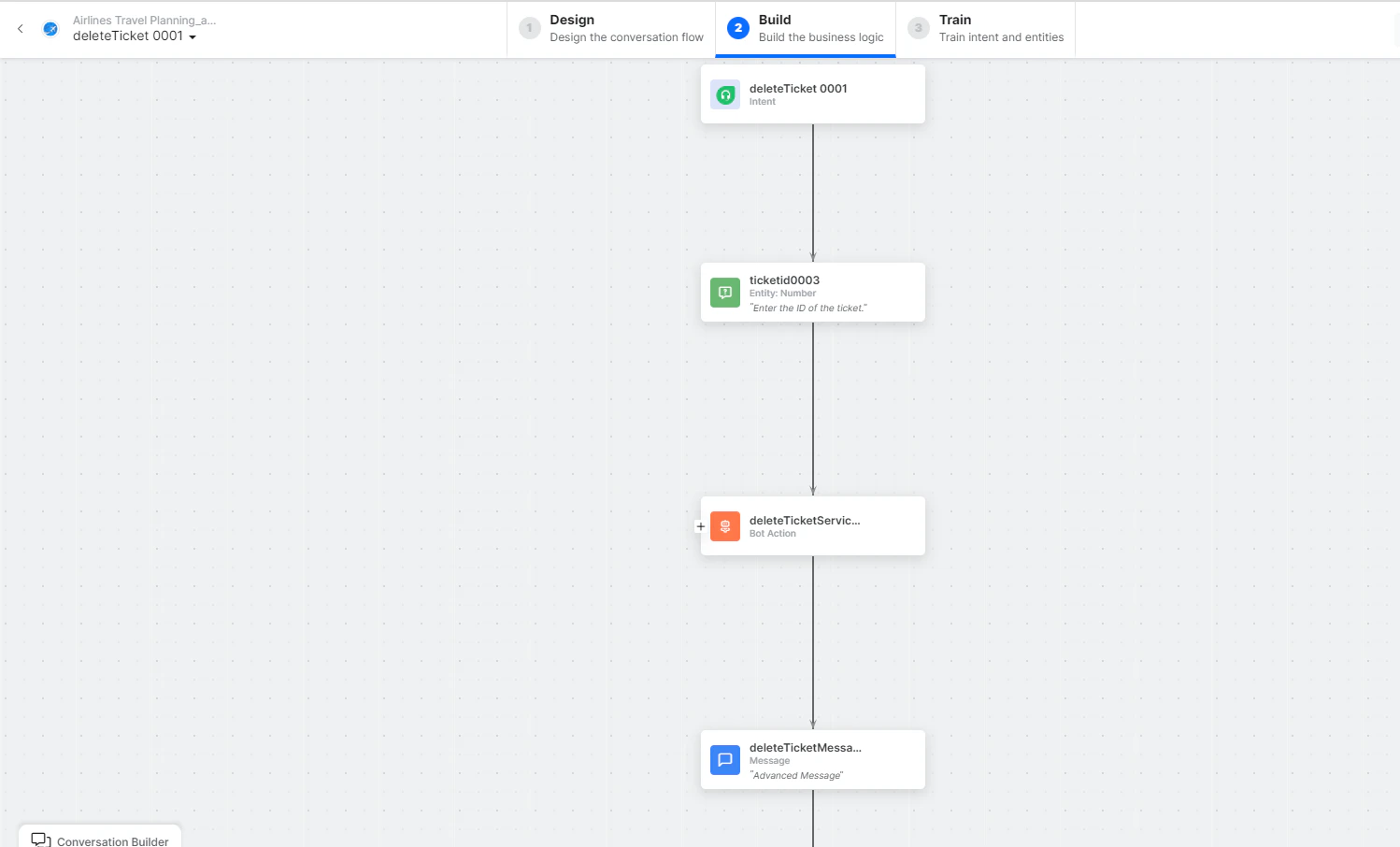
- deleteTicket - User intent to delete a ticket.
- ticketID - Entity node for the ticket ID.
-
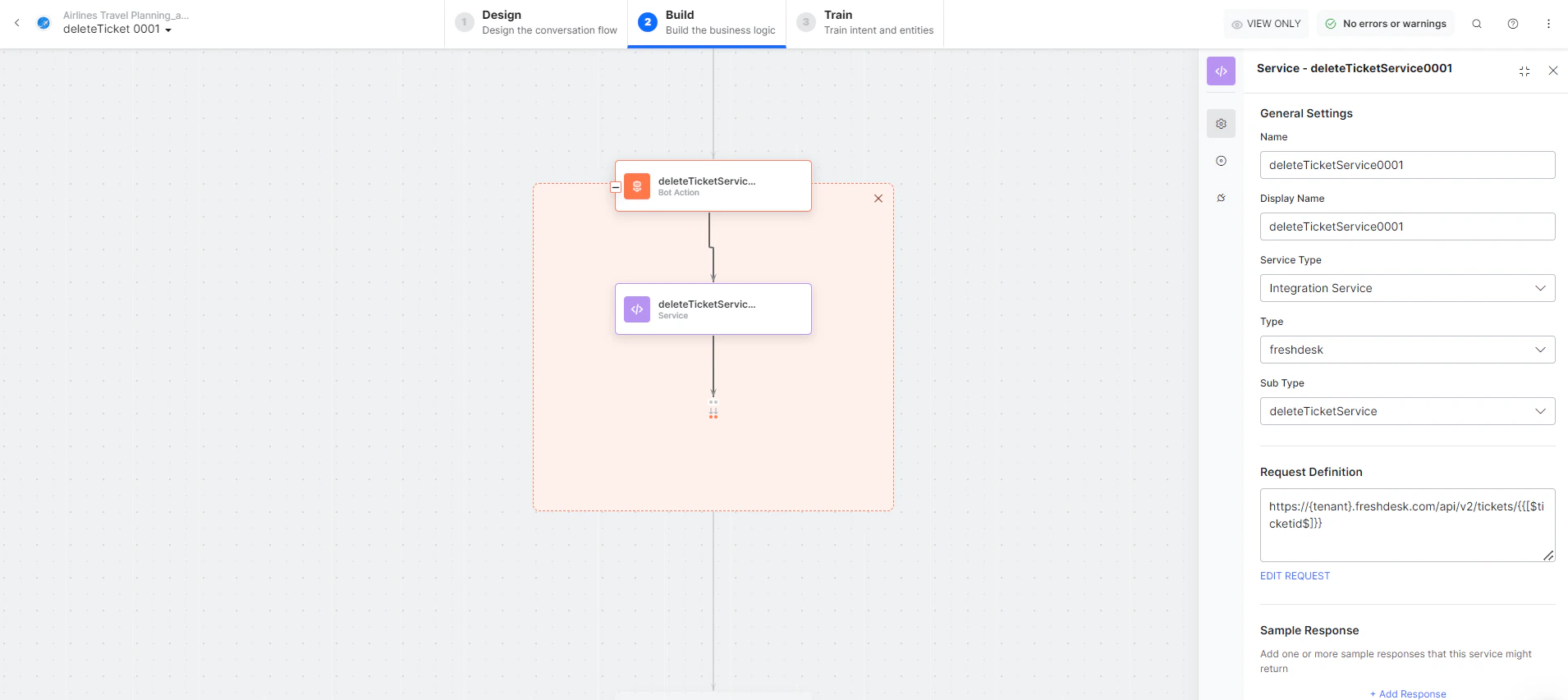
deleteTicketService - Bot action service to delete the ticket. Click Edit Request:
- deleteTicketMessage - Message node to display the result.
- Click Train, then Talk to Bot to test.
- Follow prompts to delete a ticket.