

- Experience Flow assignments create AI Agent allocations.
- Queue assignments create Human Agent allocations.
- Support of assigning an evaluation form to either Experience Flows or Queues, but not both.
Note: The Minimum Duration Threshold applies only to new conversations from Native CCAI, Agent AI, and Quality AI Express sources. It also applies to AI Agent conversation segments evaluated with Experience Flow-based evaluation forms. Only conversations and conversation segments that meet the threshold are included in evaluation and analytics.
Key Capabilities
- Create audit allocations for Human Agent and AI Agent conversations.
- Support Experience Flow-based AI Agent allocations and Queue, Agent, and Agent Group-based Human Agent allocations.
- Allocate interactions using Random or Custom allocation methods with quick or saved filters.
- Distribute interactions using percentage-based or fixed-count allocation.
- Apply minimum duration thresholds to exclude ineligible interactions.
- Support multiple auditors for Human Agent evaluations.
- Reassign pending interactions without affecting completed evaluations.
- Monitor allocation progress, auditor workload, completion rates, pending audits, and average audit scores.
- Review allocations and interactions through dedicated role-based workspaces, including My Allocations, Assigned to Me, Auditor Performance, My Evaluations, Disputes, and Resolved.
- Support acknowledgment and dispute workflows for Human Agent evaluations when enabled.
- Exclude dispute metrics from AI Agent-only allocations.
Note: Dispute-related metrics and statistics don’t apply to allocations that contain only AI Agent conversation segments.
Workspace Views
Audit Allocations provides dedicated views for different stages of the audit lifecycle.Access Audit Allocations
Navigate to Quality AI > AutoQA > Allocations.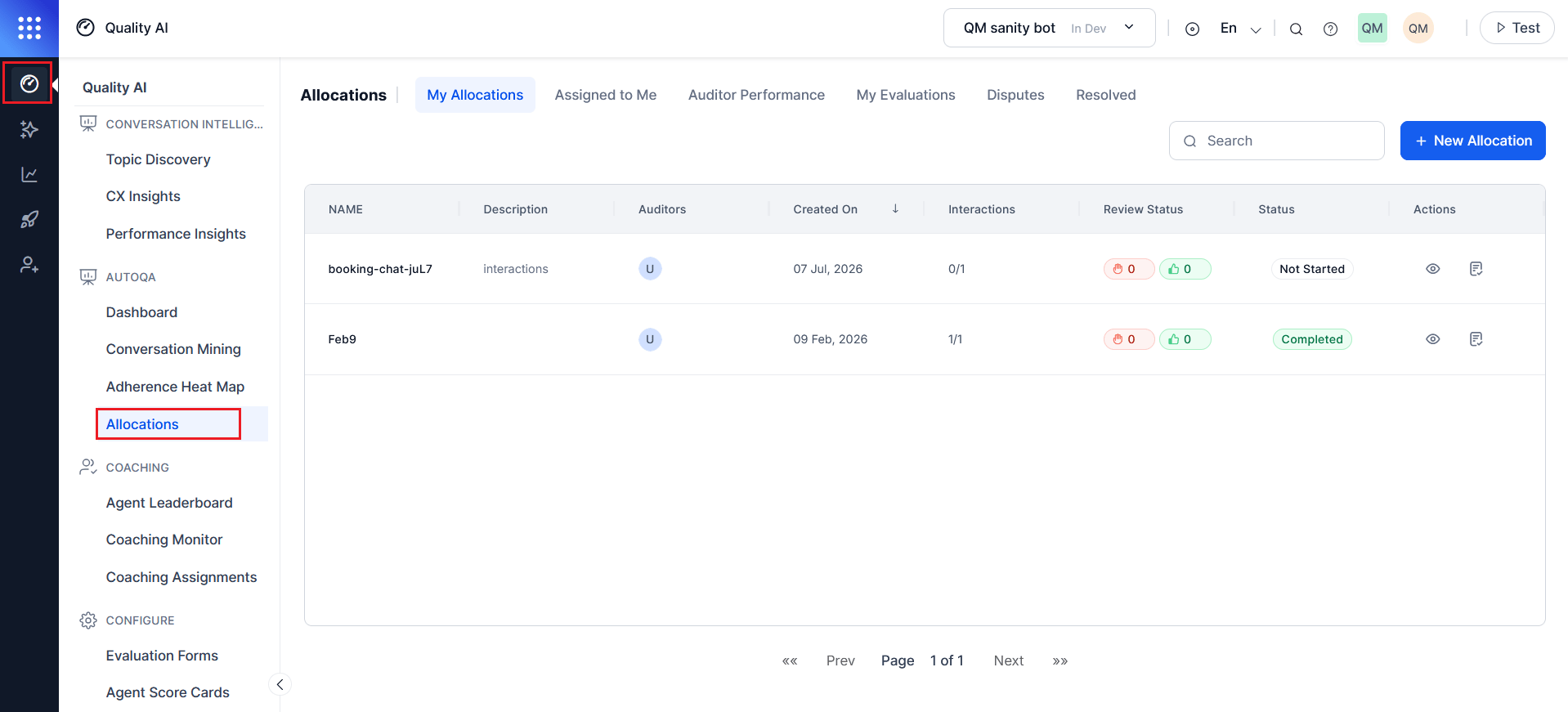
Enable Agent Accept & Dispute in Quality AI > Settings > Quality AI General Settings to activate the My Evaluations, Disputes, Resolved, and the Review Status column in My Allocations.