Register an App
- Open the bot you are working with.
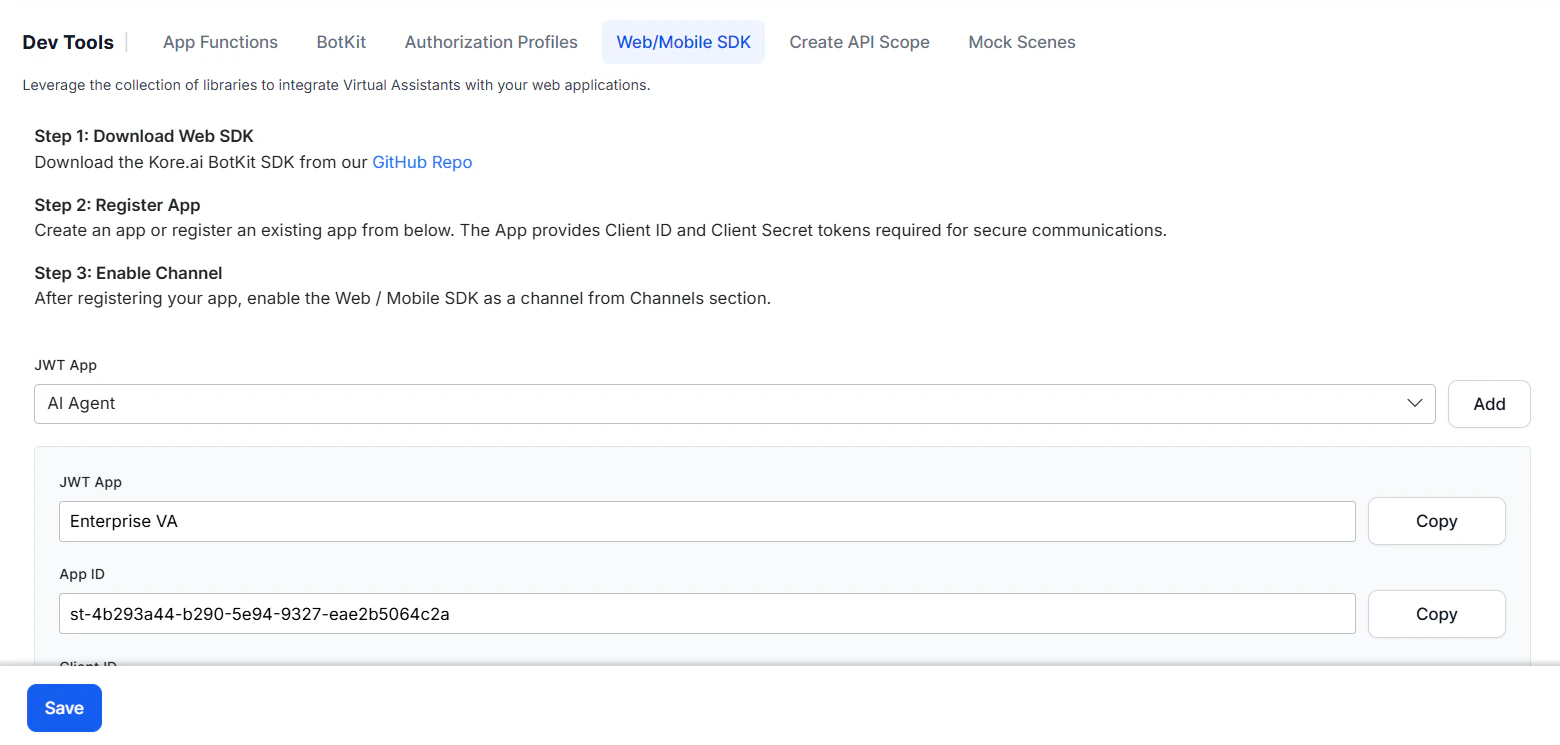
- Go to App Settings > Dev Tools > Web/Mobile SDK.
-
In the JWT App dropdown, select an existing app or click Add to create a new one.
-
Fill in the app details:
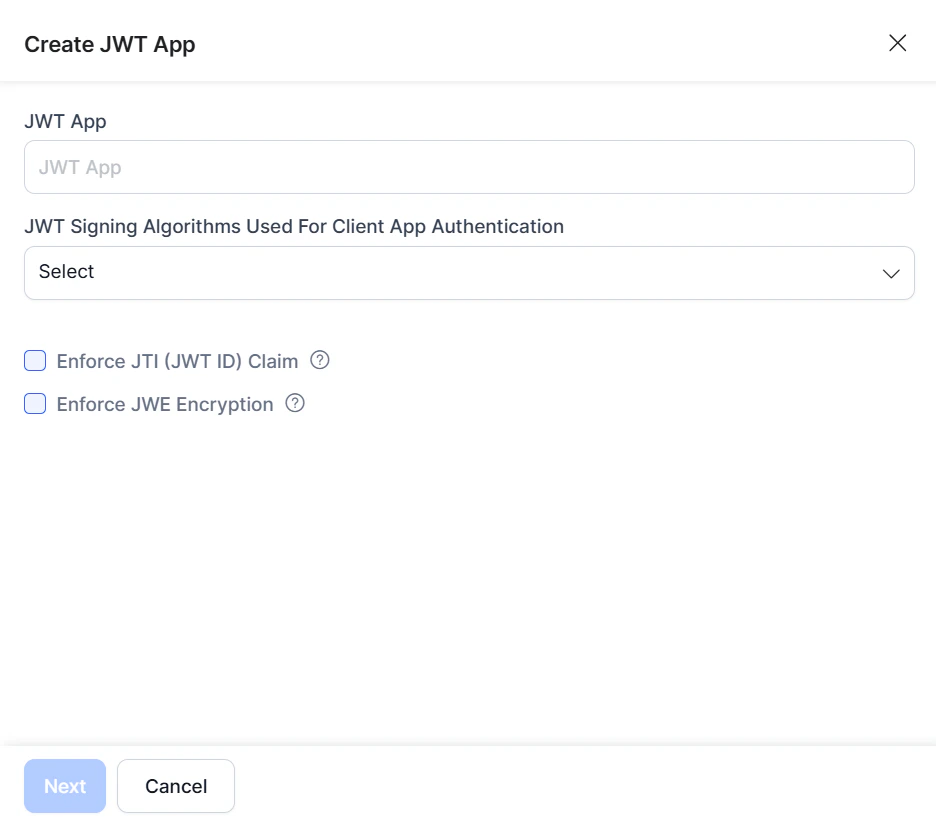
- JWT App — Enter a name for the app, for example,
weather app. - JWT Signing Algorithm — Select one:
- RS256/RS512 — The Platform provides the public key for decryption; you supply the private key for encryption. Both keys are required for token generation.
- HS256/HS512 — The Platform generates a Client ID and Secret Key. Use the Client ID for app initialization and the Secret Key for authentication.
- Enforce JTI Claim — Enable to prevent replay attacks.
- Enforce JWE Encryption — Enable to encrypt the JWT payload.
- JWT App — Enter a name for the app, for example,
-
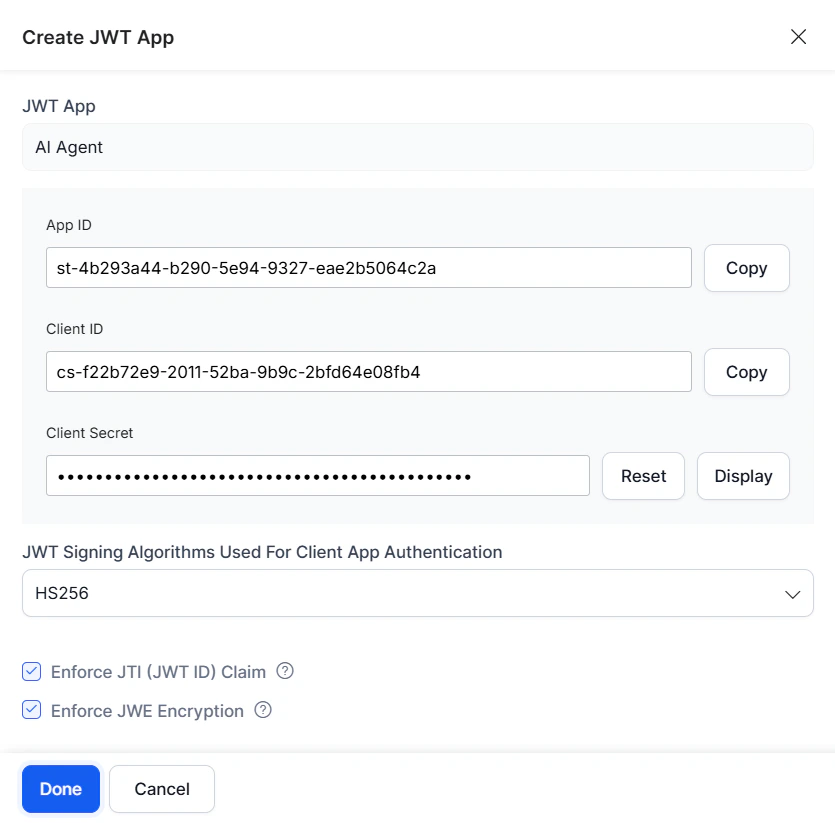
Click Next. On success, the Client ID and Secret are displayed. Click Done.