

Connector Specifications
Authorization Support
Search AI supports two authentication methods for Notion: Internal Integration Token and OAuth 2.0.Public Integration (OAuth 2.0)
Public integrations use the OAuth 2.0 protocol for secure authentication. For setup instructions, see the Notion authorization guide. Use one of the following redirect URLs when configuring the public integration:- JP Region:
https://jp-bots-idp.kore.ai/workflows/callback - DE Region:
https://de-bots-idp.kore.ai/workflows/callback - Prod:
https://idp.kore.com/workflows/callback
Internal Integration (Token)
This method uses an internal integration token for direct authentication.- Create your integration on the Notion integrations settings page.
-
Under the Configuration tab of the integration, enable the following capabilities:
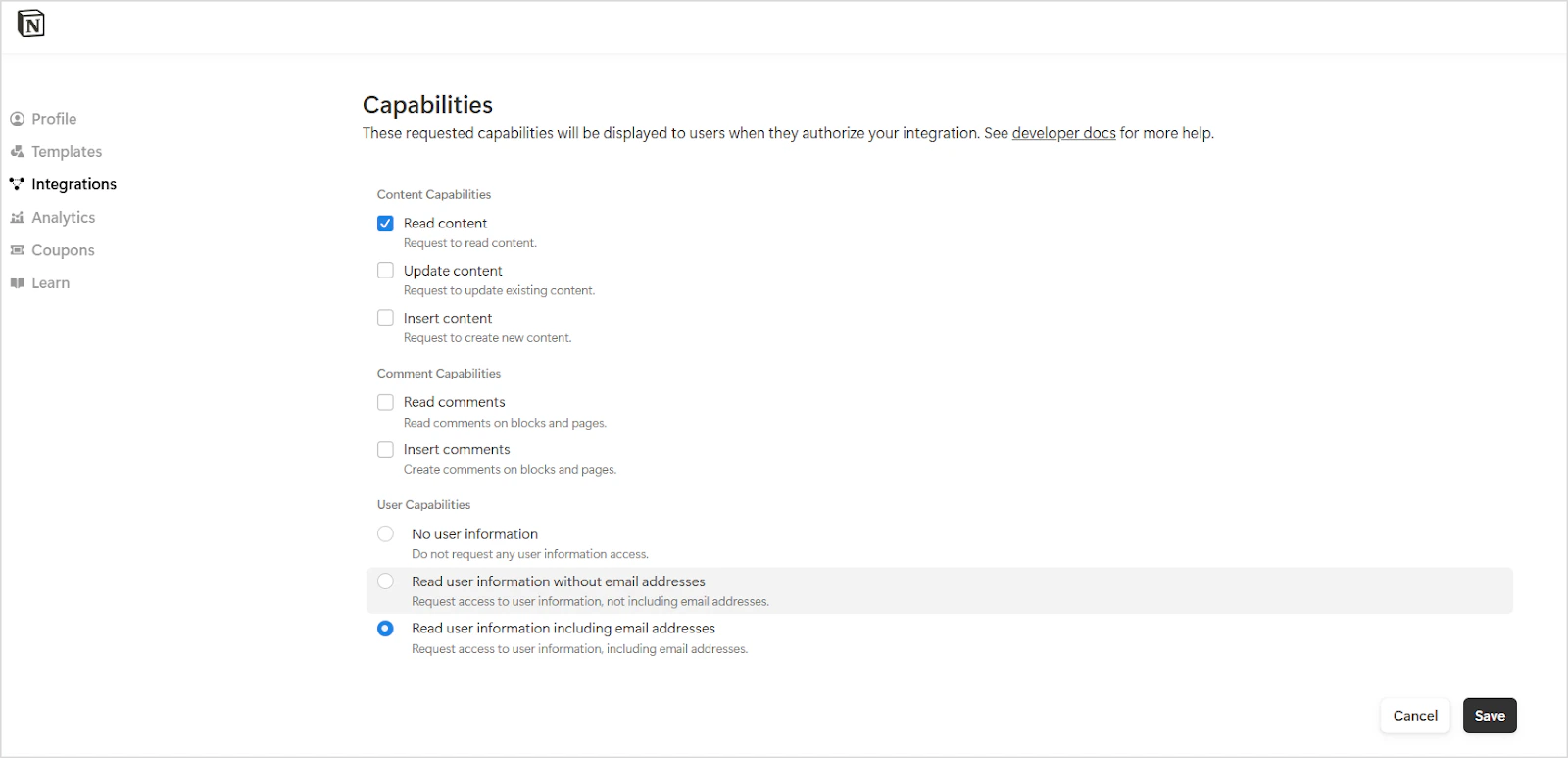
- Copy the integration token from this tab. Use it to authenticate API requests.
Ensure that Notion workspace pages are shared with the integration so that content can be ingested into Search AI. See how to add connections to pages for details.
Configure the Notion Connector in Search AI
Provide the following fields to configure the connector:
Additional fields map Notion content to Search AI schema fields. Only standard fields are supported, and these mappings are pre-configured by default.
RACL Support
Access control for the Notion Connector uses the Page ID as the permission entity. For each ingested page, thesys_racl field contains the page ID. For example, if the page ID is a1b2c3, the field appears as: