

Prerequisites
The YouTrack connector authenticates using a Permanent Token. Generate this token in YouTrack before configuring the connector.Generating a Permanent Access Token in YouTrack
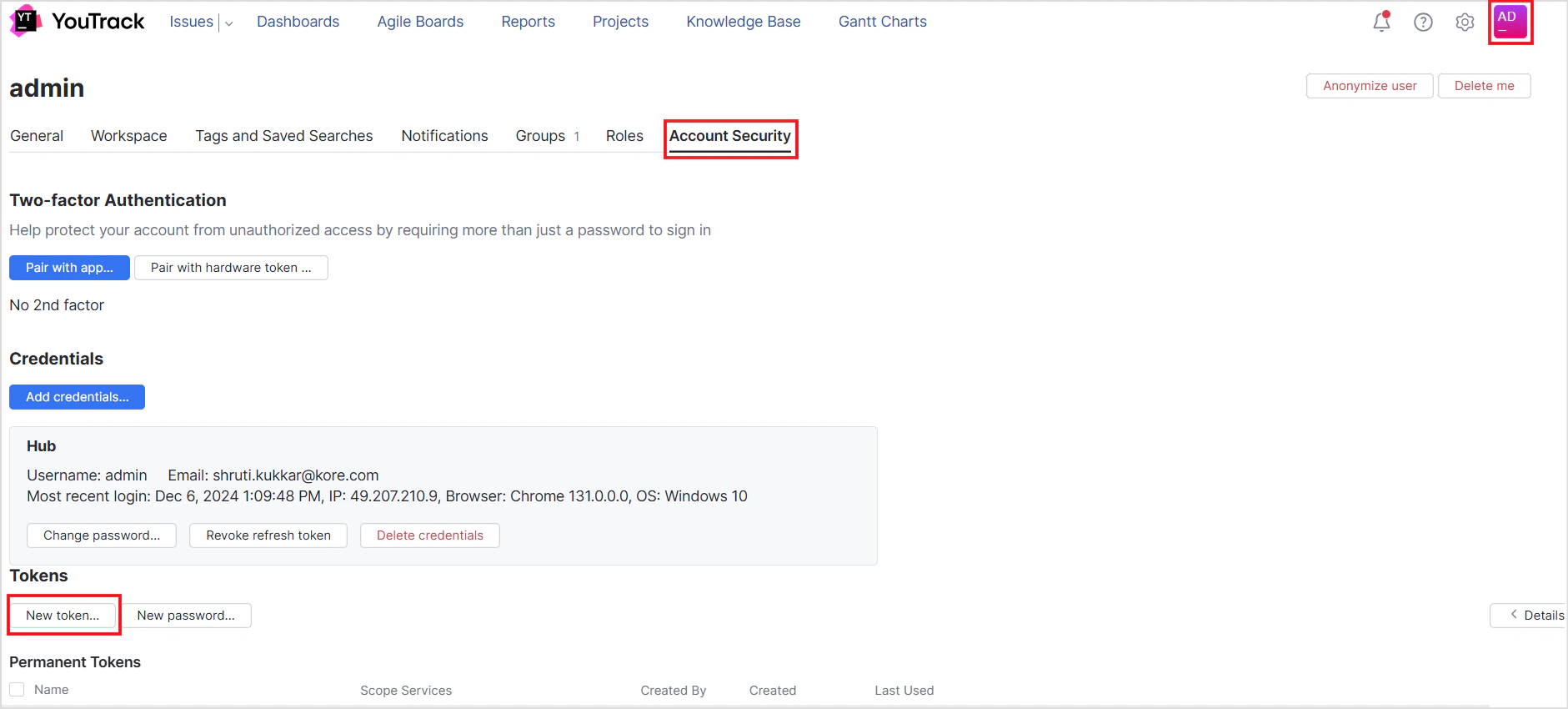
- Go to your YouTrack Profile page and select the Account Security tab.
-
Under Tokens, click New Token.
-
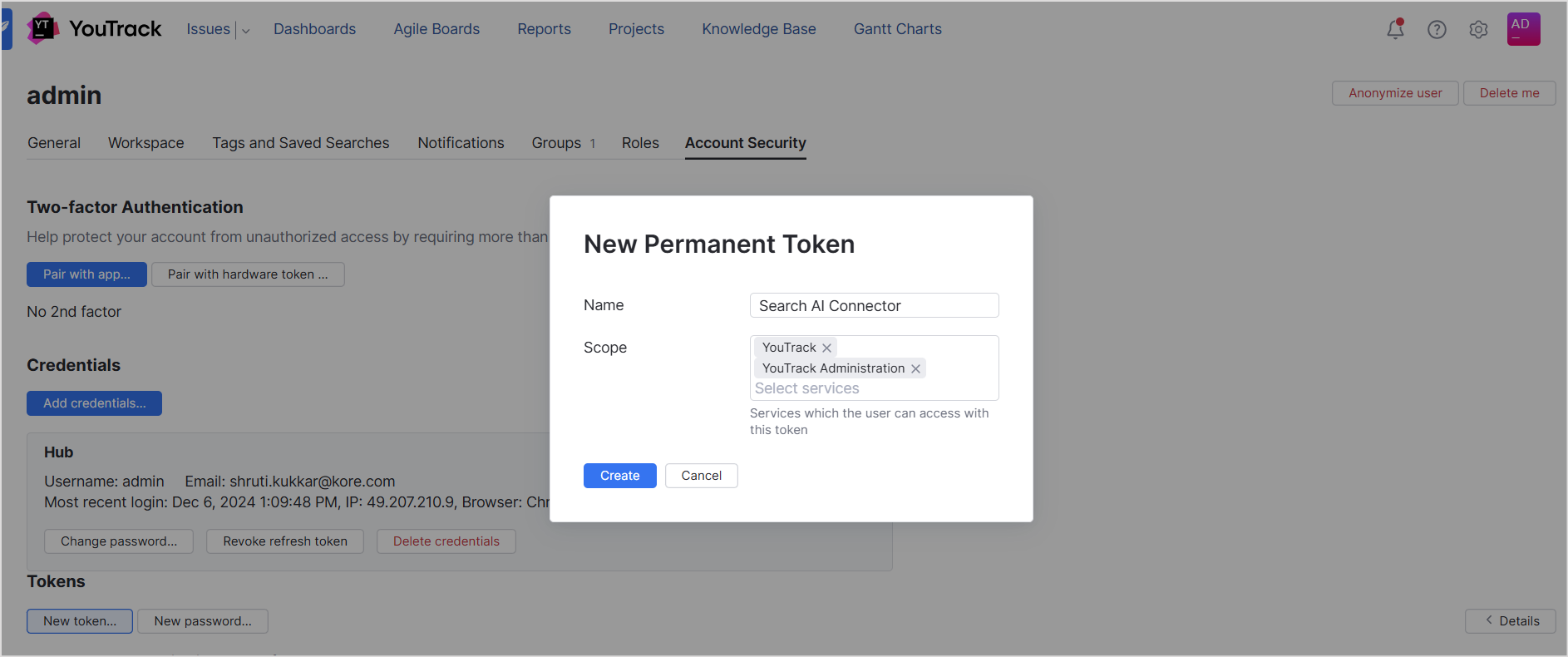
Enter a name for the token and save the generated value.
Configuring the YouTrack Connector in Search AI
Go to the Authorization page of the connector, enter the following fields, and click Connect.Ingesting Content
After connecting, go to the Configuration tab. Use Sync Now for immediate ingestion, or Schedule Sync to configure recurring synchronization. Search AI ingests issues and knowledge articles from projects in YouTrack. Thetype field in each ingested document indicates whether the content is an issue or a knowledge article. For issues, all issue properties are ingested as metadata; the description and comments are added to the content field. For articles, properties are stored as metadata and the description and comments are added to the content field.
Filtering Content
Search AI supports selective ingestion, allowing you to sync content from specific projects only.- Go to the Configurations tab in the connector interface.
- Click Sync Specific Content and select the Configure link.
- Select the projects to ingest content from.
- Click Save to apply the changes.
Configured filters take effect during the next synchronization cycle. Trigger a sync or ensure one is scheduled to reflect the updates.
RACL Support
Search AI controls access to YouTrack content at the project level.- Each issue and article in YouTrack is linked to a project via a unique Project ID.
- When content is ingested, the Project ID is stored in the
sys_raclfield of the corresponding chunks and serves as the permission entity. - Search AI automatically resolves permissions for YouTrack: it identifies which users have access to each project and associates them with the corresponding Project ID permission entity.
- Manual permission entity mapping via APIs is not required.