
Real-time Voice Interaction between AI for Service and Agent Platform
When integrating a voice channel with the Platform through the Automation Node in AI for Service, two modes of voice interaction are available:- Real-Time Voice
- ASR/TTS
Real-Time Voice Interactions
Real-Time Voice enables natural, conversational interaction using multi-modal language models that support real-time voice input and output.How It Works
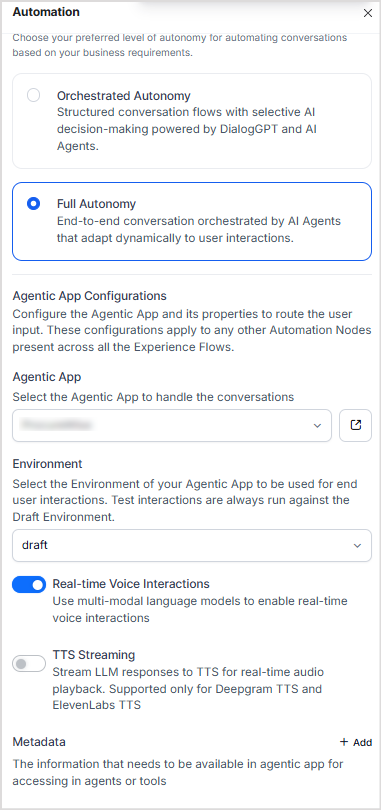
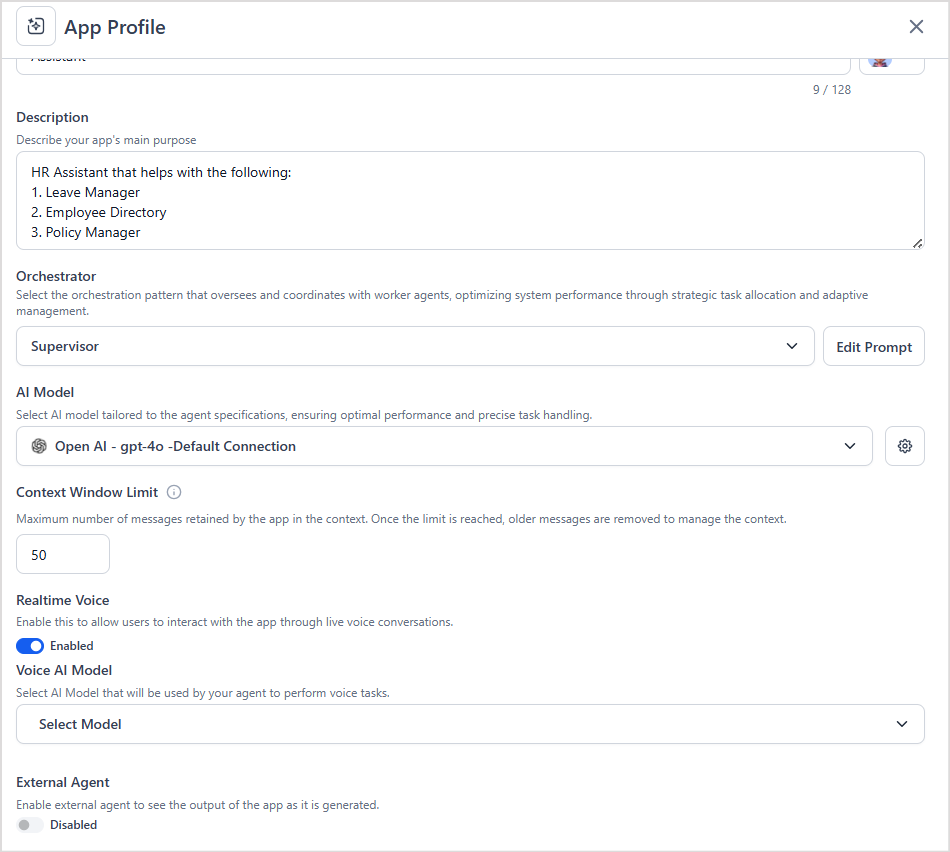
- When Real-Time Voice is enabled in AI for Service, it must also be enabled in the Platform for the selected Agentic App.
- The Platform uses the configured real-time voice model to process user audio and generate audio responses.
- If Real-Time Voice isn’t enabled on the Platform side, the system can’t process audio requests correctly and will return errors.
- When Real-Time Voice is disabled in the Automation Node on the AI for Service side, ASR/TTS will be used by default for audio responses.
TTS Streaming
TTS Streaming provides a hybrid approach in which the agent’s text output is streamed back progressively, and AI for Service converts it to speech using ASR/TTS.How It Works
- If real-time voice is disabled, the system defaults to ASR-TTS, that converts text to speech.
- The Platform uses the text based LLM model to generate the answer and sends it back to the AI for Service, which uses ASR/TTS to convert it to audio and present it to user.
- If TTS streaming is disabled, the system delivers the audio response to the user only after the complete output is generated.
- When TTS Streaming is turned on, the text output is streamed back to AI for Service as soon as it’s generated. This reduces the latency involved in answering user queries.
- AI for Service converts streamed text to speech in real time using TTS engines (Deepgram, ElevenLabs).
Effect of Wait-time Experience Configured in Agent Platform
The Platform allows admins to configure the wait-time experience to provide a better experience for users when processing responses is delayed. Note that it’s not applicable to real time voice. Learn More.- The wait-time experience configured in the Platform is triggered.
- After the threshold is reached, the Platform sends a filler or system-generated message, as configured.
- The message is presented to the user via TTS as it’s received by AI for Service. (if streaming is enabled).
Configurations
For real-time voice interactions:- Enable Real Time Voice in the AI for Service Automation node.
- Ensure real-time voice is enabled in the Agentic App, and that an AI model supporting real-time voice is configured for it.
- Disable real-time voice in AI for Service.
- Additionally, for streaming the response, enable the TTS Streaming option.
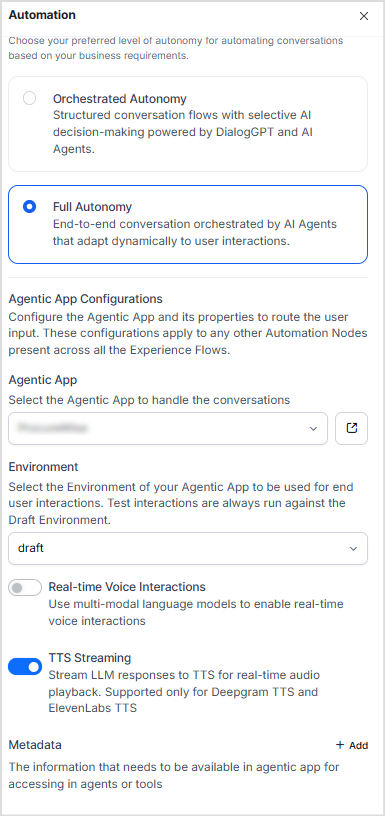
- No special configuration is required on the Platform side.