
Overview
Guardrails are pre-deployed scanners that evaluate user inputs and model outputs to help maintain safe, responsible, and compliant AI interactions. You enable the scanners you need—no deployment required.Available Scanners
| Scanner | Description | Applies To |
|---|---|---|
| Regex | Validates prompts using user-defined regular expression patterns. Supports defining desirable (“good”) and undesirable (“bad”) patterns for fine-grained validation. | Input |
| Anonymize | Removes sensitive data from user prompts to maintain privacy and prevent exposure of personal information. | Input |
| Ban topics | Blocks specific topics (for example, religion) from appearing in prompts to avoid sensitive or inappropriate discussions. | Input |
| Prompt injection | Detects attempts to manipulate or override model behavior, protecting the LLM from malicious or crafted inputs. | Input |
| Toxicity | Analyzes prompts or responses for toxic or harmful language to ensure safe and respectful interactions. | Input, Output |
| Bias detection | Examines model outputs for potential bias to help maintain neutrality and fairness in generated responses. | Output |
| Deanonymize | Replaces placeholders in model outputs with actual values to restore necessary information when needed. | Output |
| Relevance | Measures similarity between the user’s prompt and the model’s output and provides a relevance score to ensure responses stay contextually aligned. | Output |
View Guardrails
To view all pre-deployed guardrails available on the platform:- Go to Settings > Manage guardrails.
Enable Scanners
All scanners are pre-deployed and available by default. You must enable the required scanners in each agentic app or tool where you want to use them. To enable scanners, follow these steps:-
Open the Guardrails settings for your app or tool:
- Agentic apps: Go to Agentic apps, select your app, then go to Settings > PII & Guardrails > Guardrails.
- Tools: Go to Tools, select the tool you want to configure, then select Guardrails.
-
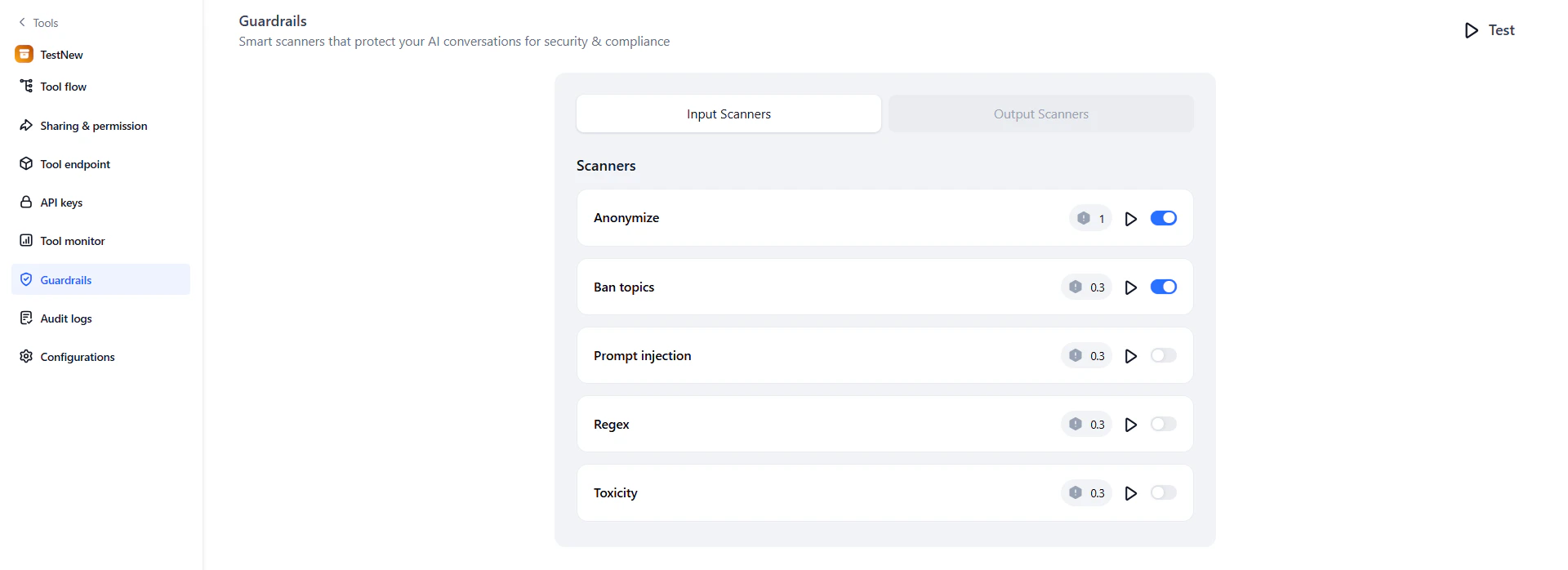
On the Guardrails page, review the Input scanners and Output scanners tabs. Turn on the toggle next to each scanner you want to apply.
-
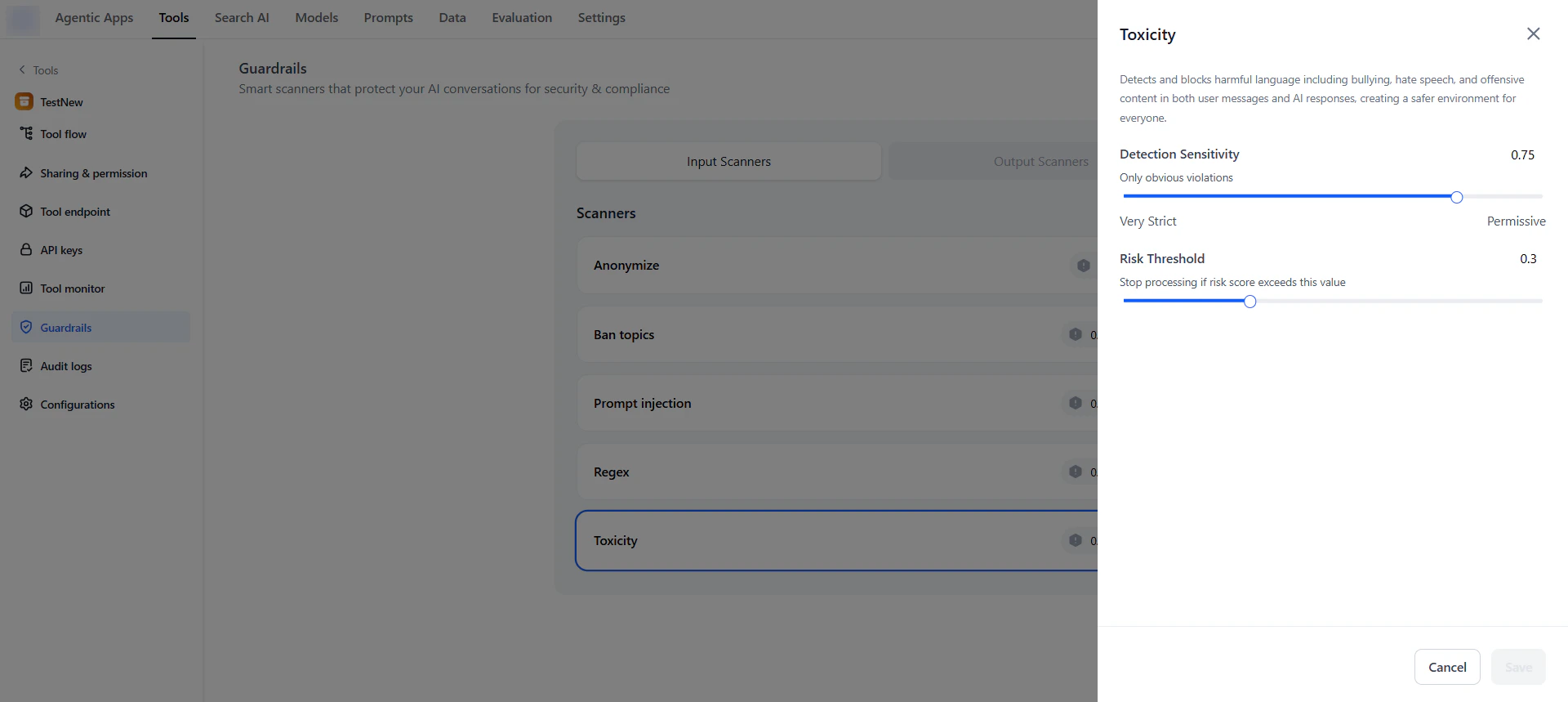
To configure a scanner, click it, adjust the available options, then click Save. The available options vary by scanner. For example, the Toxicity scanner includes Risk Threshold and Detection Sensitivity, while the Regex scanner includes Scanner mode (Block or Allow), pattern entry fields, and a Risk threshold slider.
Test Scanners
After enabling and configuring scanners, verify they perform as expected. You can test an individual scanner or the full set, then adjust settings as needed. To test guardrails, follow these steps:-
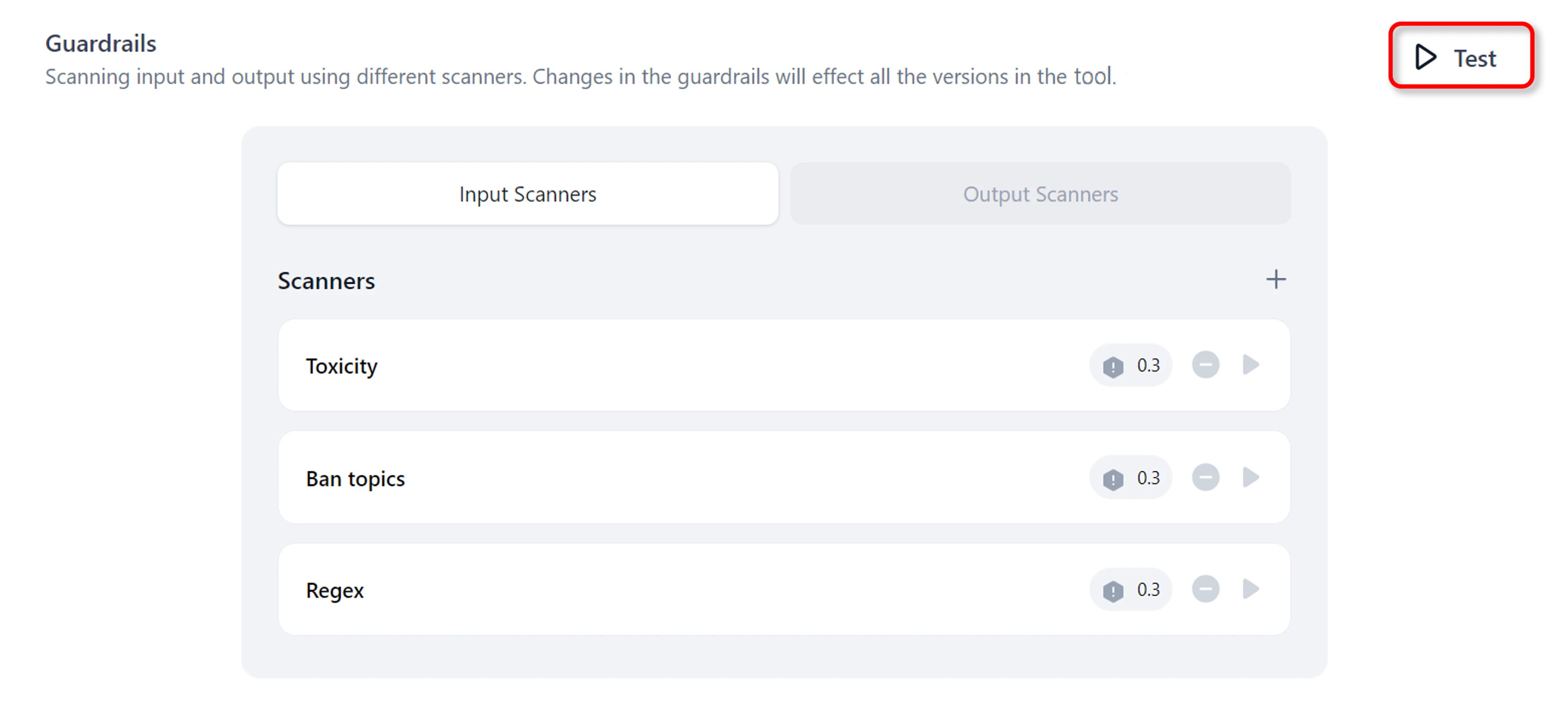
On the Guardrails page, click Test.
-
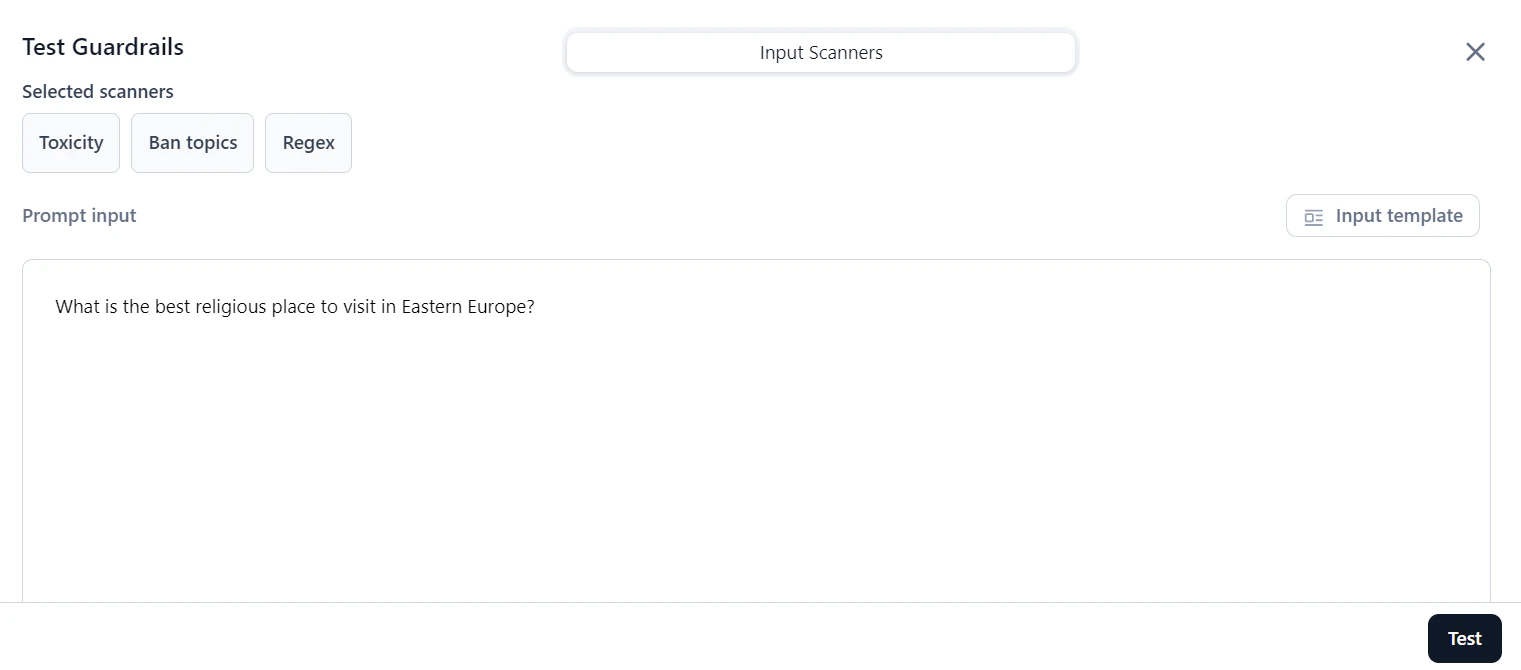
In the Prompt input box, enter a prompt or select Input template to choose a template.
-
Click Test. Under Scores and Results, review the output.
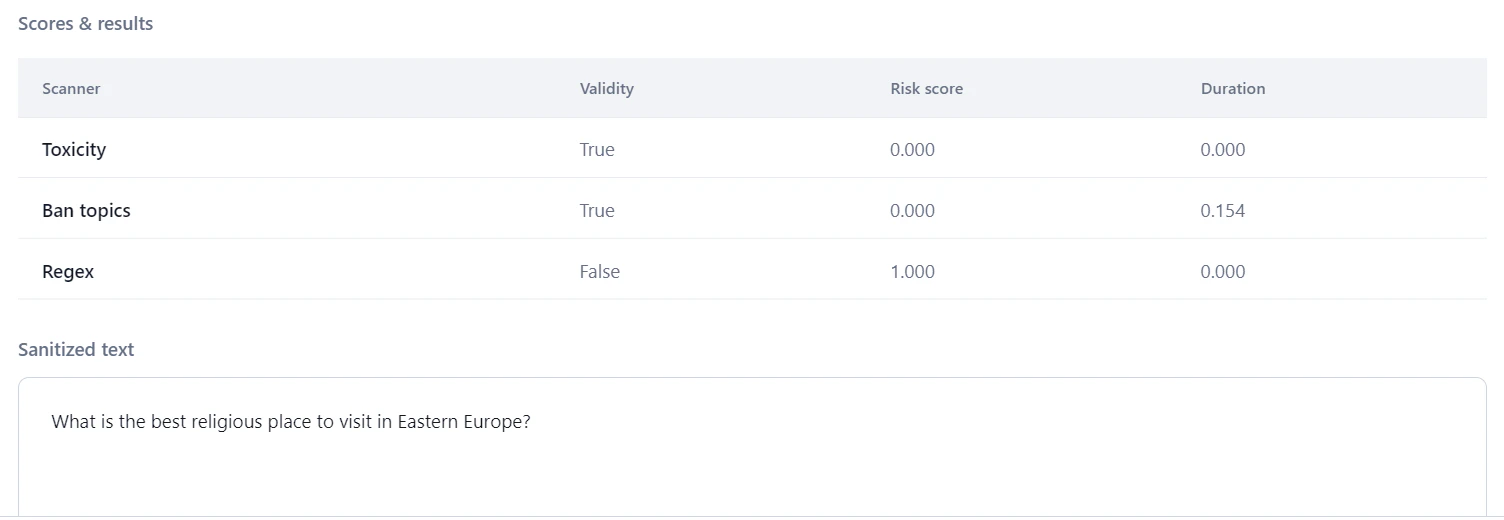
Field Description Validity Indicates whether the prompt meets the scanner’s criteria. For example, if no toxicity is detected, Validity is set to True. Risk Score Indicates the prompt’s risk level, calculated as: (Threshold - Scanner Score) / Threshold. For the Relevance scanner, the score is 1 if similarity falls below the threshold; otherwise 0.Duration The time taken by the scanner to process the prompt. - Based on the results, adjust scanner settings and retest as needed.