Evaluation Studio

Assess and improve AI system performance systematically.

Overview

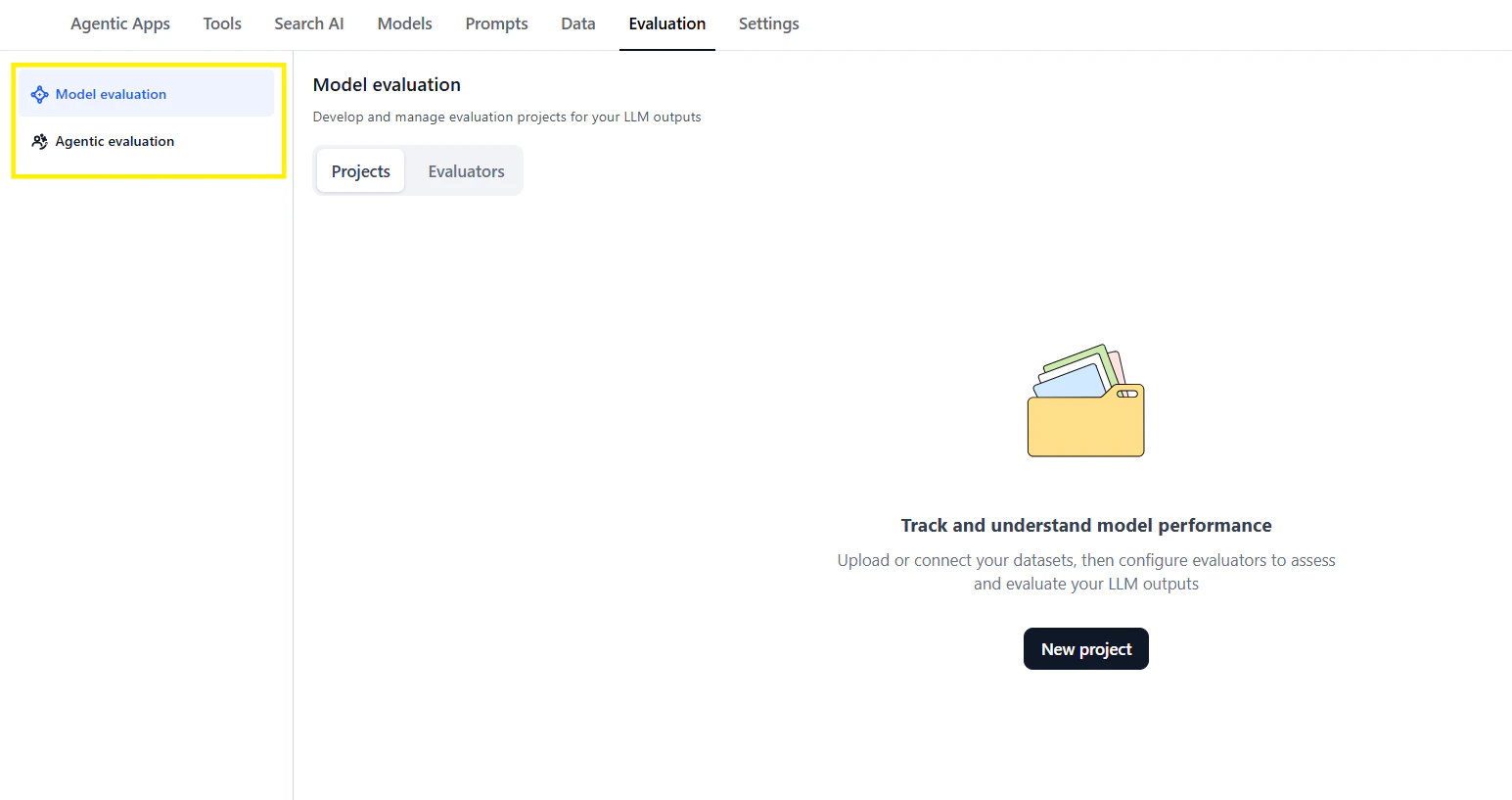
Evaluation Studio provides a unified workspace for measuring AI quality across two dimensions: individual model performance and end-to-end agentic application behavior.
Define Criteria → Load Test Data → Run Evaluations → Analyze Results → Iterate

Evaluation Types

Model Evaluation

Assess individual LLM performance:
  • Test with input-output datasets
  • Apply built-in or custom evaluators
  • Compare models side-by-side
  • Track quality over time
Use when: Selecting models, validating fine-tuning, benchmarking.

Agentic Evaluation

Assess complete application behavior:
  • Test supervisors, agents, and tools together
  • Use real session data or simulated scenarios
  • Evaluate coordination effectiveness
  • Identify integration issues
Use when: Pre-deployment validation, debugging workflows, optimization.

Model Evaluation

Creating an Evaluation

  1. Define the evaluation
    • Name and description
    • Select evaluators
    • Configure thresholds
  2. Load test data
    • Upload datasets with input-output pairs
    • Import from production logs
    • Generate synthetic test cases
  3. Run evaluation
    • Execute across selected models
    • Collect metrics per sample
    • Aggregate scores
  4. Analyze results
    • Review score distributions
    • Identify failure patterns
    • Compare model performance

Built-in Evaluators

EvaluatorMeasures
CoherenceLogical flow and consistency
AccuracyFactual correctness
RelevanceAddresses the input
CompletenessThorough coverage
ToxicityHarmful content detection
BiasFairness across groups
GroundednessSupported by provided context

Custom Evaluators

Define your own evaluation criteria:
name: brand_voice_compliance
description: Checks if response matches brand guidelines

prompt: |
  Evaluate if this response follows brand voice guidelines:

  Guidelines:
  - Professional but friendly
  - No jargon
  - Action-oriented

  Response: {{response}}

  Score 1-5 where:
  1 = Does not follow guidelines
  5 = Perfectly matches guidelines

output_schema:
  score:
    type: integer
    minimum: 1
    maximum: 5
  reasoning:
    type: string

Threshold Configuration

Set pass/fail criteria:
thresholds:
  coherence:
    minimum: 0.8
    weight: 0.3

  accuracy:
    minimum: 0.9
    weight: 0.4

  relevance:
    minimum: 0.85
    weight: 0.3

overall_pass: 0.85

Agentic Evaluation

Session-Based Testing

Test with real or simulated sessions: Real sessions: Import from production deployments
  • Captures actual user behavior
  • Identifies real-world issues
  • Measures true performance
Simulated sessions: Generate test scenarios
  • Define personas and intents
  • Create edge cases
  • Test before deployment

Multi-Level Evaluation

Assess each component:
┌─────────────────────────────────────────────────┐
│                  Application                     │
│  ┌────────────────────────────────────────────┐ │
│  │              Supervisor                     │ │
│  │  • Routing accuracy                        │ │
│  │  • Task decomposition quality              │ │
│  └────────────────────────────────────────────┘ │
│                      │                          │
│         ┌───────────┼───────────┐              │
│         ▼           ▼           ▼              │
│  ┌──────────┐ ┌──────────┐ ┌──────────┐       │
│  │ Agent A  │ │ Agent B  │ │ Agent C  │       │
│  │ • Response│ │ • Tool   │ │ • Knowledge│     │
│  │   quality │ │   selection│ │  retrieval│    │
│  └──────────┘ └──────────┘ └──────────┘       │
│         │           │           │              │
│         ▼           ▼           ▼              │
│  ┌──────────┐ ┌──────────┐ ┌──────────┐       │
│  │  Tools   │ │  Tools   │ │  Tools   │       │
│  │ • Execution│ │ • Accuracy│ │ • Latency│     │
│  └──────────┘ └──────────┘ └──────────┘       │
└─────────────────────────────────────────────────┘

Persona-Based Testing

Define user personas for scenario generation:
personas:
  - name: Frustrated Customer
    traits:
      - Impatient
      - Uses short messages
      - Asks follow-up questions
    intents:
      - Order status complaint
      - Refund request

  - name: New User
    traits:
      - Asks basic questions
      - Needs guidance
      - Polite and patient
    intents:
      - Product inquiry
      - How-to questions

Evaluation Metrics

MetricDescription
Task CompletionDid the agent complete the user’s request?
Tool AccuracyWere the right tools called with correct parameters?
Handoff QualityWere agent transfers appropriate and smooth?
Response RelevanceDid responses address user needs?
LatencyEnd-to-end response time
CostTotal token and tool execution cost

Test Data Management

Dataset Structure

{
  "samples": [
    {
      "id": "sample_001",
      "input": "What's my order status?",
      "context": {
        "user_id": "user_123",
        "order_id": "ORD-456"
      },
      "expected_output": "Your order ORD-456 has shipped...",
      "expected_tools": ["get_order_status"],
      "tags": ["order", "status"]
    }
  ]
}

Data Sources

  • Manual creation: Hand-crafted test cases
  • Production import: Real user sessions
  • Synthetic generation: AI-generated scenarios
  • CSV upload: Bulk import

Results Analysis

Score Dashboard

┌─────────────────────────────────────────────────┐
│ Evaluation: Customer Service v2.1               │
├─────────────────────────────────────────────────┤
│                                                 │
│ Overall Score: 87%  ▲ 3% from v2.0             │
│                                                 │
│ ┌─────────────┬────────┬────────┬────────────┐ │
│ │ Metric      │ Score  │ Target │ Status     │ │
│ ├─────────────┼────────┼────────┼────────────┤ │
│ │ Accuracy    │ 92%    │ 90%    │ ✓ Pass     │ │
│ │ Relevance   │ 88%    │ 85%    │ ✓ Pass     │ │
│ │ Coherence   │ 85%    │ 80%    │ ✓ Pass     │ │
│ │ Latency     │ 2.3s   │ 3.0s   │ ✓ Pass     │ │
│ │ Tool Accuracy│ 78%   │ 85%    │ ✗ Fail     │ │
│ └─────────────┴────────┴────────┴────────────┘ │
│                                                 │
└─────────────────────────────────────────────────┘

Failure Analysis

Identify patterns in failures:
  • Group by error type
  • Filter by agent or tool
  • View sample conversations
  • Trace execution paths

Trend Tracking

Monitor quality over time:
  • Compare across versions
  • Track regression
  • Measure improvement velocity

Best Practices

Start with Baselines

Establish current performance before making changes:
baseline:
  date: 2024-01-01
  overall_score: 82%
  samples: 500

Test Continuously

Integrate evaluation into development:
  • Run on every significant change
  • Automate regression detection
  • Alert on score drops

Use Representative Data

Ensure test data reflects real usage:
  • Include common cases (80%)
  • Include edge cases (15%)
  • Include adversarial cases (5%)

Document Evaluation Criteria

Make scoring transparent:
accuracy:
  description: Response contains factually correct information
  examples:
    score_5: "Correct order status with accurate dates"
    score_3: "Correct status but missing details"
    score_1: "Incorrect order information"