Overview
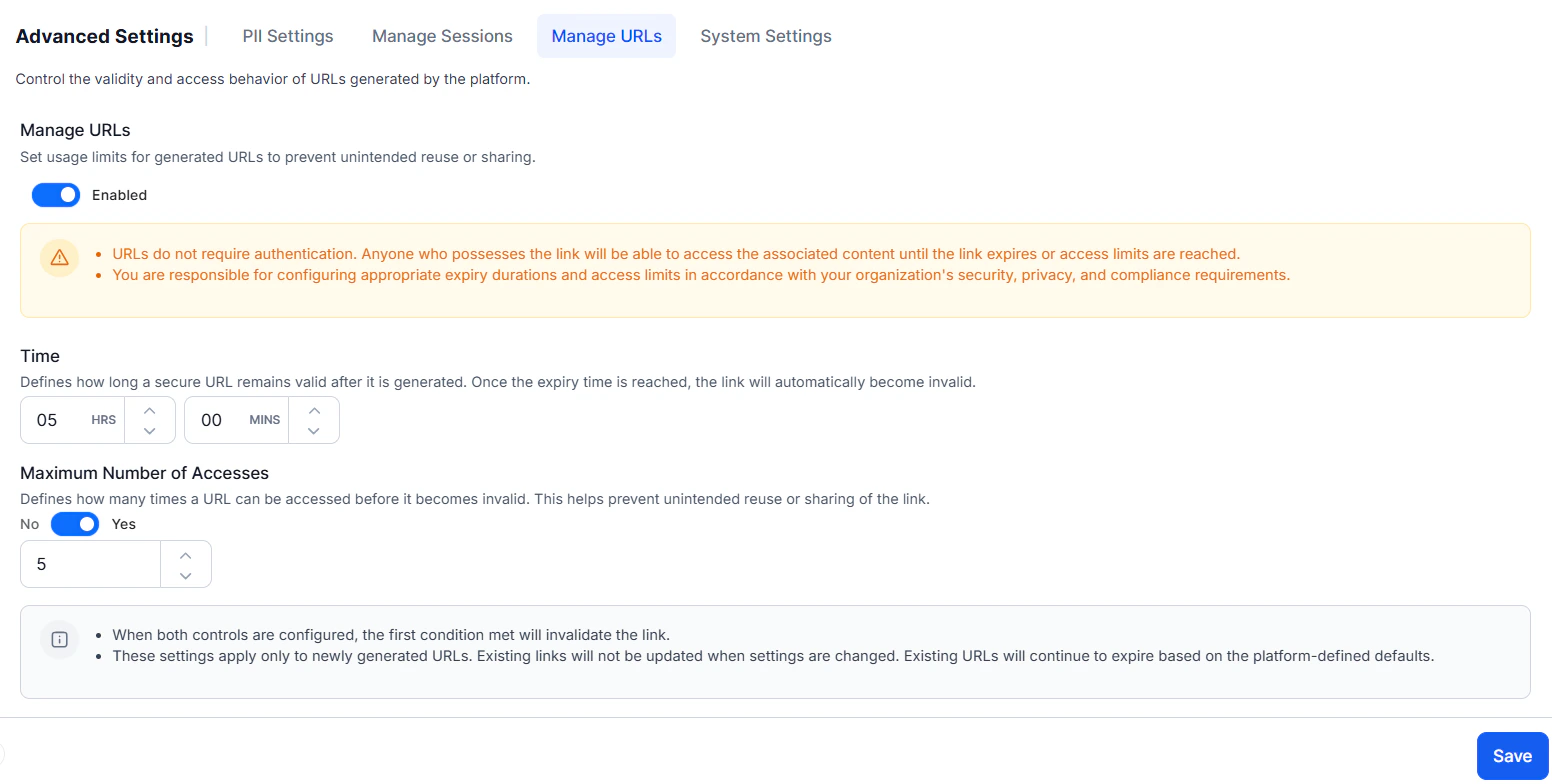
The Manage URLs section under Advanced Settings allows administrators to control the validity, access behavior, and reuse limits of secure, token-based URLs generated for attachments and chat history. These settings help prevent unintended sharing, enhance security, and align URL usage with organizational compliance requirements.Important Points:
- These settings apply only to newly generated URLs. Existing URLs continue to follow the platform-defined defaults and aren’t affected by changes made in this section.
- Generated URLs don’t require authentication.
- Anyone with the URL can access the associated content until the URL expires or the access limit is reached.
- Users can configure appropriate expiration durations and access limits in accordance with organizational security, privacy, and compliance policies.
Configuration Steps
- Navigate to App Settings > Advanced Settings > Manage URLs.
- Enable the toggle under Manage URLs. This allows you to configure expiry time and access limits for newly generated URLs.
- In the Time section, set how long a URL should remain valid after generation. Once this duration is reached, the URL automatically expires and becomes invalid.
- In the Maximum Number of Accesses section, toggle from No to Yes to enable access limits.
- Enter the maximum number of times the URL can be accessed.
- Click Save. The configuration takes effect immediately for all newly generated URLs.
- To enable these configurations, setting a time limit is mandatory; configuring the maximum number of accesses is optional.
- If both a time limit and a maximum number of accesses are configured, the limit reached first takes precedence.
- Users are responsible for determining appropriate limits that align with their specific use case.
- This isn’t applicable for attachment URLs generated by XO10.