

This is an AI Agent-specific configuration. Different AI Agents in a workspace can use different external NLU engines. As of release 10.0, only the Dialogflow ES adapter is supported. Support for additional adapters is planned.
Adapter Configuration
The App Settings > Integrations > External NLU page lists available adapters.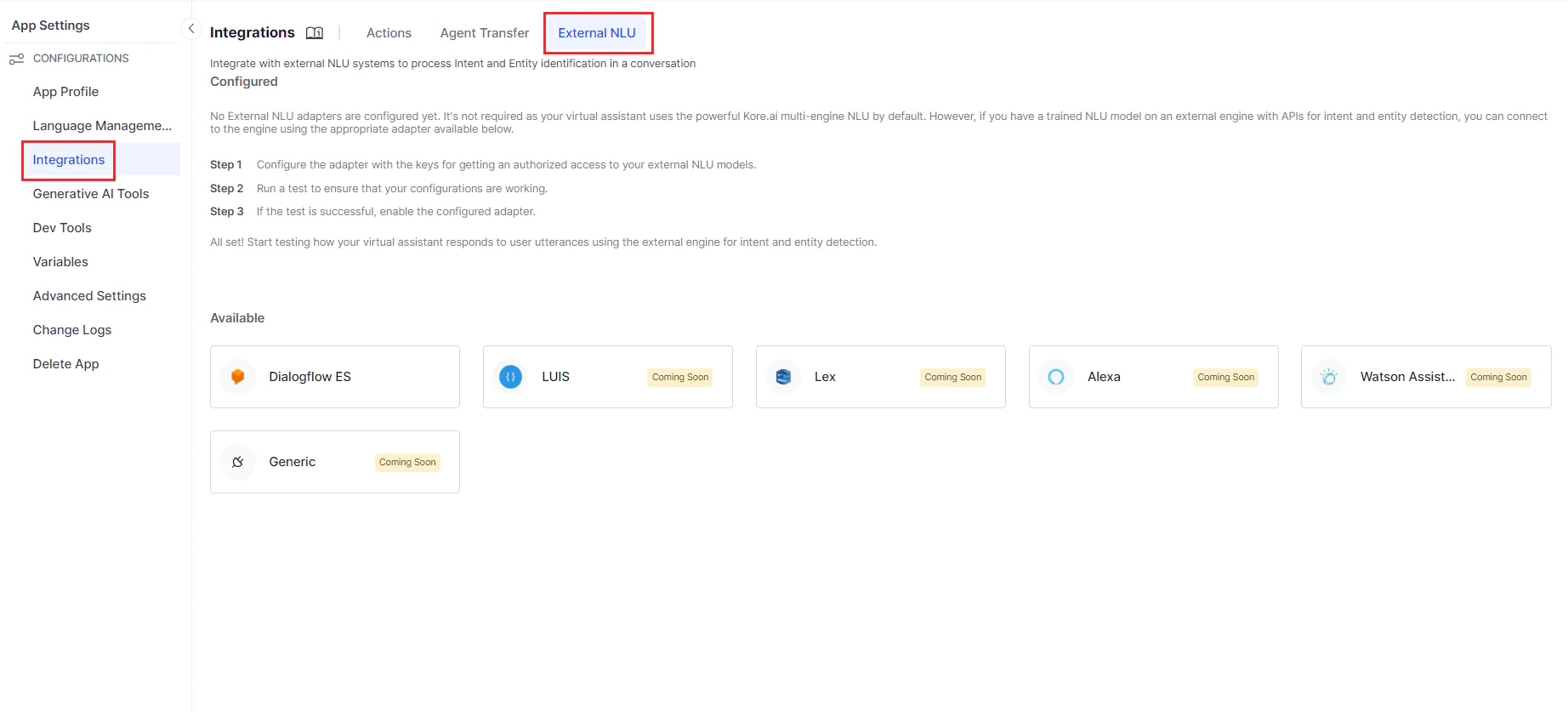
-
Click the adapter for the engine you want to use.
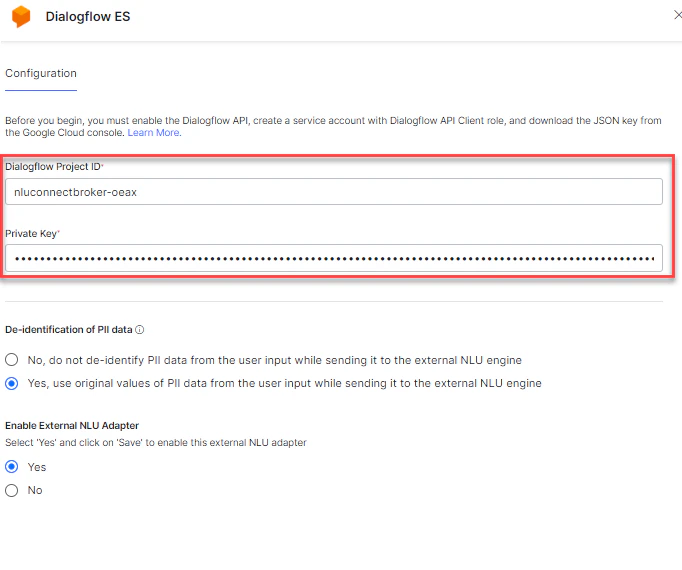
-
Enter the authorization keys and parameters required by the external engine for API access.
Authorization keys configured here are sent to the external engine to allow API access.
-
The De-identification of PII data option is set to No by default.
De-identification removes or masks PII data to reduce disclosure risk. If disabled, masked PII data is sent in API calls to the external NLU. Selecting “do not de-identify PII data” may cause intent or entity detection to fail. See Redacting Personally Identifiable Information.
- Click Save.
-
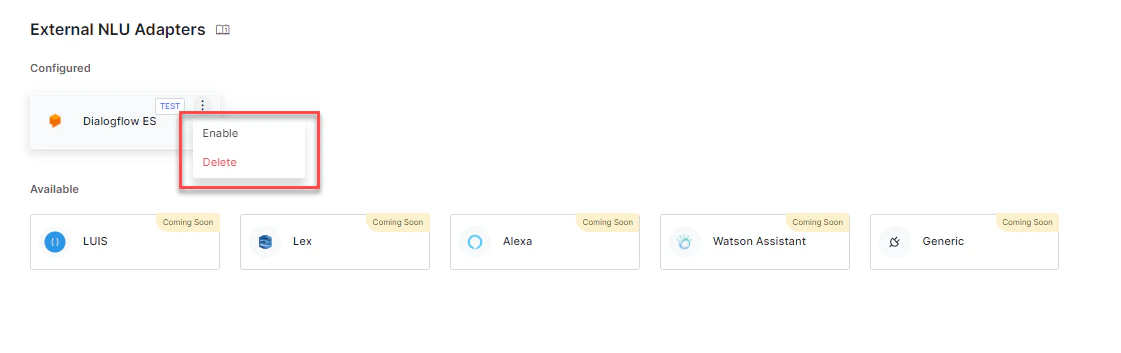
Click TEST to verify connectivity. A success message confirms the connection.
 You can configure multiple adapters but enable only one at a time. You can test a connection even if the adapter isn’t yet enabled — all mandatory fields must be filled to run the test.
 -
Enable the adapter either by setting Enable External NLU Adapter to Yes in the configuration panel, or by clicking the ellipsis icon and selecting Enable.
External NLU is supported for intent nodes, entity nodes, and FAQs only.
- See Dialogflow Engine for Dialogflow-specific setup.
- See Test and Debug to validate your External NLU configuration.