

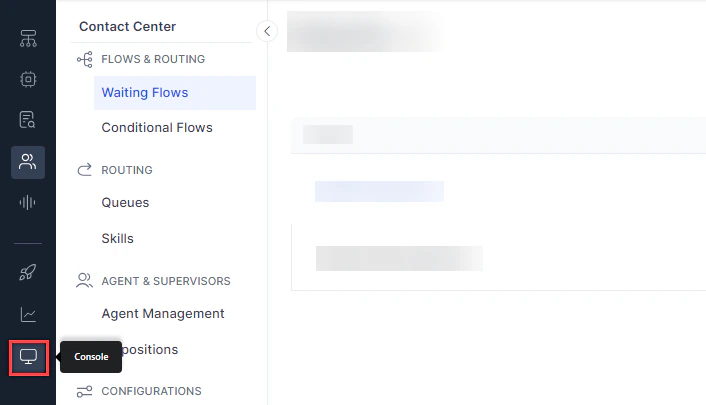
Console Layout
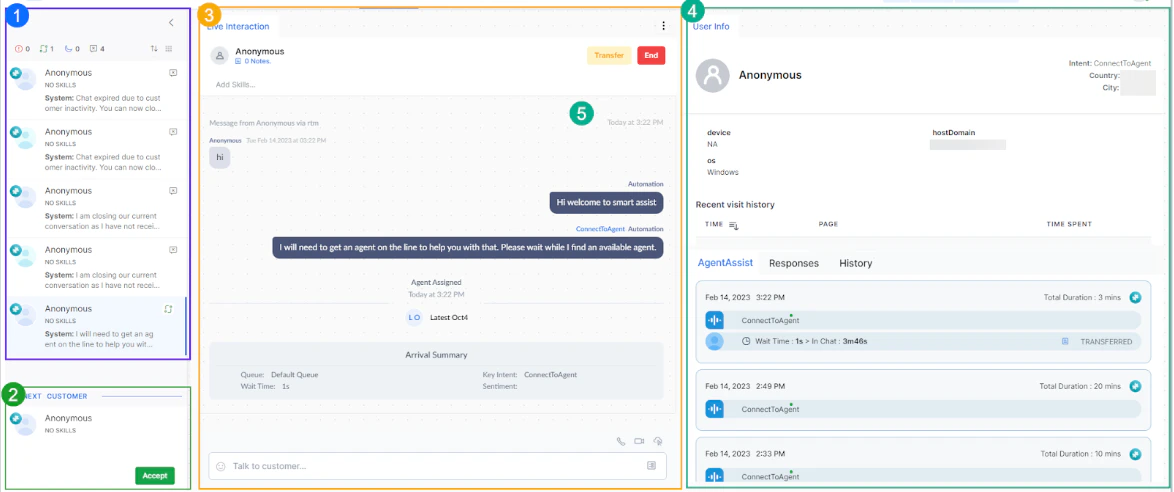
The Agent Console has four main panels:- Conversation Tray-Lists all your assigned conversations with status indicators.
- Incoming Interactions-Displays new interactions waiting for you to accept.
- Live Interaction Pane-Your active workspace for chatting, calling, or emailing customers.
- Additional Tools-Widgets for Agent AI, customer history, canned responses, and user info. You can customize this layout. See Manage Layout.
Agent Status
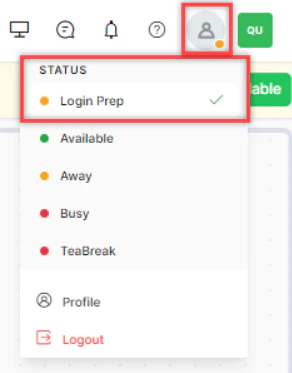
Your status controls whether new interactions are routed to you.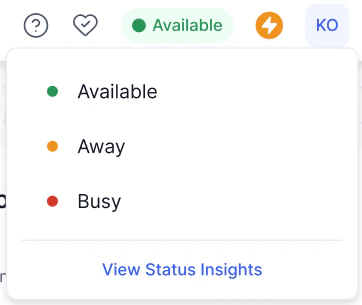
Status Behavior
- If you change your status to Away during an active interaction, a warning appears.
-
If you don’t accept or respond within the configured time, the system automatically sets your status to Away (Idle). This status isn’t available for manual selection.
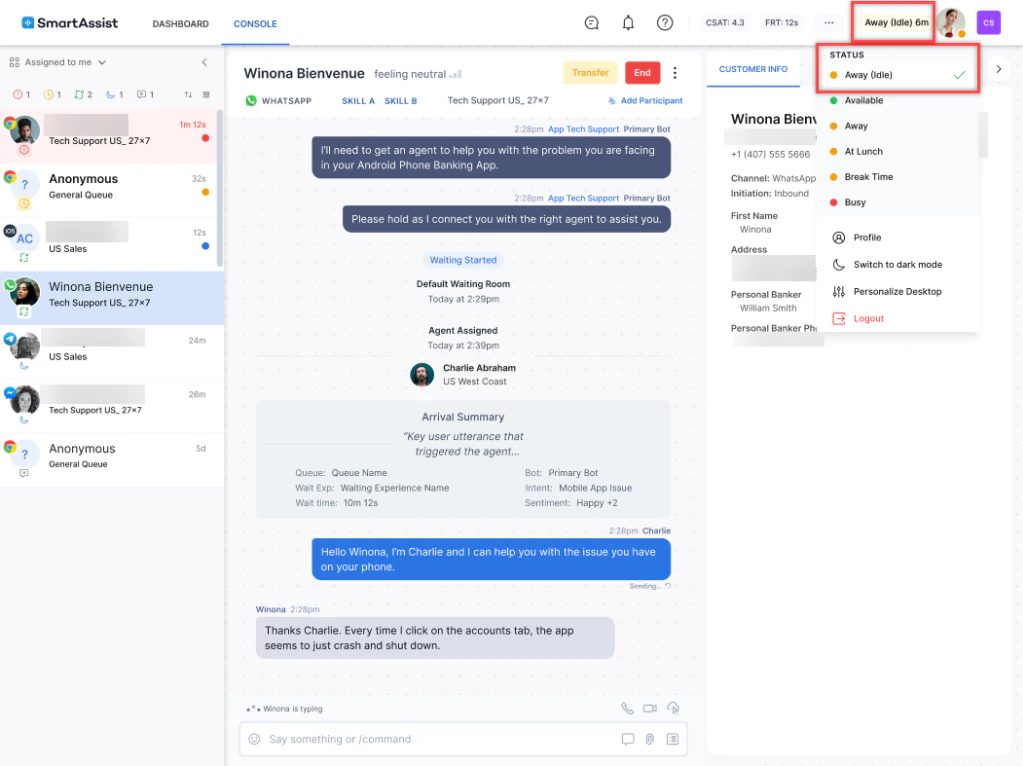
- You can’t logout during an active conversation. Transfer or close it first. If your browser closes unexpectedly, active conversations return to the queue after an inactivity threshold.
-
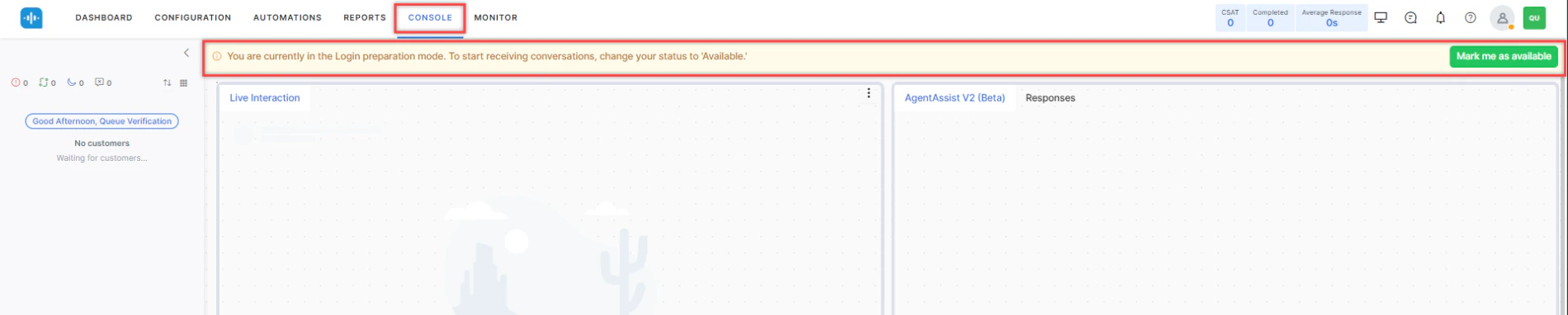
At the end of a Login Prep period, the system marks you as Away.
Status Insights
Select View Status Insights from the status icon to see time spent in each status for the current day. For custom date ranges, select View Detailed Status Insights to go to My Dashboard.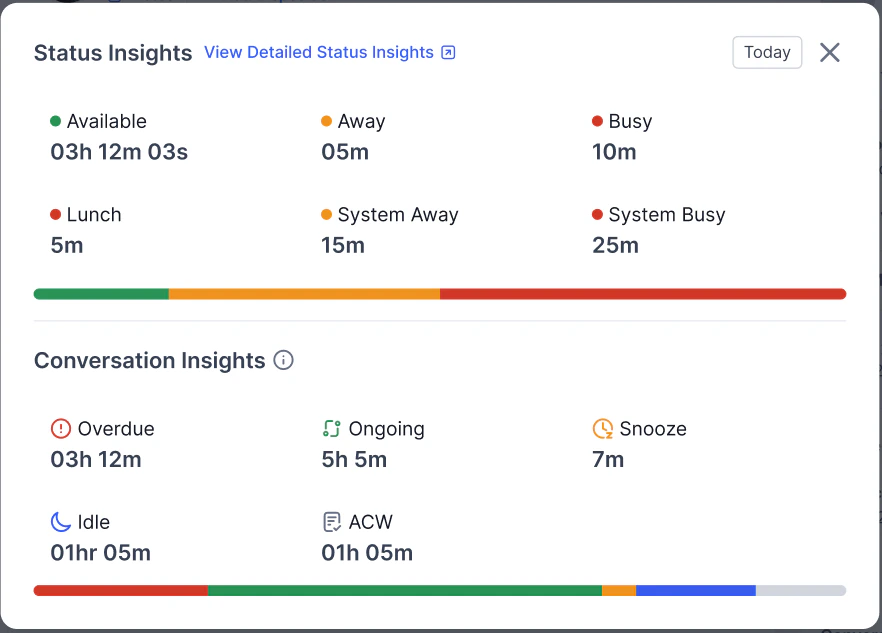
Real-Time Status Timer
When an agent switches to any status, the Agent Status dropdown displays a real-time elapsed timer directly below the status name. This timer represents only the time spent in the current status session, not the cumulative daily total. Timer behavior- The timer starts when the agent switches to a new status.
- The timer resets to 00:00 each time the agent changes status.
- The timer updates continuously in real time while the agent remains in that status.
- The timer applies to all statuses, including custom statuses.
- The timer doesn’t affect existing cumulative reporting or the Status Insights view.

Dark Mode
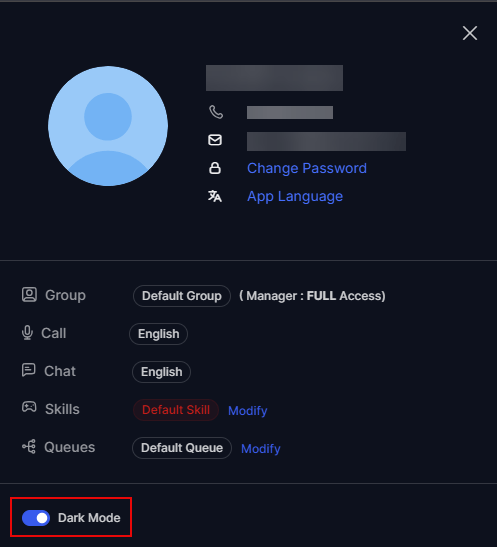
Dark mode switches the Agent Console to a dark color scheme across all screens, backgrounds, buttons, icons, and interactive components. The console saves the preference and applies it across sessions. To turn on dark mode:- Select the profile icon at the upper-right corner of the Agent Console.
-
Turn on the Dark Mode toggle.
Conversation Statuses
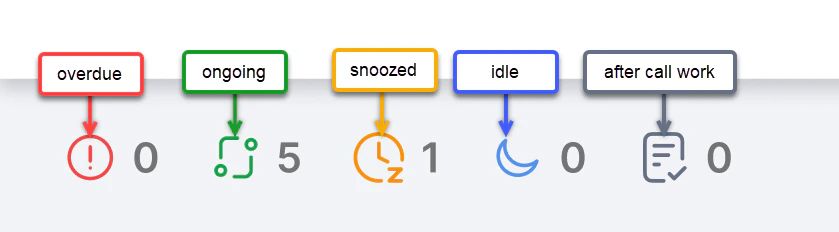
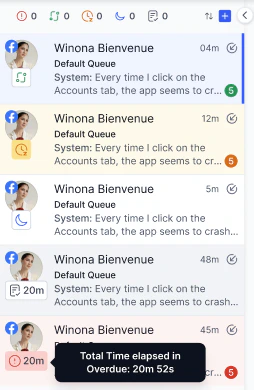
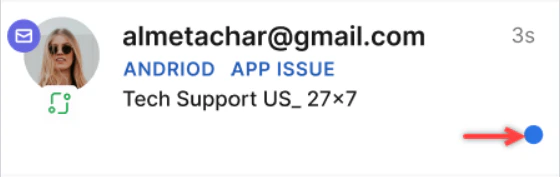
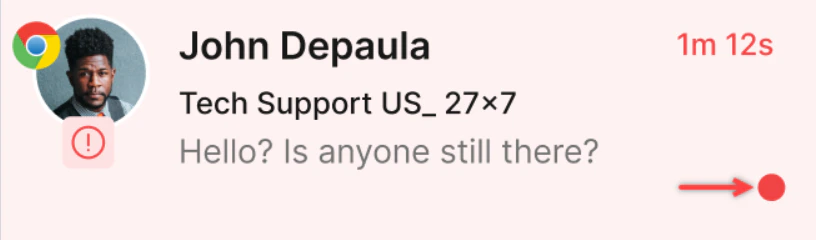
The Conversation Tray displays the following details to help agents distinguish and manage conversations:
- Status icons — a unique icon per conversation state.
- Tinted backgrounds — a soft color applied to all non-ongoing conversations.
- Notifications — a counter for unread customer or system activity. Counts greater than 9 display as 9+.
-
Dynamic elapsed timers — shorthand time display with hover-expanded detail (Overdue status only).
Channel Icons
Each conversation displays a unique icon for its channel: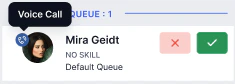
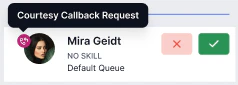
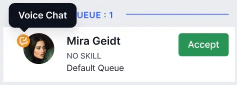
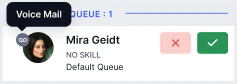
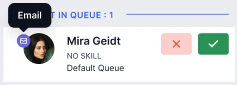
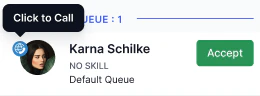
Color Codes
Conversation Timer
Each conversation in the Conversation Tray and Live Interaction Pane displays a timer that updates in real time. The administrator configures the timer metric.Search Conversations
Use the search bar in the Conversation Tray to find conversations by phone number, email address, or customer name. Matching results appear as you type. Select a result to open that conversation.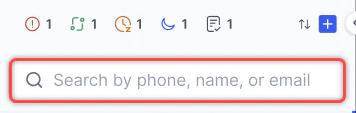
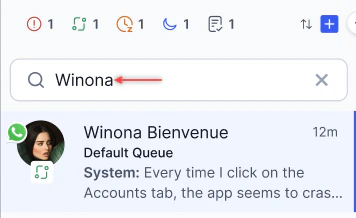
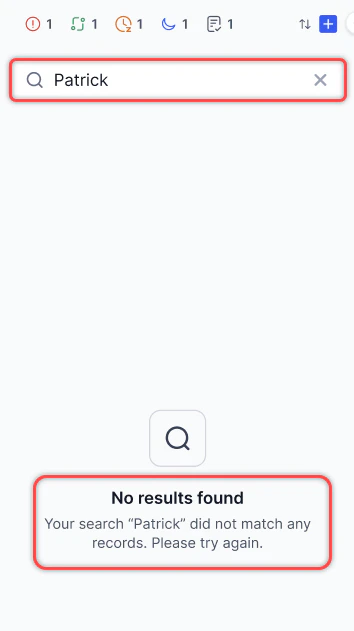
Search supports all configured languages and returns only active conversations.
Customer Sentiment
Digital conversations show the customer’s real-time sentiment, helping you adjust your approach accordingly.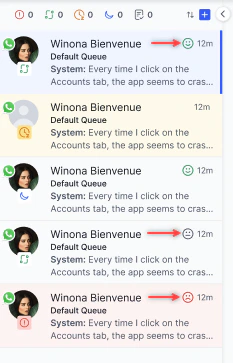
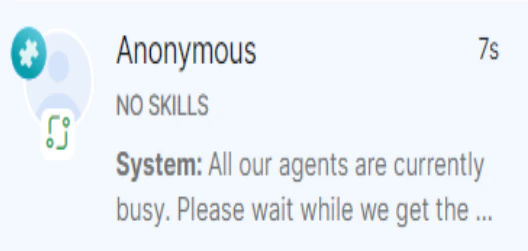
Conversation Information
Each entry in the tray shows:- Customer name (if available)
- Skills matched to the customer’s intent
- Last message in the conversation
- Customer profile picture
- Channel icon
- Conversation status icon
Manual Call (Dialer)
-
Select the + icon on the Conversation Tray and select Outbound Call.

-
On the Dialer tab, select the country, enter the phone number, and select the transcription language.

- Select Call.
Contacts Directory
The Contacts tab shows a public directory published by your administrator. Search by name and select Call to initiate an outbound call.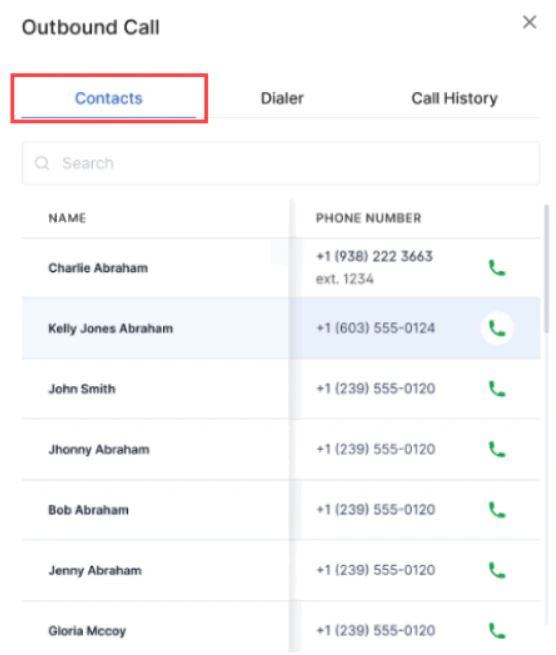
Call History
Select + > Outbound Call > Call History to view:- Name and phone number
- Date, time, and call duration
- Call type (Incoming, Outgoing, or Transferred)
You can only see calls you dialed, received, or had transferred to you.
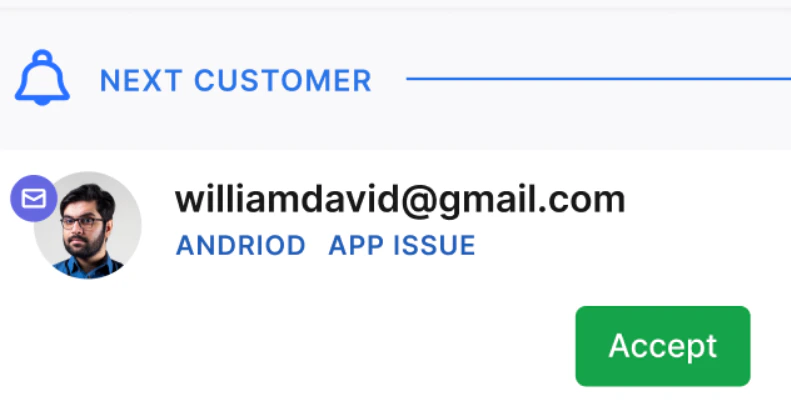
Incoming Interactions
Queue Notifications
New interactions appear at the bottom-left of the Agent Console with a count indicator.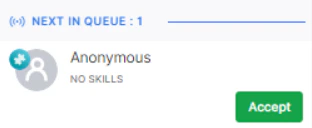
Browser Notifications
The system sends browser push notifications for new interactions, even when the console is minimized. Supported browsers: Chrome, Firefox, Chromium-based Edge, and Safari. Each notification also plays a sound. Permit notifications when prompted to receive them. If you block them, you hear the sound alert and see the Next in Queue pop-up.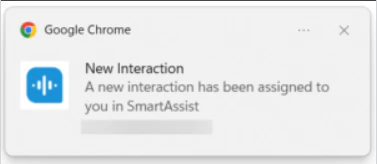
Channel Selection
You can choose which interaction types to receive. This option is available only when blended mode is disabled.
Complete all active interactions before switching channel types.
Accepting Interactions
Manual Answer Mode Select Accept to take the next interaction. If you don’t accept within the configured time, the conversation returns to the queue and your status changes to Away.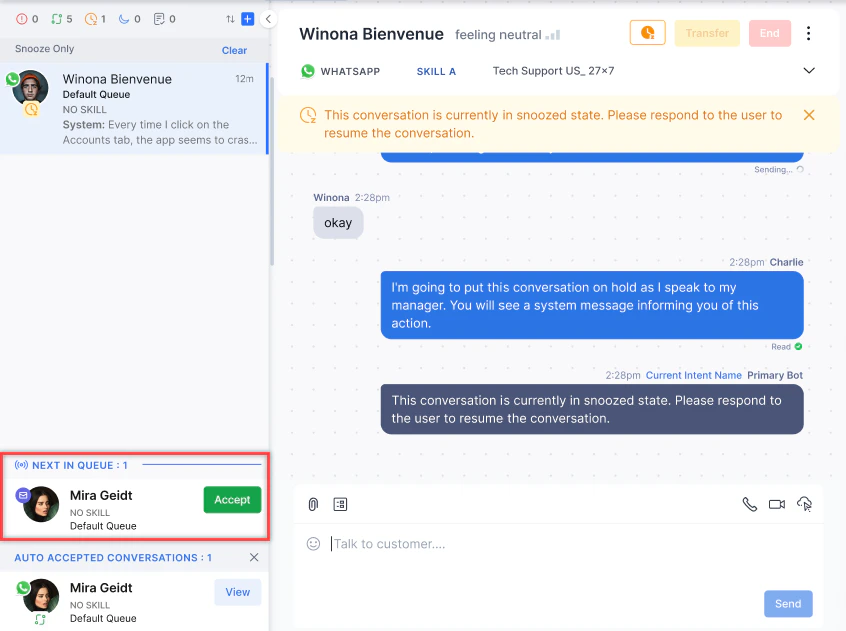
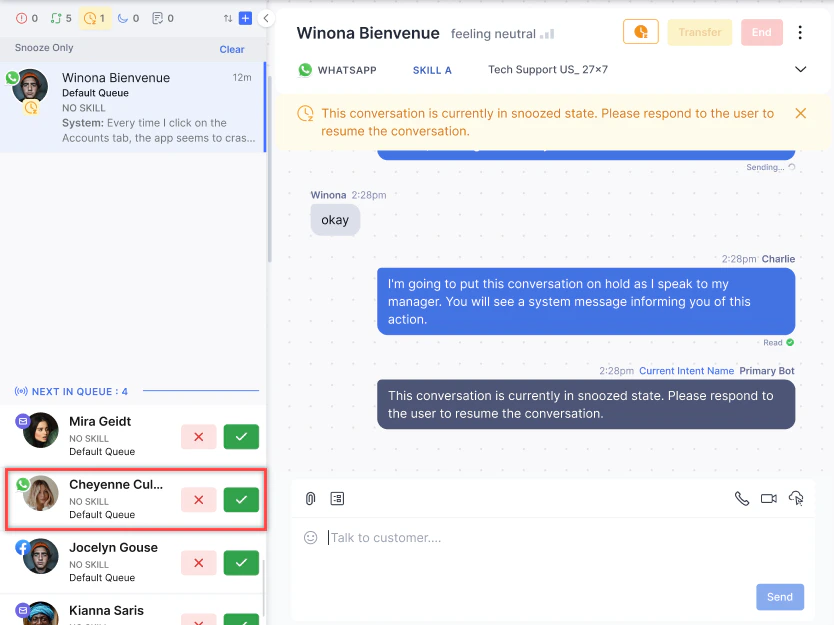
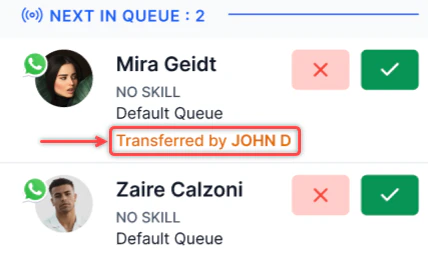
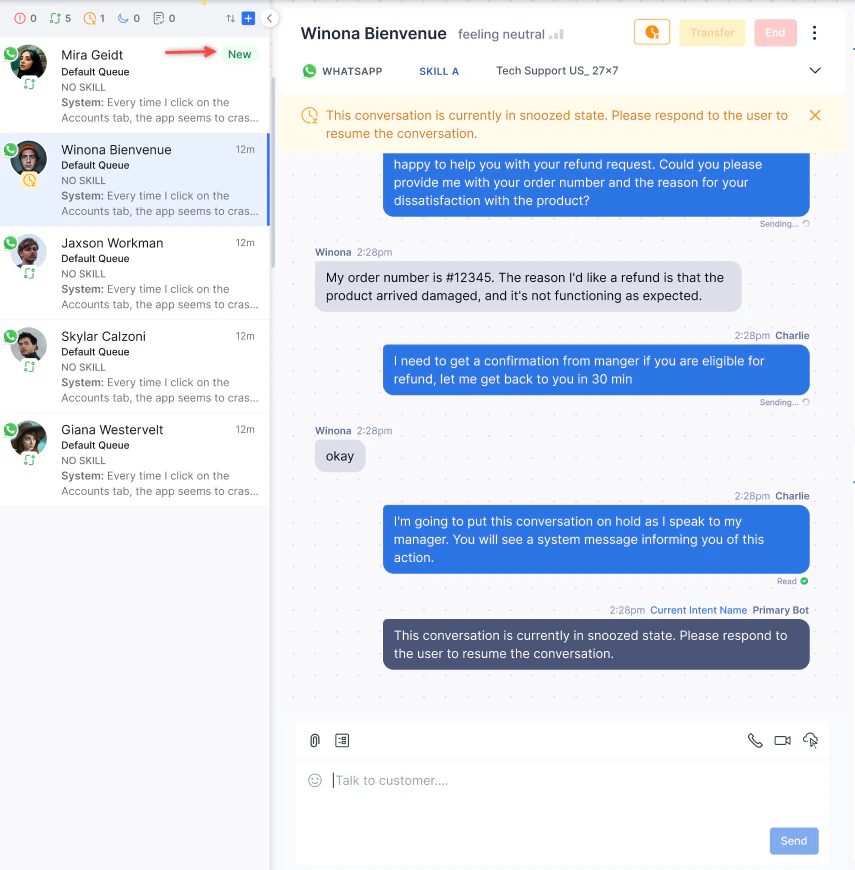
When Auto Answer mode is enabled, the Transfer and End buttons don’t appear until you send your first message.
Understanding Queue Position
Each incoming chat interaction displays a Queue Position number that indicates where it stands in line relative to available agent capacity. This number helps you understand the expected wait before a conversation is assigned. What Queue Position Means Queue position 1 doesn’t mean a conversation is already being handled. It means that conversation is next in line — either waiting for an agent to accept it, or first in the queue to be assigned when a slot opens.
How Queue Positions Are Calculated
When agents are available, the system fills vacant slots with the first conversations in queue. Those conversations move to an Agent Queue and show position 1 — they are assigned to an agent and awaiting acceptance.
Conversations that can’t be immediately assigned wait in their respective queues (such as Default or Gold). The first conversation in each queue also shows position 1, because it is next in line the moment a slot opens. Conversations behind it are assigned positions 2, 3, and so on, in FIFO order.
Example:
Consider 9 chats across queues with 3 available agents (total capacity: 5 slots):
Multiple conversations can show position 1 at the same time — each across a different queue or agent slot. Position 1 is relative to each queue’s or agent’s own capacity, not a single global count.
Handling Interactions With Filters Applied
If a conversation status filter is active (for example, Ongoing or Idle), accepted conversations show a View option until you open the conversation and send the first message.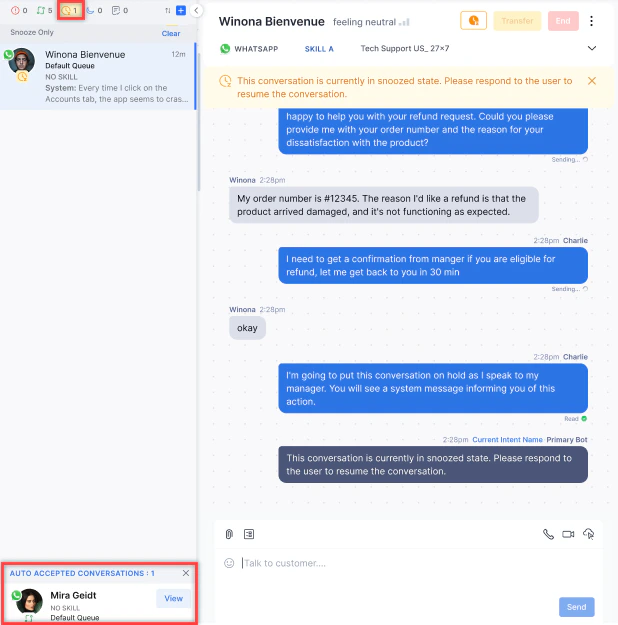
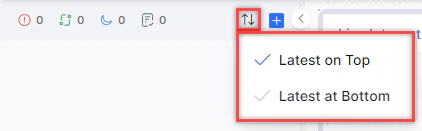
Sorting Interactions
-
Select the ↑↓ icon at the top of the Conversation Tray.

-
Select Latest on Top or Latest at Bottom.
Live Interaction Pane
The Live Interaction Pane is where you communicate with customers.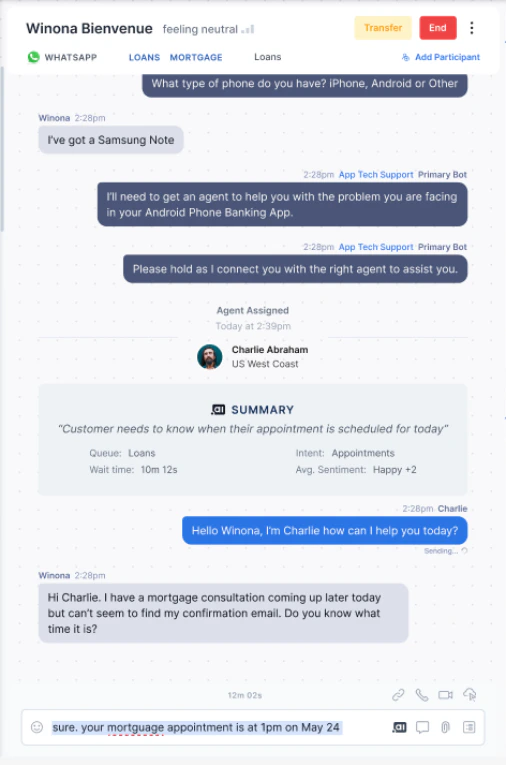
Arrival Summary
Every conversation starts with an Arrival Summary when you accept it. It shows: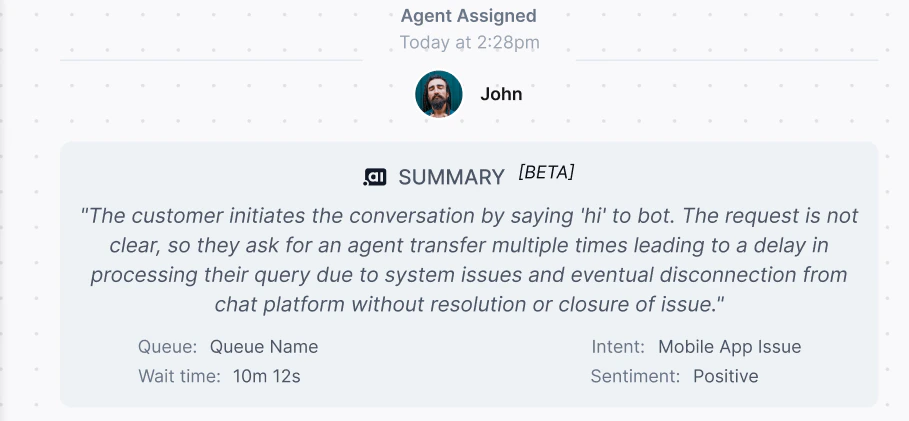
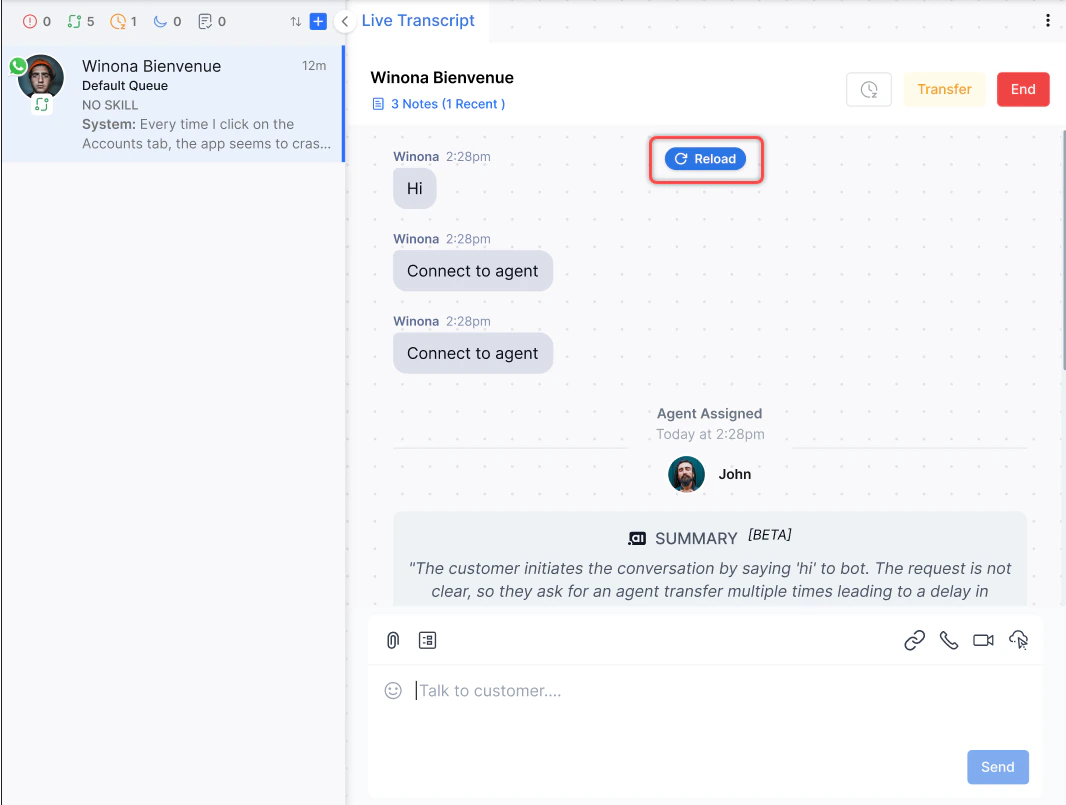
If sentiment analysis is on but no data is available, the Sentiment field shows “Unavailable.”
Composing Responses
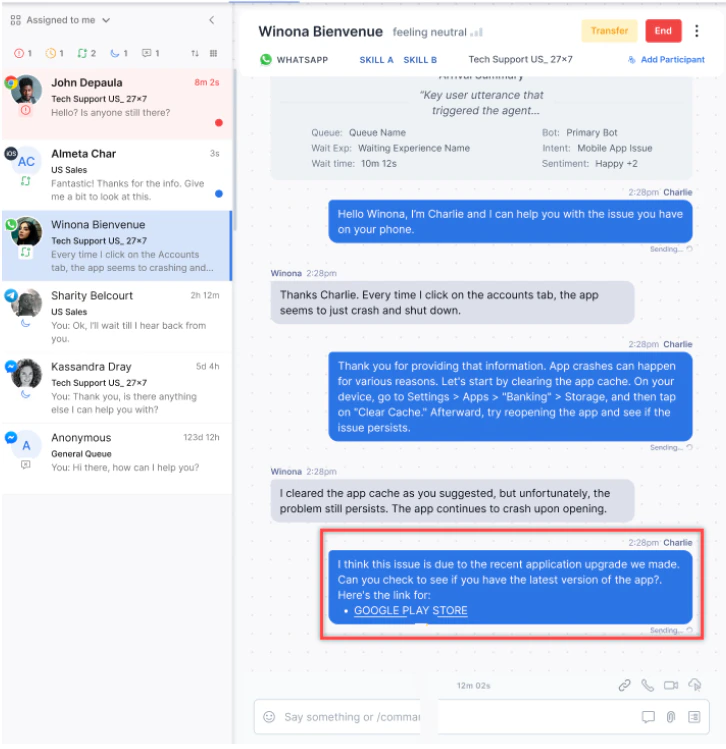
Type in the text editor and select Send, or press Tab + Enter.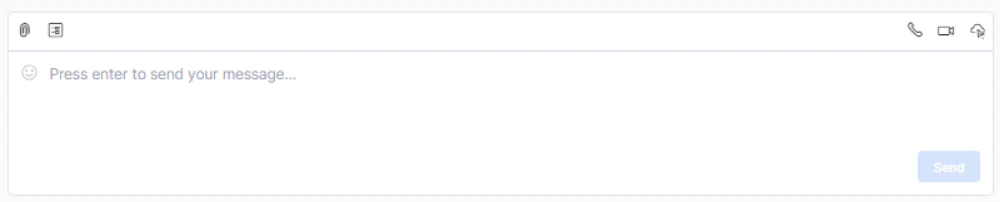
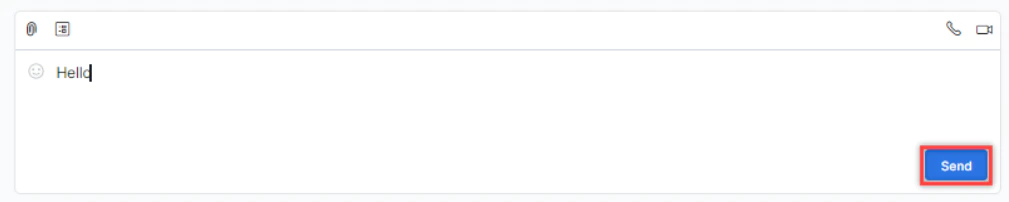
- Press Enter to send. Use Ctrl+Enter or Shift+Enter (Windows) or Ctrl+Return / Shift+Return (Mac) to add a new line.
- Press / in the text editor to open the standard response library. Press Escape to close it.
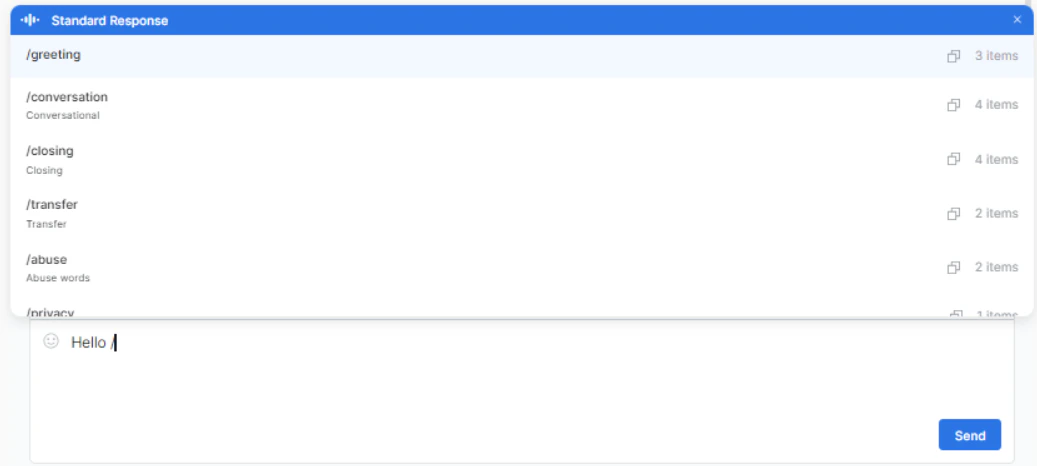
- When translation is enabled, responses appear in your selected target language.
- When translation is disabled, responses appear in the conversation language.
AI-Enhanced Compose
Use the AI options in the compose bar to improve your draft before sending: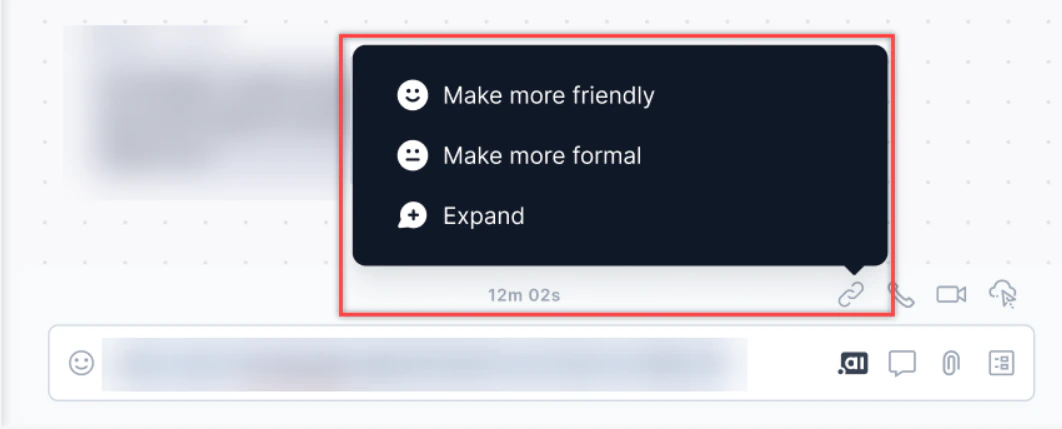
Enable this from Generative AI Tools > GenAI Features > Agent Response Rephrasing.
Adding Hyperlinks
-
Highlight the text to hyperlink and select the Add Link icon.
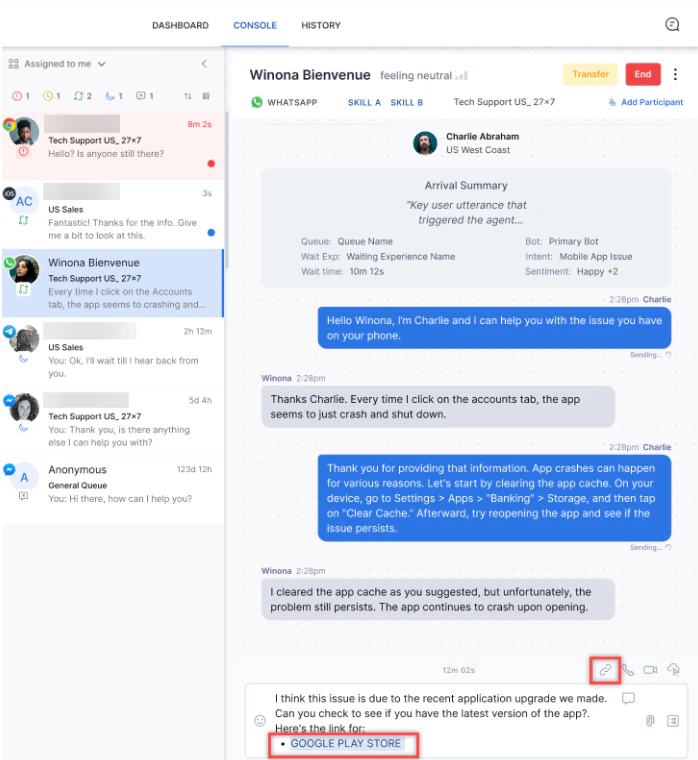
-
Select Web Address and enter the URL, or select Email Address and enter the address.
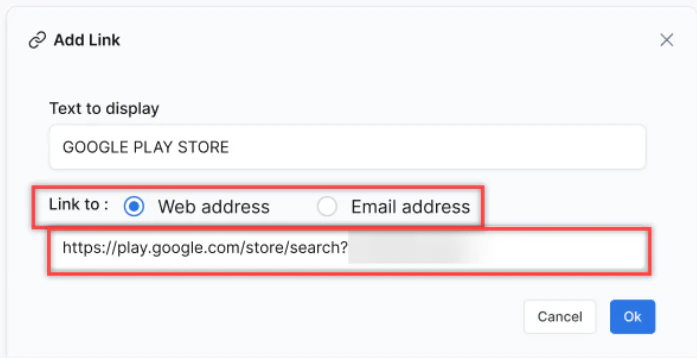
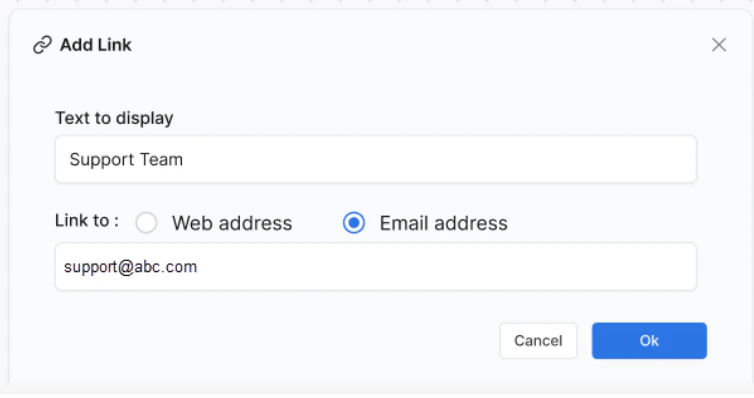
-
Select OK to apply the hyperlink.
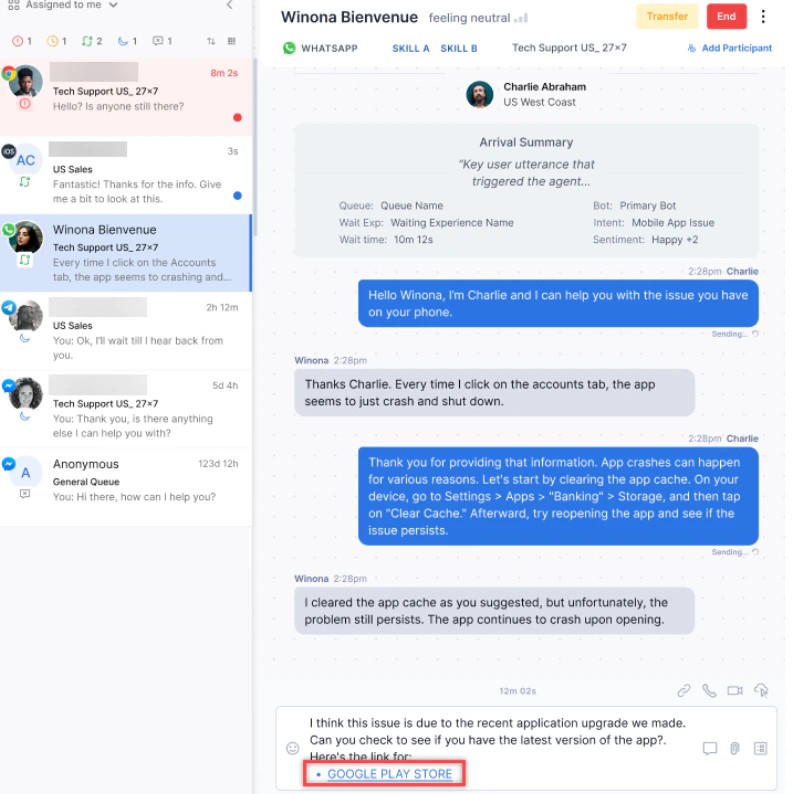
- Hover over the link to access Open, Break Link, or Edit options.
-
Press Enter to send the message.
Viewing New Messages
If you scroll up during a conversation and a new message arrives, a New Message icon appears at the bottom of the thread showing the unread count. Select it to jump to the latest message.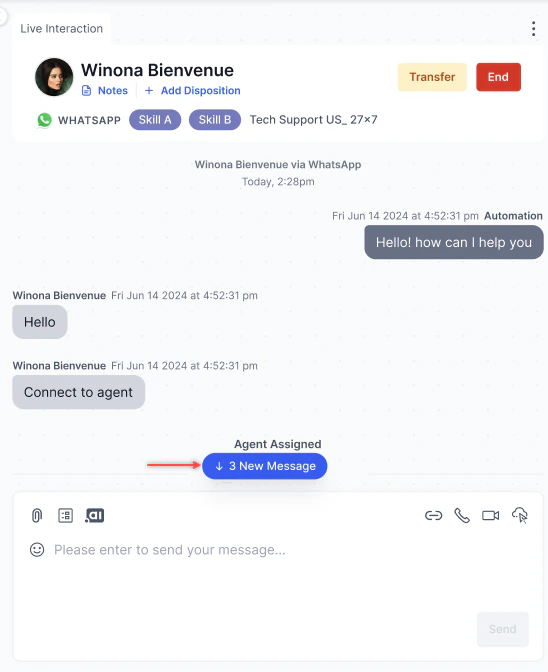
Message Status on Network Disconnect
If the conversation ends or the page refreshes, the Resend icon no longer appears.
Typing Indicator
When you type a response during chat, the customer sees three dots indicating you are responding. Requires WebSDK 3.0 with the AgentDesktop plugin installed.Real-Time Sentiment
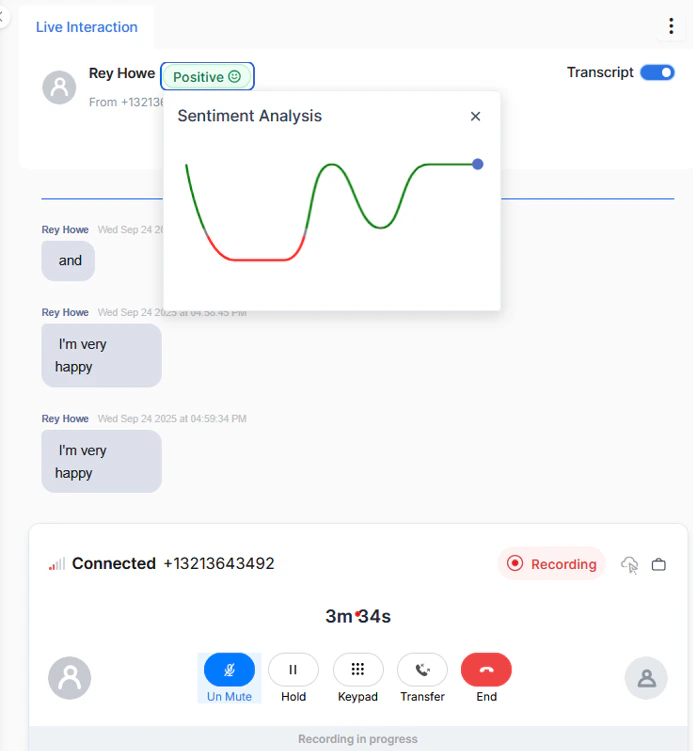
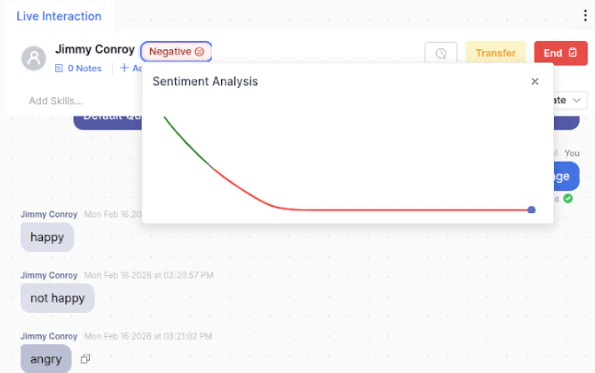
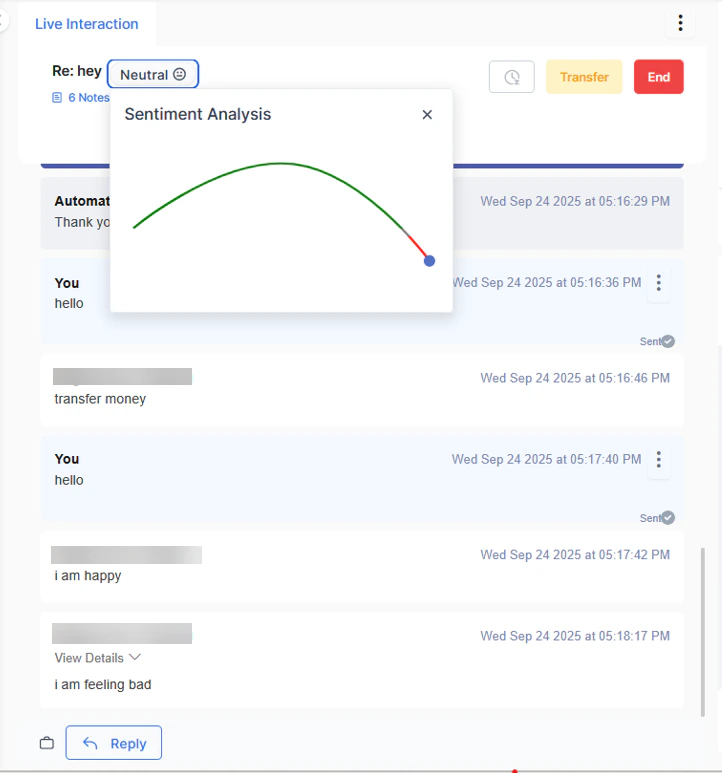
The sentiment indicator (positive, negative, or neutral) reflects the overall sentiment of the full conversation. Select the indicator to view a graph showing emotional fluctuations per message, helping you adjust your tone and approach.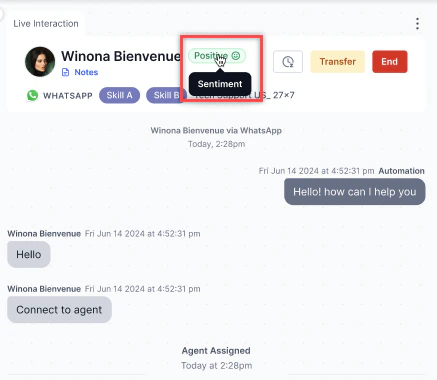
Message Timestamps and Read Status
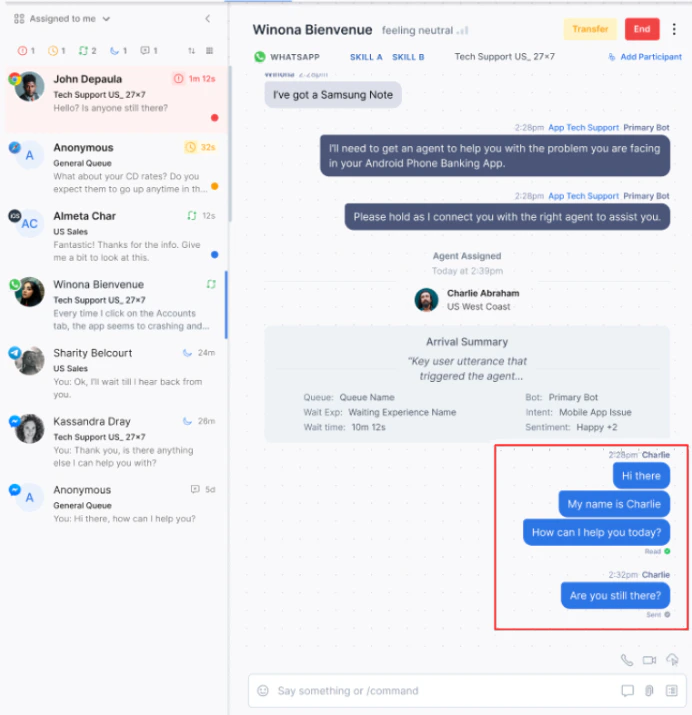
- All agent messages show a date and timestamp.
- Consecutive messages sent within the same minute are stacked under one timestamp.
- Read status appears against the most recent message in a stack.
Voice Interactions
Audio and Video Calls
During a chat, you can escalate to an audio or video call by selecting the Audio Call or Video Call icon in the Live Interaction Pane.
Video calls require an AudioCodes-enabled account. You must close the chat interaction and the audio/video call separately, each with its own disposition.
Call Option Availability in Auto Acceptance Mode
For chat conversations assigned in Auto acceptance mode, audio and video call icons are available immediately after the conversation is assigned. An initial text response isn’t required before initiating a call. Selecting Audio Call or Video Call accepts the conversation and starts the conversation timer. No additional acceptance action is needed.Existing audio and video call permissions continue to apply. The conversation history, monitoring views, and acceptance metrics reflect call-based acceptance when a call is initiated without a prior text response.
Video Call Recording
Administrators can enable or disable this feature from System Settings. Prerequisites: Version Requirements for Video Call Recording To use the Video Call Recording feature, ensure both components are running on the minimum supported versions listed below. The feature won’t function correctly if either application is on an older version.
WebSDK handles the customer-side of the video call. Update to version v3/11.23.1 or later to ensure customers can connect and their video stream is captured correctly during a recorded session.
Agents use the Agent Desktop to initiate the video call and start the recording. Version 11.24.0 or later is required for the recording controls to be available in the agent interface.
Both components must meet the minimum version requirement at the same time. Upgrading only one application doesn’t enable the feature.
-
Select Start Video Call Recording to record a video call.

 The video call recording notification message displayed in the modal is configurable. The system shows the message in English by default, and the message can be customized.
 -
(Optional) To pause recording, turn off the Recording On toggle. Turn it on to resume recording. Use this when collecting PII or PCI data.

Virtual Backgrounds (Video Calls)
During an active video call, open the Virtual Background option to apply a static image or blurred background. The background applies to your video feed only and saves at the browser level for future calls.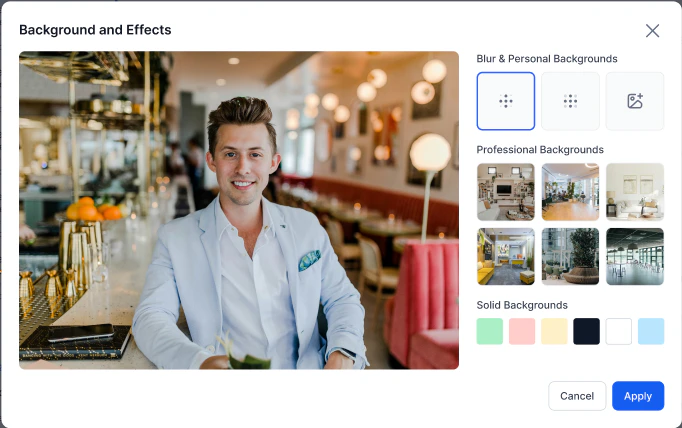
This feature is in Beta. Contact Support to enable it. Safari isn’t recommended for video calls.
Agent-to-Customer Screen Sharing
- Start a video interaction.
-
Select Start Screen Sharing and review the disclaimer.
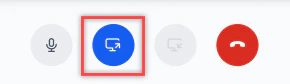
- Choose an application window or browser tab to share.
-
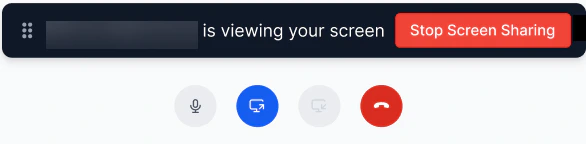
To stop, select Stop Screen Sharing or end the interaction.
Screen Recording for Voice Calls
Agent Screen Recording captures full desktop activity during voice calls using a desktop application. The system stores recordings and provides download access from the Conversations page. Administrators can enable or disable this feature from System Settings. Prerequisites:- Install the Windows desktop recording application.
- Ensure the application runs before accessing the Console.

- Recording starts automatically when the agent accepts a voice call and continues throughout the interaction, including when the call is on hold and during After Call Work (ACW).
- Recording stops after the agent submits the ACW disposition.
- Agents can manually pause and resume recording by selecting the Screen Recording icon, for example, while collecting sensitive information. The system excludes any paused duration from the recording.
- Recording captures the entire desktop across all monitors.
- Recording includes both the agent’s and the caller’s audio.
- There’s no maximum duration limit for agent screen recordings.
-
Recordings are stored in WebM format.

Agent AI Widget During Video Calls
When a chat conversation escalates to a video call within the same interaction session, the Agent AI widget remains active and continues to assist with the video call. What Stays Active Agent AI retains the full session context established during the chat phase, including:- Prior chat transcript
- Customer metadata and case history
- Detected customer intent
- Suggested responses and actions
- Knowledge article recommendations
Outbound Calls
You can initiate outbound calls from the Conversation Tray. Rules for outbound calls:
When you start an outbound call, your status automatically changes to System Busy.
Steps to make an outbound call:
-
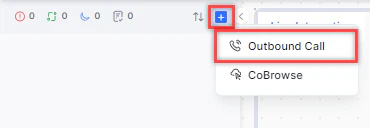
Select + on the Conversation Tray and select Outbound Call.
-
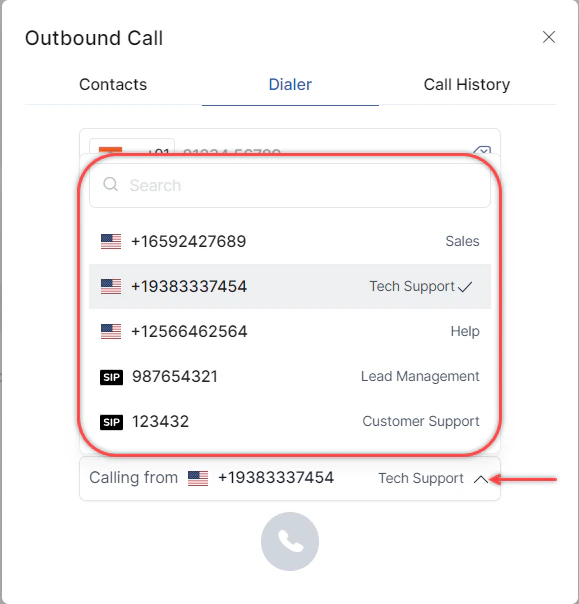
On the Dialer tab, select the number to call from (phone number or SIP trunk).
-
Enter the phone number with the country code and select Call, or select the country from the dropdown, enter the number, and select Call.
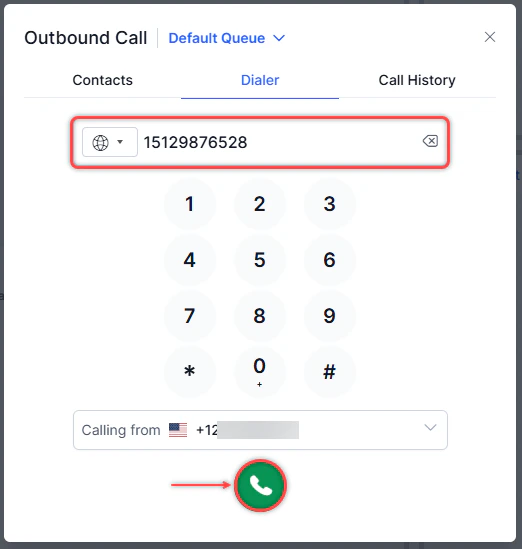
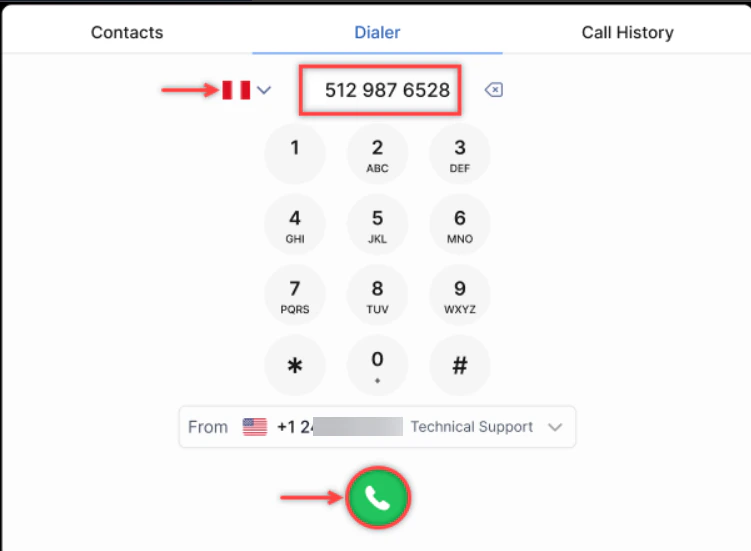
- The ISD code auto adjusts to the last-used country code.
- Numbers auto format to a standard format.
-
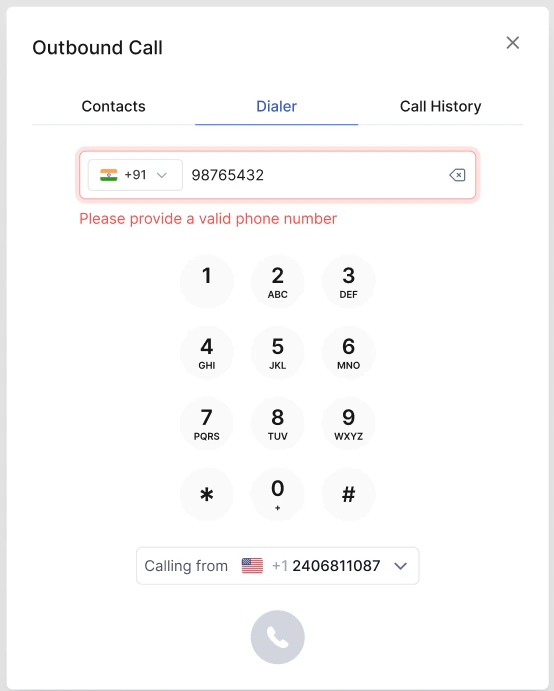
Invalid numbers display an error and disable the Call option.
-
Enable call controls during ringing: Turn on this toggle to use Mute, Hold, Keypad, and Transfer during the dialing phase.
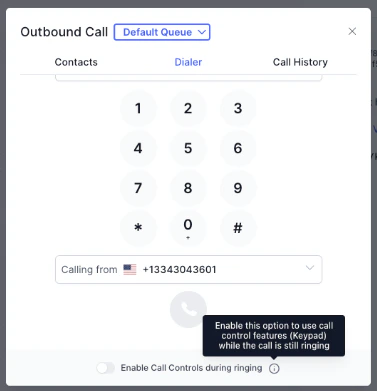
The country code defaults to the last dialed country. If no calls have been made, the default is US.
Click-to-Call (Inbound)
Inbound Click-to-Call interactions appear in the Live Interaction Pane like a standard voice call. The system provides the customer’s metadata and prior chat transcript.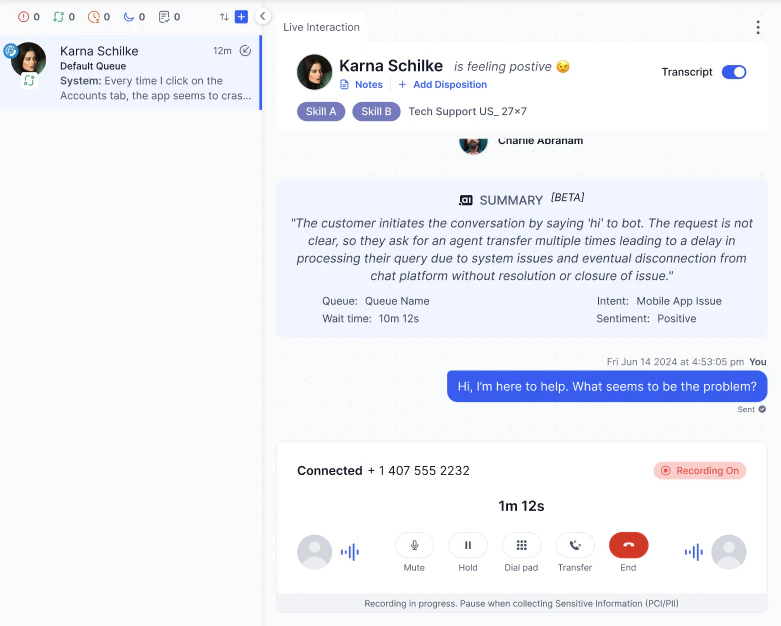
Supported only in the External SDK.
Voicemail
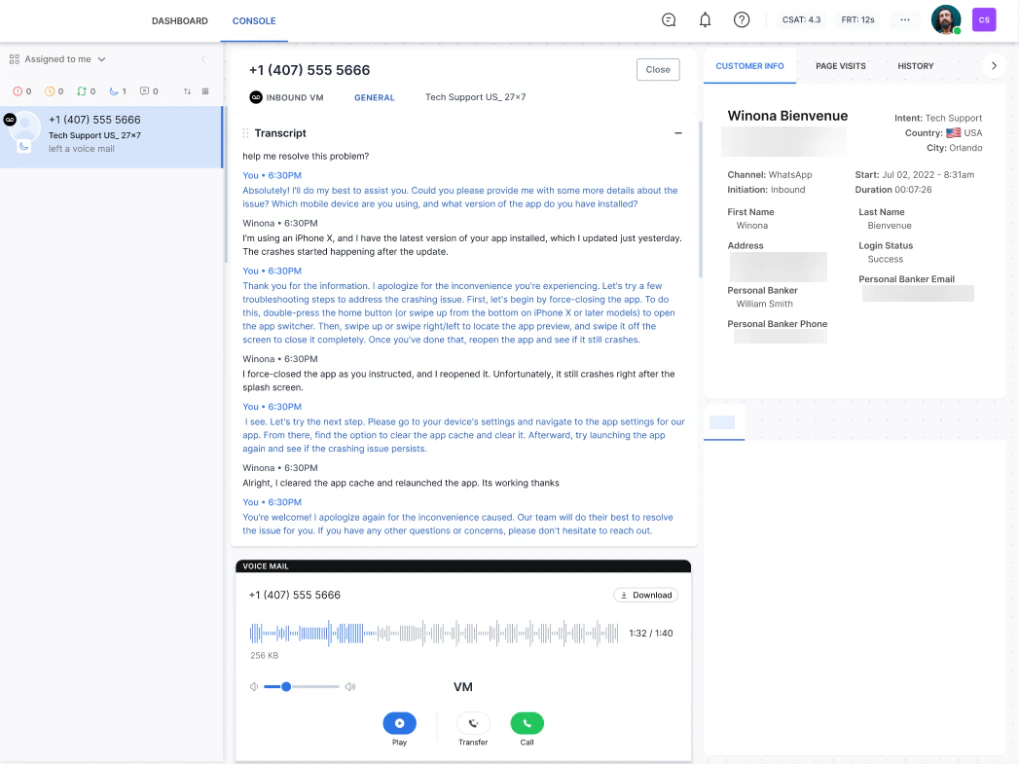
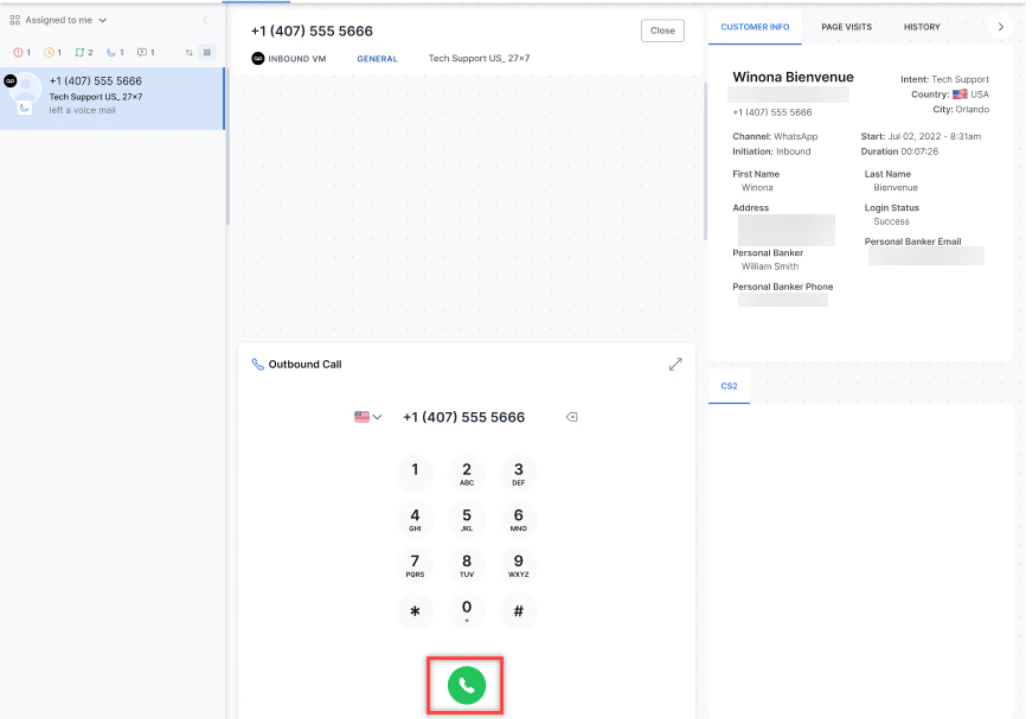
If auto-answer mode is on, voicemails appear automatically in your Conversation Tray. If manual mode is on, you receive a notification and must accept the voicemail (no inbound slot is consumed).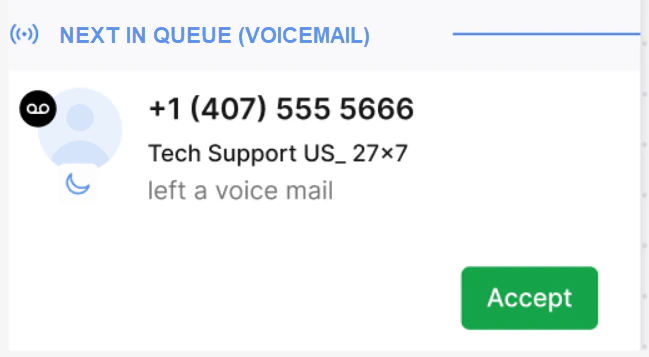
-
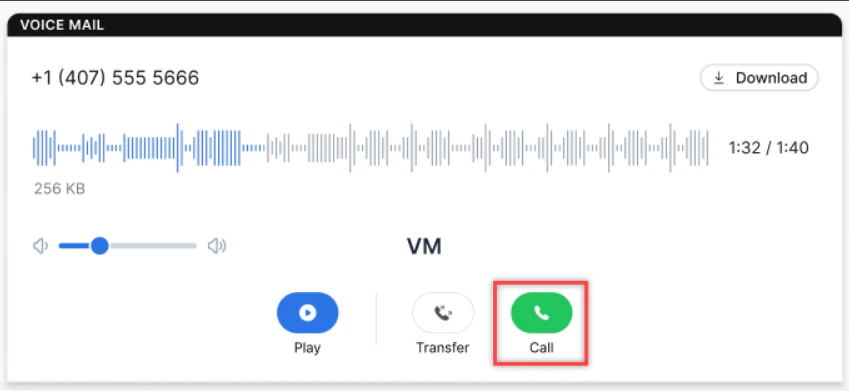
Select Call in the VOICEMAIL panel.
-
The outbound dialer opens. Select Call to initiate the call.
Consult, Conference, and Warm Transfer (Call)
Consult Call
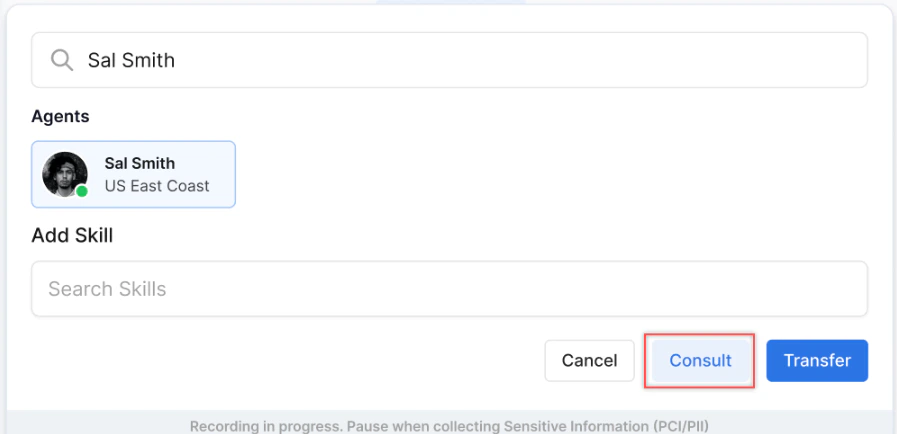
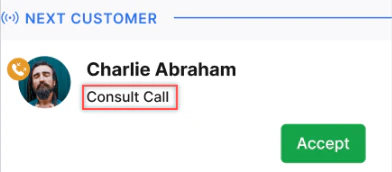
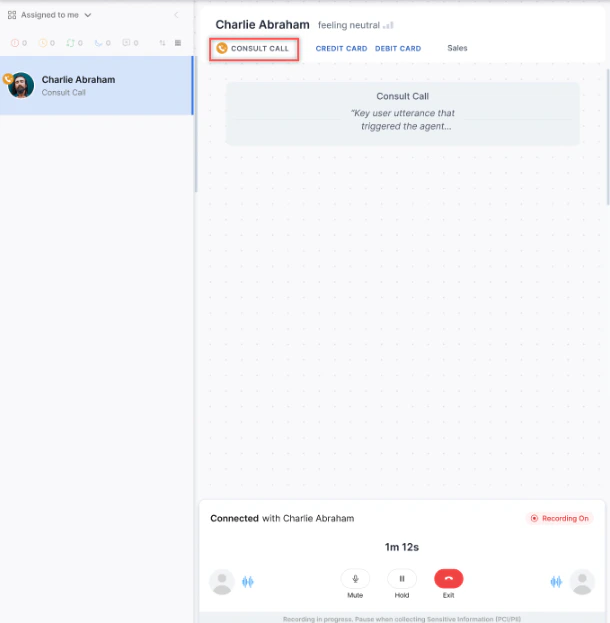
A consult call lets you speak privately with another agent while the customer is on hold.-
Select Transfer, search for an agent, and select Consult.
-
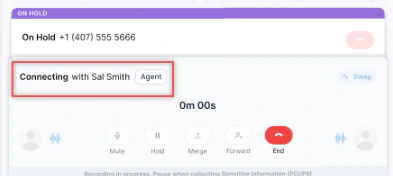
The customer is placed on hold and the consult call connects.
-
The following options are available to the initiating agent:
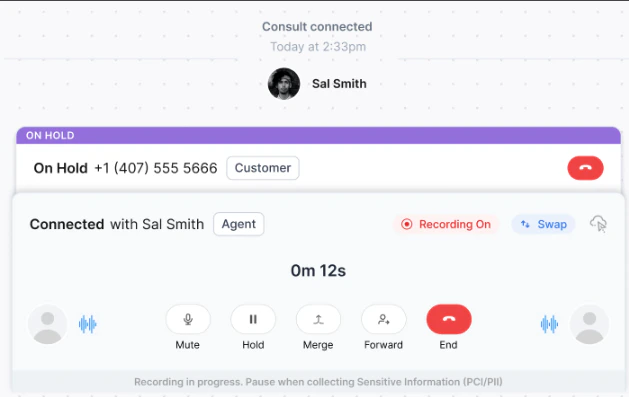
-
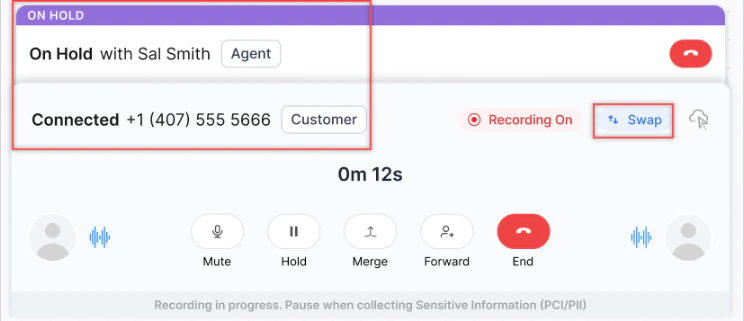
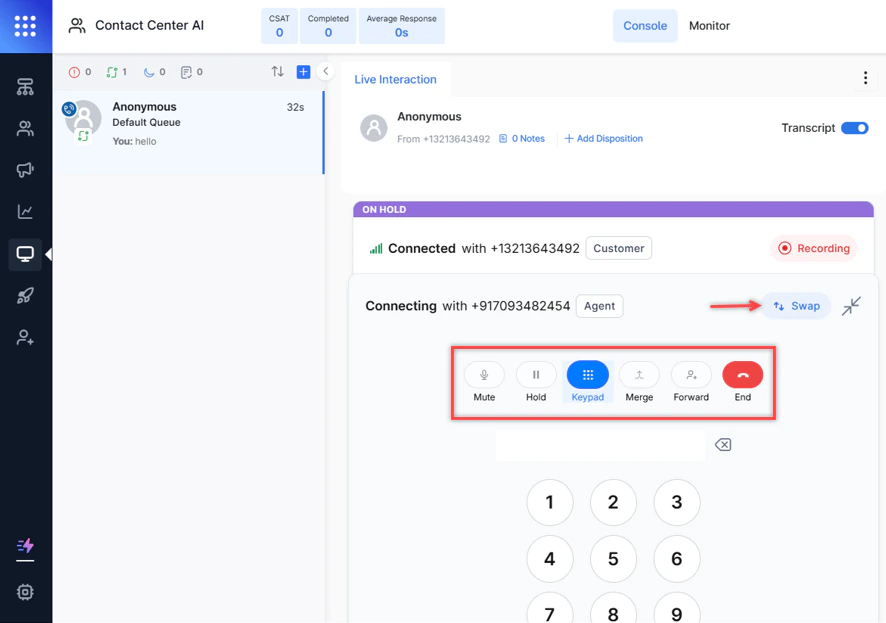
Use Swap to switch between the customer call and the consulting agent. Switching to the customer call places the consult on hold.
- After the consult, select Merge to start a conference or Forward for a warm transfer.
-
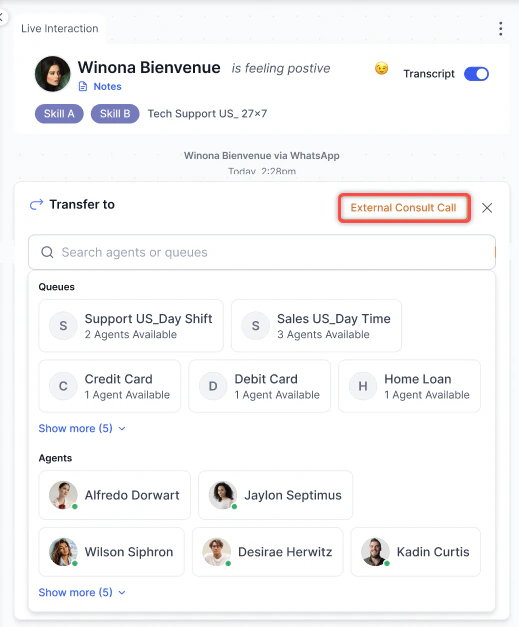
During an active interaction, select External Consult Call.
-
Select a queue.
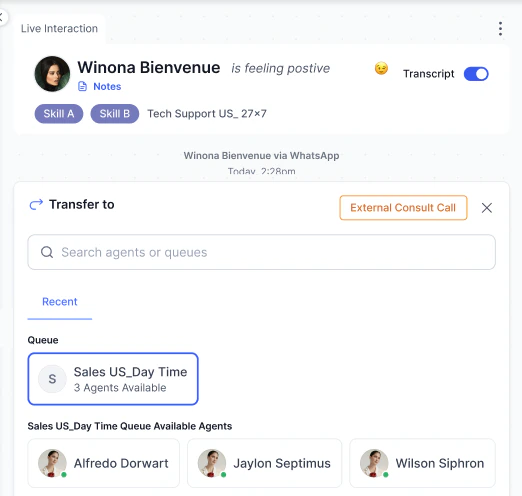
- Optionally select a specific agent.
- Select Queue Consult to initiate the call.
The consulting agent must be Available with zero load. A consult can’t be started during an ongoing conference, and a conference can’t be started during an ongoing consult.
Conference Call
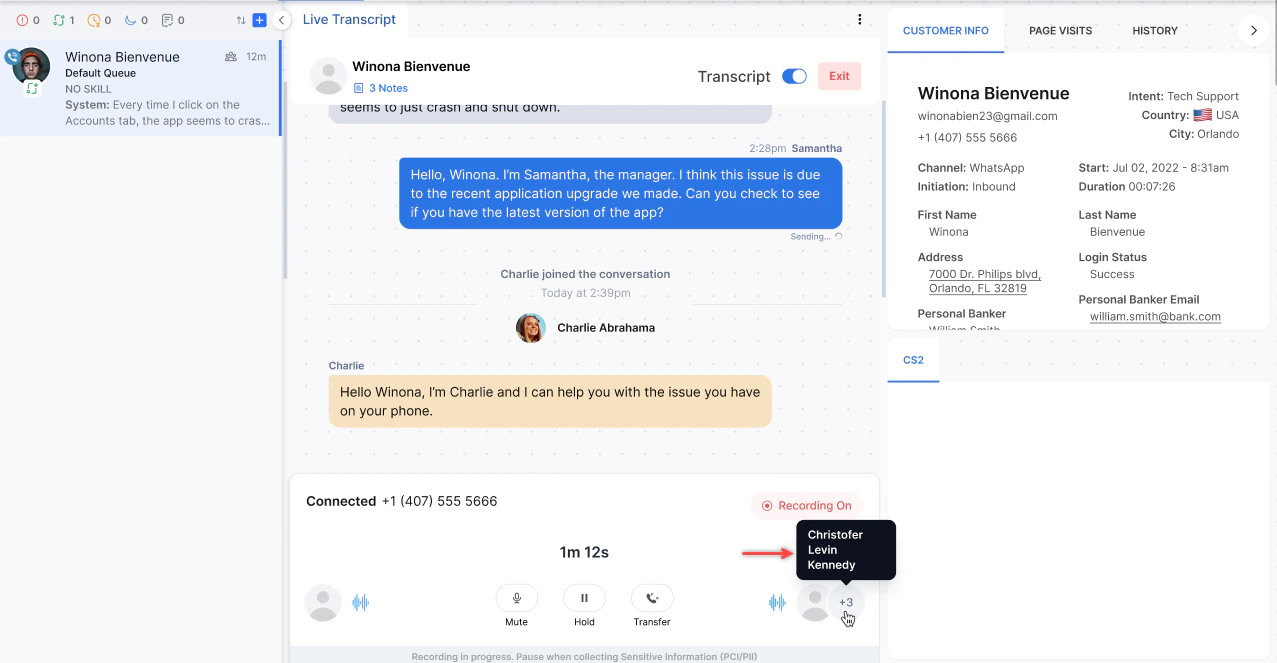
Select Merge during a consult to bring the customer into the conversation. Up to 4 supervisors and the primary agent can join the same conference call.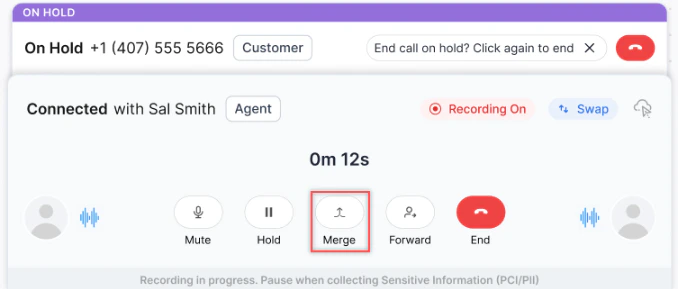
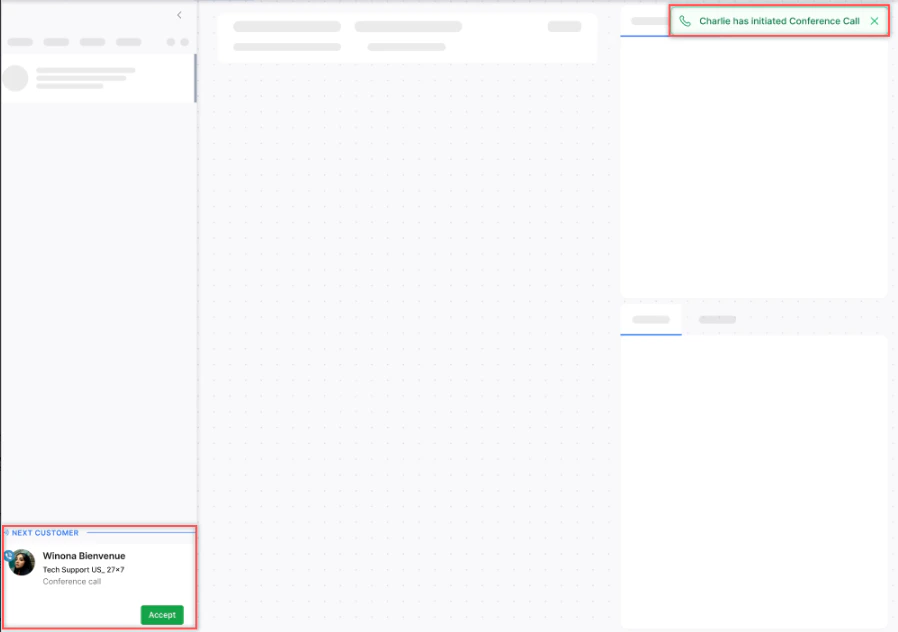
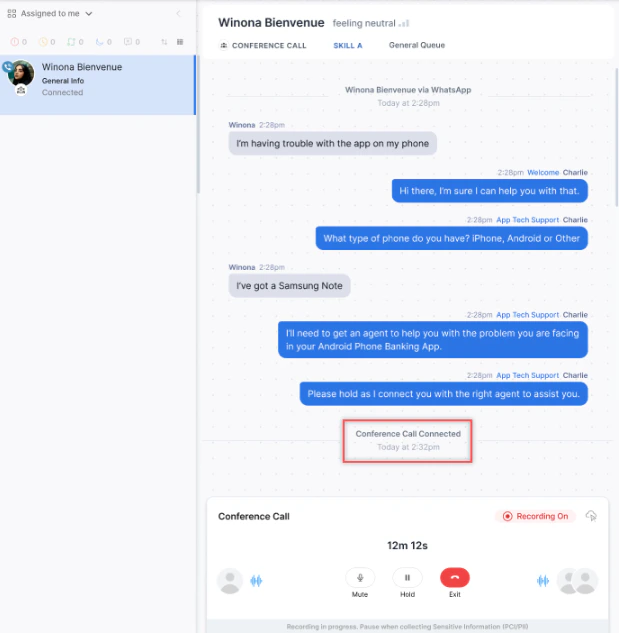
-
If a participant drops due to network issues, they can Rejoin.
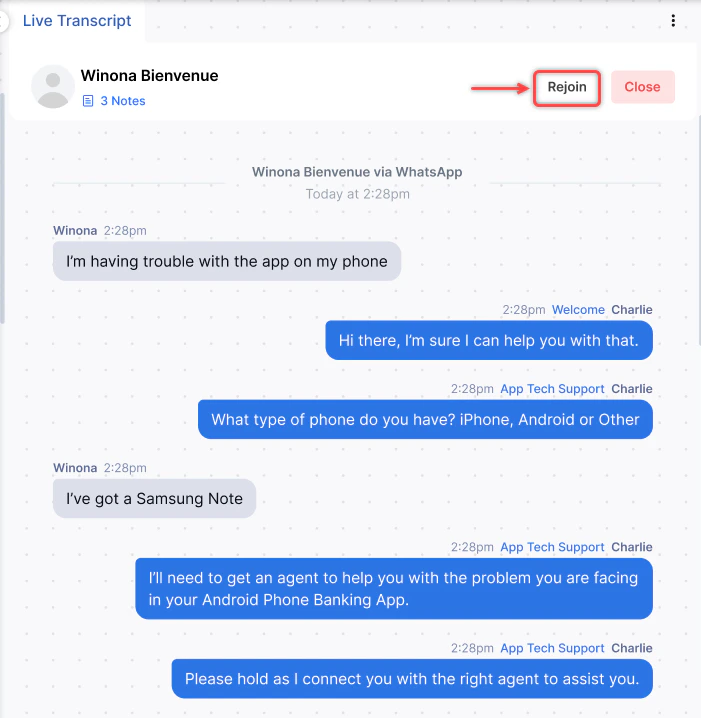
- If you leave the call, the supervisor takes full control.
- Each participant can transfer the conversation or exit independently.
- CSAT links to the last agent who handled the conversation.
-
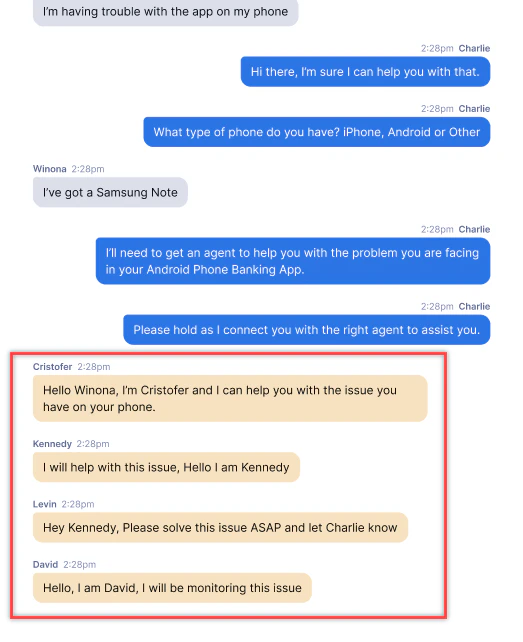
All chat transcripts from supervisors appear in yellow.
-
A notification appears if the customer drops off during the conference call.

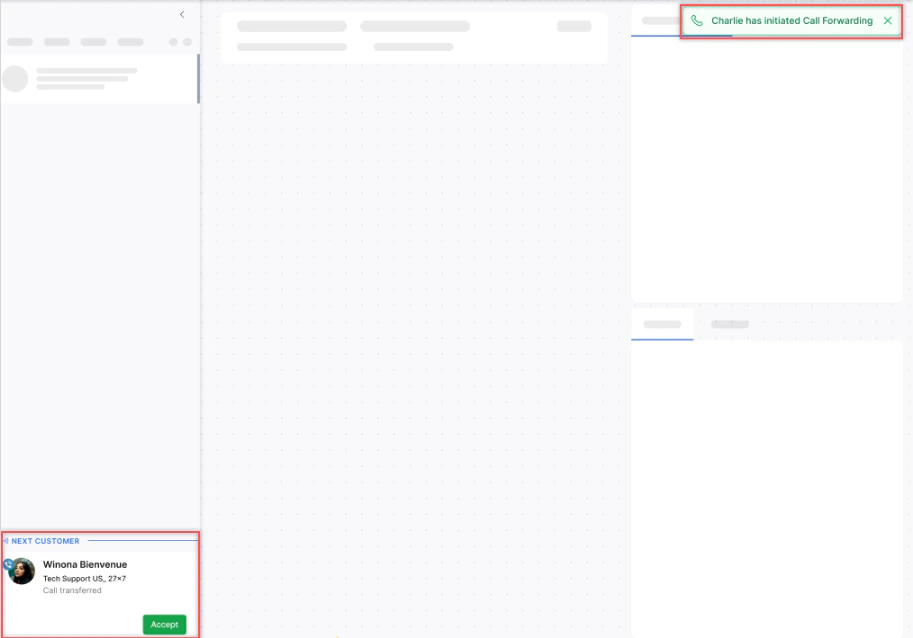
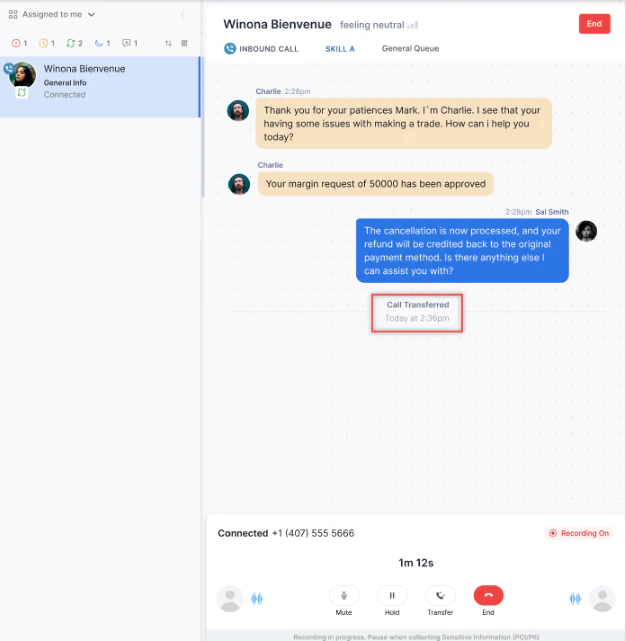
Warm Transfer
After a consult or conference, select Forward to transfer the call to the other agent and disconnect yourself.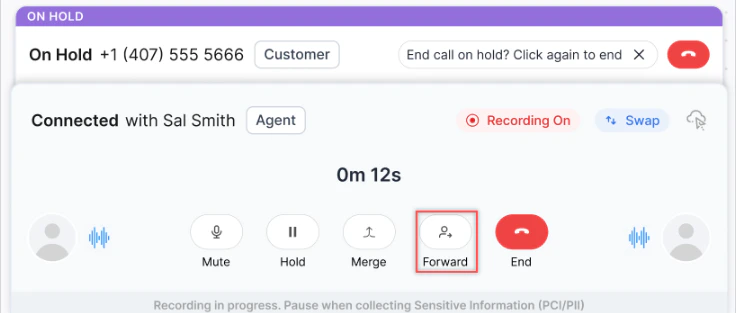
Consult and Conference Limitations
Call Transfer (Voice)
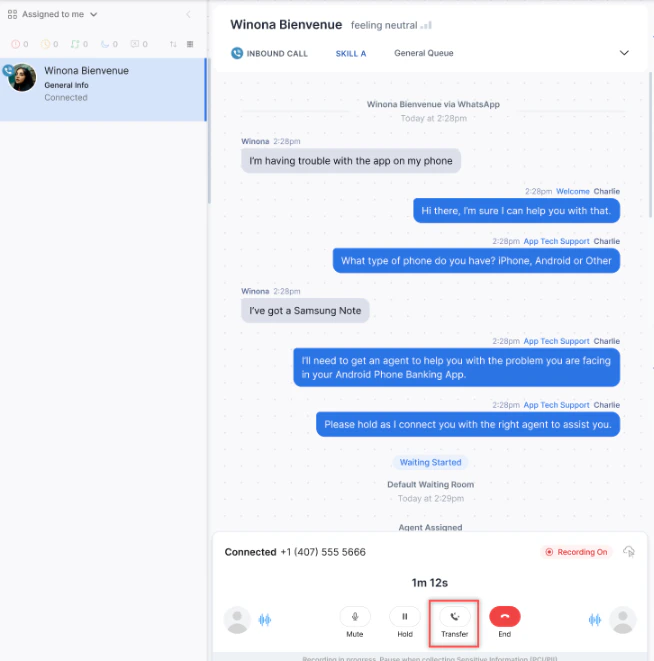
-
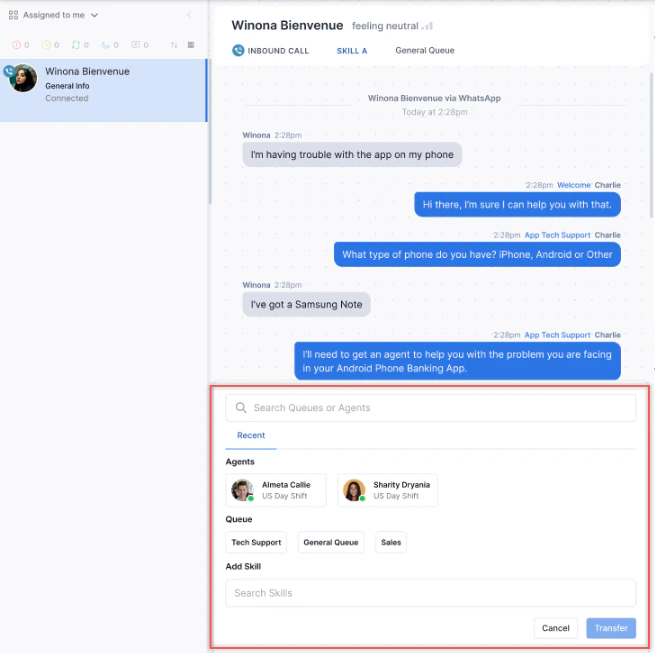
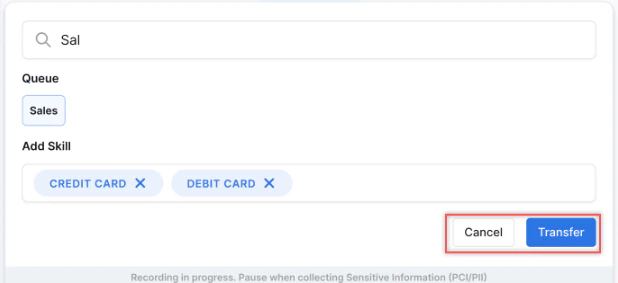
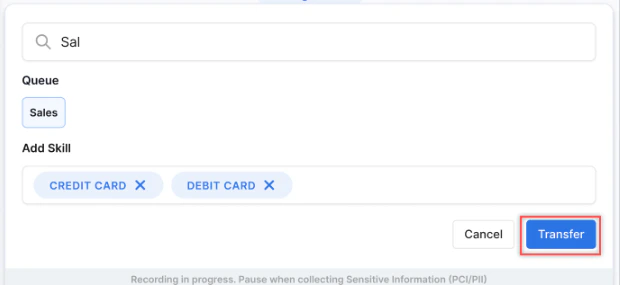
Select Transfer (or press Alt + Shift + T) and search for an Agent or Queue.
-
Search for an Agent or Queue.
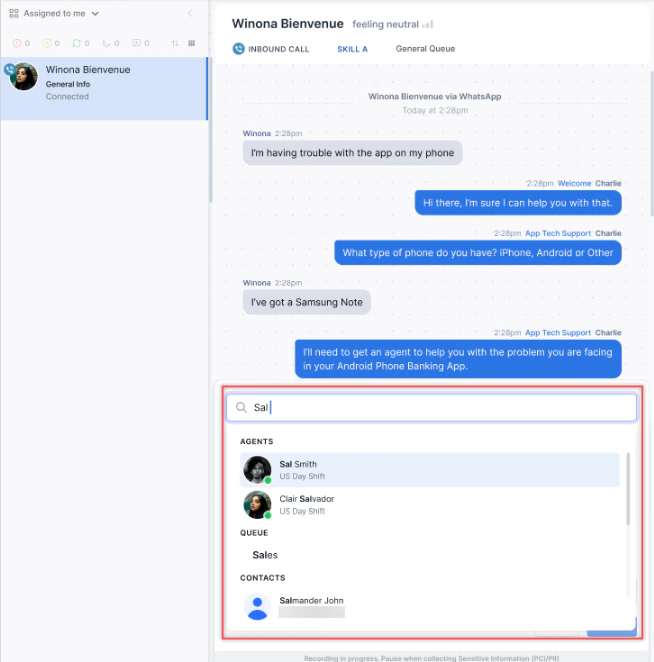
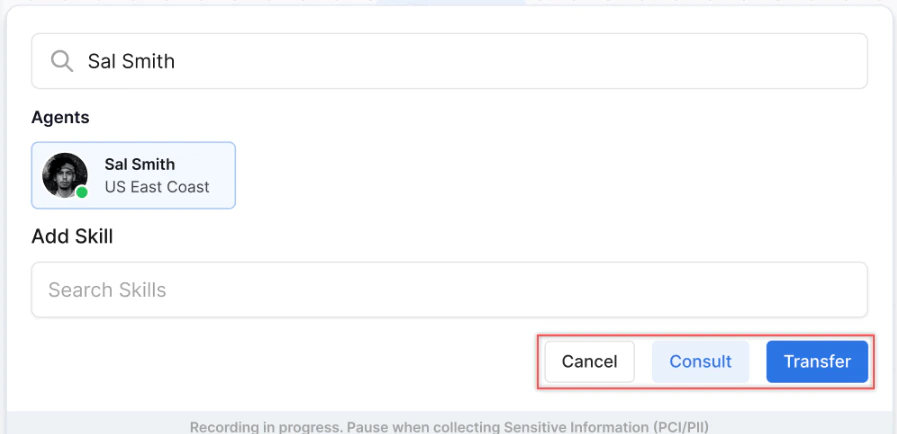
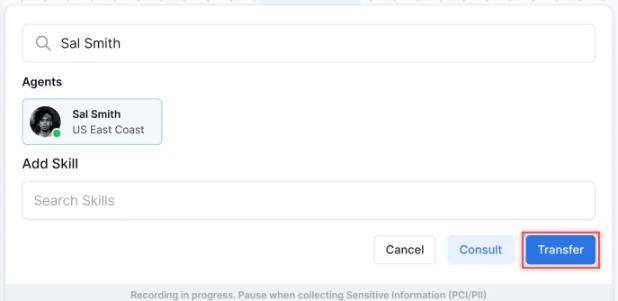
Agents with zero Chat/Email slots aren’t listed in agent transfers.
Re-routing Voice Calls due to Network Interruption
When an agent’s network is interrupted, the platform plays a configured message and re-routes the call into the queue at the highest priority for a new agent to handle. Re-routing applies to inbound calls, manual outbound calls, campaign outbound calls, and voicemail callbacks.A conversation can be re-routed a maximum of two times. The maximum queue wait time configuration applies to re-routed calls.
- The new agent’s connection works like a call transfer.
- The session closes when the customer disconnects or the call ends naturally.
- If the new agent declines, the call re-enters the queue at the highest priority.
- If the customer selects Voicemail, Callback, or Consult Call while waiting, that takes precedence and the new agent doesn’t receive the re-routing notification.
External Consult During a Live Interaction
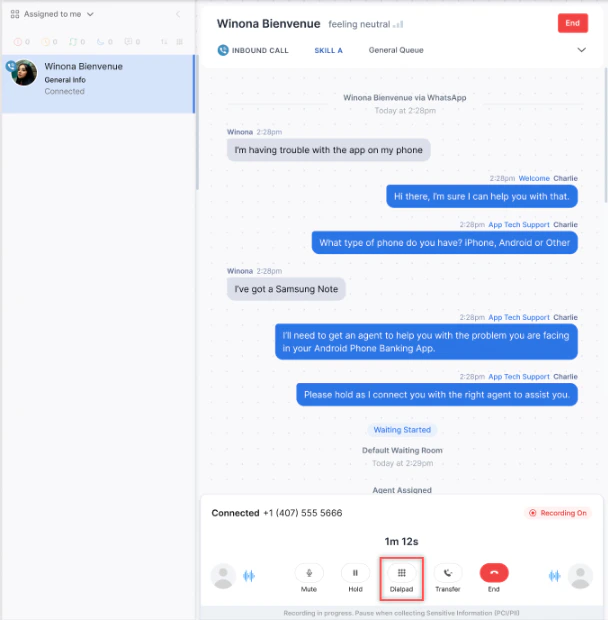
If you need to consult an external number during an active call:-
Select the Dialpad icon in the Live Interaction Pane.
-
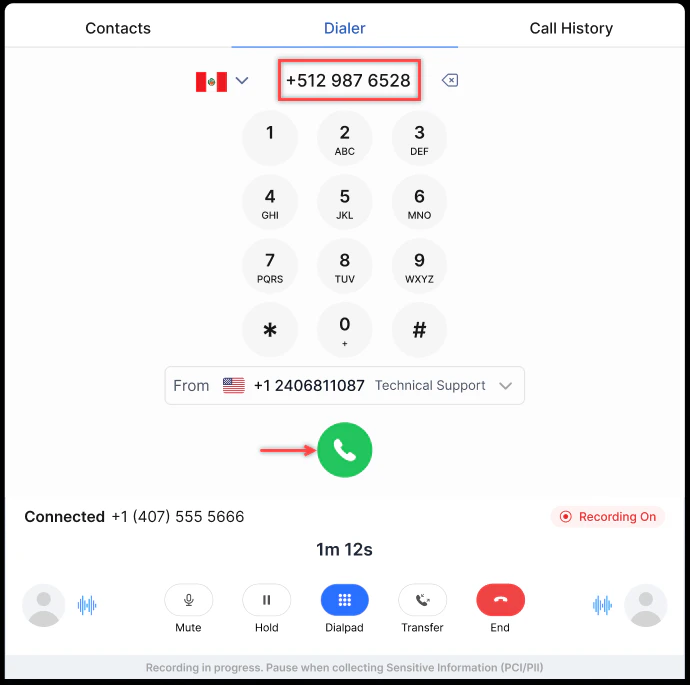
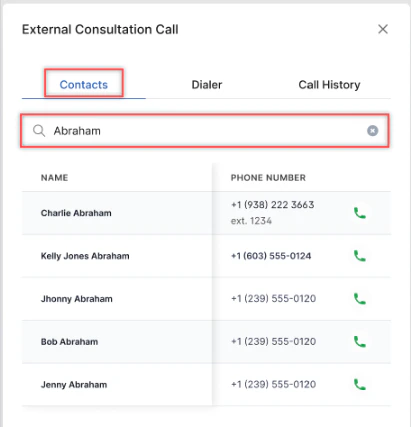
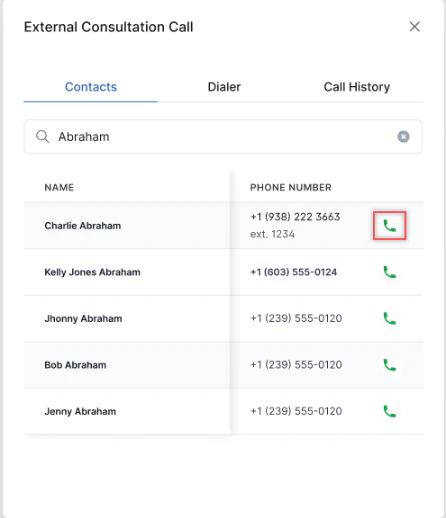
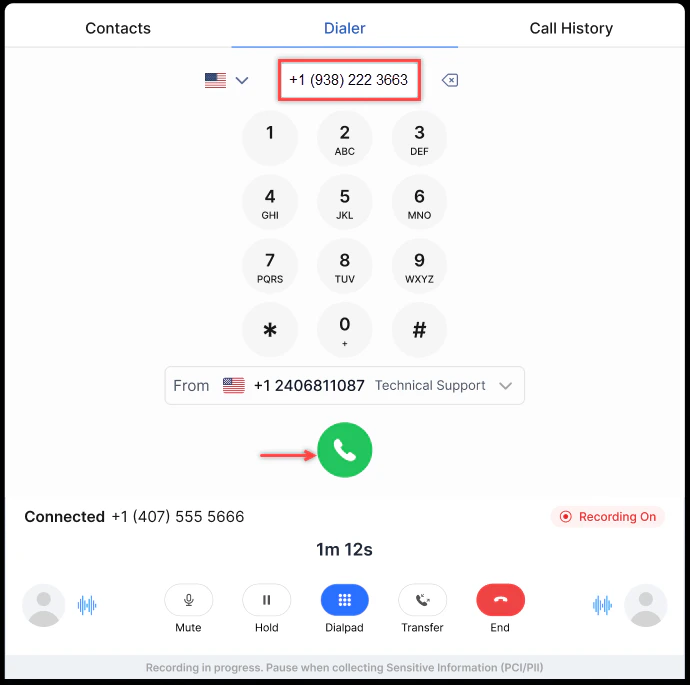
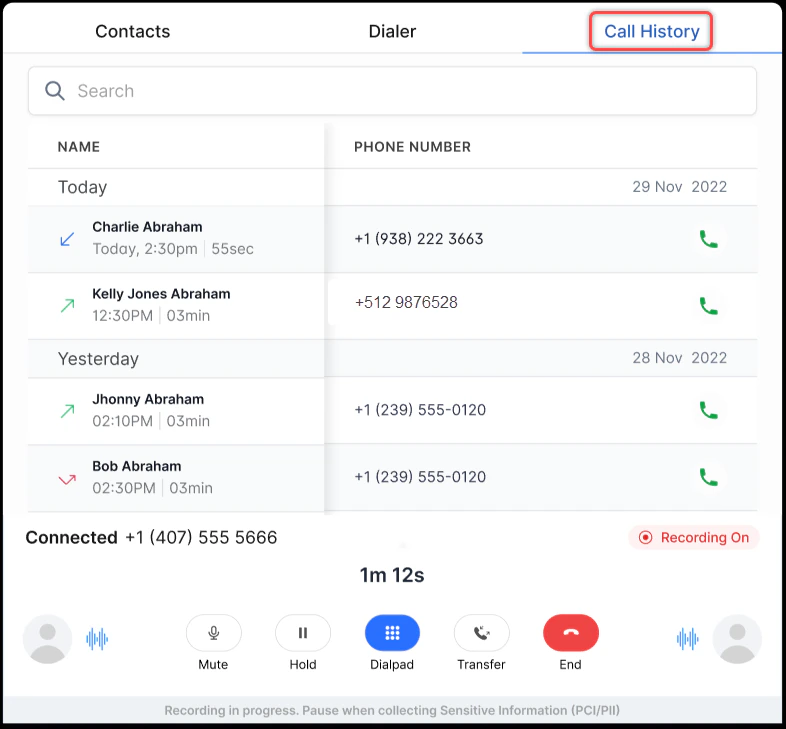
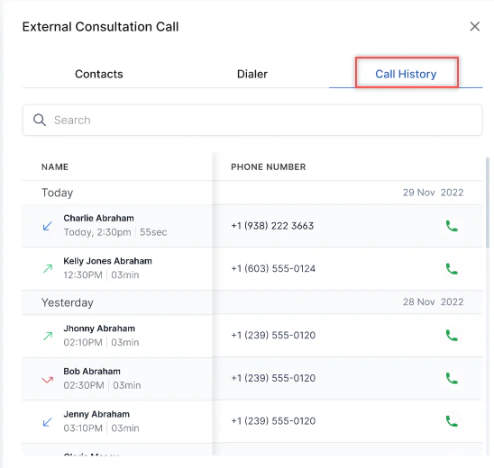
In the External Consultation Call window, dial the number using one of three methods:
-
Manual Dialer: Enter the phone number with the country code and select Call.
-
Contacts Tab: Search for the contact, select Call, then select Call on the dialer tab.
-
Call History Tab: Select the number from history and select Call to dial.
-
Manual Dialer: Enter the phone number with the country code and select Call.
-
The external call connects and the customer is placed on hold.
Consult, Conference, and Warm Transfer (Chat)
Chat Consult, Conference, and Warm Transfer lets agents collaborate before and during a chat transfer, without placing the customer on hold.Consult Chat
A Consult Chat lets you exchange messages privately with a target agent while the customer chat remains active. Use it to share context, provide a summary, or seek guidance before transferring the conversation. Steps:-
During an active chat, select Transfer.

- In the Transfer widget, search for or select the target agent.
- Select Consult. An internal agent-to-agent chat session begins.
- Use the Consult Chat to share context, conversation summary, customer intent, or relevant notes.
- Switch between the Customer Chat and the Consult Chat using the context-switching control (see Switching Between Chats).
The customer chat remains active throughout the consult. The customer isn’t placed on hold and isn’t notified of the internal session.
- Switching doesn’t interrupt the customer session.
- No hold or mute action is available.
- The system preserves the full message history in both threads.
Conference Chat
After a Consult Chat is active, you can merge the target agent into the customer conversation to create a Conference Chat. Steps:- During an active Consult Chat, select Merge.
- The system adds the target agent to the customer conversation.
- All three parties-you, the target agent, and the customer-are now part of the same conversation thread.
The target agent receives a notification when they’re added to the customer conversation. Internal consult messages aren’t exposed to the customer.
Warm Transfer (Chat)
After a Consult Chat or Conference Chat, you can complete a warm transfer by forwarding the conversation to the target agent and exiting. Steps:- During an active Consult Chat or Conference Chat, select Forward.
- The conversation transfers to the target agent.
- You exit the conversation. The context shared during the consult is available to the receiving agent.
The Consult flow is optional and initiated only when the agent selects Consult in the Transfer widget.
Key Differences from Voice
Chat and Digital Interactions
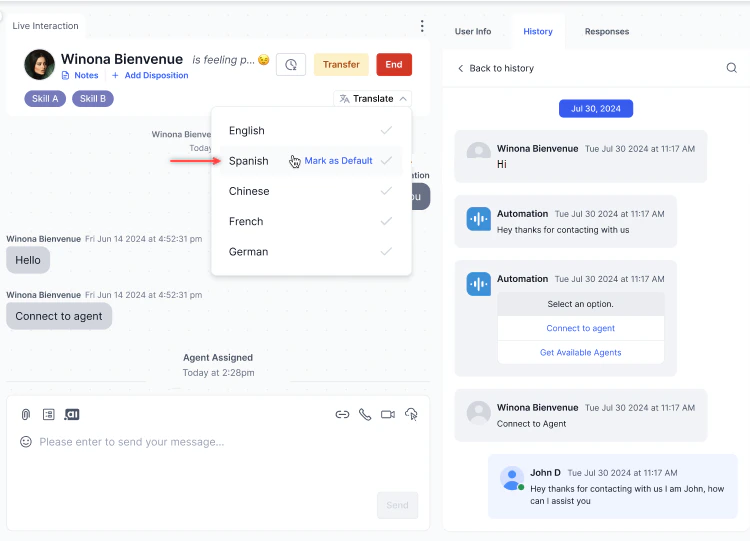
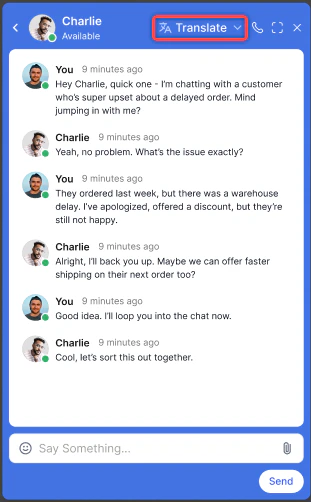
Translate Conversations in Real Time
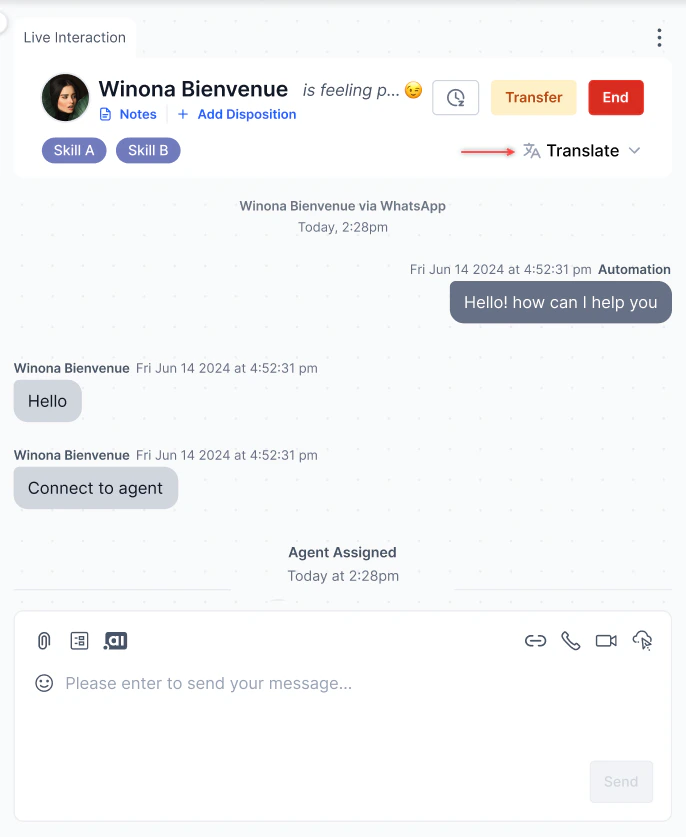
-
Select Translate on the Live Interaction Pane.
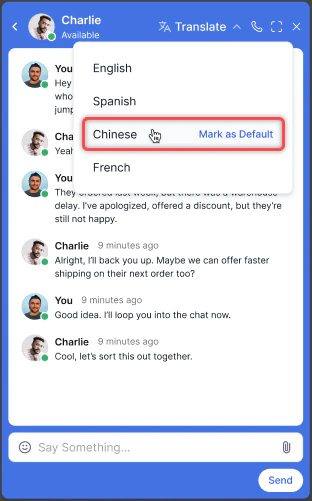
-
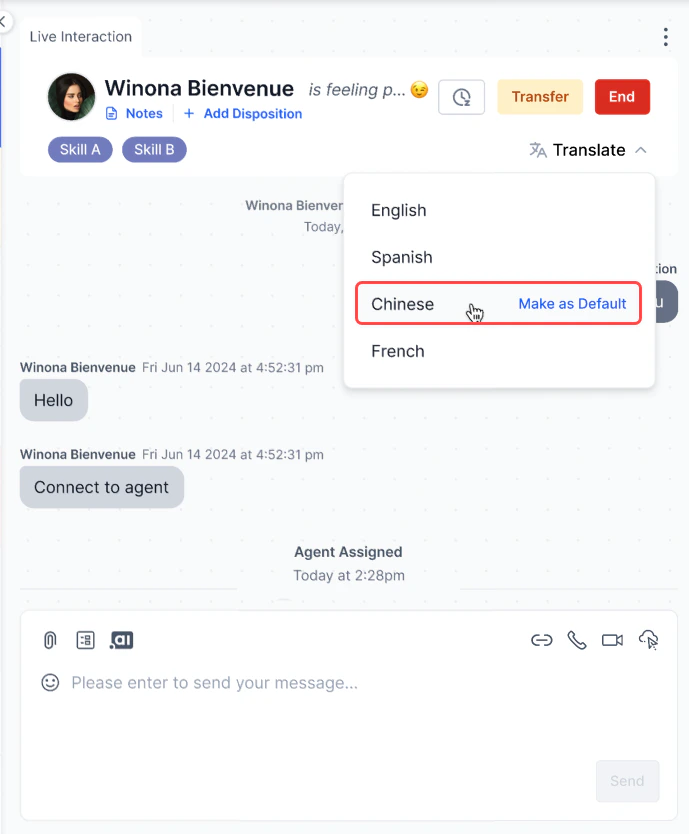
Select a language from the dropdown. Select Mark as Default to save it as your default language.
-
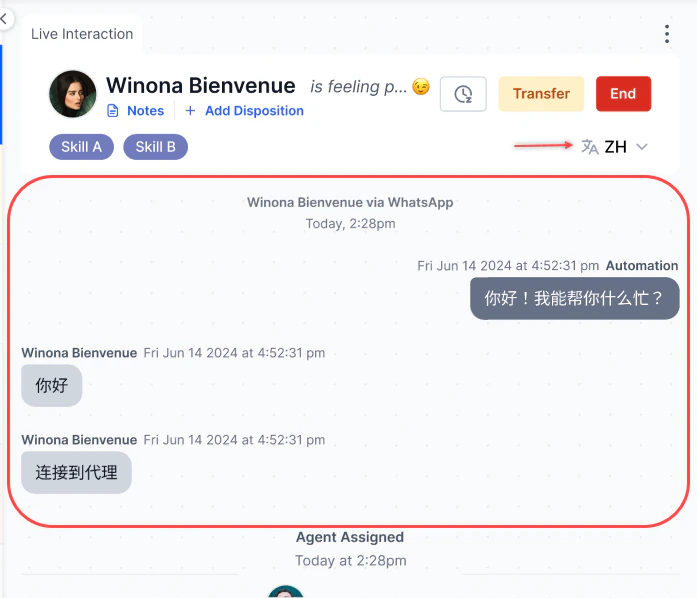
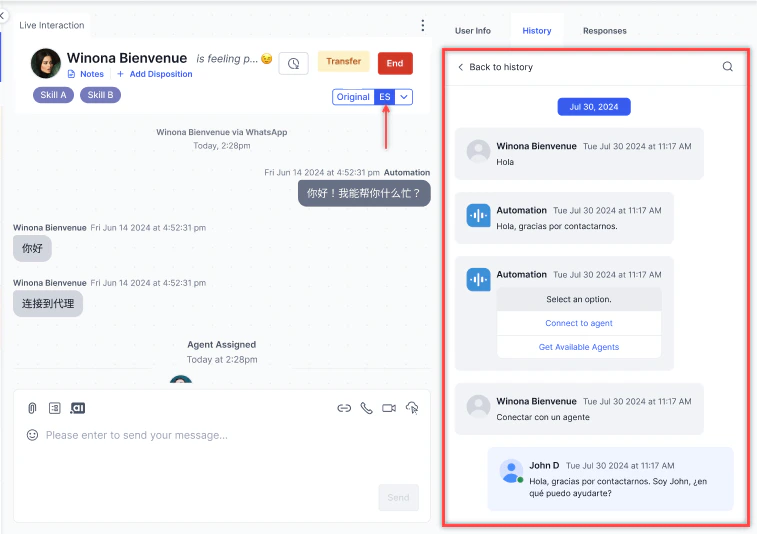
The conversation appears in the selected language.
Emojis
Select the Emoji icon in the compose bar to add emojis to your message.
Attachments
Select the Attachments icon to share files with the customer. Files are stored in Amazon S3.
Files with malicious content (such as embedded HTML scripts) are blocked regardless of file extension.
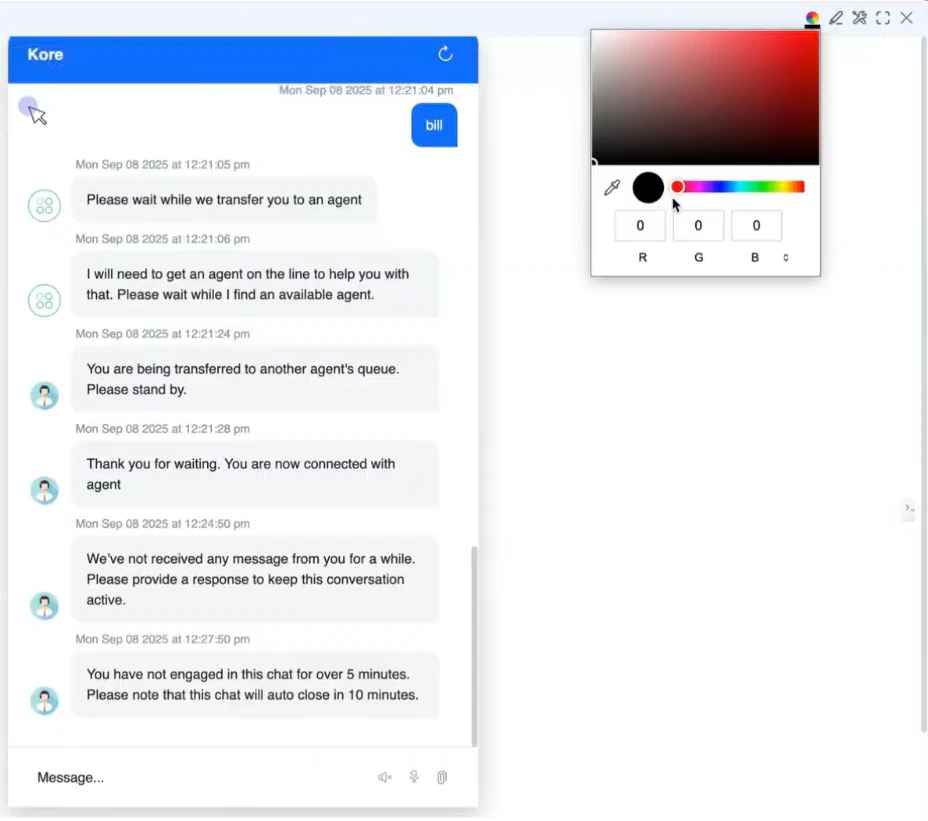
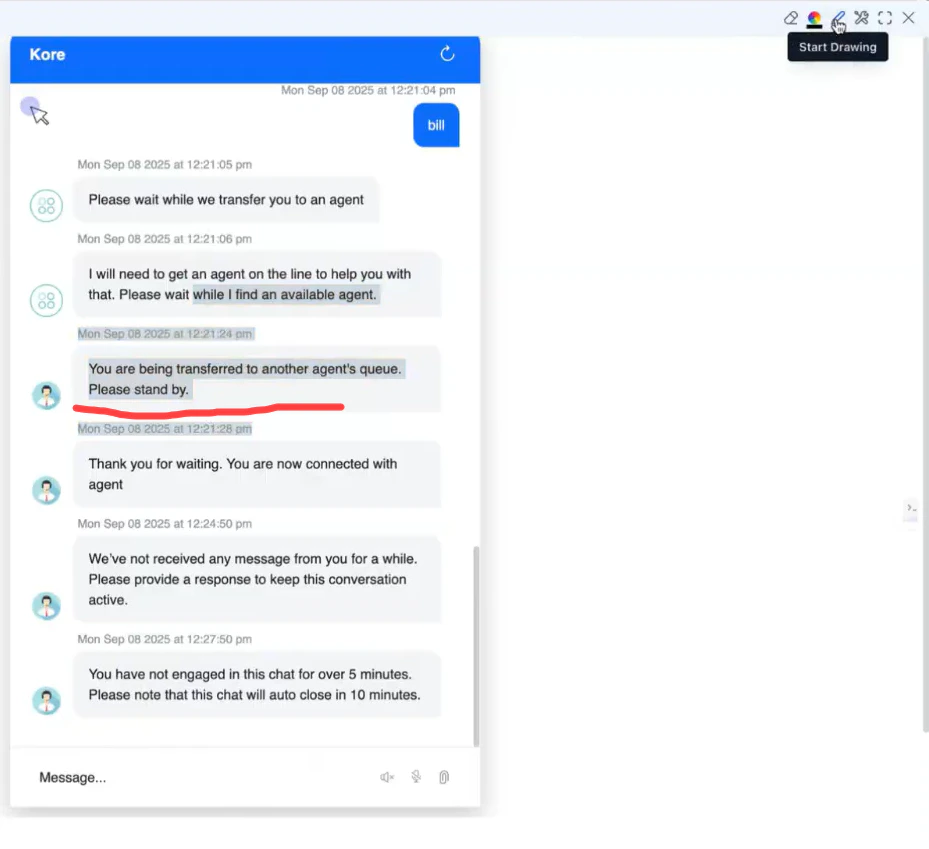
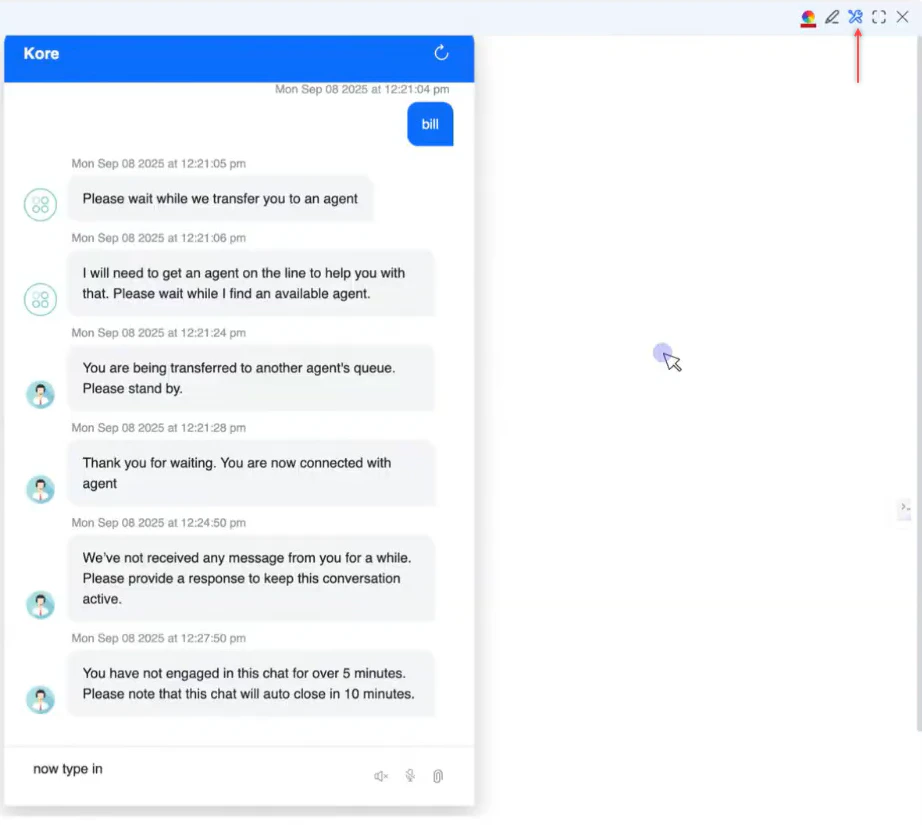
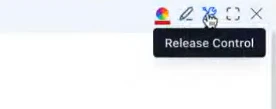
Co-Browse
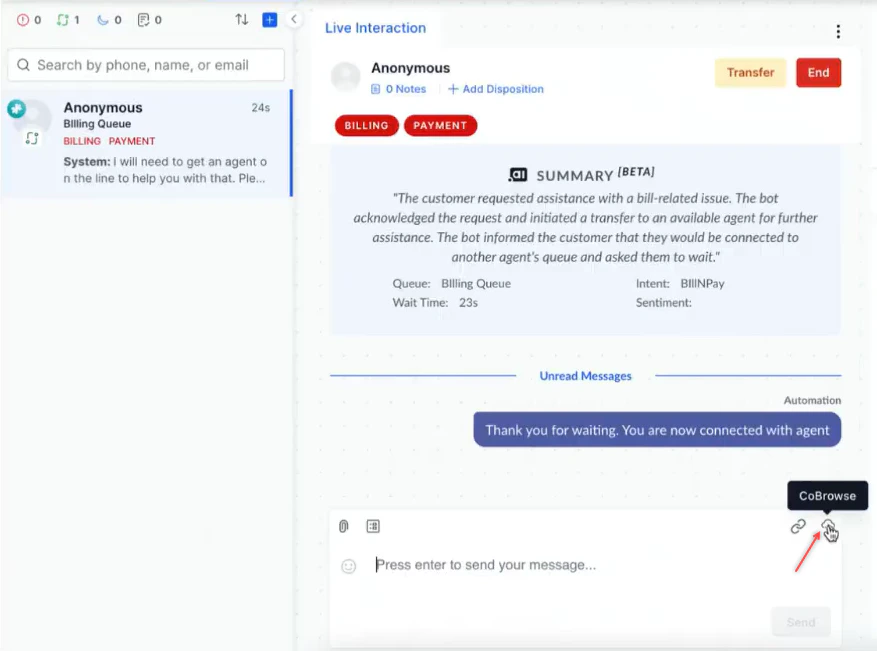
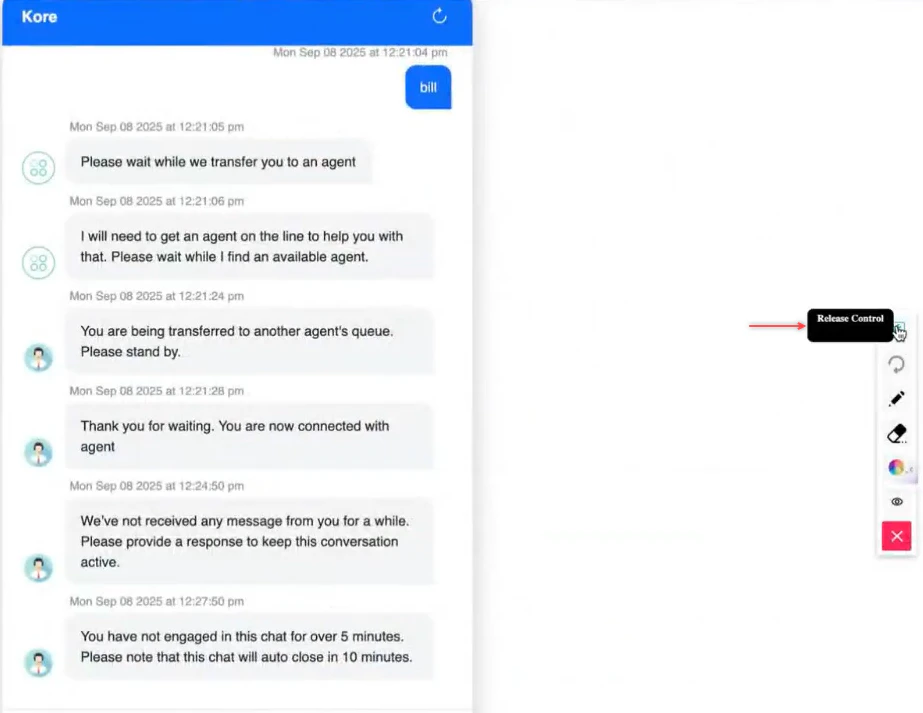
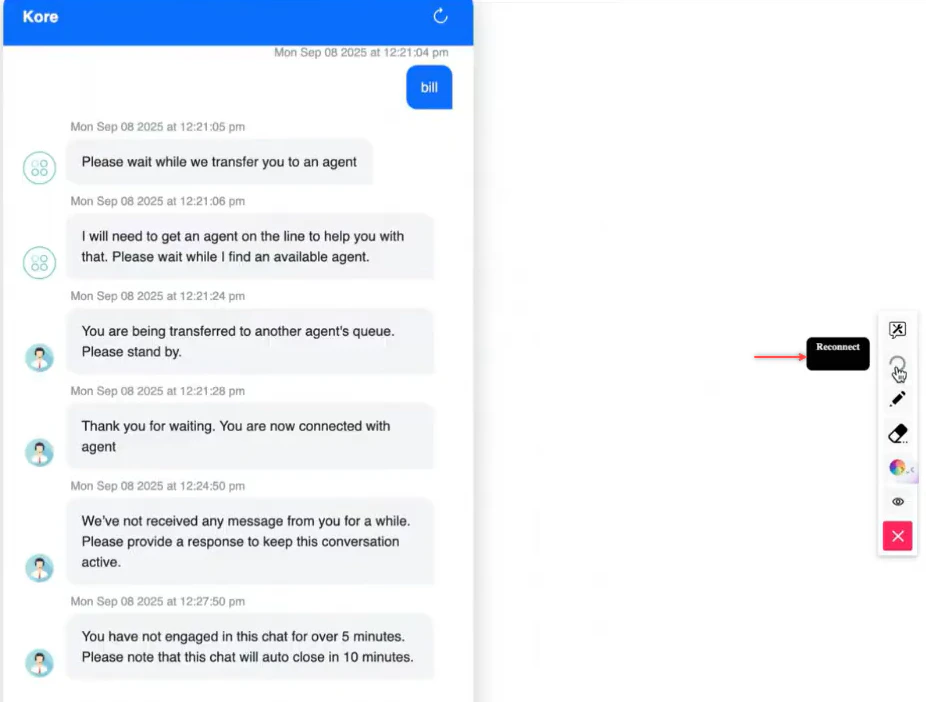
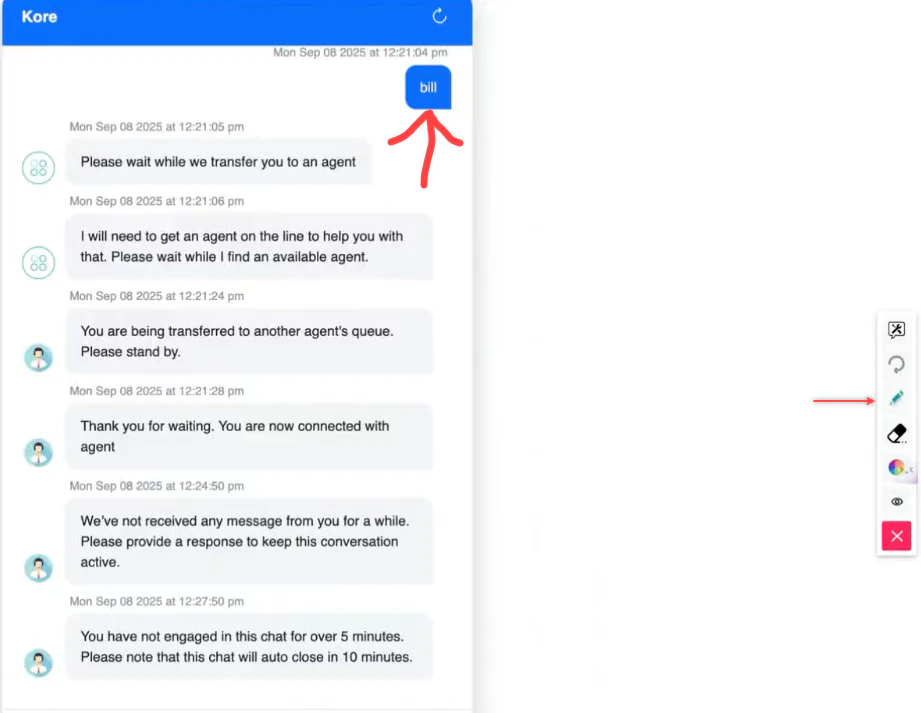
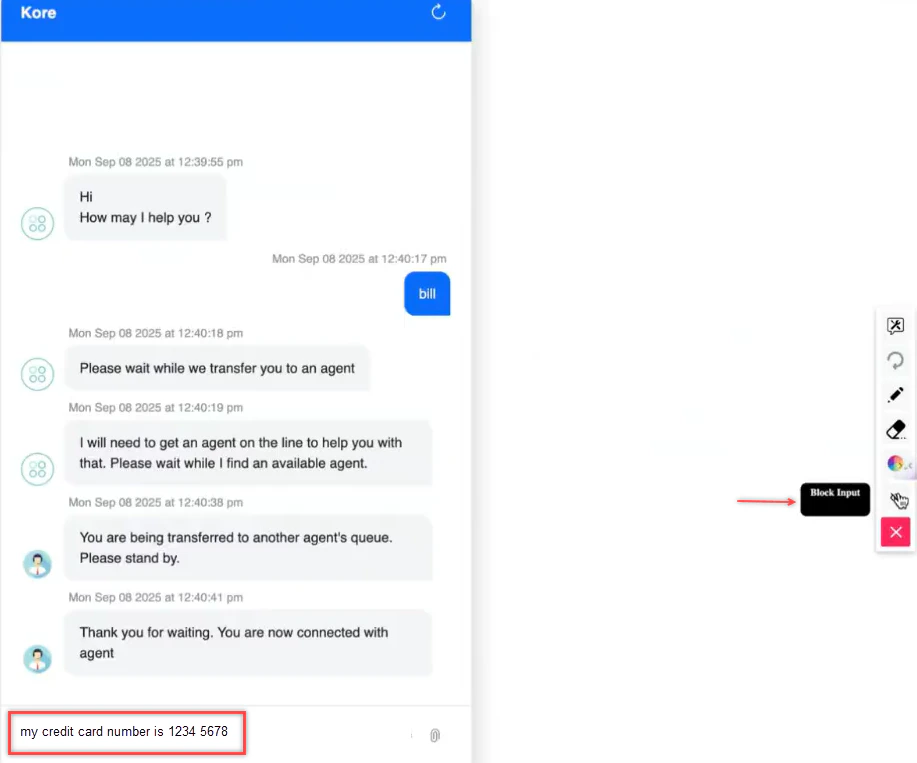
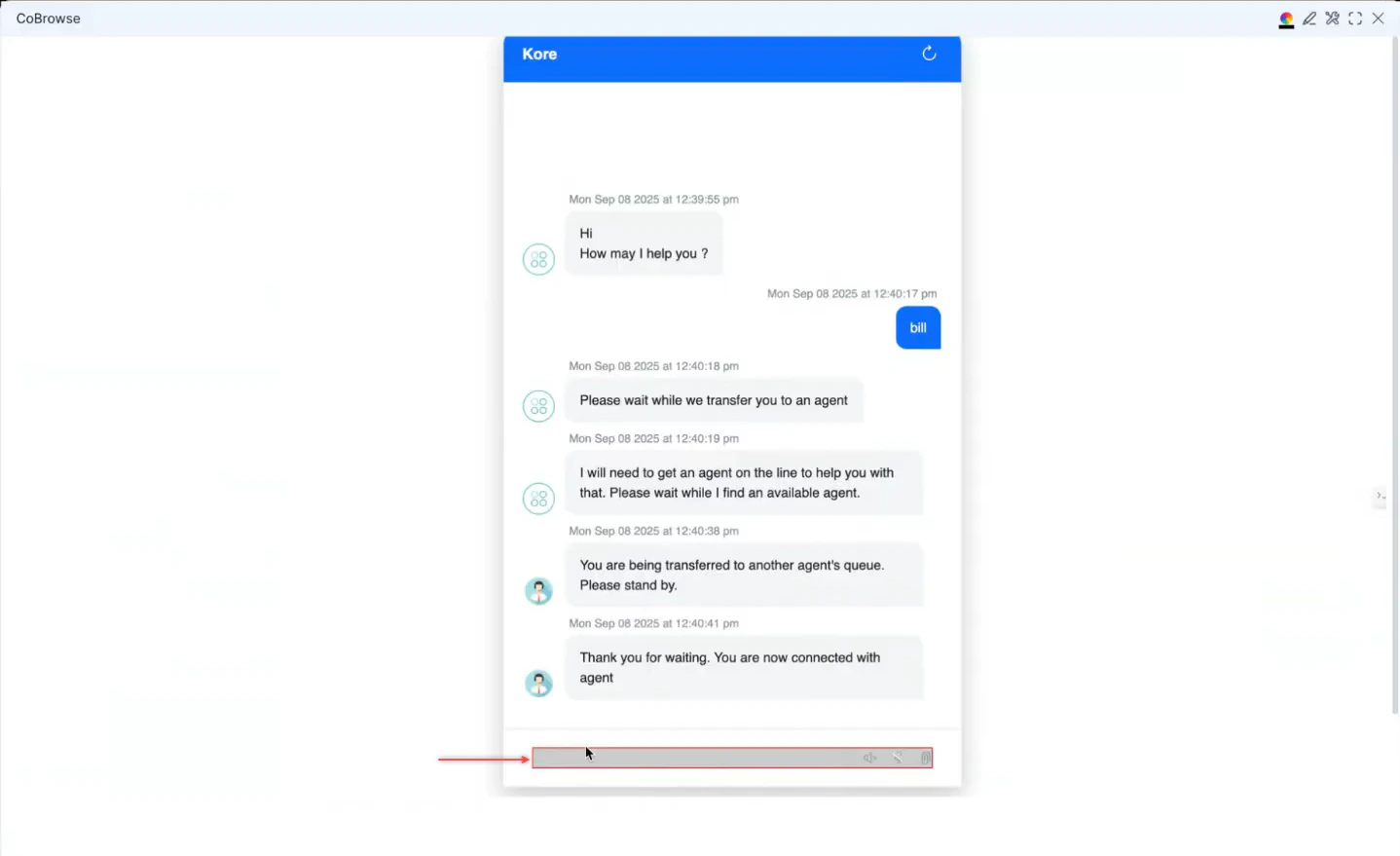
Co-browse lets you view and optionally control a customer’s web session in real time. The customer remains in control at all times.Co-browse works only on websites with the Web SDK embedded. Not available on Telegram, WhatsApp, or other non-web channels. Co-browse shows a reconstructed DOM view, not a live screen capture.
-
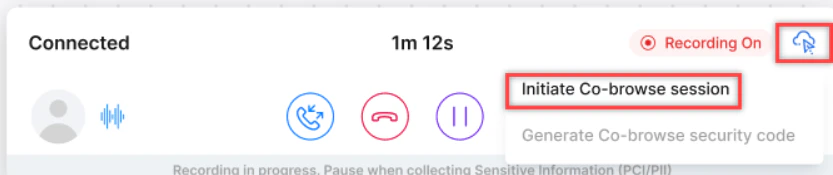
In the Console, select CoBrowse.
Chat:
-
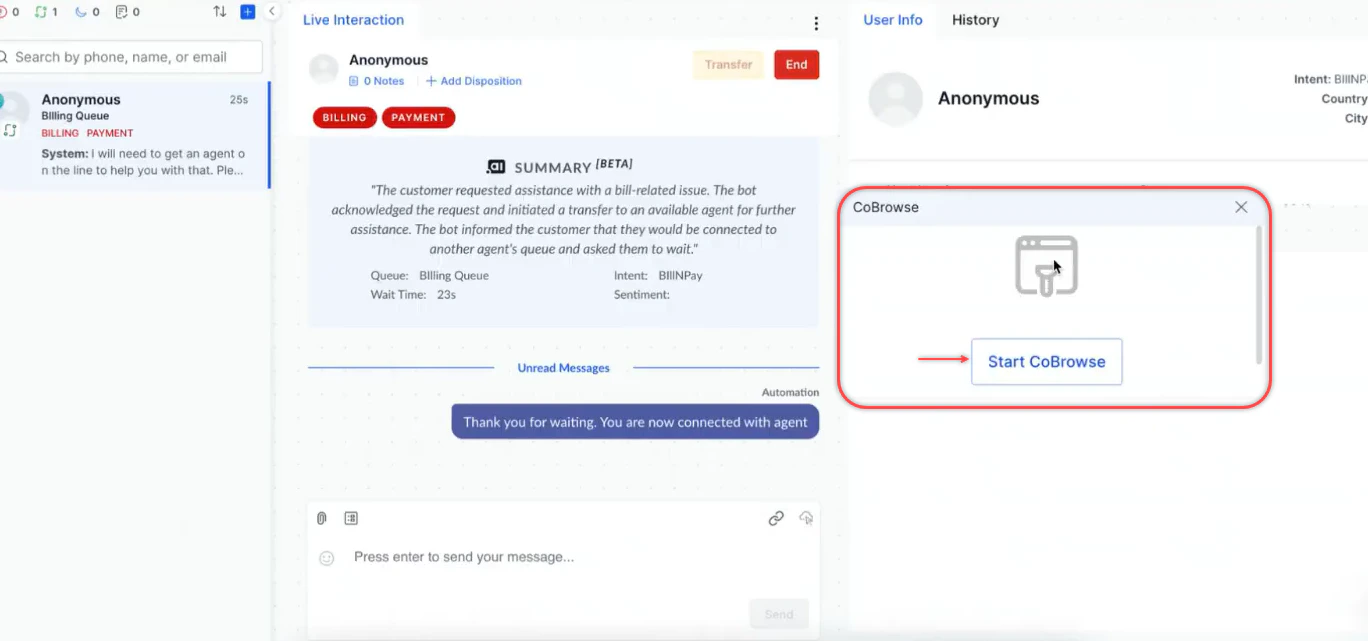
Select Start CoBrowse. A request is sent to the customer.
-
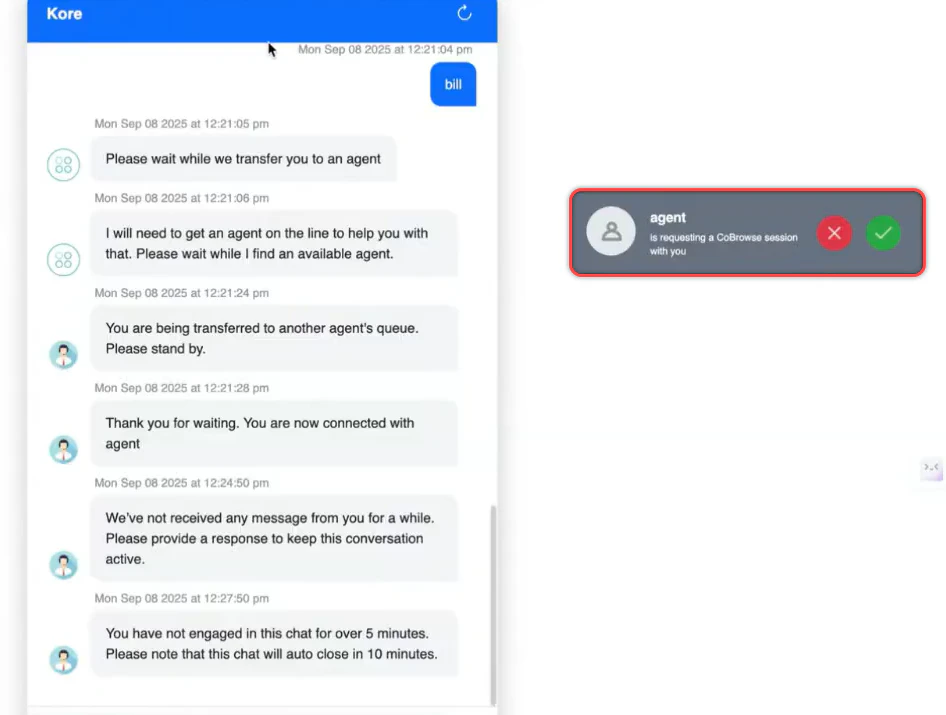
The customer selects Accept or Reject on the pop-up.
- In the Console, select CoBrowse.
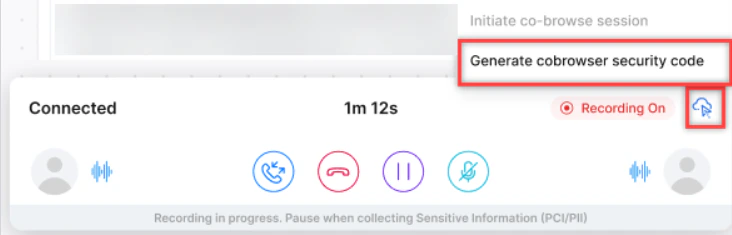
-
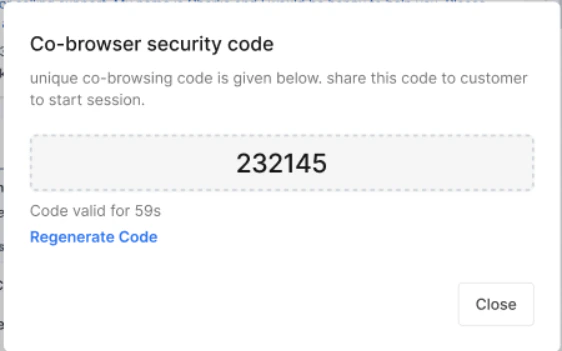
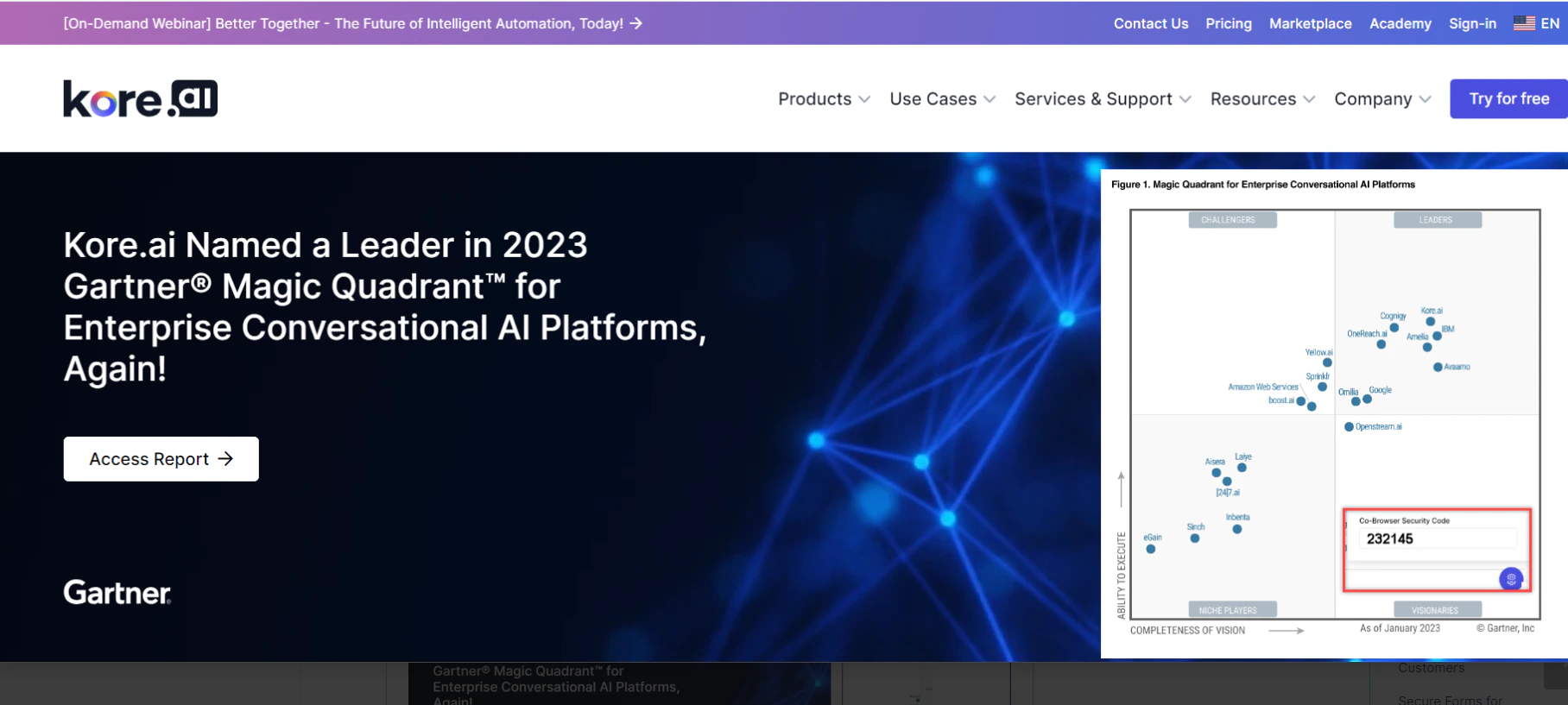
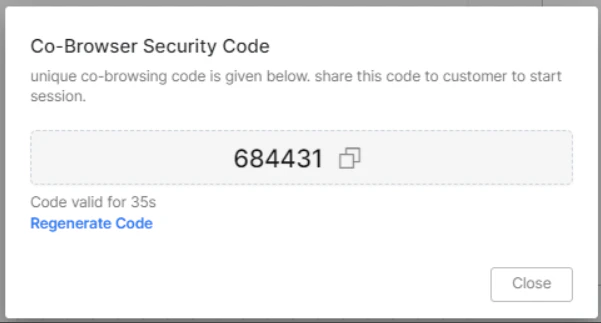
Generate a security code and share it with the customer verbally.
-
The customer enters the code on the website.
-
The session starts after the customer enters the code.
-
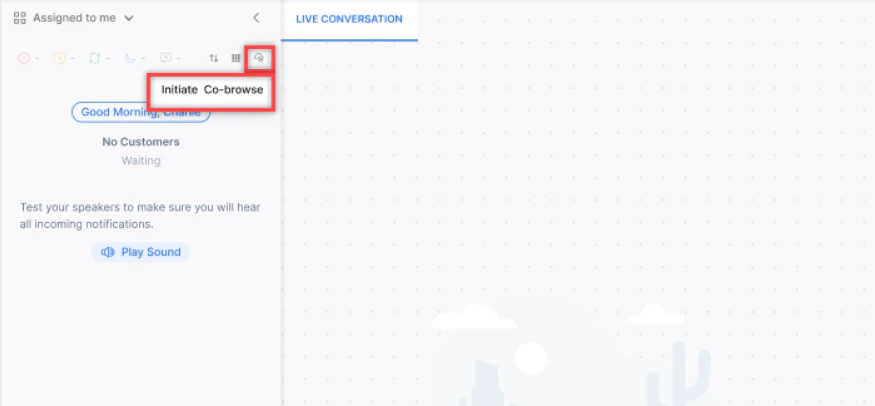
Select Co-browse on the Conversation Tray.
-
Share the generated security code with the customer.
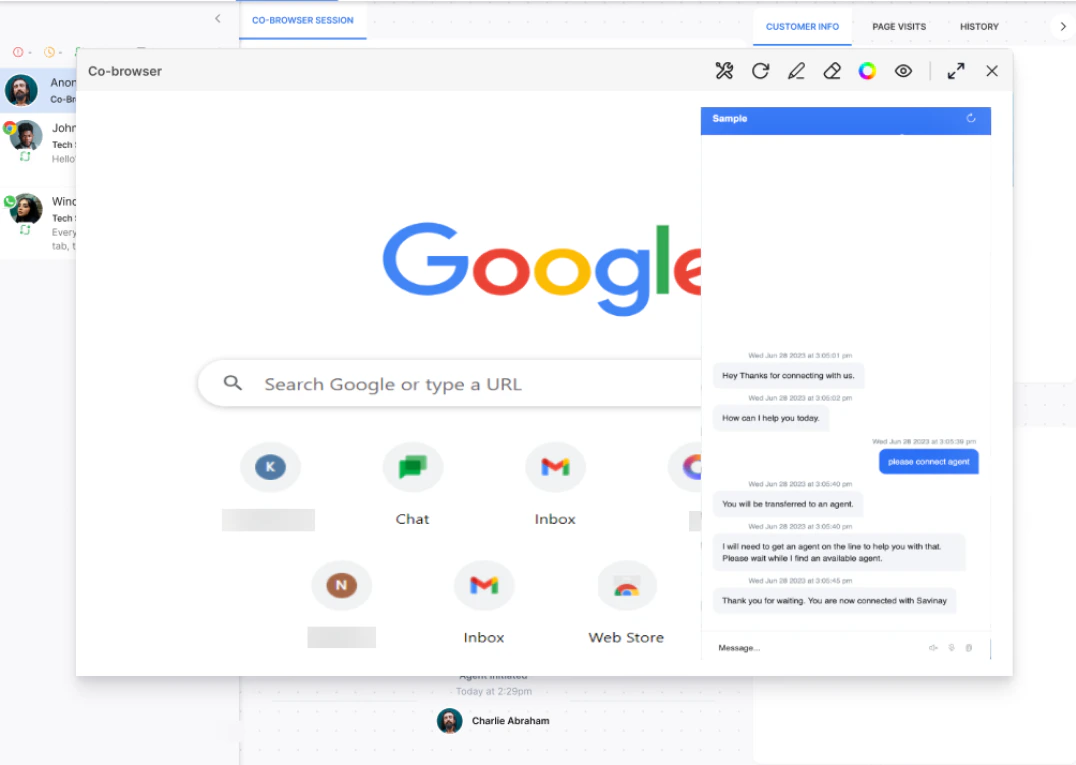
- Can’t capture native browser dialogs, OS-level UI, other tabs, or desktop applications.
- Agent controls are limited to: select, hover, scroll, and HTML form input.
- Agent and customer views may occasionally fall out of sync due to DOM-based technology limitations.
Email Interactions
Email Display
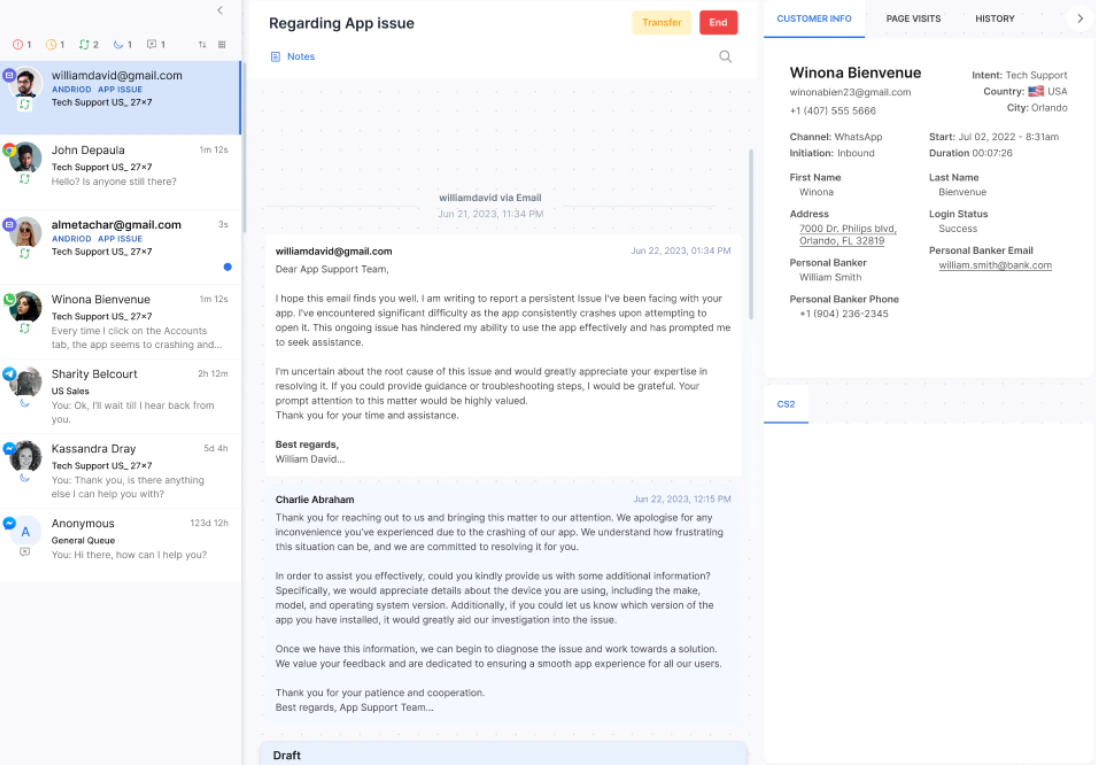
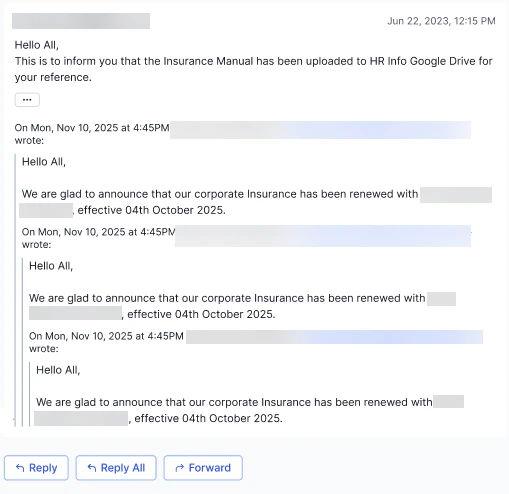
Emails appear as threaded conversations. Key display features:-
Threaded structure-Replies link to the original email chain for seamless context.
-
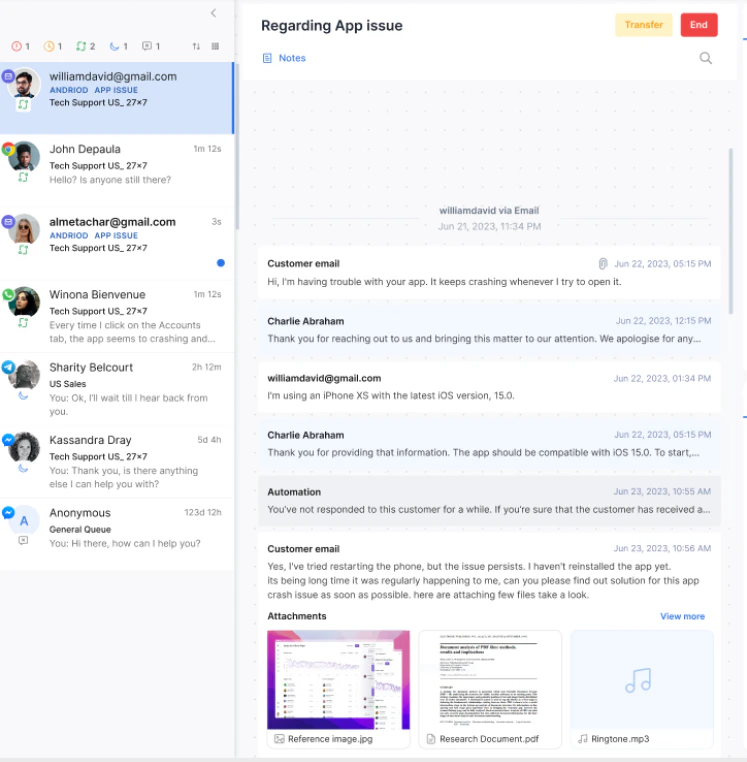
Collapsible tiles-Minimize or expand email threads to reduce clutter.
-
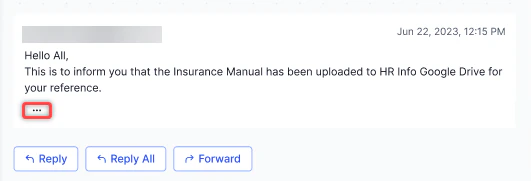
Collapsible thread view-During Reply, Reply All, and Forward, only the latest email shows by default. Select the ellipsis to expand the full thread.
Replying to Emails
If an email reply fails to deliver, an error notification displays on the console and the message displays a failure icon in the conversation history.
Resending Emails
-
Open the email interaction and select Resend.
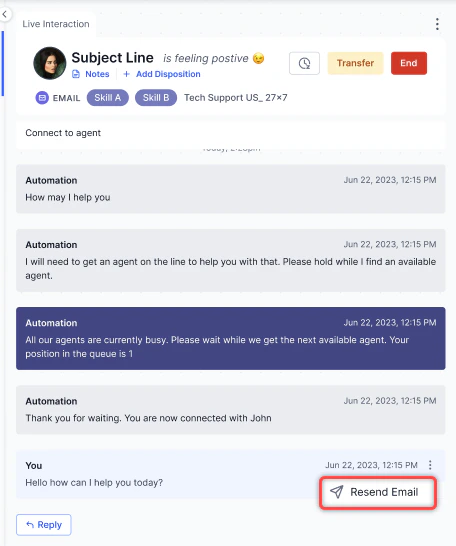
- The composer opens with recipient details and original content prefilled. Optionally edit the content.
- Select Send. The resent email links to the original and is marked Resent in the interaction log.
CC and BCC
Add recipients in the CC and BCC fields. You can add or remove recipients dynamically and use comma-separated email IDs.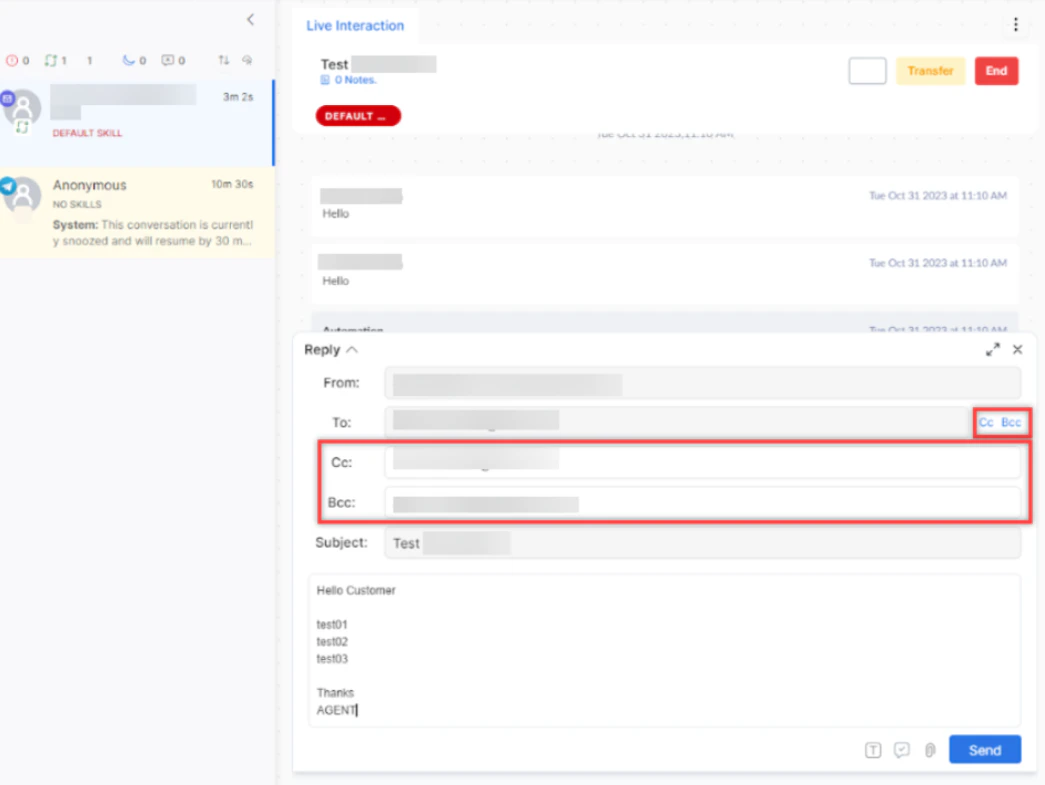
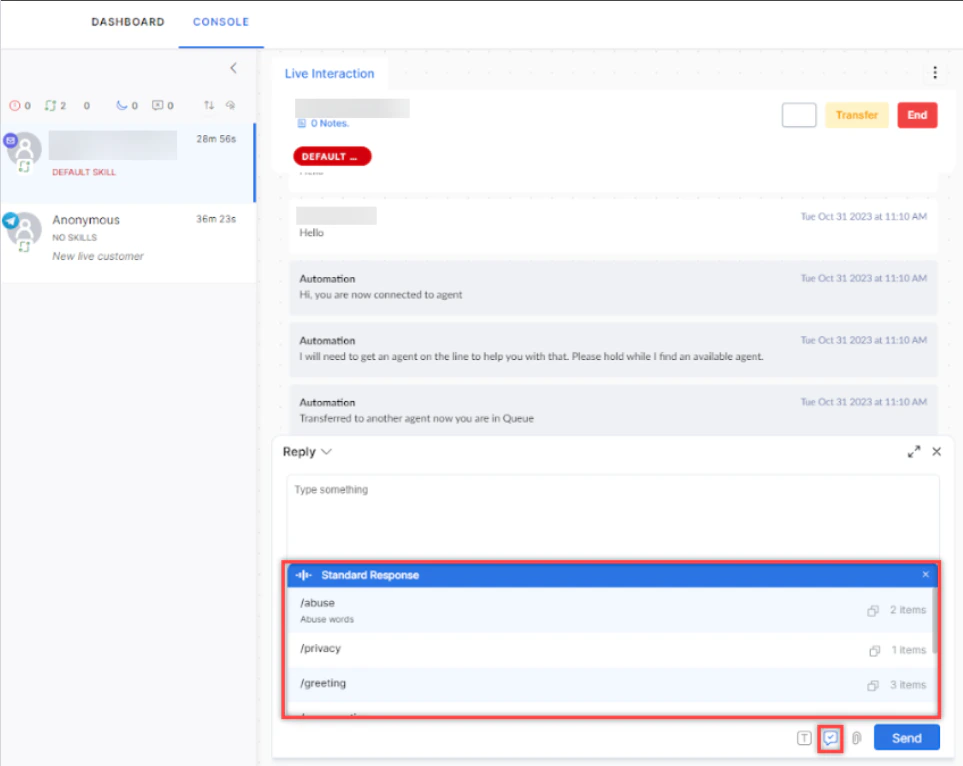
Standard Responses in Email
From the text editor:-
Select the Standard Response icon at the bottom of the email editor.
-
Select a category and then the response template.
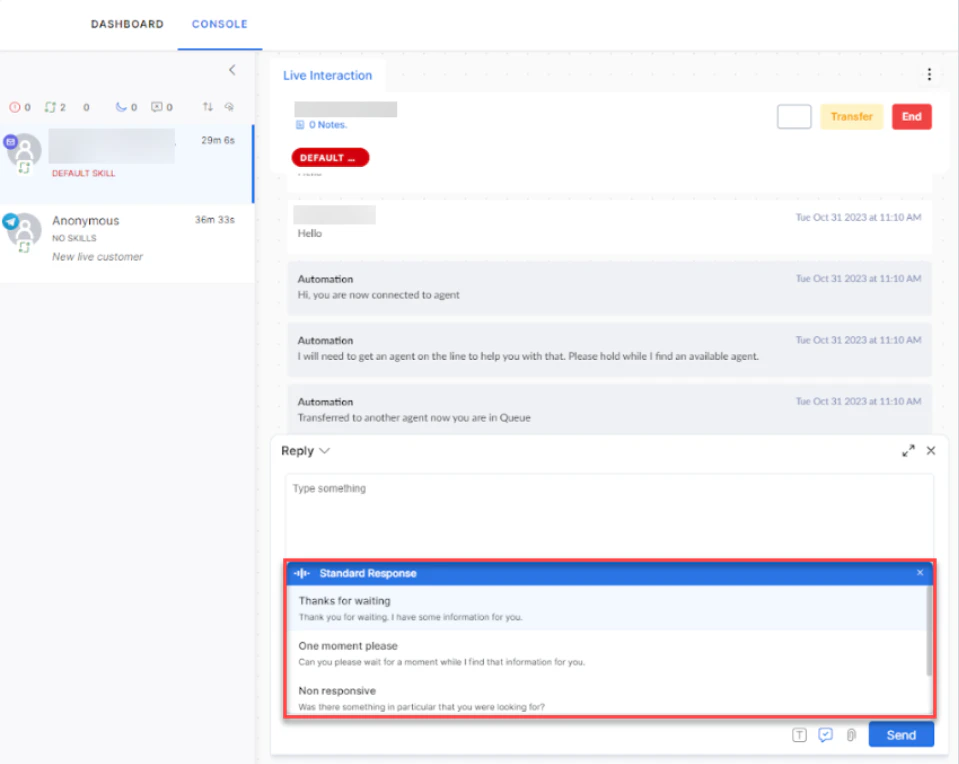
-
Select the response to use it.
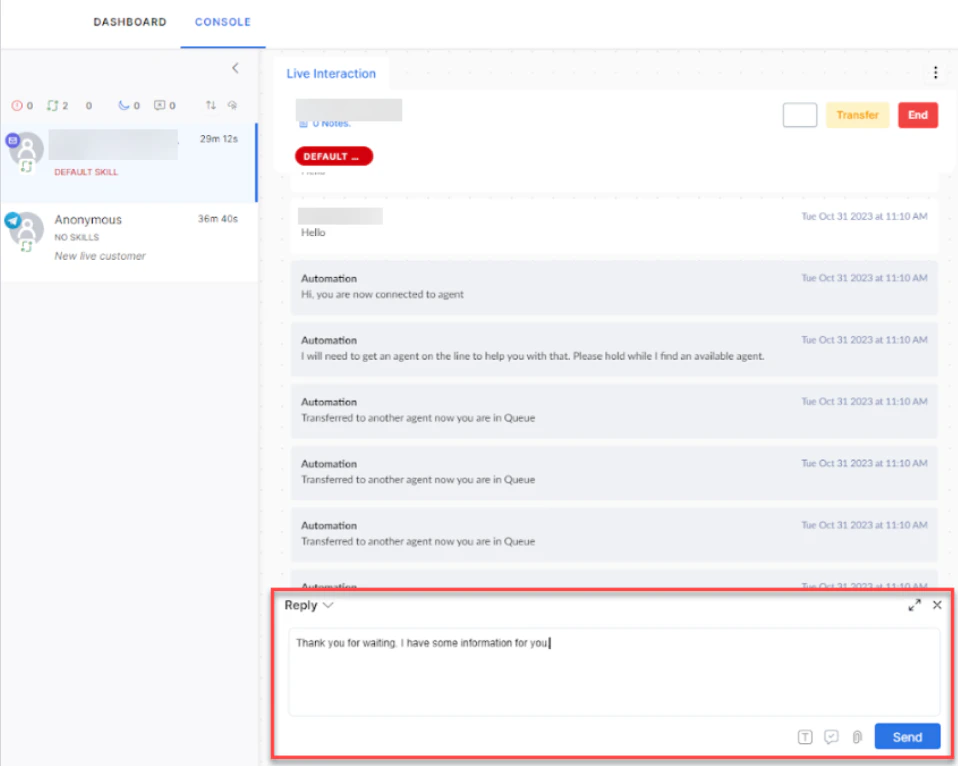
- Select Send and confirm.

Response template groups and templates appear in the order in which they are configured. To change the display order, see Reorder Response Template Groups
Email Delivery Failure
If an outbound email fails to deliver due to an SMTP (Simple Mail Transfer Protocol) timeout, server rejection, or network error, the Console displays an error notification and marks the message in the conversation history. Only the agent who sent the email receives the notification. Other agents and supervisors viewing the conversation see the failure indicator on the message but don’t receive the notification. If the failure occurs after the agent navigates away from the conversation, the failure icon displays on the message the next time the conversation loads.Attachments in Email
Select the Attachment icon to upload files. Attachments appear as a list. If there are more than three, a View More option appears. Files are stored in Amazon S3.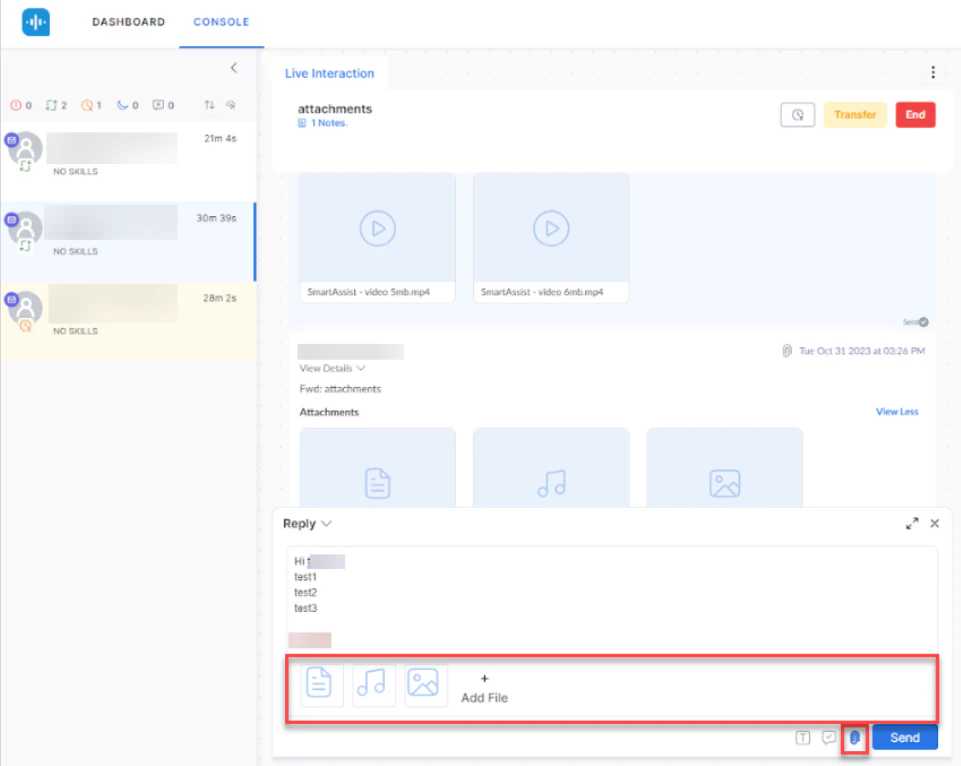
Attachment send failure
If a file attachment fails to transmit, the Agent Console displays an error notification and marks the attachment in the conversation history. Only the agent who sent the attachment receives the notification. Other agents and supervisors viewing the conversation see the failure indicator on the attachment but don’t receive the notification.Notes
Add notes for key points, customer feedback, next actions, or suggestions. Previous notes from other agents also appear here.-
Select Notes.
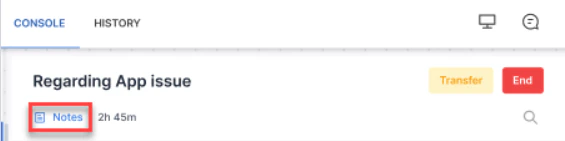
-
Select + Add New Note.
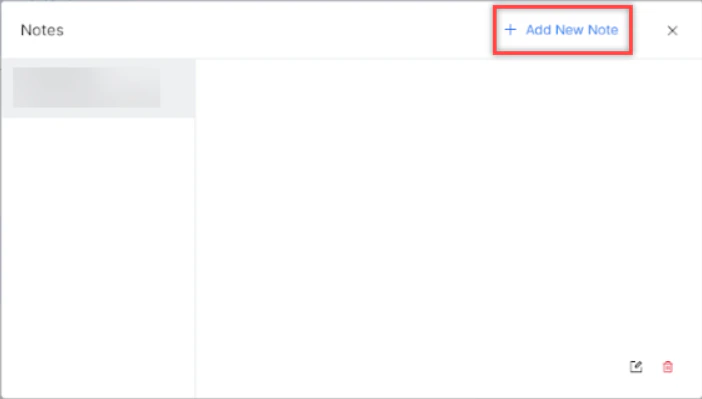
- Type the note and select Save.
Notes Translation
When translation is active, the system translates conversation notes into the selected language.
Drafts
If you close the email editor with unsaved content, the system saves it as a draft automatically. Drafts persist through logouts and network interruptions. Multiple drafts per email thread are supported.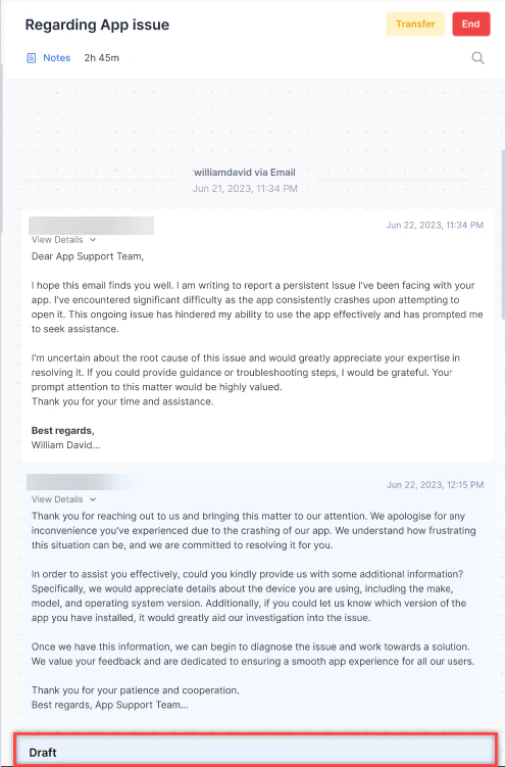
Outbound Email
-
Select + on the Conversation Tray and select New Mail.
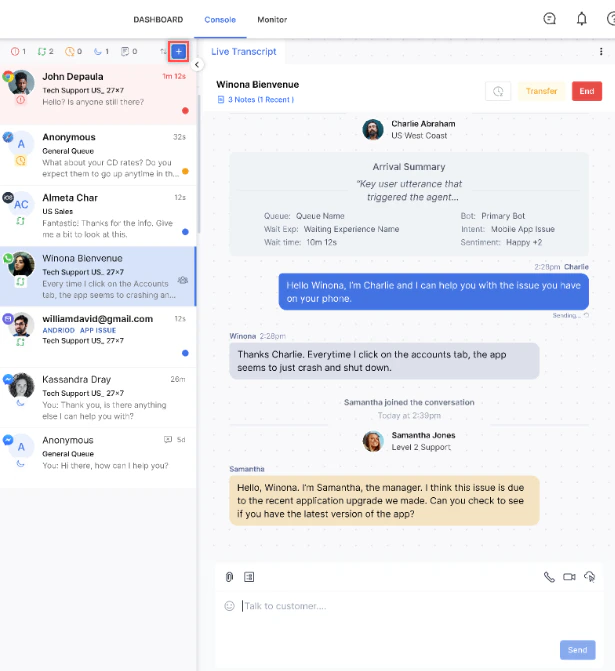
- Enter the recipient’s email address, select a queue, and enter the subject and body.
- Choose an action to send the email, send and open the disposition window (with AI disclaimer if enabled), minimize and save as a draft, or delete the draft after confirmation.
- The Send or Send & Close option activates only when all required fields (recipient, subject, queue, and body) are filled. Each outbound email consumes one slot from your allocation.
- The primary send action — Send or Send & Close — is configured by your administrator in System Settings. The non-primary action remains available in the dropdown list.
Email Workbin
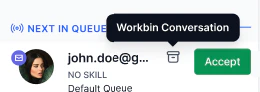
Workbin lets you park an email conversation temporarily, freeing your slot while waiting for a customer reply. Administrators must enable this feature. To park a conversation: Select Workbin in the email interaction header. The conversation leaves your active tray and your slot is released immediately.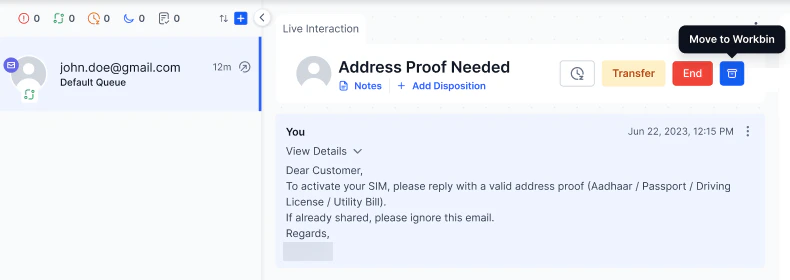
- The system attempts to route back to you (the last handling agent).
-
If you are unavailable, it waits for the configured duration, then routes to the queue.
- If no wait behavior is configured, the system applies standard queue routing immediately.
- Assign the conversation directly to an agent.
- Transfer the conversation to a queue (doesn’t wait for you).
Personal Workbin View
The Personal Workbin View provides agents with a dedicated space to track and manage conversations that are moved to the Workbin. The Personal Workbin View icon is visible in the Console only after an administrator enables the feature. Learn more. Accessing the Personal Workbin Select the Personal Workbin icon in the upper right corner.
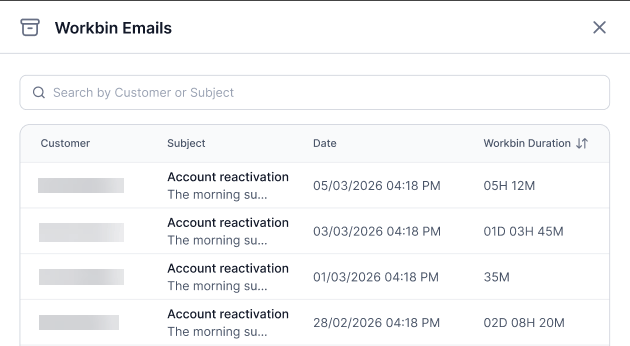
If a supervisor reassigns a conversation to another agent, it’s removed from your Personal Workbin.
- You moved the conversation to the Workbin.
- The conversation is still open.
- A supervisor hasn’t transferred the conversation to another agent.
DDd:HHh:MMm.
The duration always reflects the most recent Workbin placement, not the cumulative total time across multiple placements.
Viewing Conversation Details
Select any conversation in the list to open its detailed view. From there, you can review the full conversation context before deciding to resume handling.
Assigning a Workbin Conversation
To resume a Workbin conversation:
- Select the conversation in the Personal Workbin to open the detailed view.
-
Select Assign to Me.
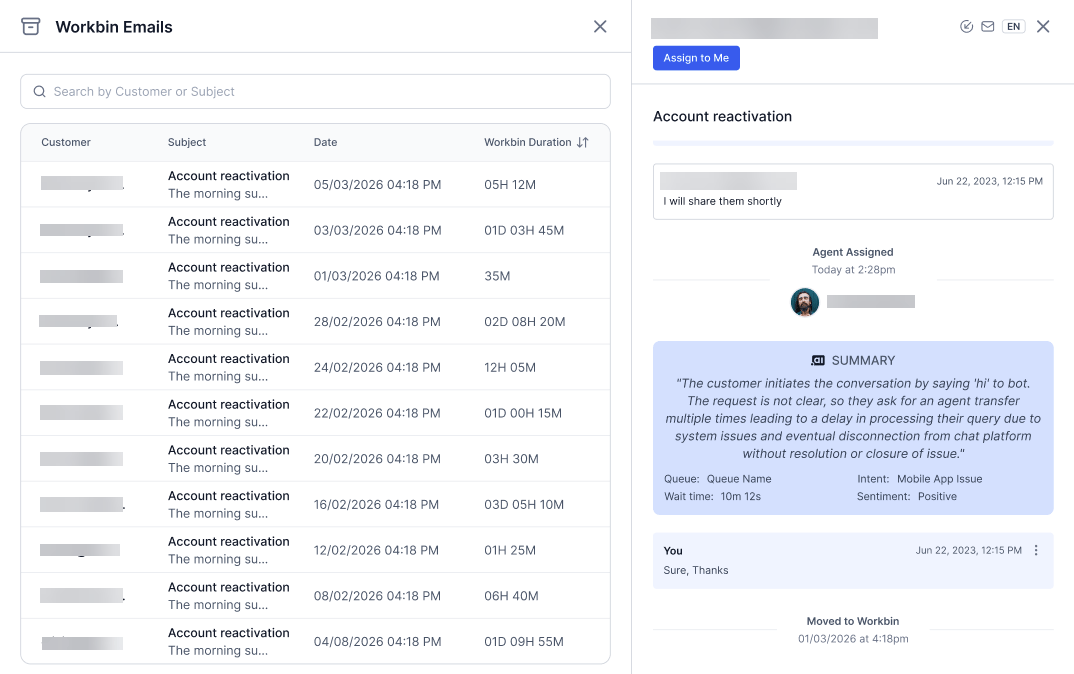
Personal Workbin BehaviorYou can assign a conversation to yourself even if you have reached your email slot limit.
Agent Forms (Secure Forms)
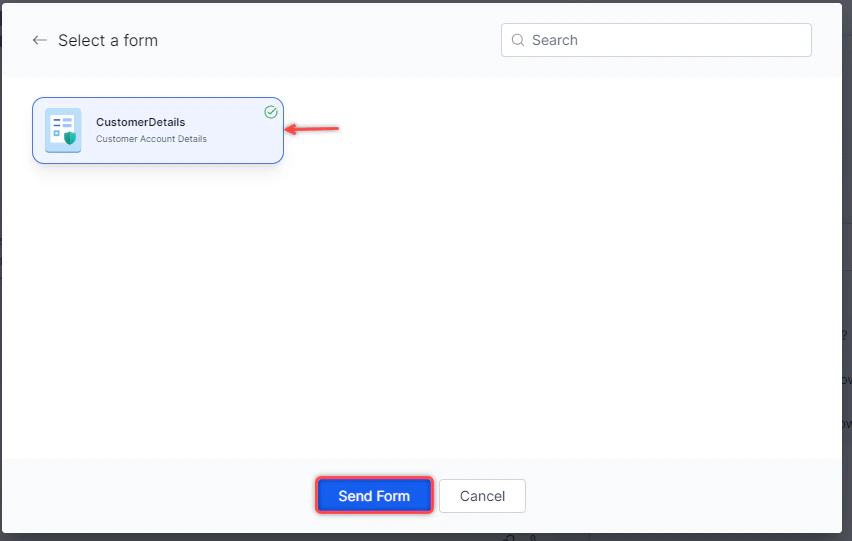
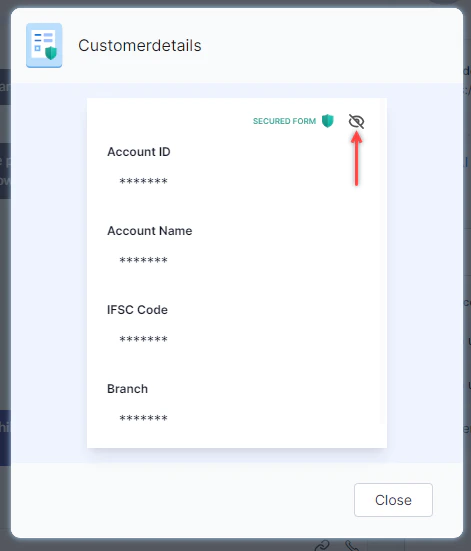
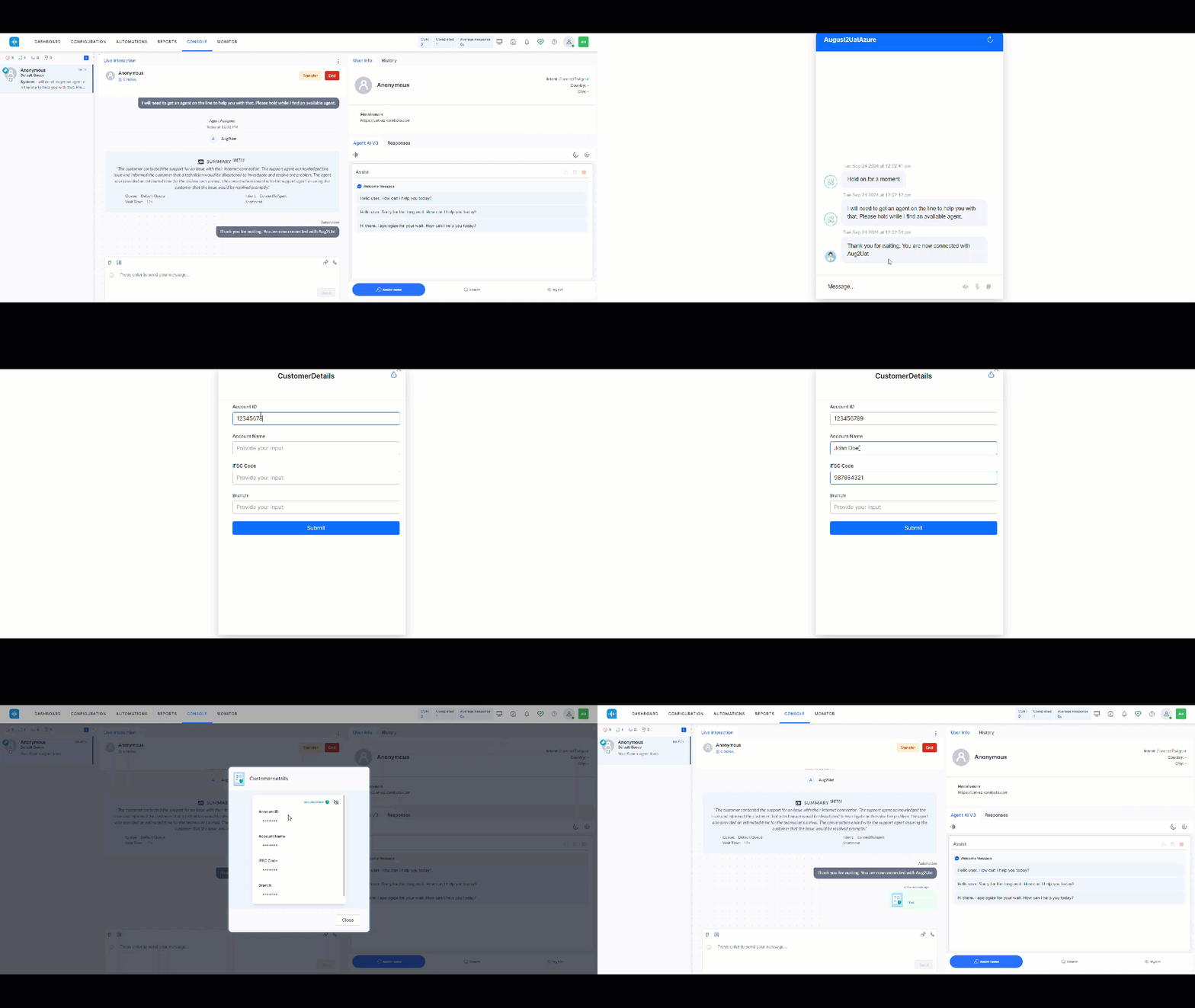
Agent forms let customers submit sensitive information securely. When a customer submits a form, the data is masked in your console by default.
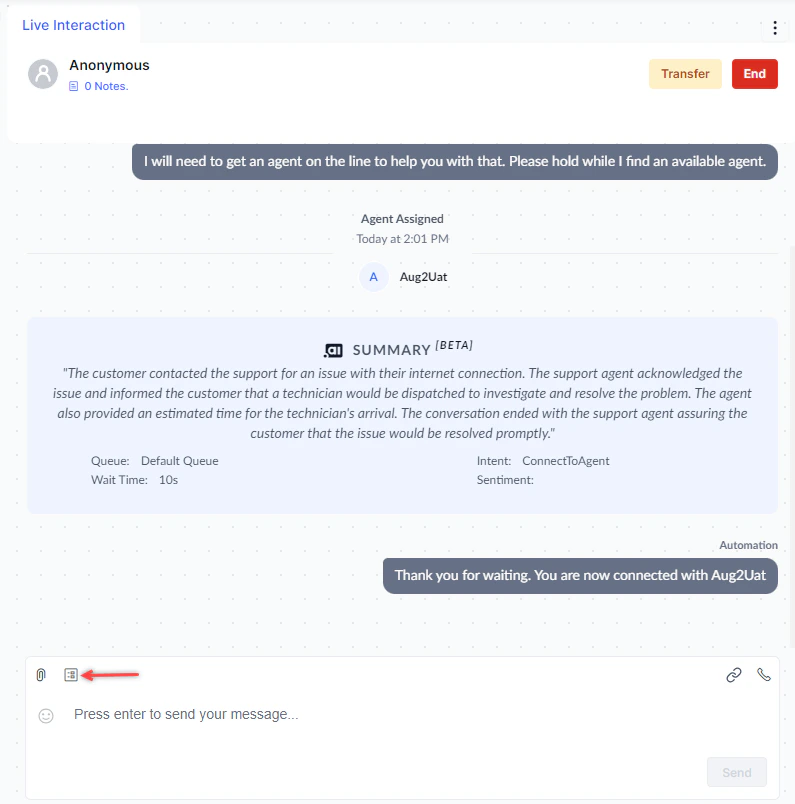
-
Select Agent Form.
-
Select the form and then select Send Form. The form status shows Sent.
-
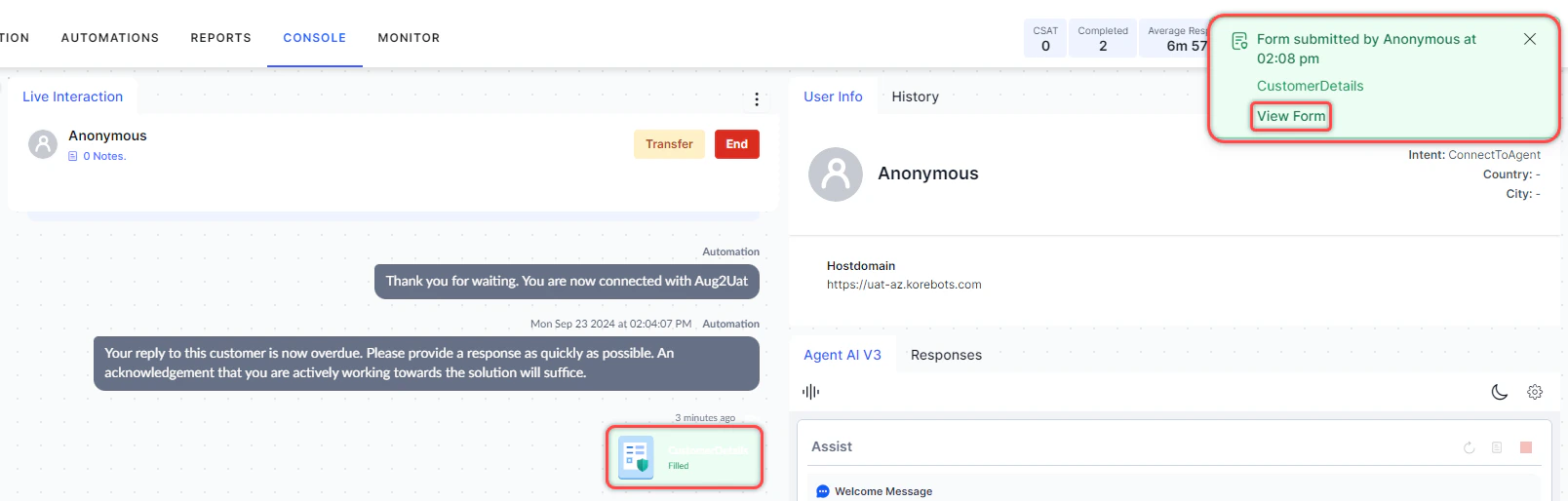
When the customer submits it, the status changes to Filled. Select the form to view it.
-
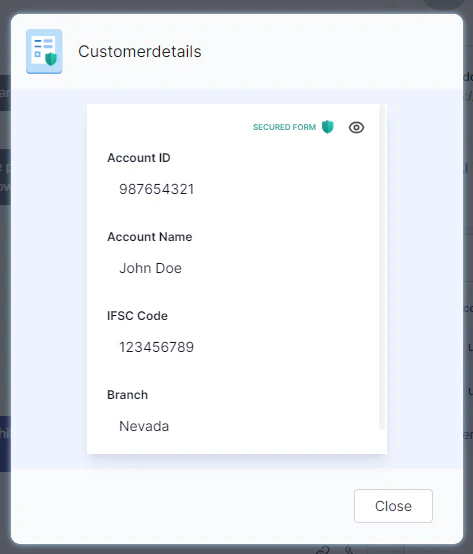
Select Unmask to view masked fields (applies only when masking was enabled during form creation).
Manual PII Redaction
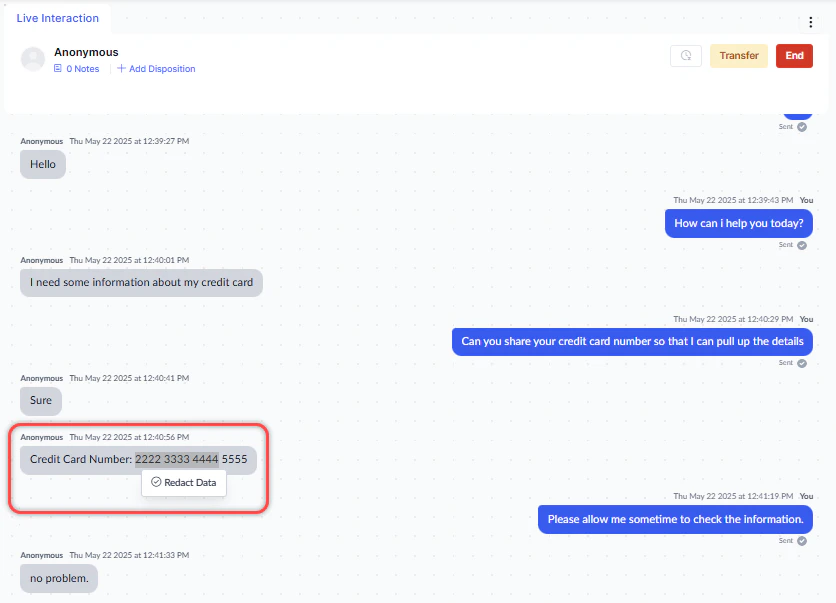
During a live chat, you can redact sensitive (PII) data from the conversation transcript.-
Highlight the text to redact. Select Redact Data.
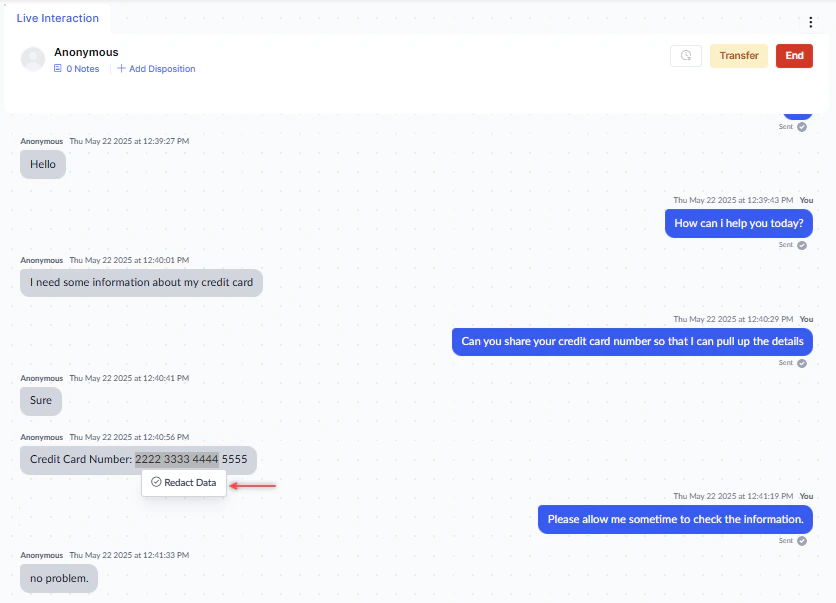
-
Select Redact Data.
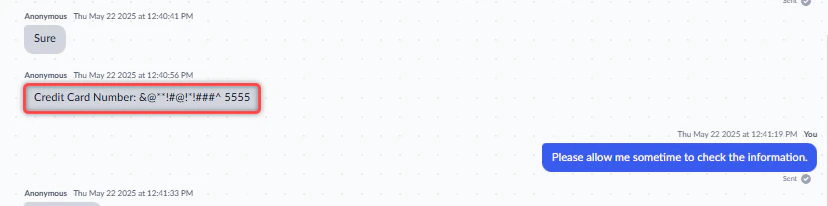
-
Confirm by selecting Redact Data again. The text is permanently masked.
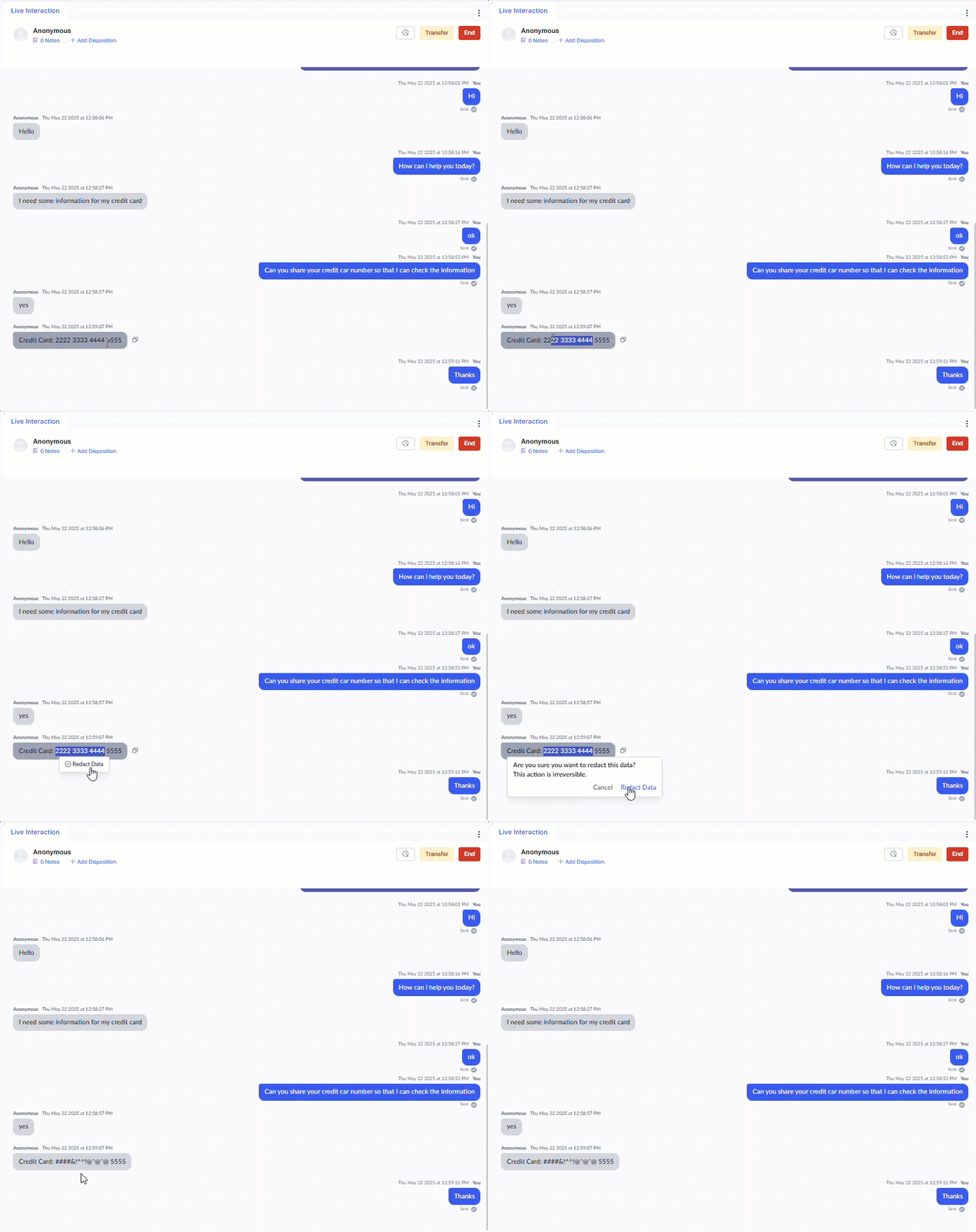
- You can select only one user message at a time (multiple lines within that message are permitted).
- Available on all digital channels except email.
- Doesn’t apply to messages in the user’s console.
Snooze
Snooze pauses a conversation timer and frees your slot for other conversations while you wait for a customer response or retrieve information.-
Select Snooze at the top of the Live Interaction window.
 Snooze is unavailable if the conversation is overdue or you have a reply pending.
 -
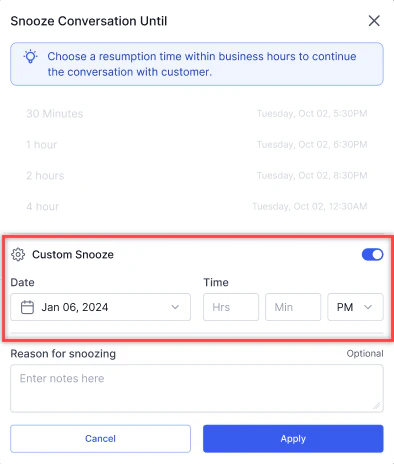
Select a snooze duration: Today, Tomorrow, Day After, or Custom (up to 30 days in advance).
-
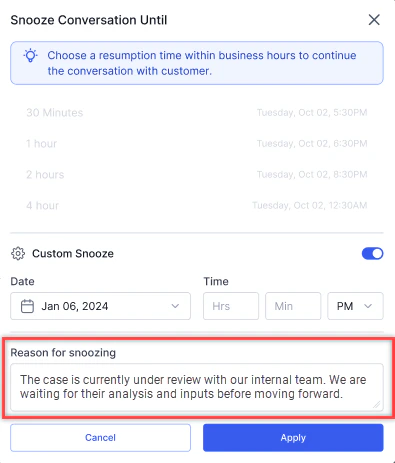
If your administrator has made snooze notes mandatory, add a reason.
- For a custom duration, turn on the Custom Snooze toggle and set the date and time.
- Select Apply.
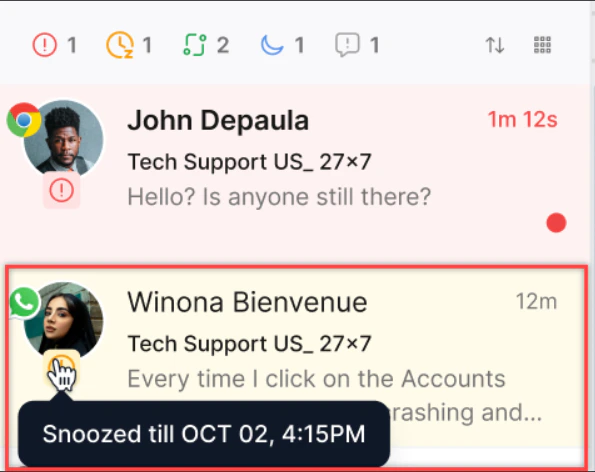
- If Agent Logout with Snoozed Interactions is enabled, you can log out and snoozed conversations remain in your inbox for your next login.
- If Reactivation on User Message is enabled, a new customer message automatically wakes the conversation. If disabled, you must resume it manually.
- If a supervisor transfers a snoozed conversation, it opens when the new agent accepts it.
Transferring Interactions
Transfer to Another Queue
-
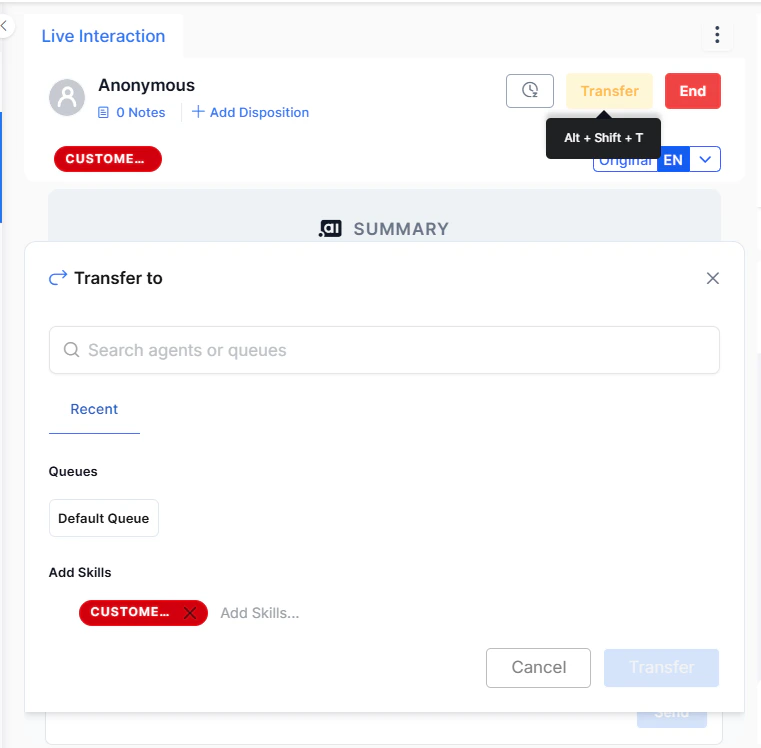
Select Transfer at the top of the Live Interaction Pane, or press Alt + Shift + T.
-
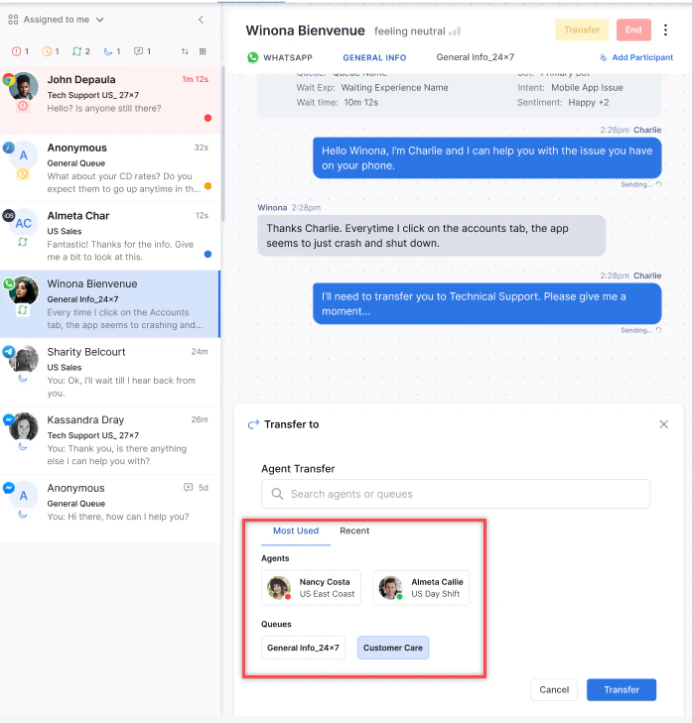
Search for and select a queue.
-
If Skill Modification is enabled, select Next, then add or remove skills.
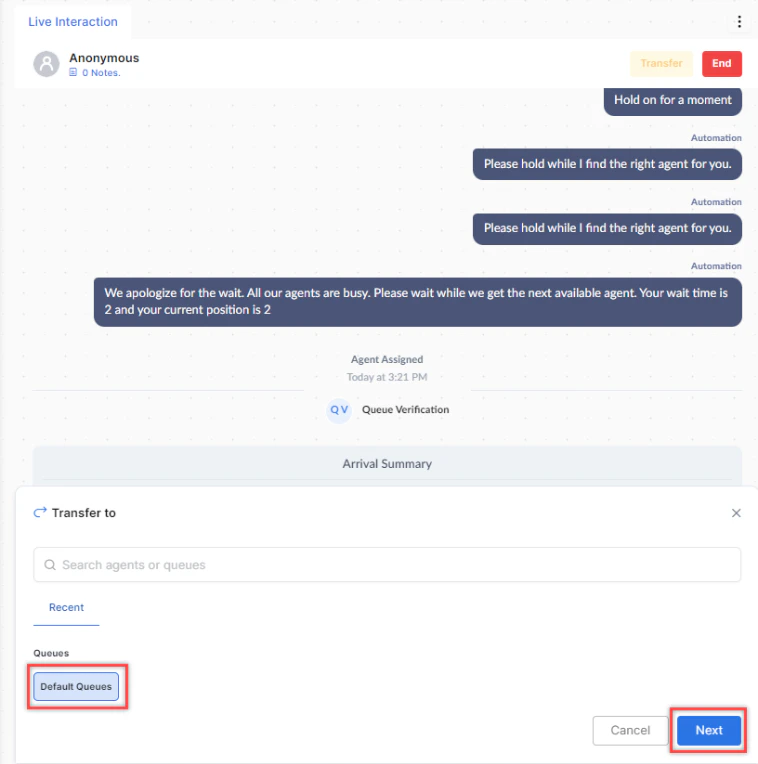
- Select Transfer.
The system shows only queues within valid hours of operation. If skill match is required, the destination queue must have agents with the needed skills.
Transfer to Another Agent
- Select Transfer or press Alt + Shift + T.
- Search for and select an available agent.
-
Select Transfer.
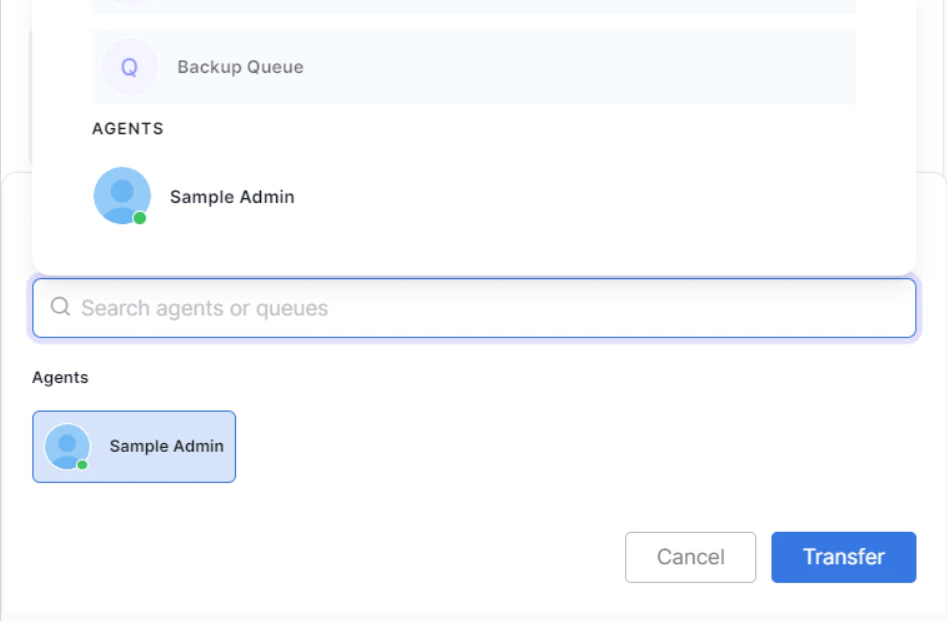
If the customer ends the chat before the transfer completes, the transfer is dropped and the conversation isn’t assigned to any queue or agent.
- Select Transfer or press Alt + Shift + T.
- Search for and select an external contact.
-
Select Transfer.
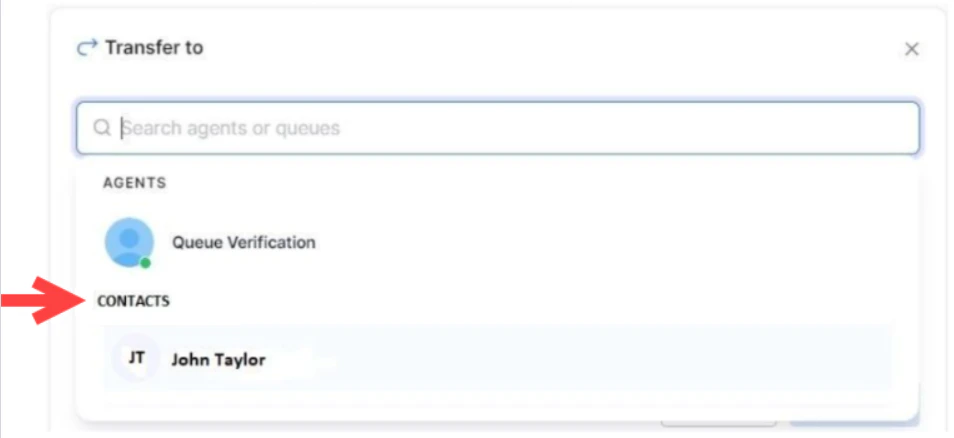
External transfers are blind transfers. The call ends for you like a normal interaction. Complete ACW after the transfer. Administrators must enable this in Agent Settings.
Modify Skills Before Transferring
If Skill Modification is enabled, you can add or remove skills on the interaction before transferring it to another queue.- Select the Add Skills option on the Skills bar.
- Select or remove skills from the dropdown.
Ending Interactions
-
Select End in the Live Interaction Pane.

- Confirm by selecting Yes. The interaction moves to After Call Work (ACW).
Timer After Caller Disconnects
When a caller disconnects, a depleting timer appears with options to End the call or Call Back. If no action is taken, the call moves to ACW when the timer expires.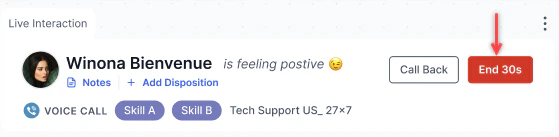
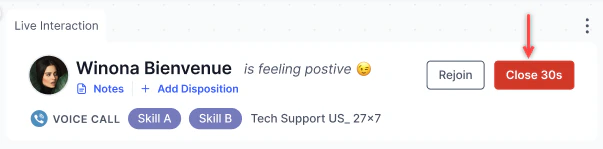
After Call Work (ACW)
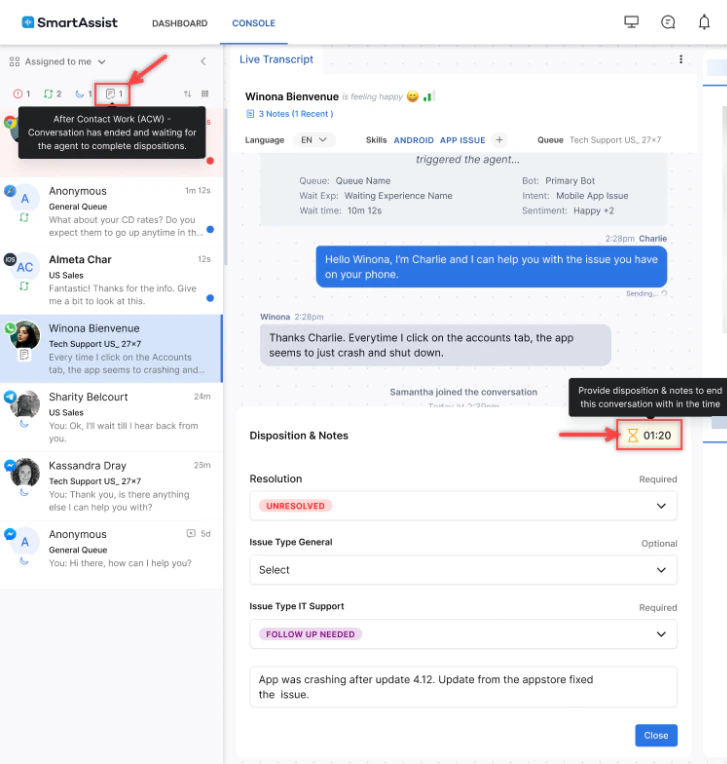
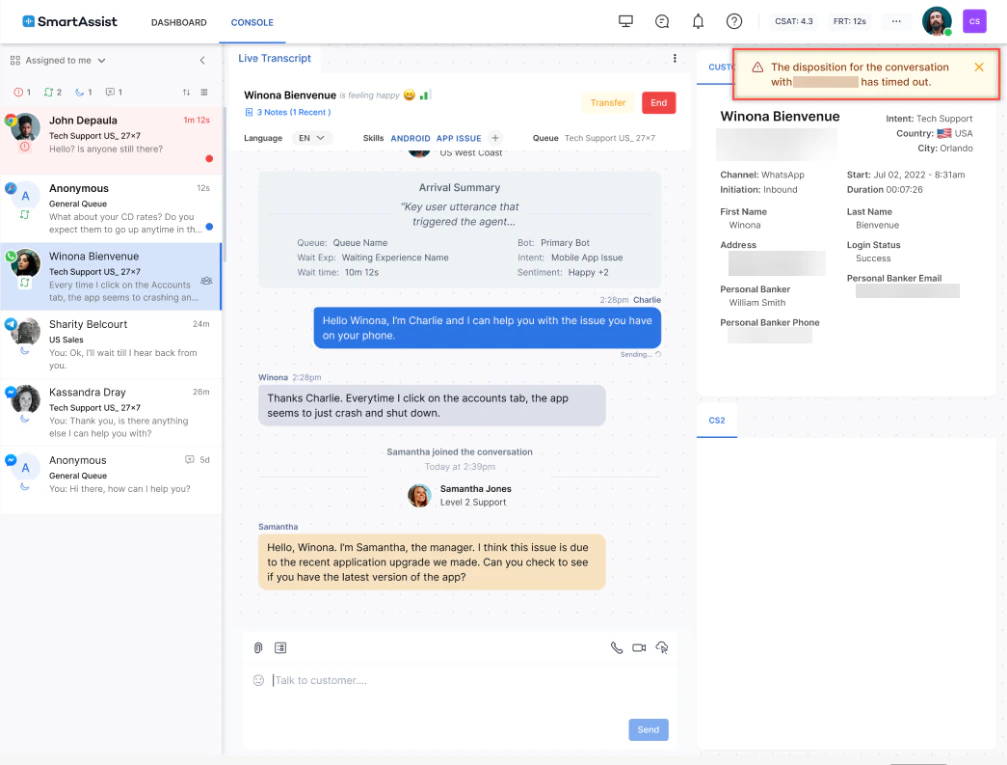
ACW is the period after a conversation ends during which the agent completes post-interaction tasks like adding notes, updating records, or selecting a disposition. The conversation remains in the conversation tray in ACW status until the agent closes it.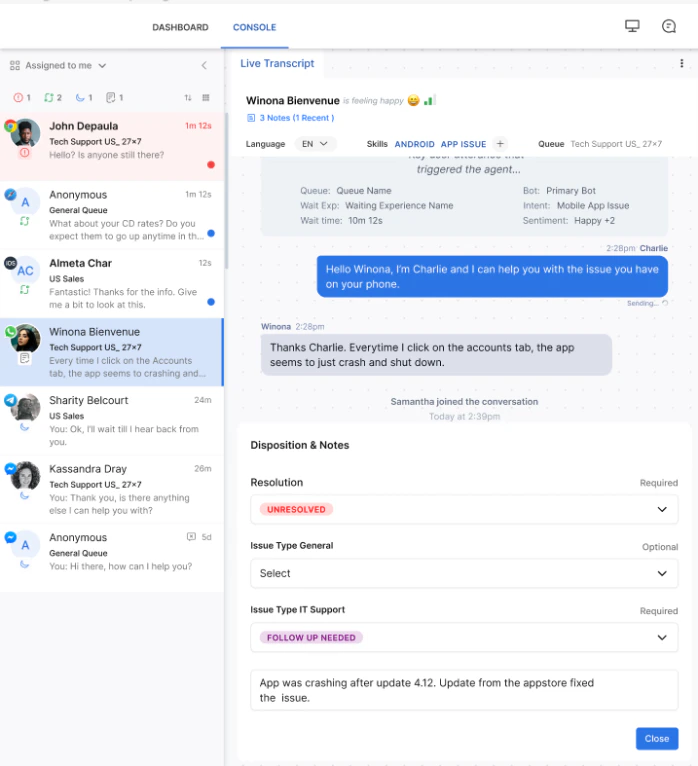
ACW Duration Timer
When a conversation enters ACW state, the Console displays a timer showing how long that conversation has been in ACW. The timer is visible on the conversation in the Conversation Tray and in the live interaction panel.
- The timer starts when the conversation enters ACW.
- The timer continues running even if the agent is simultaneously handling other active conversations.
- The timer stops when the agent closes the conversation.
- The timer is independent of the agent’s status timer.
Dispositions
A disposition code labels the outcome of an interaction. During the conversation:- Select + Add Disposition. The disposition dialog opens with a search bar at the top.
-
Type to search for a disposition by name. Results filter in real time as you type — partial text and any case are supported.
Keyboard shortcuts in the disposition dialog:
- Select a disposition from the filtered results and select Save.
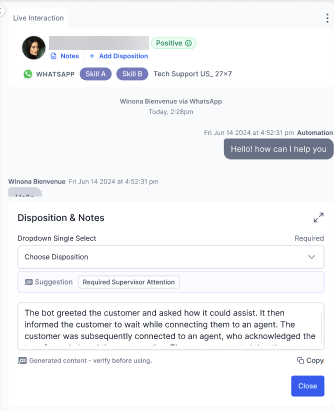
- Select End and confirm. The Disposition & Notes window displays.
- Make changes if needed, then select Close.
- Select the conversation in your tray.
- Select a status: Resolved, Abandoned, Pending, or a custom code set by your administrator.
- Optionally add a description, then select Close.
If you don’t complete the disposition and notes during the ACW period, the system automatically closes the conversation with a system-generated disposition.
Capture Disposition During Transfer
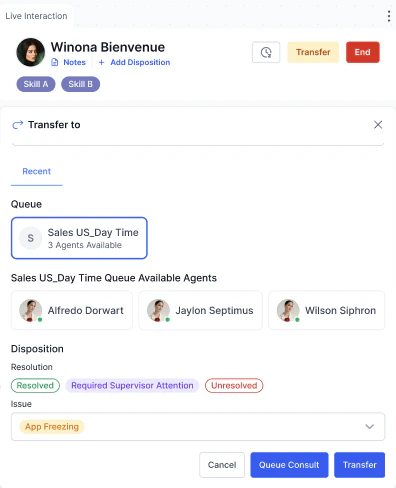
When the Capture Disposition During Transfer setting is enabled, agents and supervisors can tag a disposition to an interaction at the point of transfer, before the conversation is closed.
- While handling an active interaction, initiate a transfer using the transfer option in the Live Interaction Pane.
-
When the transfer panel opens, select one or more dispositions. The list is populated based on your account’s configured dispositions.
-
Complete the transfer.
- If a disposition is selected, it’s tagged to the interaction at the point of transfer and stored separately from any closure disposition captured later.
- If the dropdown is skipped, the transfer proceeds without a disposition.
Disposition selection is optional and doesn’t affect the transfer. Disposition data captured at transfer is available in Analytics and reporting.
Feedback Surveys
After interactions end, the platform can send a feedback survey to the customer. Only one feedback type can be active per channel at a time.
Select Send Survey in the bottom-right corner of the Live Interaction Pane to include a survey at the end of the interaction.
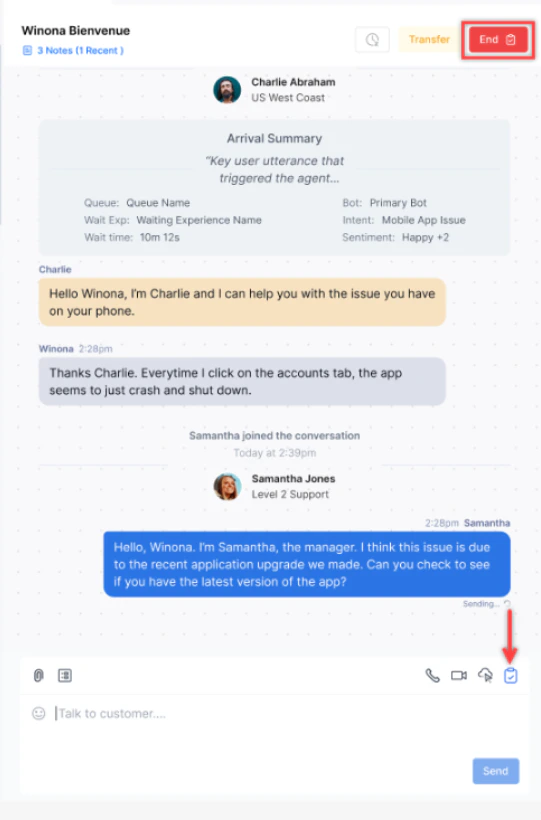
CSAT doesn’t apply when the customer interacts with external agents or when an external consult occurs.
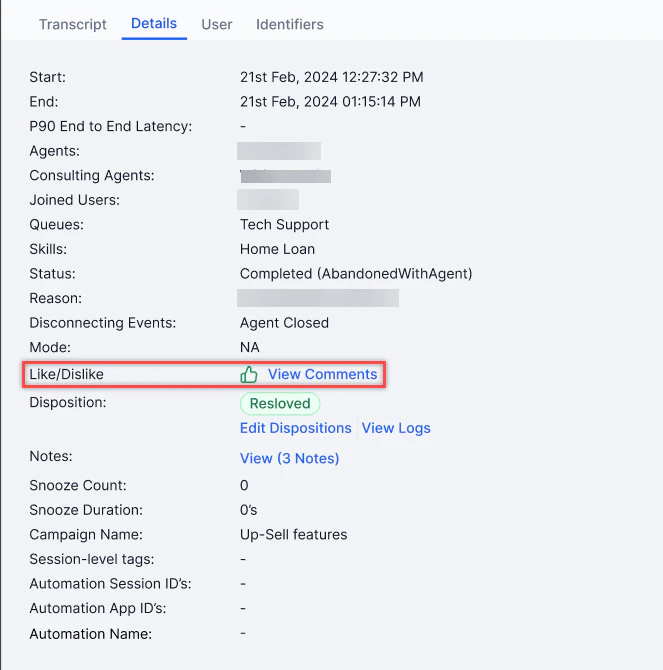
- Go to the Conversations Dashboard.
- Open the interaction and select the Details tab.
-
If the customer completed a survey, the Feedback field (CSAT/NPS/Like/Dislike) appears.
Request Supervisor Support
-
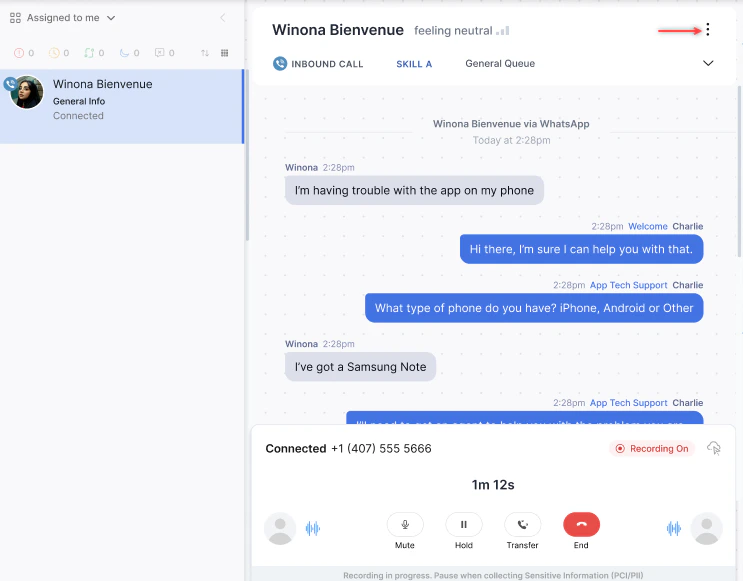
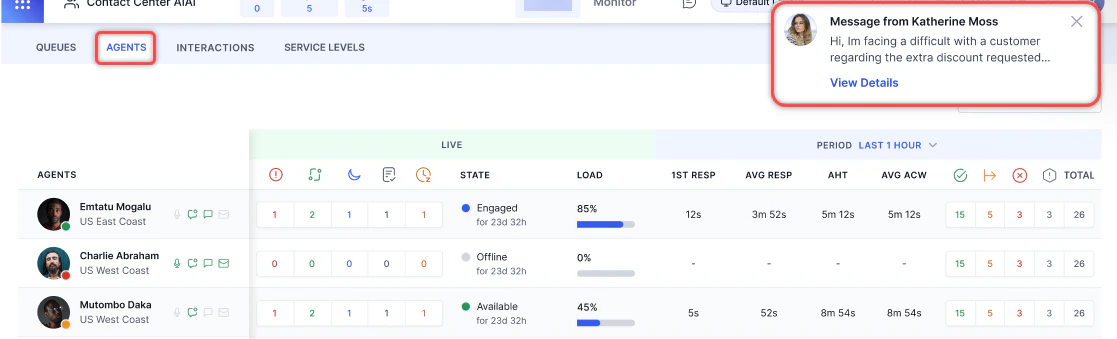
Select ⋮ (more options) on the Live Interaction Pane and select Request Supervisor Support.
-
Select one or more supervisors from the list.
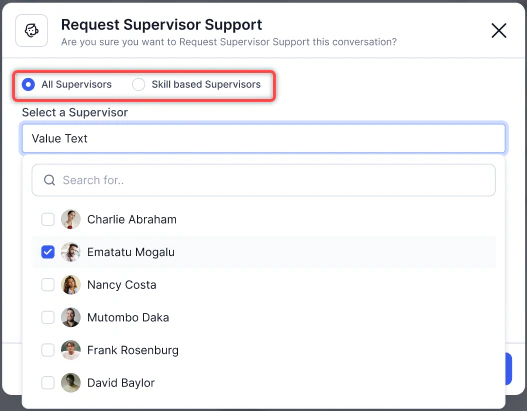
- A notification is sent to all selected supervisors with Available status.
-
The supervisor receives the notification.
-
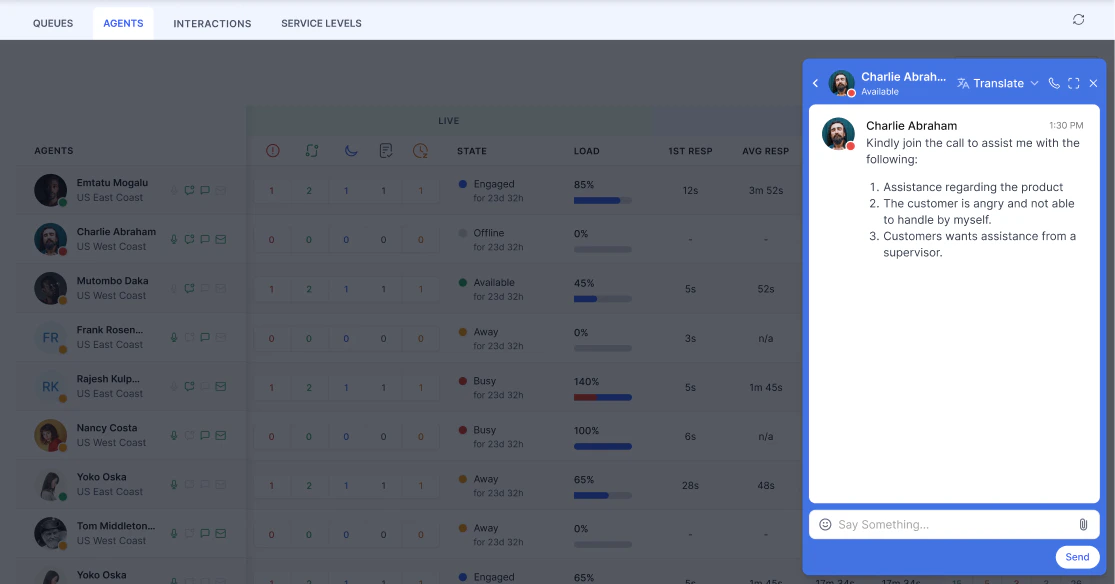
When a supervisor accepts, an Internal Chat window opens for you to communicate with them.
Agent AI Assist
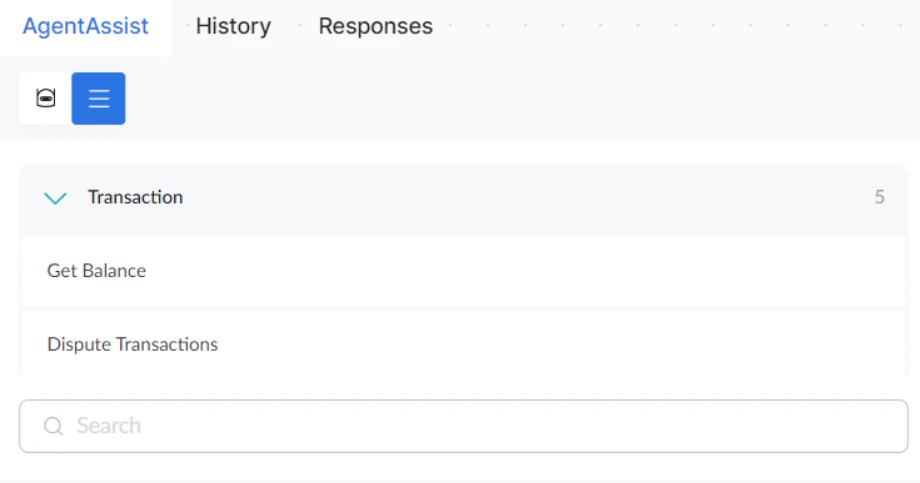
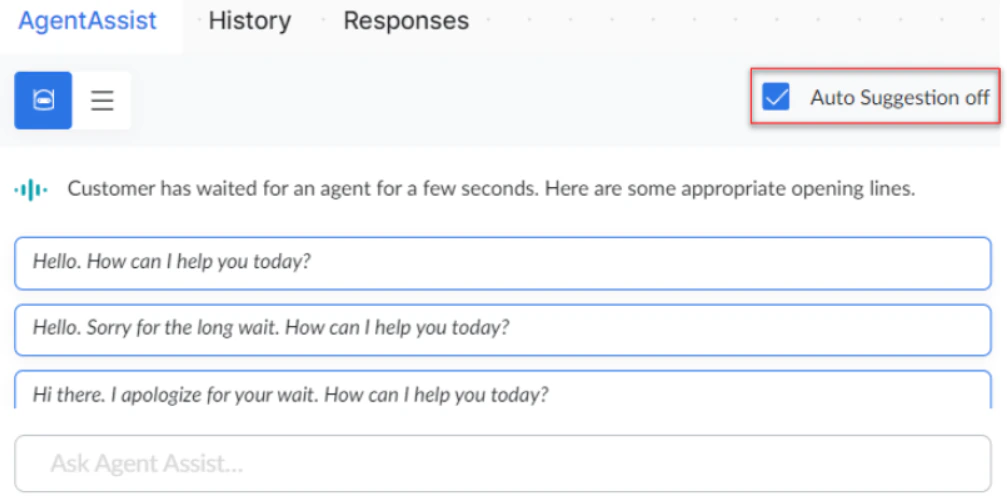
The Agent AI panel provides real-time assistance during conversations.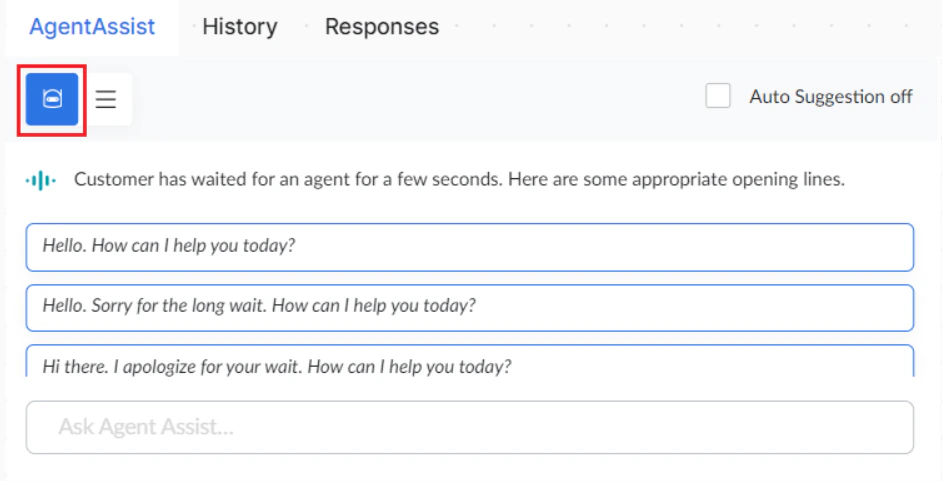
Responses Widget
Use canned responses to send standard messages quickly. Default categories: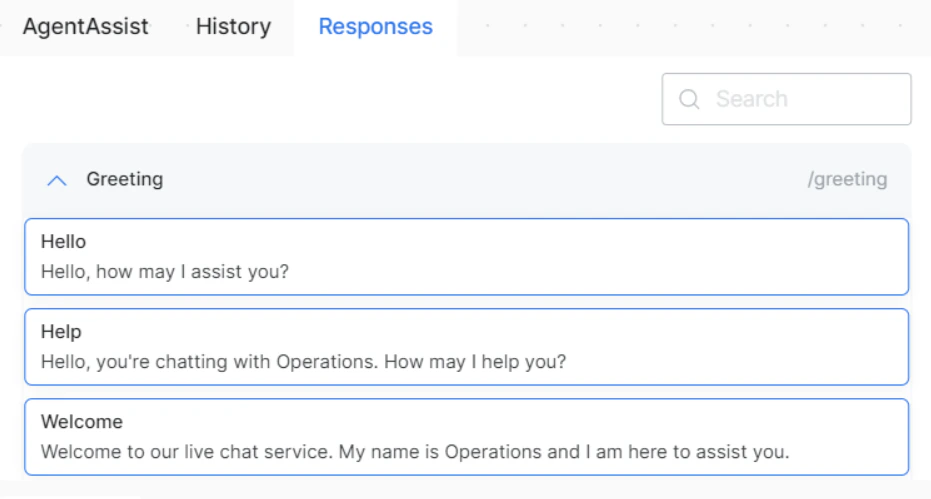
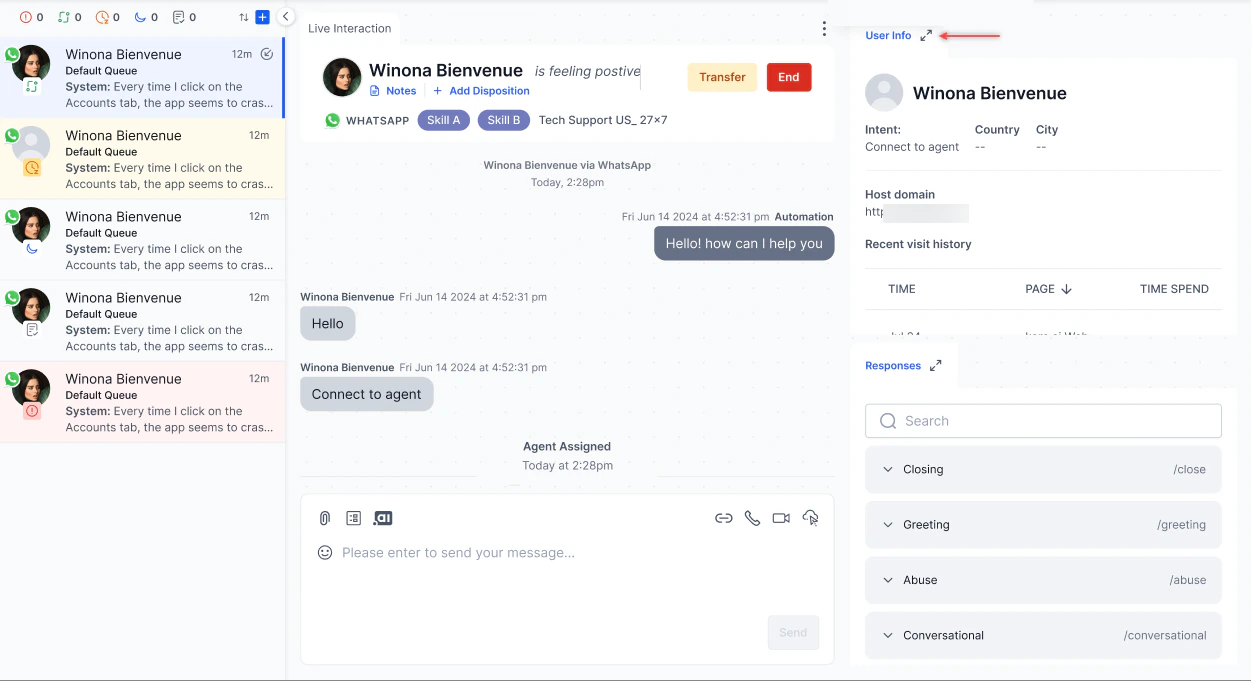
User Info Widget
The User Info widget displays customer information for the active conversation. Administrators configure which fields and sections appear, their order, and their visibility. The panel displays only what you configure. Learn more. User Info is divided into three sections:
Fields within each section appear in the order configured by your administrator. Sections or fields that are turned off aren’t displayed.
Anchor Tags
Administrators can configure field values in the User Info widget to render as clickable hyperlinks using a predefined anchor tag syntax. This lets agents open relevant URLs directly from the widget without copying and pasting links manually. Supported Syntax Only the following syntax is supported:[link text](URL)
Example:
[View Profile](https://example.com/customer/12345)
This renders as a clickable link labeled View Profile. Selecting it opens https://example.com/customer/12345 in a new browser tab.
History Widget
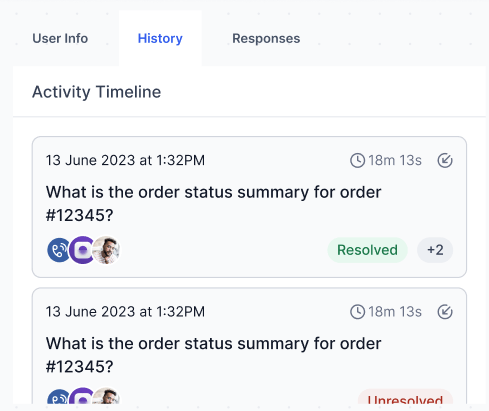
The History widget displays the customer’s previous interactions across all supported channels — Chat, Email, and Voice — in a unified timeline. Use it to review prior context, previous resolutions, and the agents or bots involved before continuing the conversation. Conversations are sorted by Acceptance Time in ascending order, showing the earliest interaction first and the most recent last. Conversation cards Each historical interaction appears as a conversation card. Select a card to open the full transcript.
Multiple conversation statuses
When a conversation has more than one conversation status, the card shows the first two followed by a +N indicator for the remaining count. Select +N to expand and view all conversation statuses.
Example:
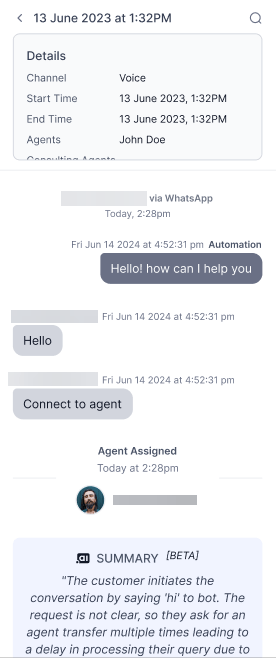
Wait time includes the initial queue wait plus any additional waits from agent or queue transfers.
- Select the History tab and open the conversation.
-
Select Translate on the Live Interaction Pane and choose a language.
-
The conversation appears in the selected language.
-
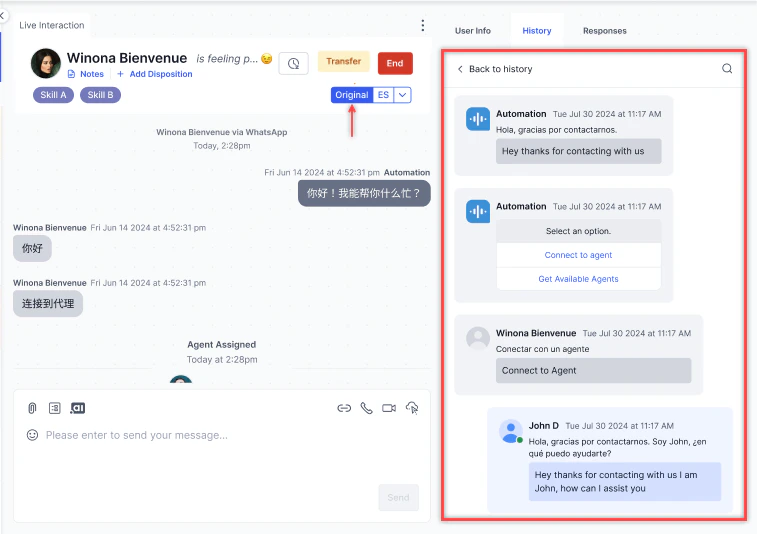
Select Original to revert to the original language.
Internal Chat
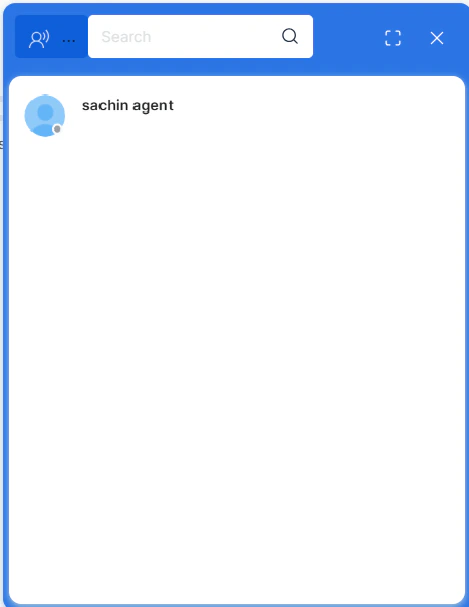
Use Internal Chat to communicate with other agents or supervisors while handling a customer interaction.-
Select the Internal Chat icon in the upper-right corner of the console.
-
Select an available agent or supervisor from the list.
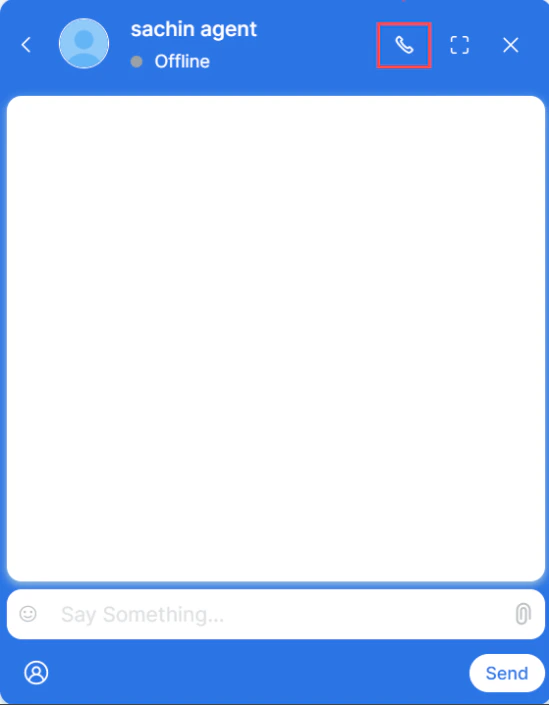
-
Send messages, attachments, or initiate an internal call.
-
Select Translate.
-
Choose the language and optionally select Mark as Default.
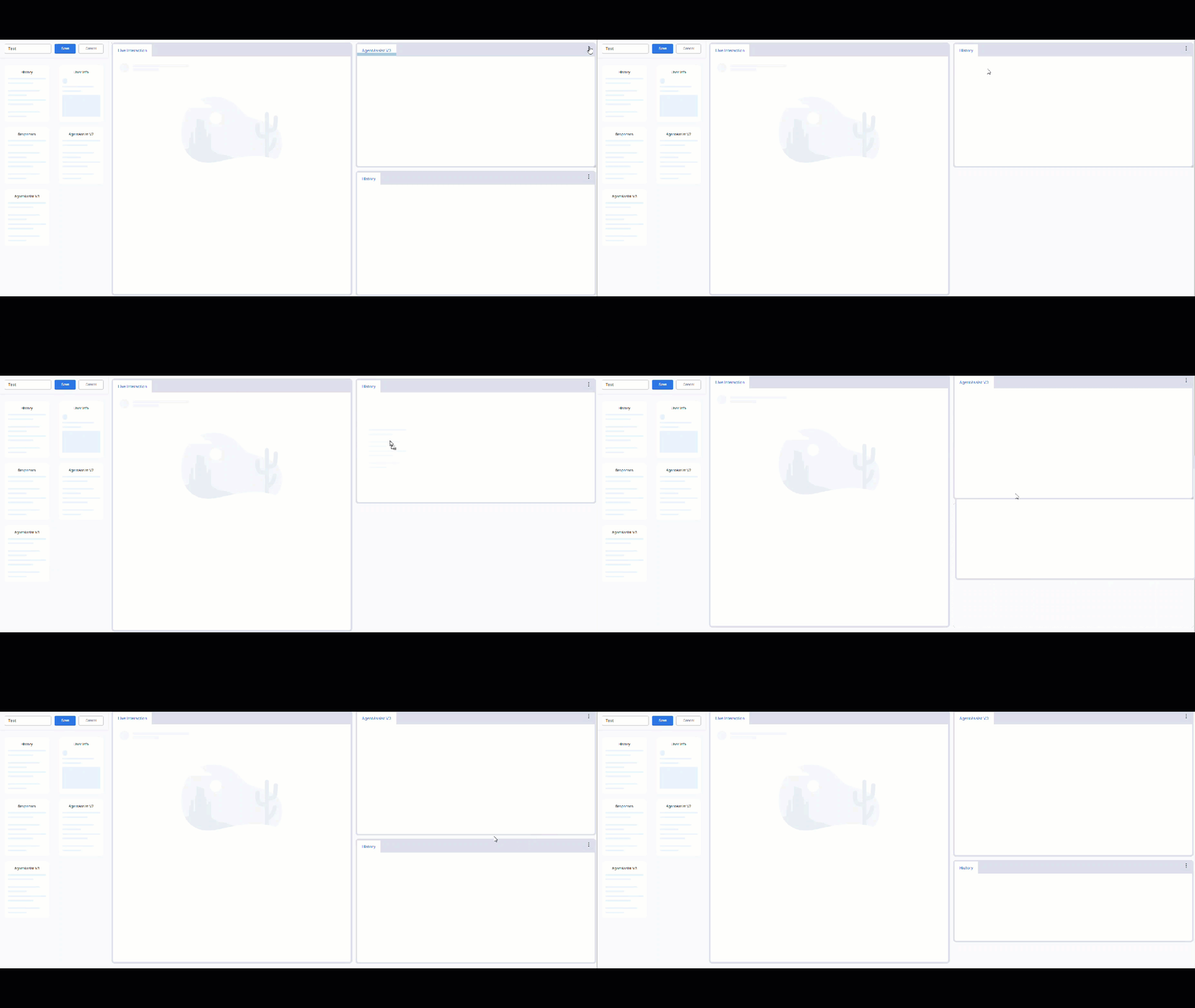
Manage Layout
Go to Console > Manage Layout to add, delete, or switch between layouts.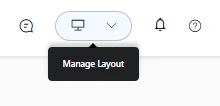
-
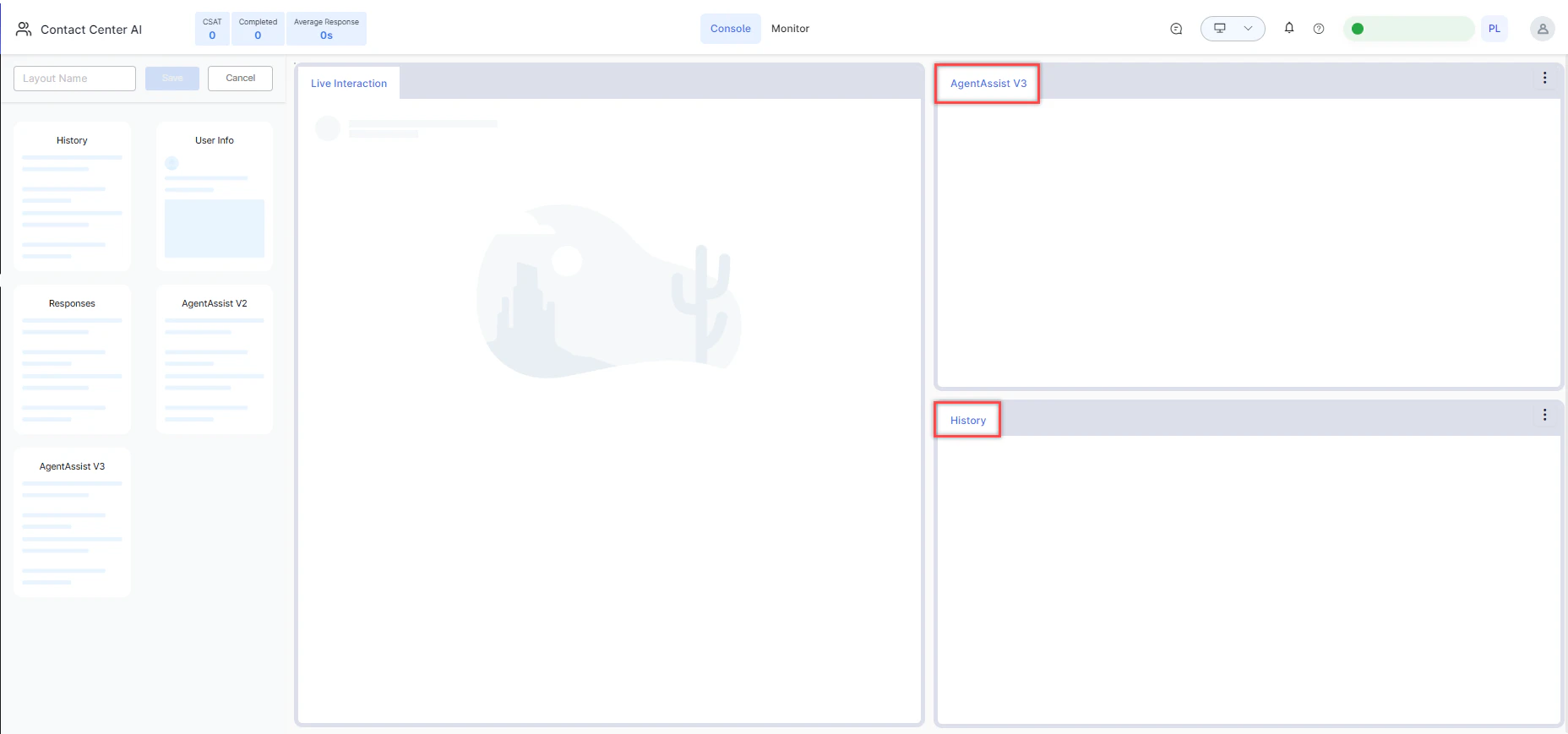
Select + Create New. The layout page opens with available widgets on the left panel.

-
Drag the required widgets to the layout area.
-
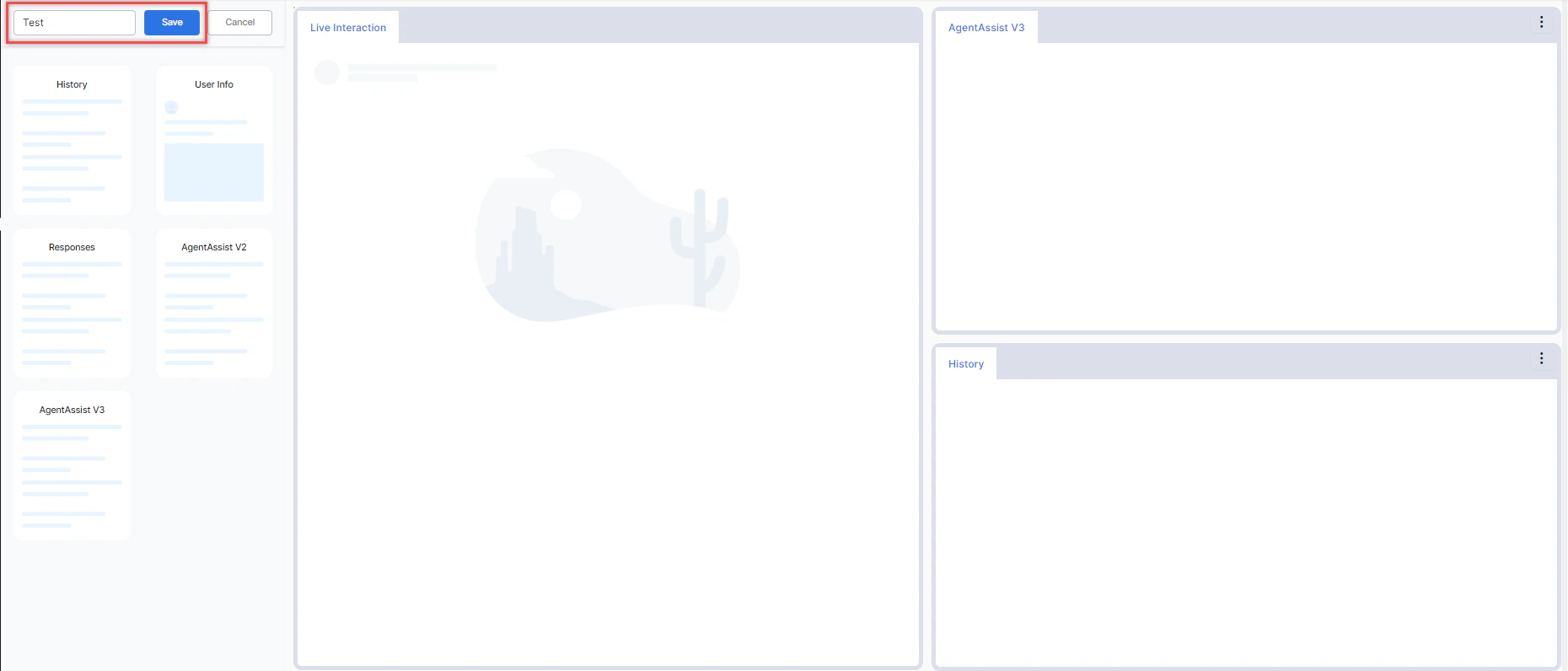
Enter a Layout Name and select Save.
External Widgets
External widgets in your layout have a Maximize icon. Select it to expand the widget to a full-page view within the console.-
Select the Maximize icon on an external widget.
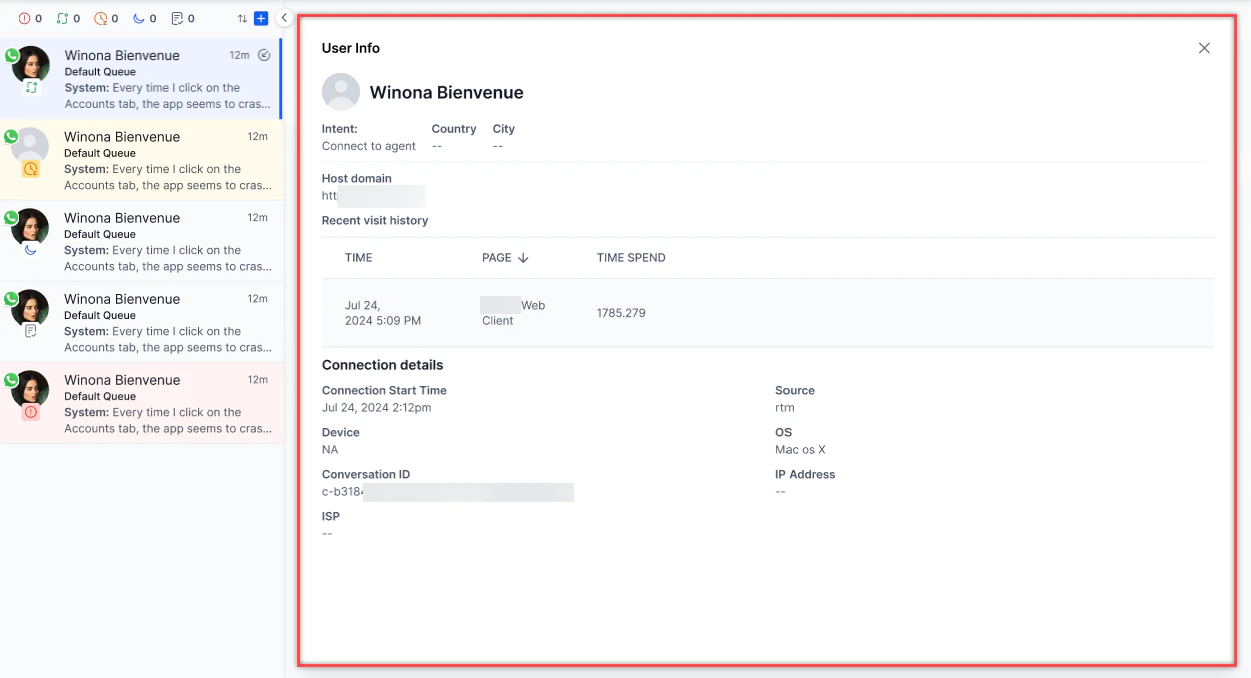
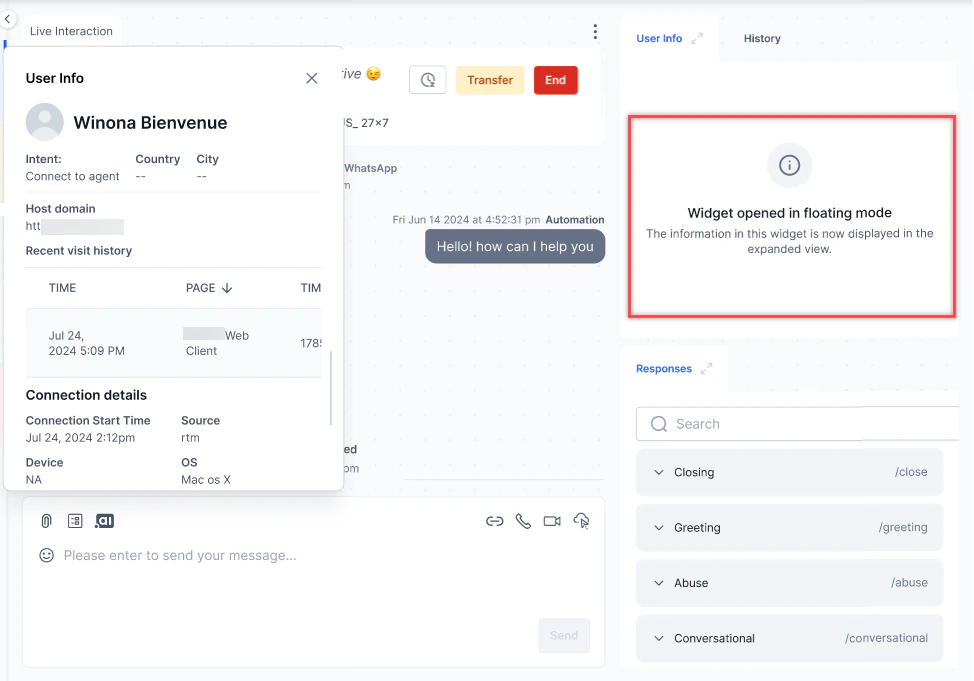
- Interact with the widget. It automatically refreshes when you switch conversations.
- Select Close or Minimize to return the widget to its original size.
Only one widget can be maximized at a time.

Notifications
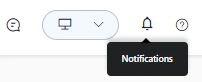
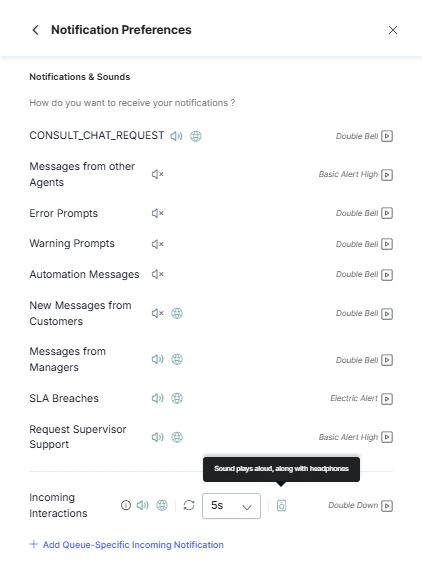
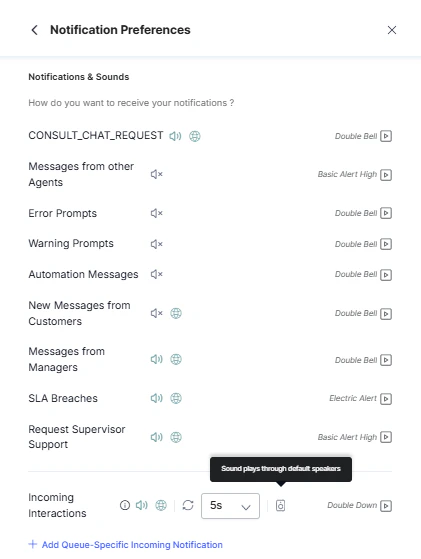
Agents can manage how the Agent Console alerts you to incoming interactions and activity. Notification settings cover sound alerts, browser push notifications, and repeat behavior.-
Select the Bell icon in the upper right corner of the console.
-
Select Settings icon to open the notification preferences.
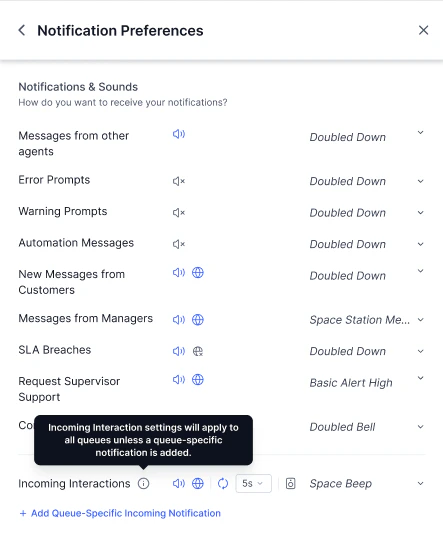
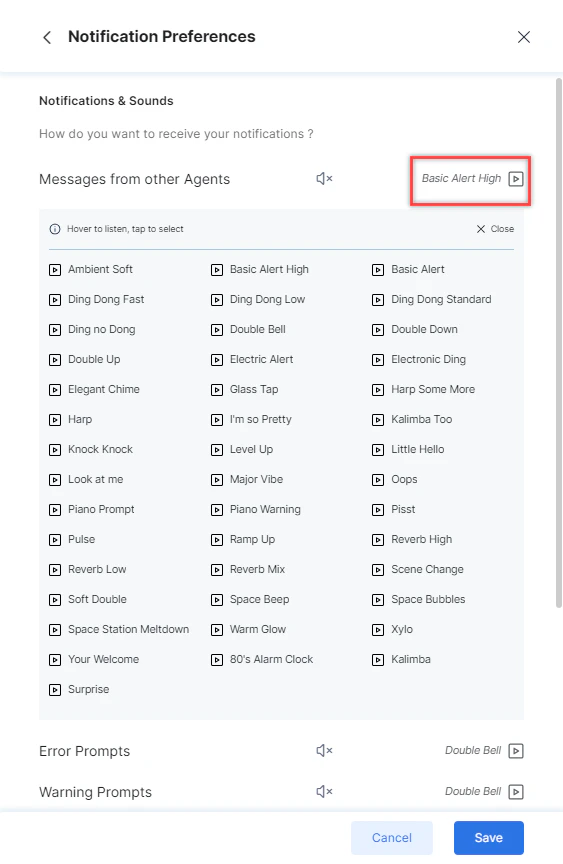
Error prompt sounds apply only to console runtime errors, not configuration validation errors.
-
Select the Repeat icon next to Incoming Interactions to enable it.
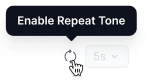
- Set the repeat interval (default: 5 seconds) and click Save.
Queue-specific Sound Profiles
Queue-Specific Sound Profiles let you assign a distinct sound notification to one or more queues. When an interaction arrives from a configured queue, it plays the assigned sound instead of the default alert, letting you instantly distinguish high-priority or VIP queues from standard queues by audio cue. This setting applies to voice, chat, and email interactions. How It Works- Queues with a sound profile assigned play that sound when an interaction arrives or is transferred to them.
- Queues without a profile assigned continue to use the default notification sound.
- If an interaction is transferred and the target queue has a configured sound profile, that sound plays — regardless of whether the transfer occurs before or after you accept the interaction.
- Select + Add Queue-Specific Incoming Notification.
-
Search for and select one or more queues. You can select a single queue or multiple queues in the same profile.
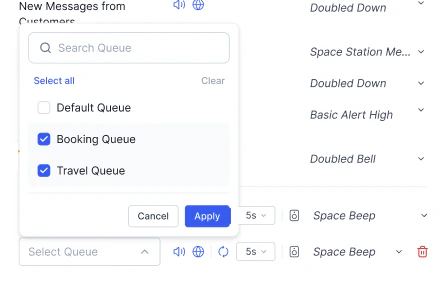
- Select the notification sound to assign.
- Select the Play icon to preview the selected sound before saving.
- Select Save.
Web and repeat notification settings apply to queue-specific sounds in the same way they apply to the default sound. No separate configuration is required.
User Diagnostics
Select the User Diagnostics (♡) icon in the top-right corner.
-
Green icon-Device permissions are active.
-
Orange icon-Device permissions are missing. A pop-up appears prompting you to enable settings.
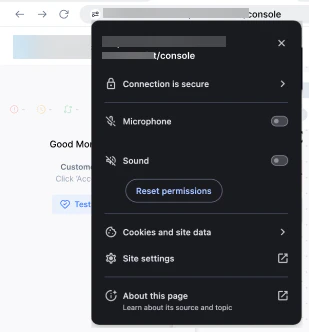
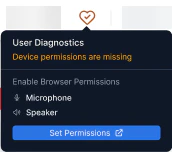
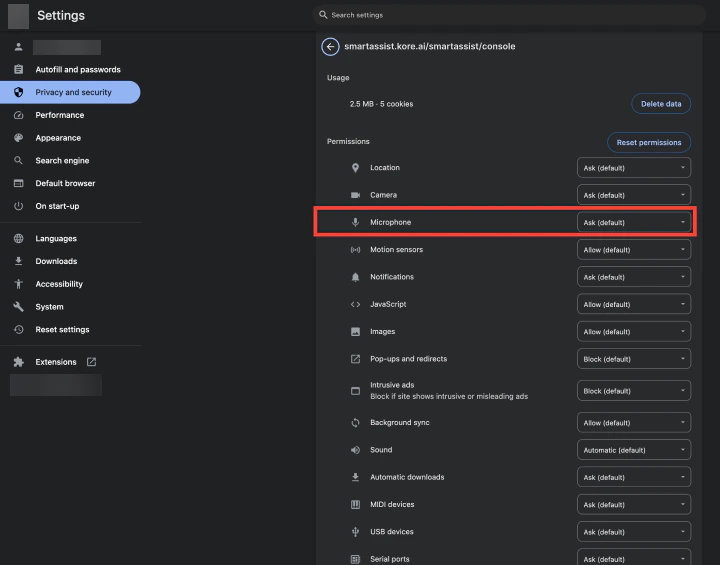
-
Select your Speaker and Microphone from the dropdowns.
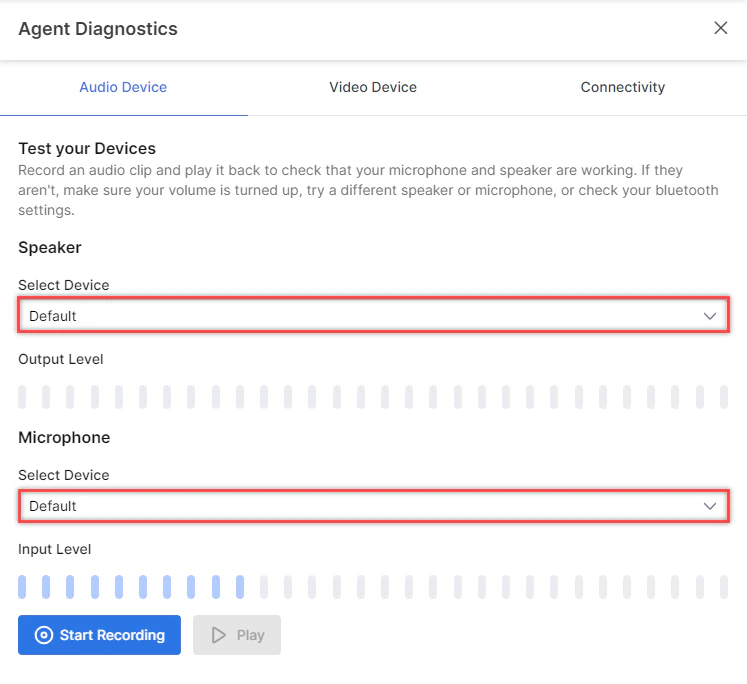
-
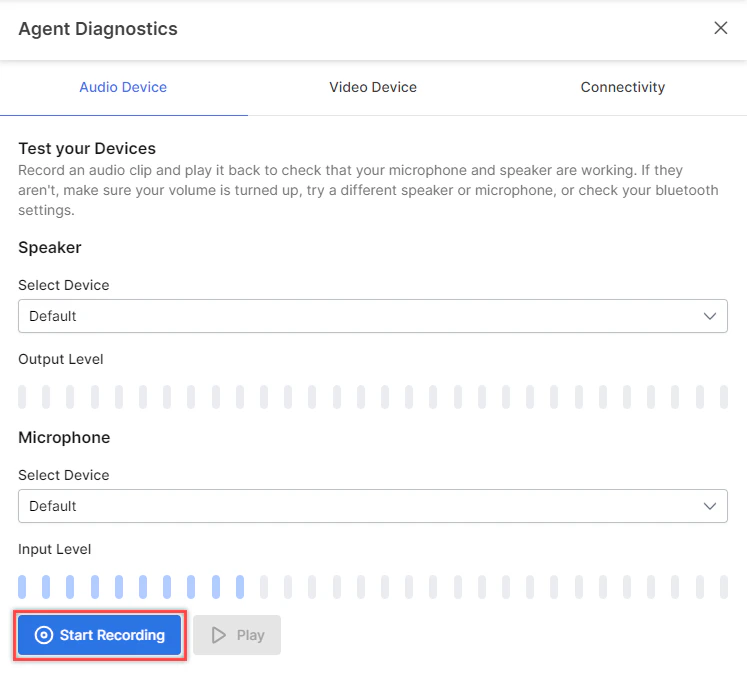
Select Start Recording to record a clip.
-
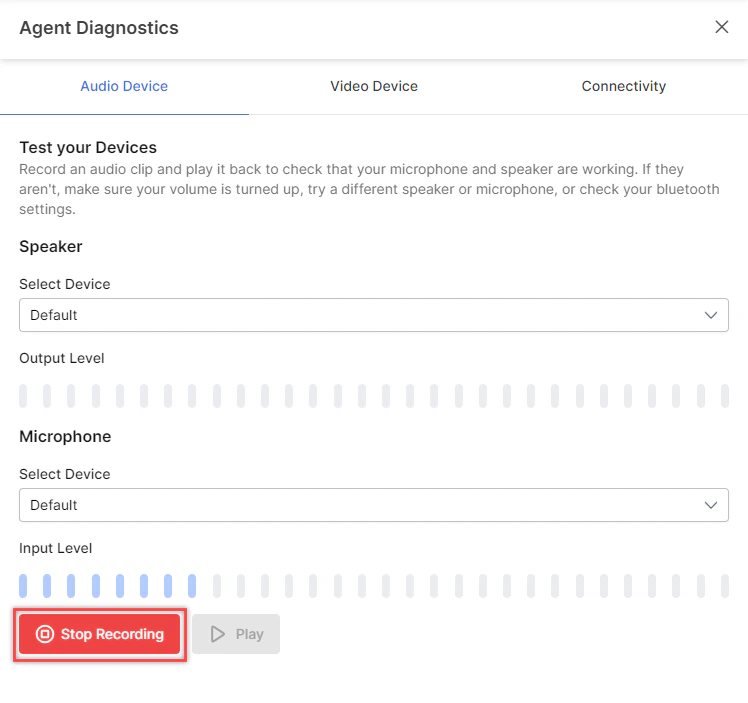
Select Stop Recording to stop.
-
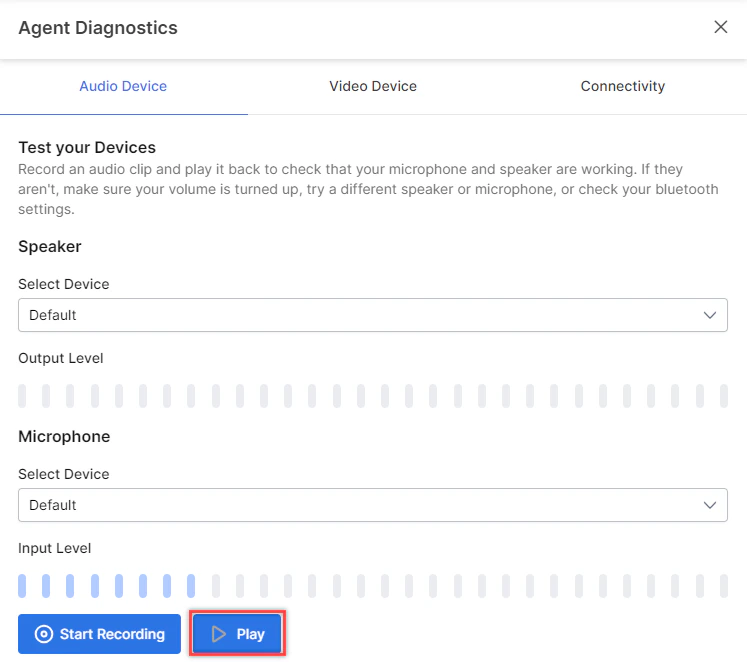
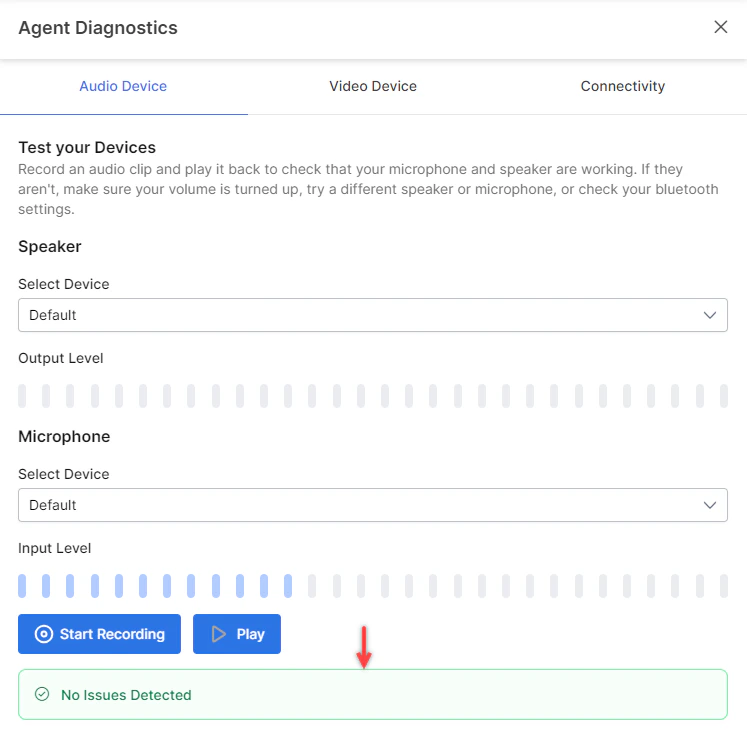
Select Play to test the recording. Maximum recording length: 12 minutes.
-
Select your Camera from the dropdown.
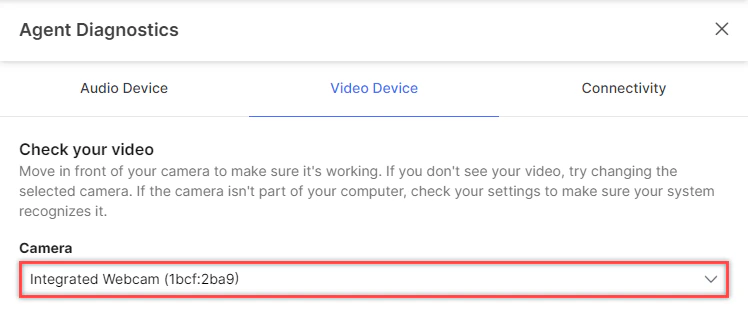
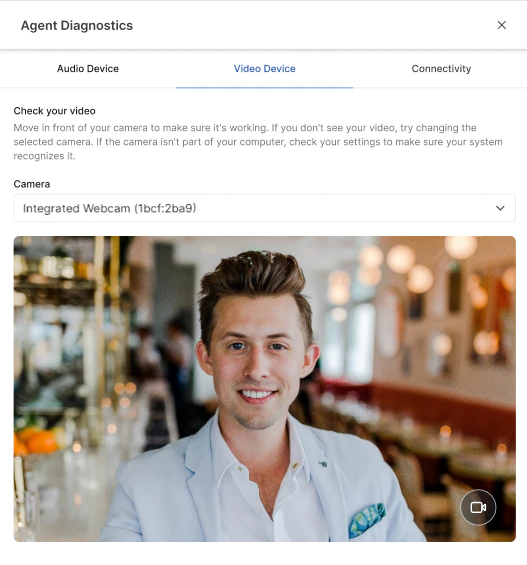
-
Verify the video feed is visible.
-
Select Start Test to run connectivity, bandwidth, and server reachability tests.
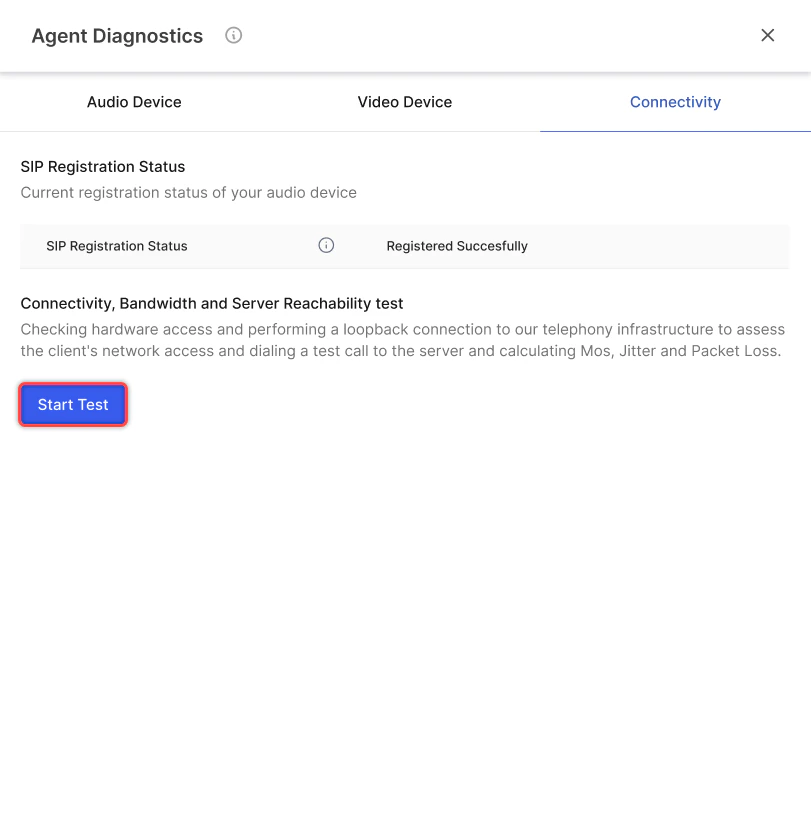
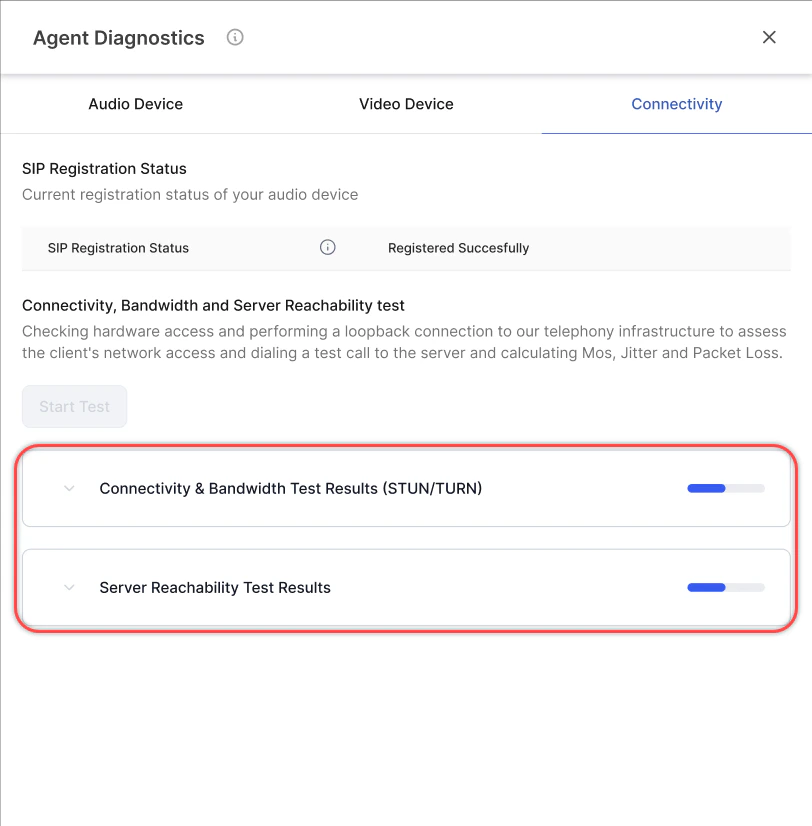
-
When complete, view the results. Select Copy Results to share the output.
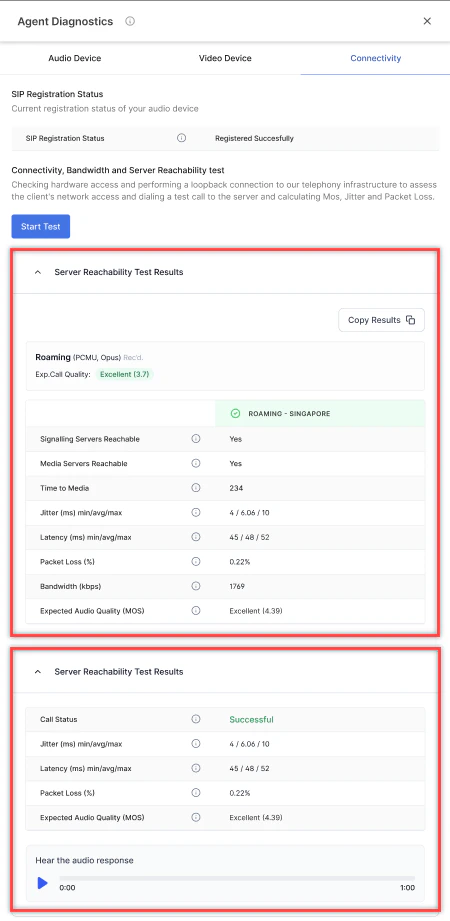
Connectivity tests are available only with a Kore Twilio account. Not supported for SIP trunk setups.
Connection Handling
If your internet connection drops, a message appears at the top of the console. The system attempts to reconnect automatically. If reconnection fails after several attempts, you are prompted to reload the page.
Proactive Network Monitoring
During active calls, the system monitors network performance (packet loss, speed, and MOS score). If metrics exceed the 300 ms threshold, a warning banner appears on the Console.
Analytics
The analytics section shows your daily performance metrics: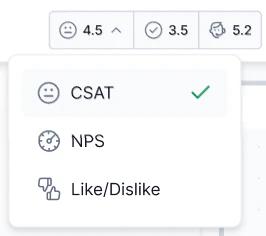
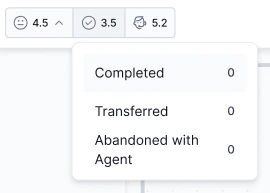
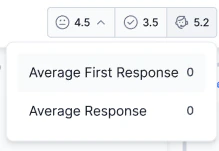
- Feedback survey scores
- Average conversations completed, transferred, and abandoned
- Average first response time and average response time
Agent Profile
The Agent Profile gives you access to your personal information, channel settings, and-when permitted-your skill and queue subscriptions. To open it, select the Profile icon at the top right corner of the Console.
Modify Queues and Skills
The Queues and Skills show all queues and skills assigned to you by your supervisor. If your role includes the Modify Skill Subscription or Modify Queue Subscription permissions, you can adjust your routing eligibility.

- Select the Profile icon to open the Profile slider.
- Select Modify beside the skills.
- In the Skills list, deselect the skill you want to opt out of.
- The skill remains visible but is marked as deselected.
- Select the deselected skill to reactivate it, or
- Select Reset to Default to restore all original skill assignments.
Deselecting a skill affects routing eligibility only. It doesn’t remove the skill from your profile or affect supervisor-level configuration.
- Select the Profile icon to open the Profile slider.
- Select Modify beside the queues.
- In the Queues list, deselect the queue you want to opt out of.
- The queue remains visible but is marked as deselected.
- Select the deselected queue to reactivate it, or
- Select Reset to Default to restore all original queue assignments.
Deselecting a queue doesn’t remove you from the queue’s configuration. Supervisors retain full visibility of your assignment and can override your deselection.
Reset to Default doesn’t change supervisor-level configuration.
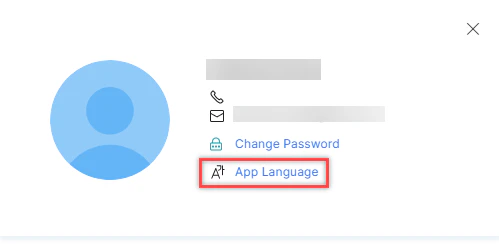
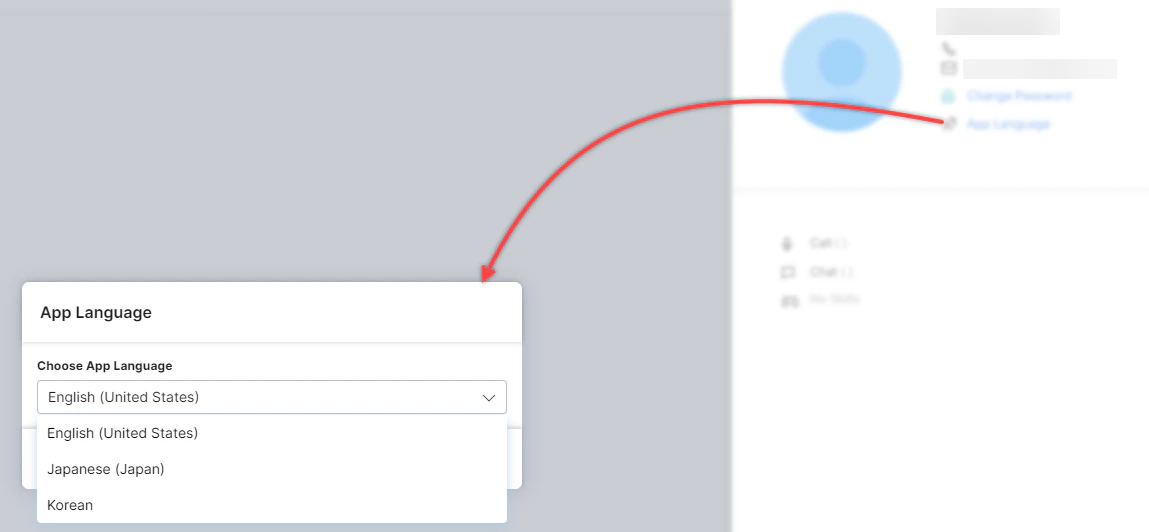
App Language
Choose the display language for the Agent Console:- English (United States)
- Japanese (Japan)
- Korean (South Korea)
-
Select App Language.
-
Choose your language.
-
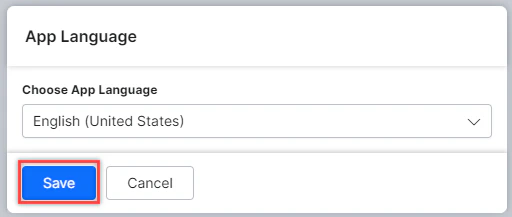
Select Save.
Language selection doesn’t apply to the Platform.
Multi-Account Access
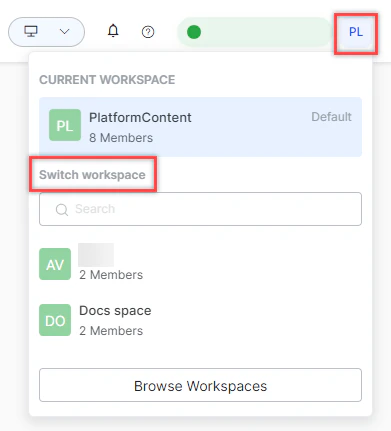
If you belong to multiple accounts, you can select an account at sign-in and mark one as your default. After signing in, switch between accounts from the top-right corner.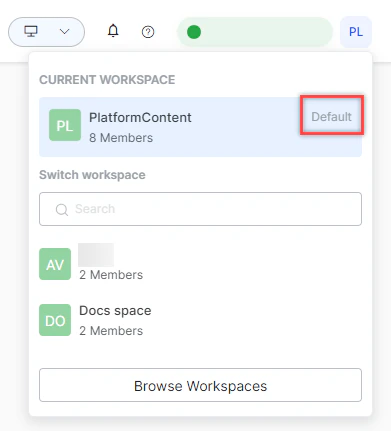
Help
Select the Help icon in the top-right corner to access support resources.
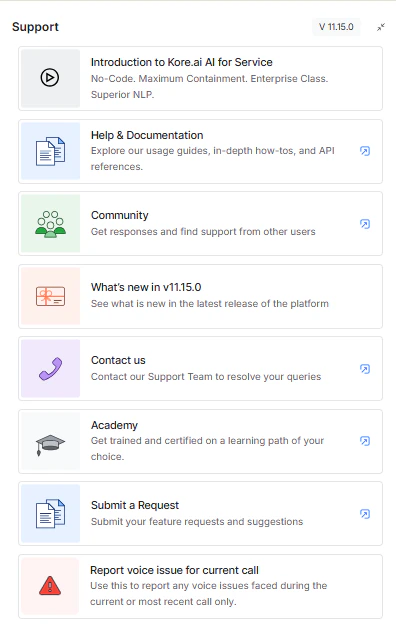
- Introduction to AI for Service
- Help & Documentation
- Community
- What’s New in v11.x.x
- Contact Us
- Academy
- Submit a Request
- Report a voice issue for the current call
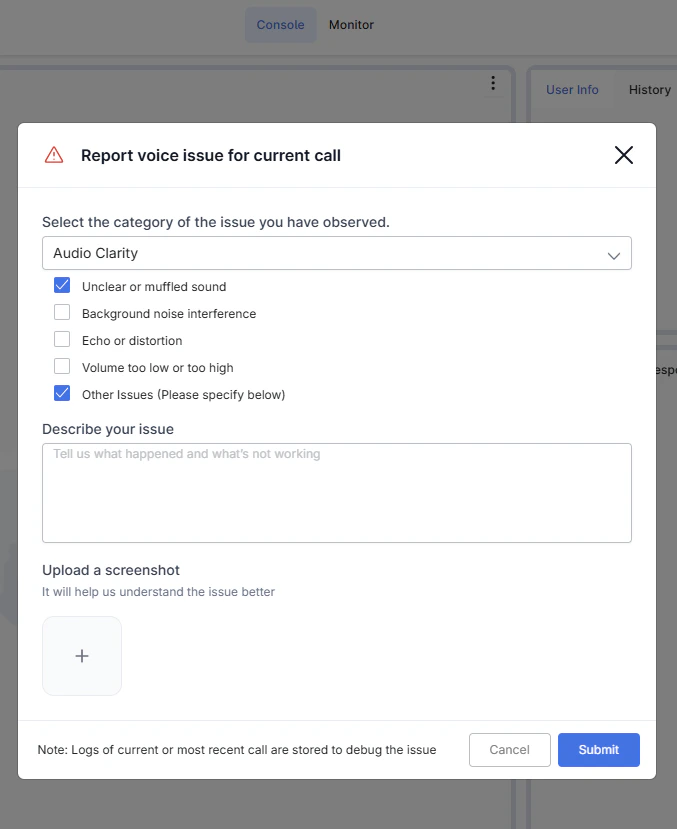
- Select Report voice issue for the current call.
-
Select the issue category: Audio Clarity, Connection Problems, Voice Transmission, or Other.
-
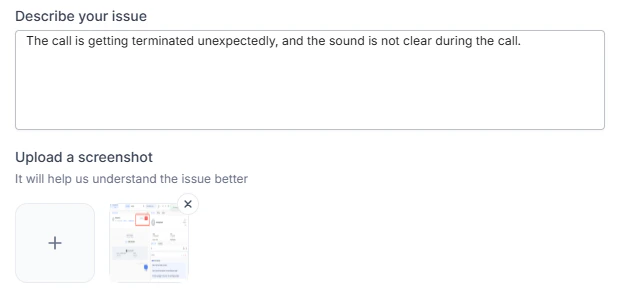
Add a description and optionally upload a screenshot.
-
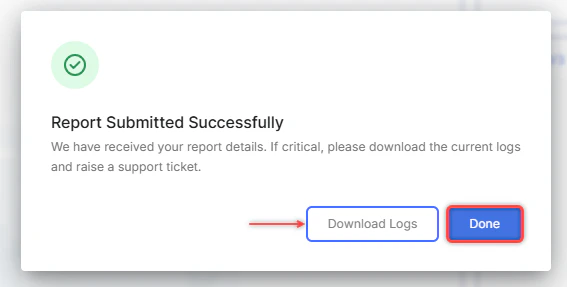
Select Submit. Select Done to close or Download Logs to export logs.
Related
- Routing-How interactions reach agents
- Agent AI-Real-time AI assistance
- Skills-Agent skill configuration