The Kore/ai-for-service/integrations/actionsai XO Platform offers pre-built integrations with popular business applications to exchange data/ai-for-service/integrations/actions Configure and enable actions for ServiceNow, Salesforce, Zendesk, HubSpot, and others/ai-for-service/integrations/actions Each integration provides a full conversation flow definition, a low-code API interface, pre-built response mapping, and dialog task templates/ai-for-service/integrations/actions
The Actions module is available under App Settings > Integrations > Actions/ai-for-service/integrations/actions
How to Use Actions
1/ai-for-service/integrations/actions Authorize a developer or user with single-click authorization/ai-for-service/integrations/actions
2/ai-for-service/integrations/actions Enable an integration to exchange data between systems during dialog task execution/ai-for-service/integrations/actions
3/ai-for-service/integrations/actions Create dialog tasks using preconfigured templates supported by the integration/ai-for-service/integrations/actions
Actions Enablement
By default, your AI Agent does not exchange data with any integration until you authorize one or more actions/ai-for-service/integrations/actions Once enabled, actions allow the agent to perform operations in third-party systems/ai-for-service/integrations/actions
Authorization Types
The platform supports OAuth 2/ai-for-service/integrations/actions0, Basic Auth, and API Key authentication/ai-for-service/integrations/actions
| Type | Description |
|---|
| OAuth v2 | Secure authorization for web, mobile, and desktop apps/ai-for-service/integrations/actions See Setting Up Authorization using OAuth v2/ai-for-service/integrations/actions |
| Basic HTTP Auth | Username and password style authentication via a base64-encoded Authorization header/ai-for-service/integrations/actions See App Authorization Overview/ai-for-service/integrations/actions |
| API Key | Token generated or provided by a web service to identify and authenticate the incoming request/ai-for-service/integrations/actions See Setting Up Authorization using an API Key/ai-for-service/integrations/actions |
Actions can be authorized using pre-authorized credentials provided by the developer, or by end-user credentials authorized during the conversation/ai-for-service/integrations/actions
An email notification is sent to all app developers when an authorization token expires for any pre-built action integration/ai-for-service/integrations/actions The integration moves to an error state on expiry, and service calls fail at runtime with the message “Something went wrong” displayed to the end user/ai-for-service/integrations/actions
Available Actions
Go to App Settings > Integrations > Actions and click an action to open its configuration panel/ai-for-service/integrations/actions
| Action | Description | Templates | Auth Type | Docs |
|---|
| Asana | Projects, users, and tasks | 5 | Basic Auth | Learn more |
| Azure OpenAI | General query answering | 1 | Basic Auth | Learn more |
| BambooHR | HR software for SMBs | 7 | Basic Auth | Learn more |
| Bitly | URL shortening | 1 | Basic Auth | Learn more |
| Confluence | Create and view pages or blogs | 1 | Basic Auth | Learn more |
| DHL | Locations and shipment tracking | 2 | Basic Auth | Learn more |
| Freshdesk | Create, view, update, search, and delete tickets | 6 | Basic Auth | Learn more |
| Freshservice ITSM | Create, view, update, search, and delete tickets | 6 | Basic Auth | Learn more |
| Google Maps | Locations and places | 2 | Basic Auth | Learn more |
| Here | Location search by text | 1 | Basic Auth | Learn more |
| HubSpot | CRM lead management | 10 | Dev OAuth and OAuth | Learn more |
| JIRA | Create, view, update, and delete issues | 5 | Basic Auth | Learn more |
| Microsoft Graph | Events, to-do lists, and email | 5 | Basic Auth | Learn more |
| OpenAI | Answer generation and skill extraction | 2 | API Key OAuth | Learn more |
| Salesforce CRM | Leads, opportunities, and CRM functions | 7 | Dev OAuth and OAuth | Learn more |
| Shopify | Customers, products, and orders | 6 | Basic OAuth | Learn more |
| ServiceNow | Digital workflow management | 10 | Basic OAuth | Learn more |
| Stripe | Payments and payouts | 5 | Basic OAuth | Learn more |
| Twilio Verify | SMS verification | 3 | Basic OAuth | Learn more |
| Zendesk | Ticket create, view, search, and manage | 5 | Basic OAuth | Learn more |
Disabling or Deleting Actions
Disable an Integration
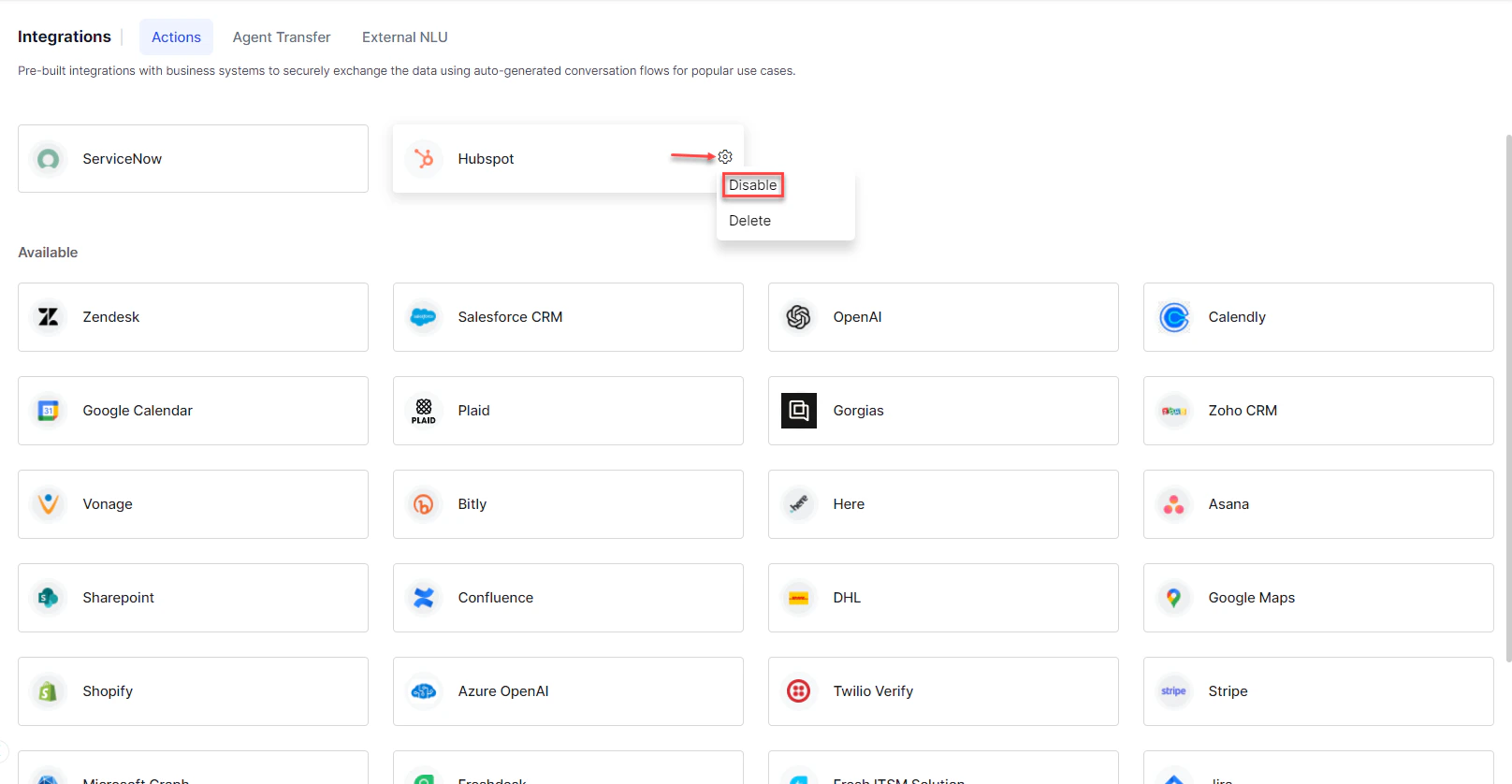
Disabling changes the status from enabled to disabled but retains authorization configurations/ai-for-service/integrations/actions
1/ai-for-service/integrations/actions Go to App Settings > Integrations > Actions/ai-for-service/integrations/actions
2/ai-for-service/integrations/actions Hover over the integration and click the Settings icon/ai-for-service/integrations/actions
3/ai-for-service/integrations/actions Click Disable/ai-for-service/integrations/actions
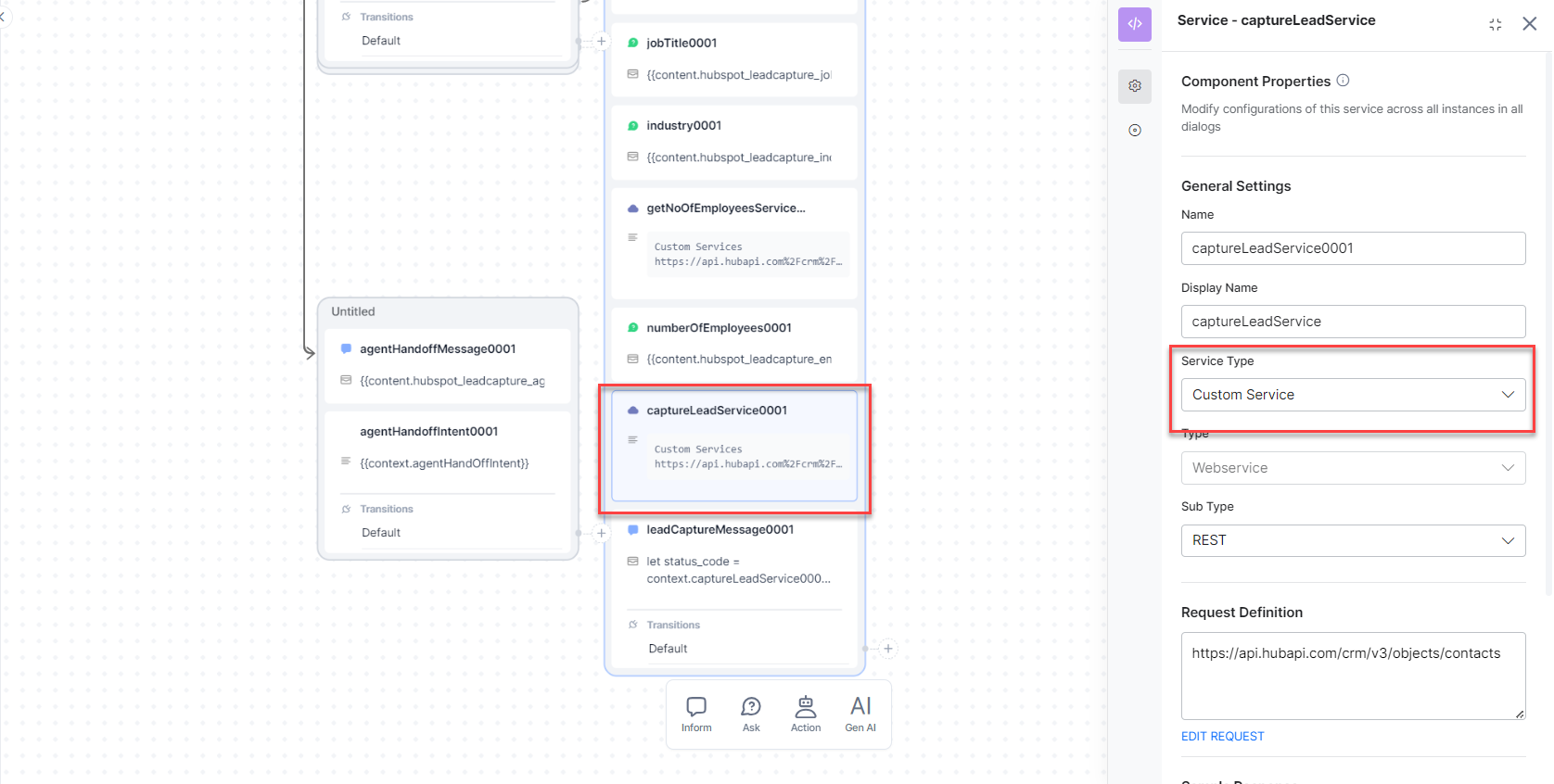
Once disabled, the service node status changes from Integration Service to Custom Service/ai-for-service/integrations/actions
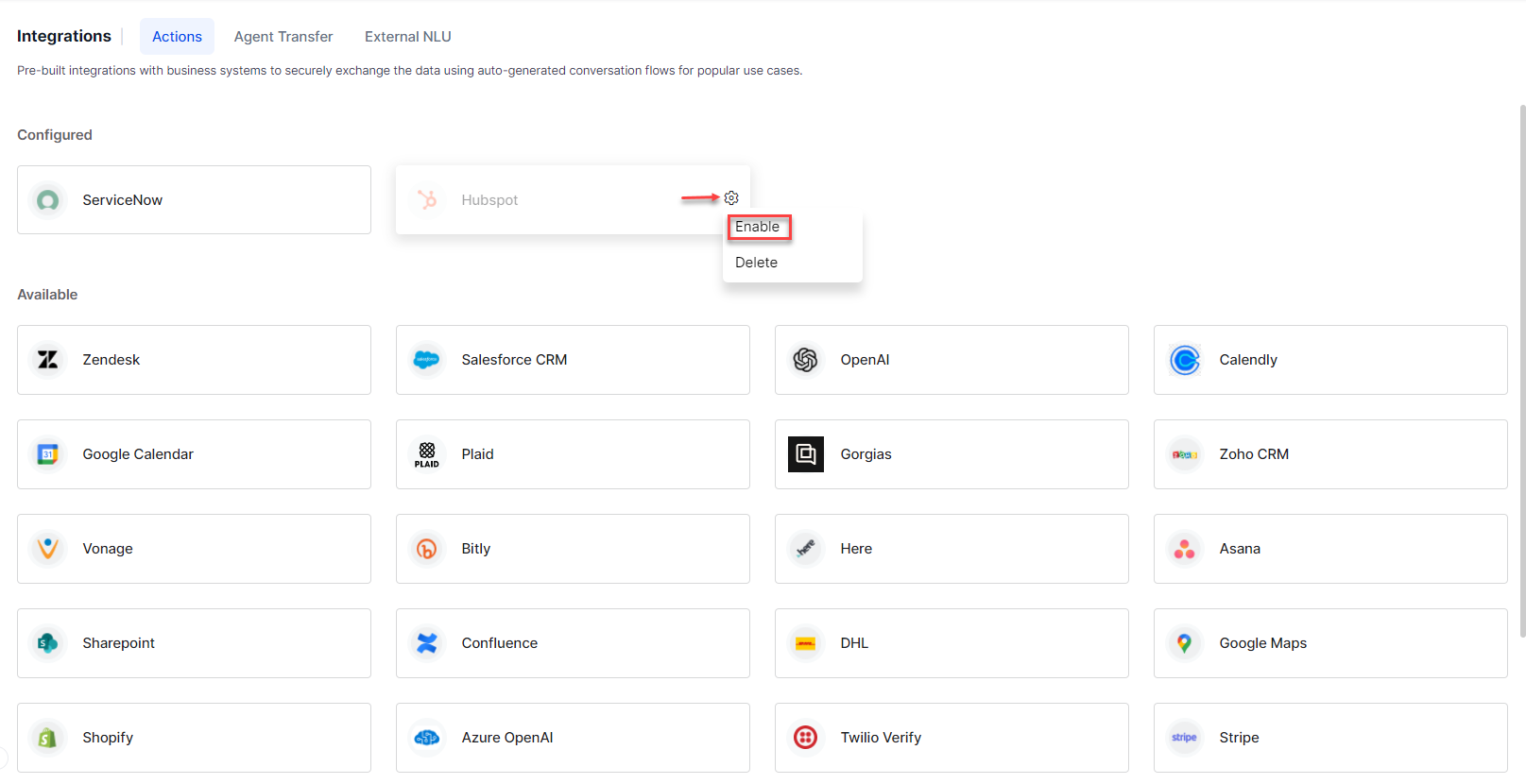
To re-enable, hover over the action, click Settings, then re-authorize with your external integration credentials/ai-for-service/integrations/actions
Delete an Integration
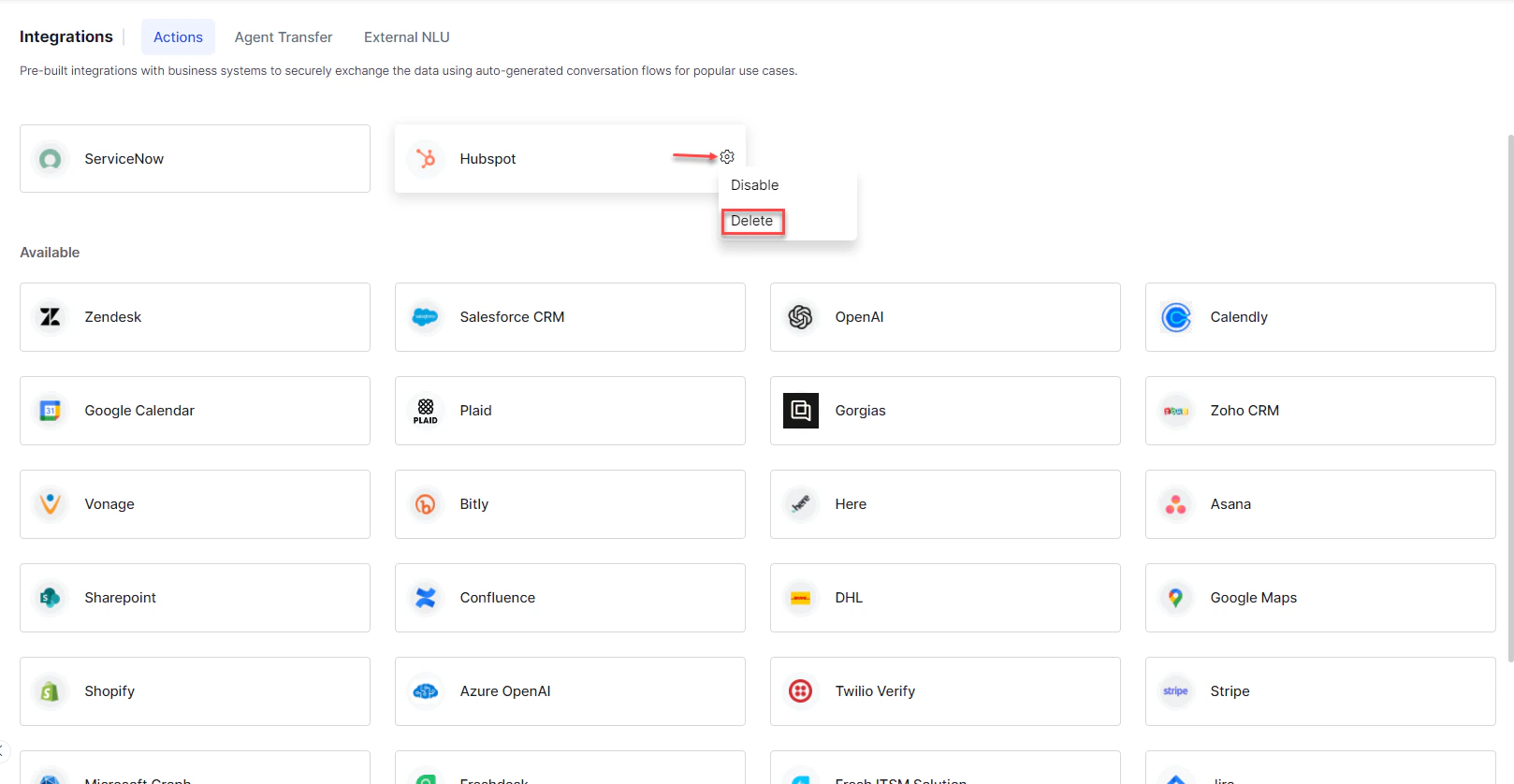
1/ai-for-service/integrations/actions Go to App Settings > Integrations > Actions/ai-for-service/integrations/actions
2/ai-for-service/integrations/actions Hover over the integration and click the Settings icon/ai-for-service/integrations/actions
3/ai-for-service/integrations/actions Click Delete/ai-for-service/integrations/actions
Deletion is permanent and cannot be undone/ai-for-service/integrations/actions All authorization configurations for the deleted integration are removed/ai-for-service/integrations/actions
Resources