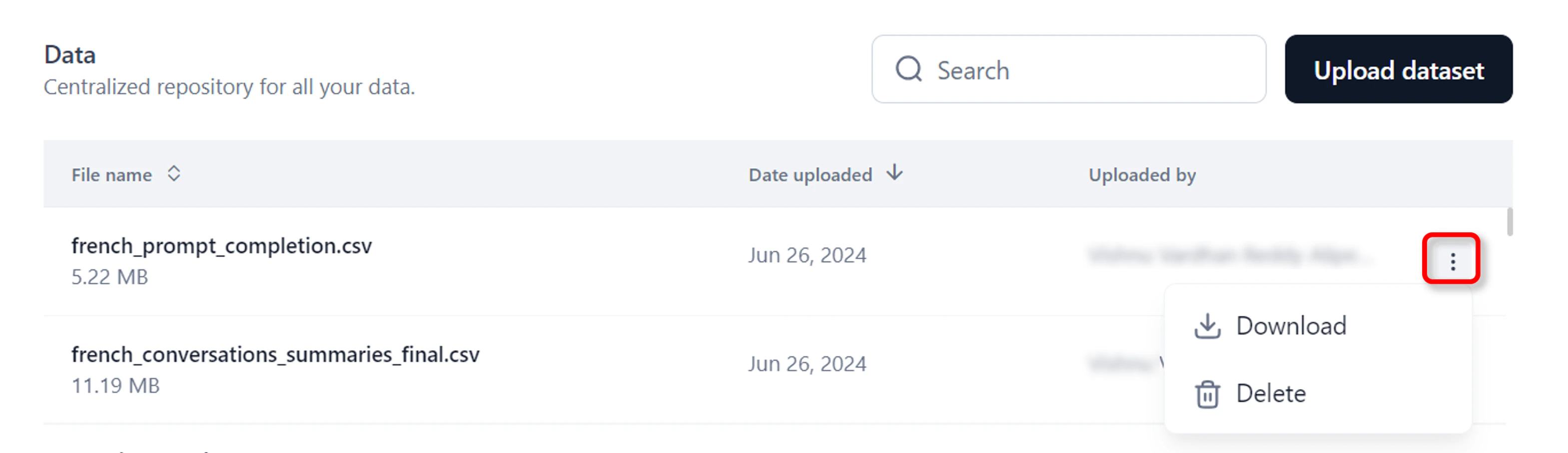
The Data module allows you to store datasets in the application, eliminating the need to upload files repeatedly when testing prompts or fine-tuning models. It supports CSV, JSON, and JSONL file formats without additional formatting requirements.Documentation Index
Fetch the complete documentation index at: https://koreai.mintlify.app/llms.txt
Use this file to discover all available pages before exploring further.
Upload a Dataset
You can upload a dataset of your choice in CSV, JSON, or JSONL format. Steps to upload a dataset:- Log in to your account and click Autonomous Agents from the list of modules.
- Click Data on the top navigation bar. The Data page is displayed.
- Click Upload dataset and select your file. The uploaded file will appear on the Data page.
Files uploaded in Prompts Studio or Models fine-tuning wizard are automatically saved in the Data tab for future use.
Download or Delete a Dataset
You can download or delete the dataset if it’s no longer used on the platform. Deleting a dataset used in Playground experiments may cause errors.- Click the three dots icon in the last column, and choose Download or Delete as required.\