
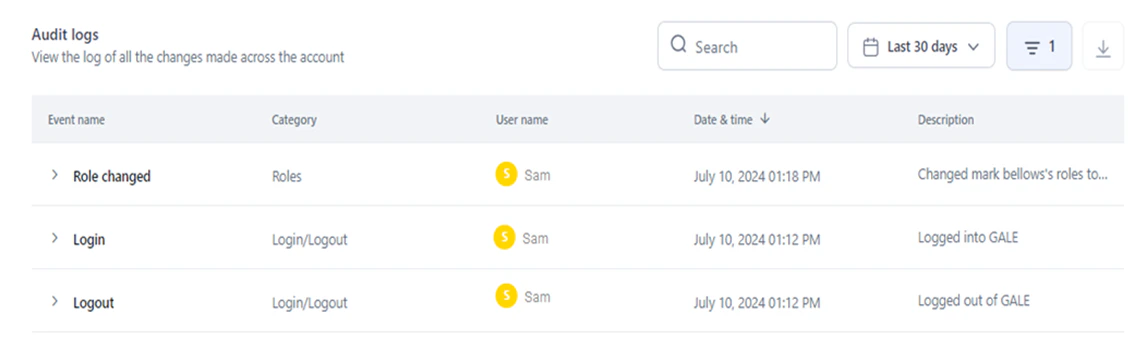
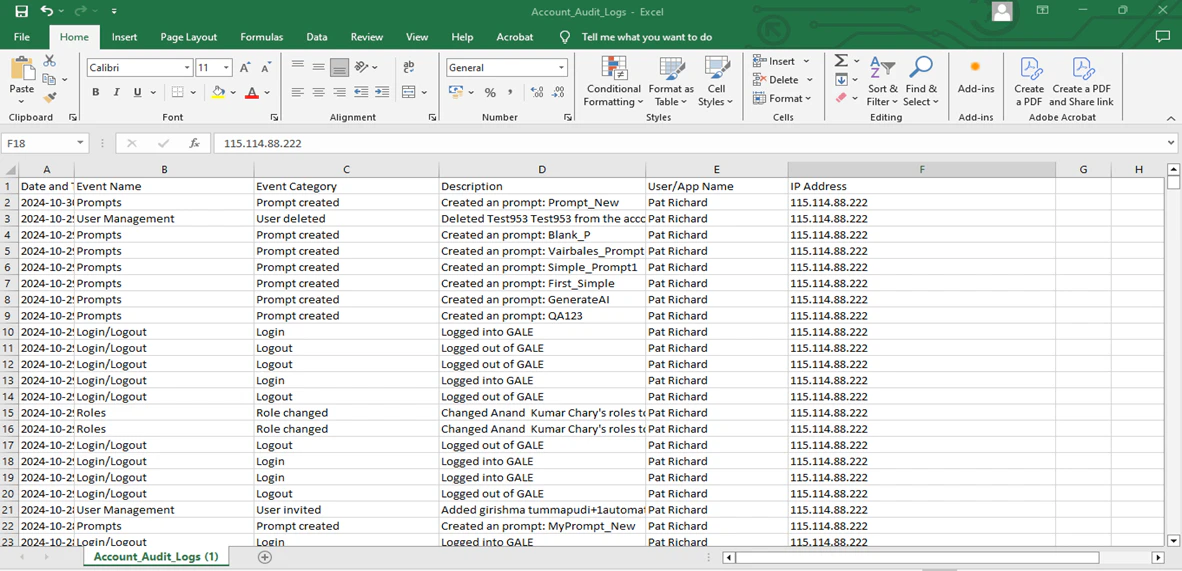
- Event name and category.
- The user who performed the action.
- Date and time of the event.
- A detailed description of the action.
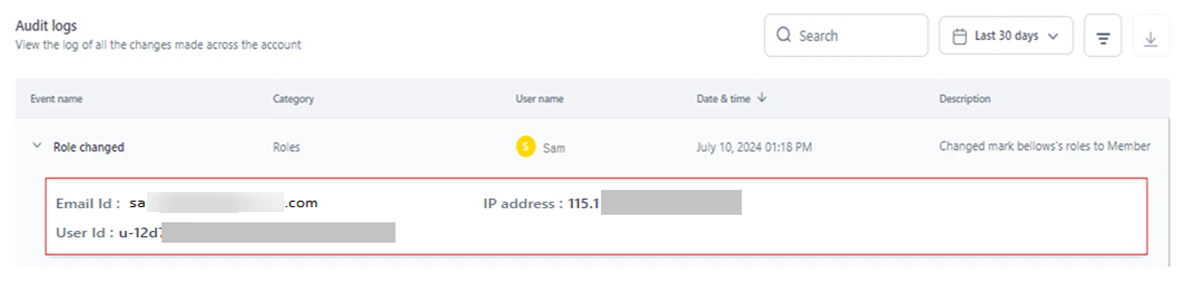
- IP Address is fetched from the user’s current network.
- User ID, Role ID, Model ID, Workflow ID, Guardrail ID, Integration ID, and Experiment ID are the unique identifiers for the respective module entities in the system.
Access Audit Logs
-
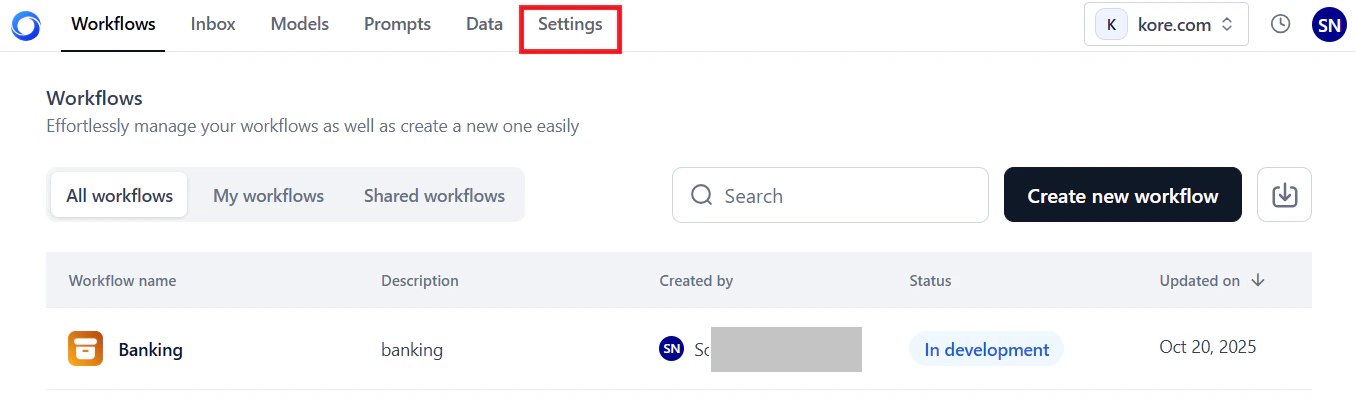
Go to Settings in the AI for Process top menu.
- In the left menu, click Monitoring > Audit Logs.
Dashboard information
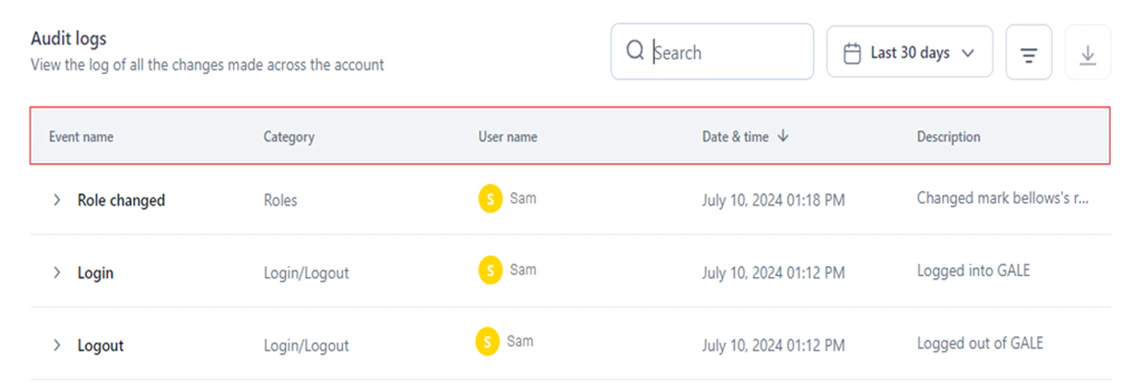
The Audit Logs dashboard displays:| Column | Description |
|---|---|
| Event Name | The specific event or action that occurred. |
| Category | The module or entity affected by the event. |
| User Name | The user who performed the action or triggered the event. |
| Date and Time | When the event occurred. |
| Description | Detailed information about what was done. |
Filter Audit Logs
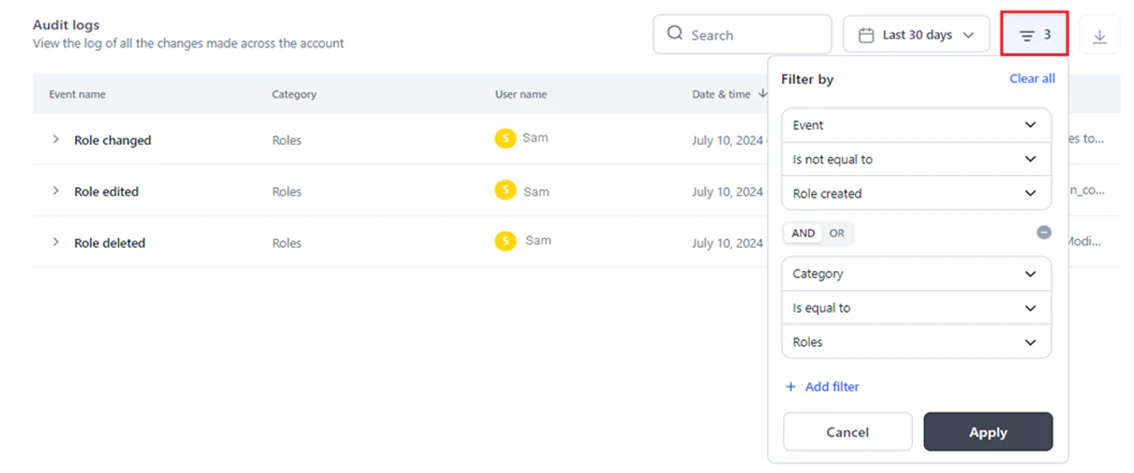
Apply custom filters to narrow down the logs displayed. Filters support specific categories, events, or users with operators such as Is Equal To or Is Not Equal To.Add a custom filter
- Go to Audit Logs.
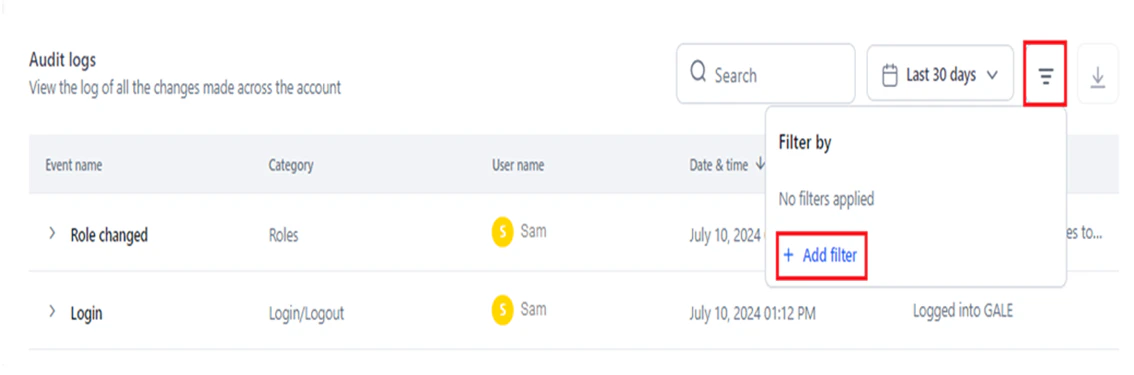
- Click the Filter icon.
-
Click + Add Filter.
-
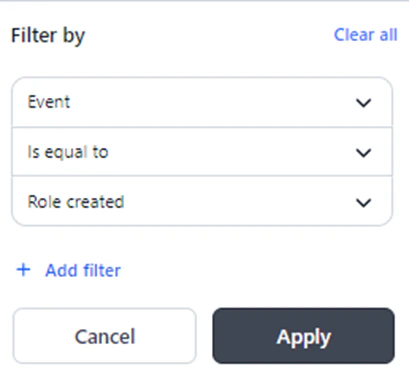
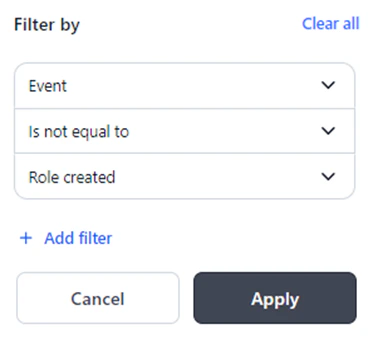
In the Filter By window, select the required options for Select Column, Select Operator, and Enter Value.
 For example, applying Event Is Equal To Role Created displays only role creation logs.
- Is Equal To: Shows only entries that match the specified value.
- Is Not Equal To: Shows all entries except those that match the specified value.
- Click Apply.
Add multiple filters
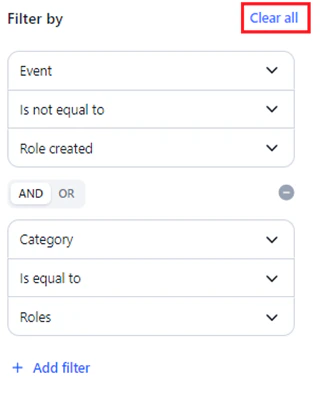
Combine multiple filters using AND or OR operators for fine-grained results.AND and OR operators cannot be mixed in the same filter set. Use either AND or OR consistently across all filter criteria.
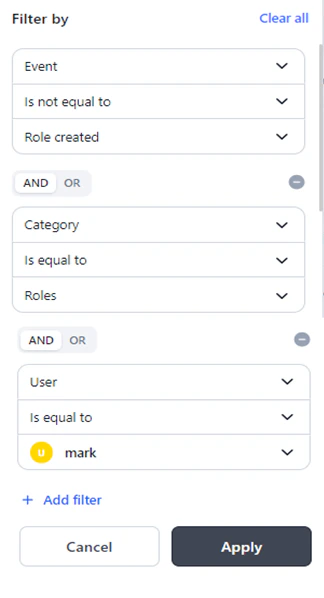
- AND: All conditions must be met for an entry to appear.
- OR: Any condition being met is sufficient for an entry to appear.
Steps to add multiple filters
- Follow steps 1–3 from Add a custom filter.
-
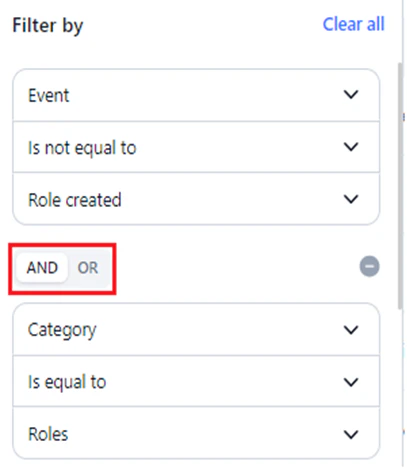
Select the AND or OR operator tab in the Filter By window.
- Follow steps 4–5 from Add a custom filter.
Time-based Audit Logs
Use the time selection feature to view logs within a specific period.Last 30 Days is the default selection.
| Option | Description |
|---|---|
| All Time | All logs since the account was created. |
| Today | Logs generated on the current day. |
| Yesterday | Logs generated on the previous day. |
| This Week | Logs for all days in the current week. |
| This Month | Logs for all days in the current month. |
| Last Month | Logs for all days in the previous month. |
| Last 30 Days | Logs for the past 30 days from the current date. |
| Last 90 Days | Logs for the past 90 days from the current date. |
| This Year | Logs for all days in the current year. |
| Last Year | Logs for all days in the previous year. |
Set the time range
- Go to the Audit Logs dashboard.
-
Click the time selection button (displays Last 30 Days).
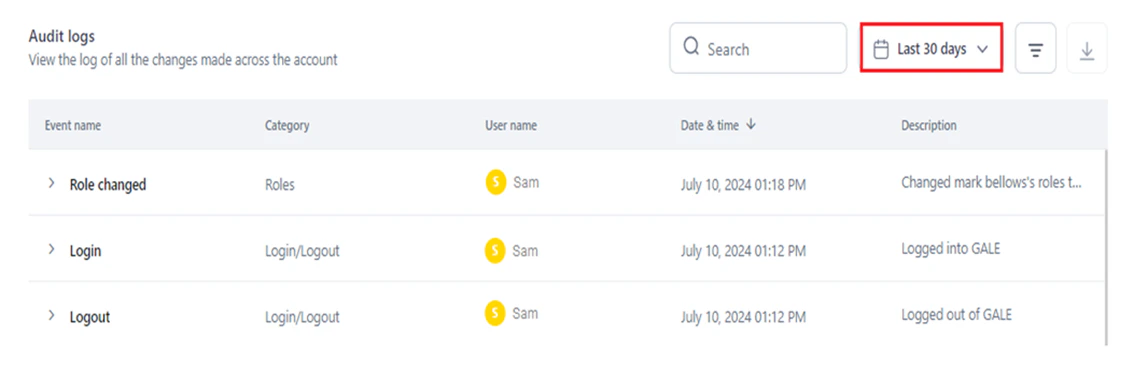
- Select a preset period from the left panel, or select a specific date on the calendar widget.
-
Click Apply.
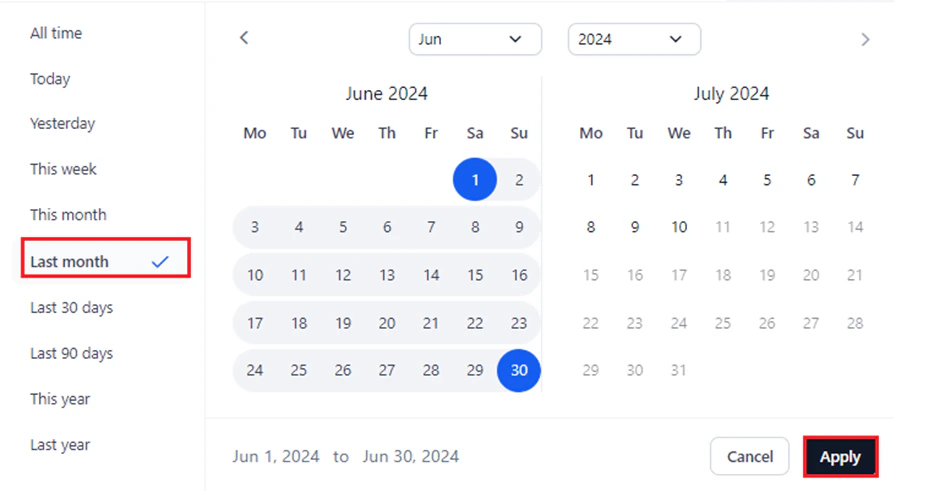
Calendar widget tips
The selected time range is highlighted on the calendar and shown at the bottom of the widget.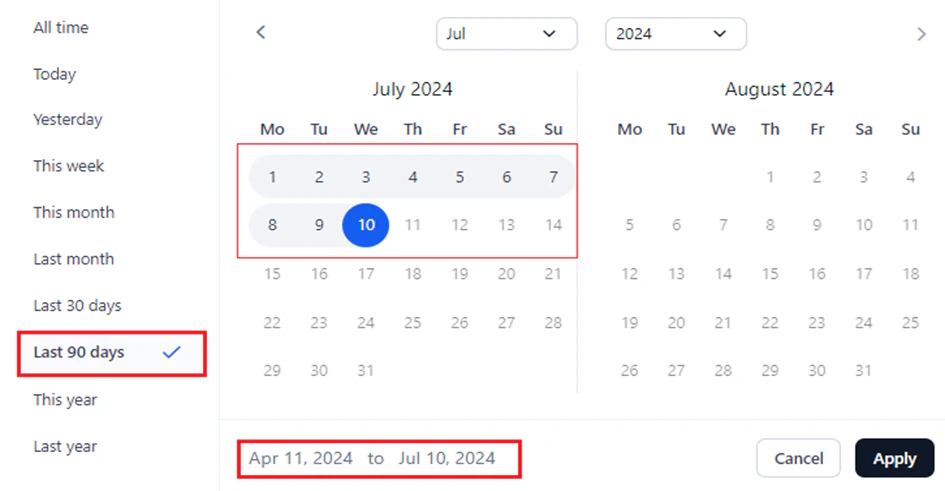
-
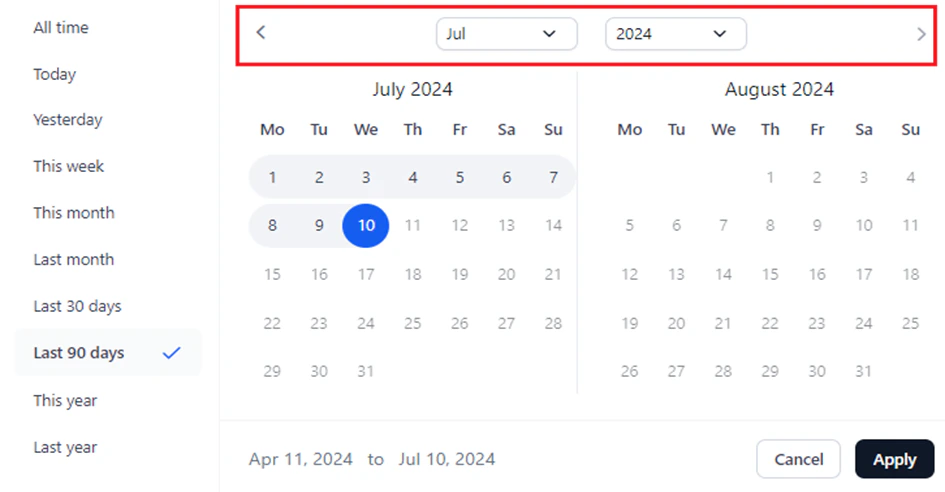
Use the forward/backward arrows or the month/year dropdowns to navigate.
-
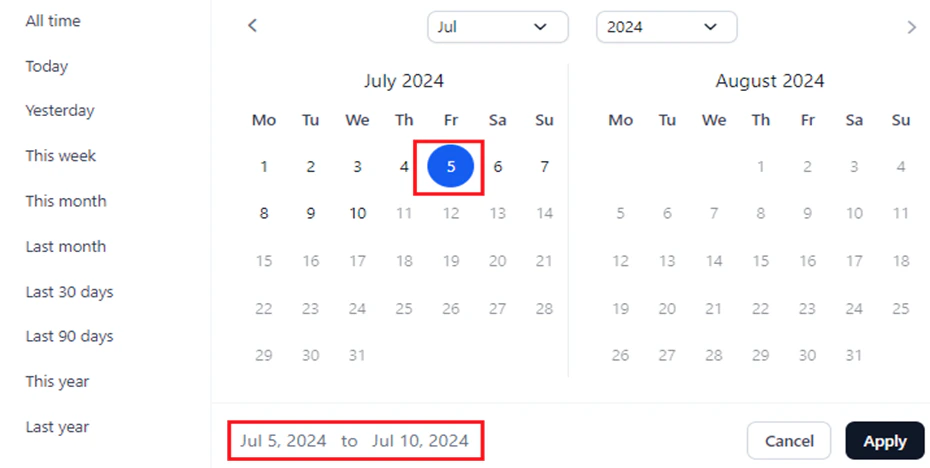
Click a specific date to set it as the start date. The current day is set as the end date by default.
Export Audit Logs
Export account-level audit logs as a.csv file. The export includes the following columns from the dashboard:
- Date and Time
- Event Name
- Event Category
- Description
- User/App Name
- IP Address: The user’s network IP address linked to the event.
Steps to export
- Go to the Audit Logs dashboard.
-
Click the Export icon next to the Filter By icon.

Account_Audit_Logs.
Audit log event reference
The tables below list all tracked events by category. User ID and IP Address are included in all account-level log entries, and User ID, IP Address, and Workflow ID are included in all workflow-level entries, in addition to any category-specific metadata listed.Account-level events
Login/Logout
Login/Logout
Metadata: Email ID is shown for all events in this category.
| Event | Description | Additional Metadata |
|---|---|---|
| Login | Tracks account login activity. | Login method |
| Logout | Tracks account logout activity. | — |
Roles
Roles
Metadata: Role ID is shown for all events except Role Changed.
| Event | Description | Additional Metadata |
|---|---|---|
| Role edited | Tracks edits to a custom role. | — |
| Role created | Tracks the creation of custom roles. | Role Type |
| Role deleted | Tracks the deletion of custom roles. | Role Type |
| Role changed | Tracks role changes for member users, including bulk changes. | — |
App API Key
App API Key
Metadata: IP Address and User ID are shown for all events.
| Event | Description |
|---|---|
| App API Key created | Tracks the creation of an App API key. |
| App API key deleted | Tracks the deletion of an App API key. |
API App
API App
Metadata: App ID, IP Address, and User ID are shown for all events.
| Event | Description |
|---|---|
| API App created | Tracks the creation of an API app. |
| API App deleted | Tracks the deletion of an API app. |
| API App updated | Tracks updates or changes to an API app. |
Integrations
Integrations
Metadata: IP Address, Integration Name, Integration ID, Integration Type, and User ID are shown for all events.
| Event | Description |
|---|---|
| Integration added | Tracks integrations added to the account. |
| Integration deleted | Tracks integration deletions. |
| Integration disabled | Tracks the disabling of an integration. |
| Integration edited | Tracks modifications to an integration’s configuration. |
Models
Models
Metadata:
- IP Address, User ID, Model ID, and Model Name are shown for all Model events.
- Model Type is also shown for: Model Added, Model Deleted, API Key Created, API Key Deleted, Model Fine-tuning, Model Deployed, and Model Undeployed.
- Hardware Type is shown for: Model Fine-tuning, Model Deployed, and Model Undeployed.
| Event | Description | Additional Metadata |
|---|---|---|
| Model added | Tracks the addition of models to the account. | Deployment Name (open-source/fine-tuned models), Connection Name (commercial models) |
| Model deleted | Tracks the deletion of models from the account. | Deployment Name (open-source/fine-tuned models), Connection Name (commercial models) |
| API Key created | Tracks API key creation for a model. | — |
| API Key deleted | Tracks API key deletion for a model. | — |
| Model fine-tuning | Tracks the fine-tuning process for models. | Training method, No. of epochs, Batch size, Learning rate, Training dataset, Test dataset, Weights and Biases |
| Model deployed | Tracks open-source model deployments. | Temperature, Max length, Top p, Top k, Stop sequence, Inference batch size, Min replicas, Max replicas, Scale up delay, Scale down delay |
| Model undeployed | Tracks open-source model undeployments. | Hours of usage, Temperature, Max length, Top p, Top k, Stop sequence, Inference batch size, Min replicas, Max replicas, Scale up delay, Scale down delay |
Workflows
Workflows
Metadata: Workflow ID and Workflow Name are shown for all events.
| Event | Description | Additional Metadata |
|---|---|---|
| Workflow created | Tracks the creation of a workflow. | — |
| Workflow deleted | Tracks the deletion of a workflow. | Model ID, Model Name, Model Type |
Workflows Flow Management: Integration Node
Workflows Flow Management: Integration Node
Metadata: User ID, IP Address, Agent ID, Node name, Node ID, and Node Type are shown for all events.
| Event | Description |
|---|---|
| Connection added | Tracks the creation of a connection for an integration node. |
| Connection modified | Tracks the change of the selected connection for an integration node. |
| Action added | Tracks the addition of an action for the selected connection and its configuration. |
| Action changed | Tracks the change of the selected action. |
| Action edited | Tracks the modification of action parameters for the defined action. |
Users Management
Users Management
| Event | Description | Additional Metadata |
|---|---|---|
| User invited | Tracks the invitation of new users to the account. | Added User IDs, Role Name, Role ID |
| User deleted | Tracks the deletion of existing users from the account. | Removed User IDs |
Prompts
Prompts
Metadata:
- Prompt ID is shown for all Prompts events.
- Prompt Name is shown for: Prompt Created, Versions Committed, Versions Restored, Prompt Shared, Endpoint Copied, and API Key Created.
| Event | Description | Additional Metadata |
|---|---|---|
| Prompt created | Tracks the creation of a prompt. | — |
| Prompt deleted | Tracks the deletion of a prompt. | — |
| Versions committed | Tracks prompt versions committed. | Version Name |
| Version restored | Tracks the prompt version restored. | Version Name |
| Prompt shared | Tracks prompts shared with other users. | — |
| Endpoint copied | Tracks the prompt endpoint copy. | — |
| Endpoint consumed | Tracks the prompt endpoint consumed externally. | — |
| API Key created | Tracks API key creation for a prompt endpoint. | — |
| Generated test data | Tracks the generation of test data. | Model name, Model ID, Tokens consumed |
| Generated prompt | Tracks prompt generation by the account user. | Model name, Model ID, Tokens consumed |
Dataset
Dataset
| Event | Description | Additional Metadata |
|---|---|---|
| Dataset uploaded | Tracks dataset uploads in the account. | File type (extension) |
Manage Custom Scripts
Manage Custom Scripts
Metadata: User ID, User Name, IP Address, and Custom Script Name are shown for all events.
| Event | Description |
|---|---|
| Custom script saved as draft | Tracks a custom script saved as a draft. |
| Custom script deployed | Tracks custom script deployment. |
| Custom script undeployed | Tracks custom script undeployment. |
| Custom script re-deployed | Tracks custom script redeployment. |
| Custom script deleted | Tracks custom script deletion. |
| Custom script exported | Tracks custom script export. |
Guardrails
Guardrails
Metadata: Guardrail Name, Guardrail ID, and Hardware Type are shown for all events.
| Event | Description | Additional Metadata |
|---|---|---|
| Guardrails deployed | Tracks guardrails deployment. | — |
| Guardrails undeployed | Tracks guardrails undeployment. | Time of usage |
Script
Script
Metadata: User ID, User Name, IP Address, Agent ID, Node name, Node ID, and Node Type are shown for all events.
| Event | Description |
|---|---|
| Write Code | Tracks the user’s selection to write a custom script. |
| Custom Function | Tracks the user’s selection to execute a custom function. |
OCR
OCR
Metadata: User ID, User Name (where applicable), IP Address, Connection Name, Connection ID, Deployment Name, and Hardware Type are shown for all events.
| Event | Description |
|---|---|
| OCR deployed | Tracks the deployment of OCR models. |
| OCR undeployed | Tracks the undeployment of OCR models. |
| OCR saved as draft | Tracks when an OCR deployment is saved as a draft. |
| Azure Doc Intelligence account added | Tracks the addition of an Azure Doc Intelligence account. |
| Azure Doc Intelligence account deleted | Tracks the deletion of an Azure Doc Intelligence account. |
Workflow-level events
User Management
User Management
| Event | Description |
|---|---|
| Role changed | Tracks the change of a workflow role for an account user. |
| Invited users | Tracks the invitation of one or more users at the workflow level. |
| Removed users | Tracks the removal of one or more users at the workflow level. |
Workflow Management
Workflow Management
Metadata for deployment events: Workflow version, API mode, sync/async, and URL are shown for Workflow Deployed and Workflow Undeployed events.
Metadata for version and configuration events: Version ID is shown for the events below.
| Event | Description | Additional Metadata |
|---|---|---|
| Workflow deployed | Tracks workflow deployments. | — |
| Workflow undeployed | Tracks workflow undeployments. | — |
| Event | Description | Additional Metadata |
|---|---|---|
| Version created | Tracks workflow version creation. | — |
| Version deleted | Tracks workflow version deletion. | — |
| API Key created | Tracks workflow API key creation. | — |
| API Key deleted | Tracks workflow API key deletion. | — |
| Workflow description updated | Tracks workflow description updates. | — |
| Workflow name updated | Tracks workflow name updates. | — |
| Workflow exported | Tracks workflow export. | — |
| API sync timeout updated | Tracks synchronous timeout updates. | — |
| API async enabled | Tracks enabling of asynchronous mode. | URL, Access token, Timeout (yes/no), Timeout value (if yes) |
| API async updated | Tracks updates to asynchronous mode configuration. | URL, Access token, Timeout (yes/no), Timeout value (if yes) |
| API async disabled | Tracks disabling of asynchronous mode. | — |
| Environment variable added | Tracks the addition of an environment variable. | — |
| Environment variable deleted | Tracks the deletion of an environment variable. | — |
| Environment variable edited | Tracks the modification of an environment variable. | — |
Guardrails
Guardrails
| Event | Description |
|---|---|
| Input scanner added | Tracks the addition of an input scanner. |
| Input scanner edited | Tracks the modification of an input scanner. |
| Input scanner removed | Tracks the deletion of an input scanner. |
| Output scanner added | Tracks the addition of an output scanner. |
| Output scanner edited | Tracks the modification of an output scanner. |
| Output scanner removed | Tracks the deletion of an output scanner. |
OCR
OCR
Metadata: User ID, IP Address, Agent ID, Node name, Node ID, and Node Type are shown for all events.
| Event | Description |
|---|---|
| Node name edited | Tracks when a node’s name is edited. |
| Node deleted | Tracks when a node is deleted. |
| Description added | Tracks when a description is added to a node. |
| Description edited | Tracks when a node’s description is modified. |
| Engine added | Tracks when an engine is added to a node. |
| Engine edited | Tracks when a node’s engine is modified. |
| Connection added | Tracks when a connection is added to a node. |
| Connection modified | Tracks when a node’s connection is modified. |
| Base URL edited | Tracks when the Base URL of a node is modified. |