Back to Admin Console Configure account-level security settings for data retention, context storage, IP access restrictions, and URL revocation. Go to Security & Control > Settings in the Admin Console to manage these settings.Documentation Index
Fetch the complete documentation index at: https://koreai.mintlify.app/llms.txt
Use this file to discover all available pages before exploring further.
Data Retention
Controls how long end-user interaction data is retained.| Account Type | Default Retention |
|---|---|
| Standard | Kore.ai default policy (typically 7 years) |
| Enterprise | 7 years (customizable) |
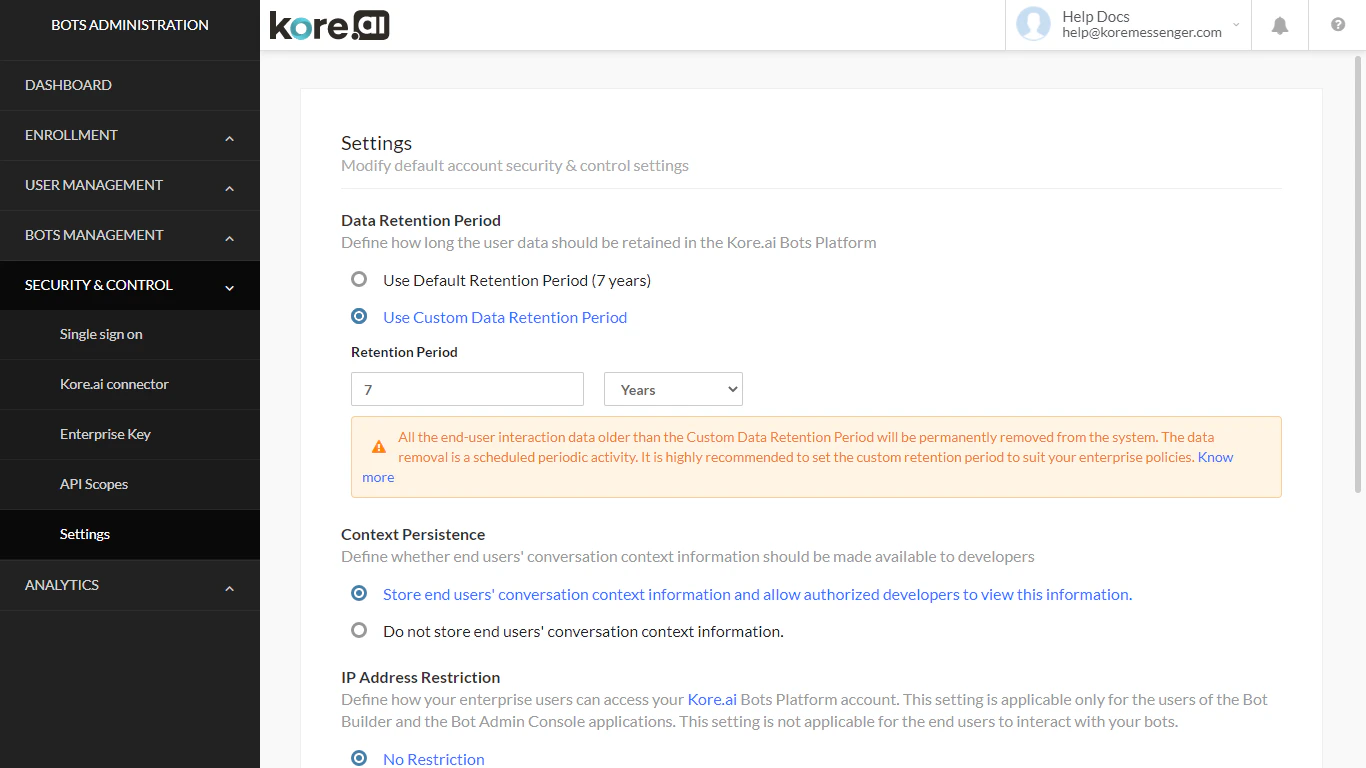
- Under Data Retention Period, select one of:
- Use the default retention period — 7 years
- Use a custom retention period — set between 1 month and 7 years
- Conversation history and messages
- Usage information
- Task execution and performance metrics
- Session and message tags
- Alert instances
- Debug logs
Custom retention periods cannot be set for accounts with large message volumes. Contact Kore.ai Support in that case. For examples, if you change the retention period from 7 years to 2 years, the system immediately deletes all logs older than 2 years.
Context Persistence
Controls whether end-user conversation context is stored for debugging and analysis. To configure:- Under Context Persistence, select one of:
- Store end users’ conversation context information and allow authorized developers to view this information (default)
- Do not store end users’ conversation context information — disables context storage and removes the option to view context in the platform (Metrics and related views)
IP Address Restriction
Restricts platform access to specific IP address ranges. By default, access is allowed from any IP. When restriction is enabled, users attempting to access from unlisted IP addresses are blocked. Supported pattern format: Regular Expression (Regex) Example patterns:-
Under IP Address Restriction, select:
- No restriction (default)
- Restrict — enter allowed IP addresses using Regex patterns
-
Select Save.
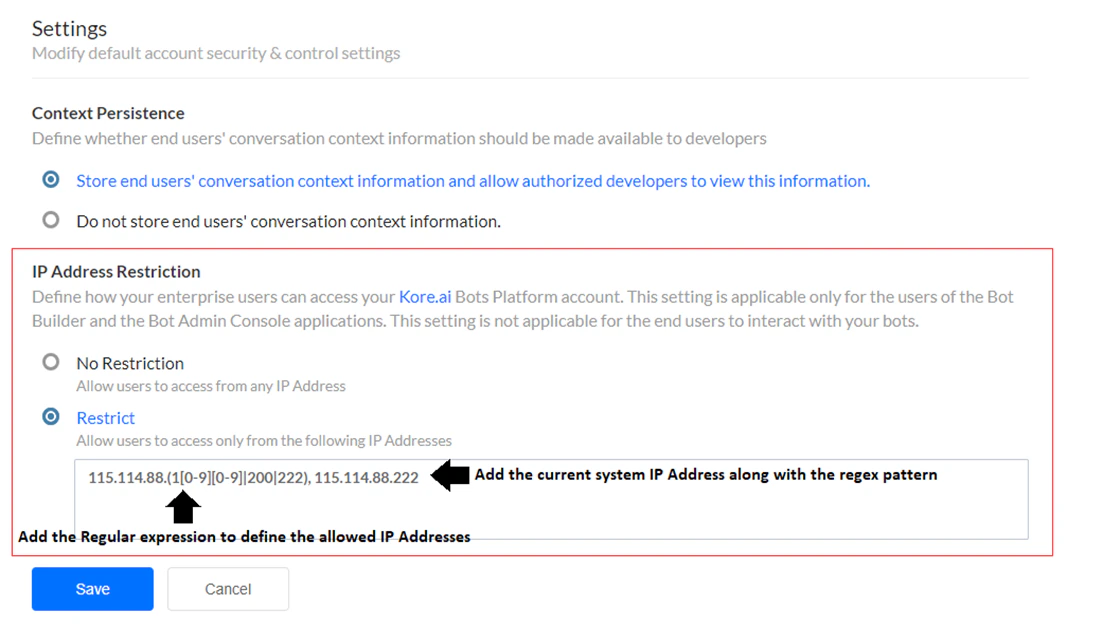
- Your current IP address must be included in the allowed list before saving.
- Even if your IP is covered by the Regex pattern, add it separately after the pattern, separated by a comma. Example:
115.114.88.(1[0-9][0-9]|200|222), 115.114.88.222 - Developers who belong to another account are not affected by this restriction.
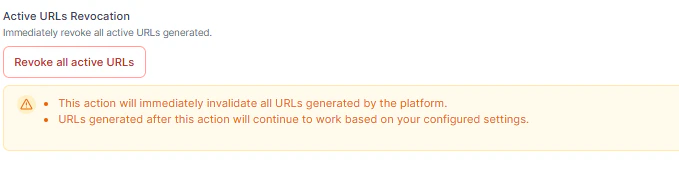
Active URLs Revocation
Immediately invalidates all active secure URLs generated by the platform (chat history links, attachment URLs, and URLs used in agent transfer, portals, or integrations). Select Revoke All Active URLs to revoke all existing URLs instantly. New URLs generated after revocation remain valid.