

Key Benefits
- Standardized quality assessment framework.
- Customizable evaluation criteria based on business needs.
- Multi-language support for global operations.
- Automated evaluation suggestions through AI.
When to Use This Metric
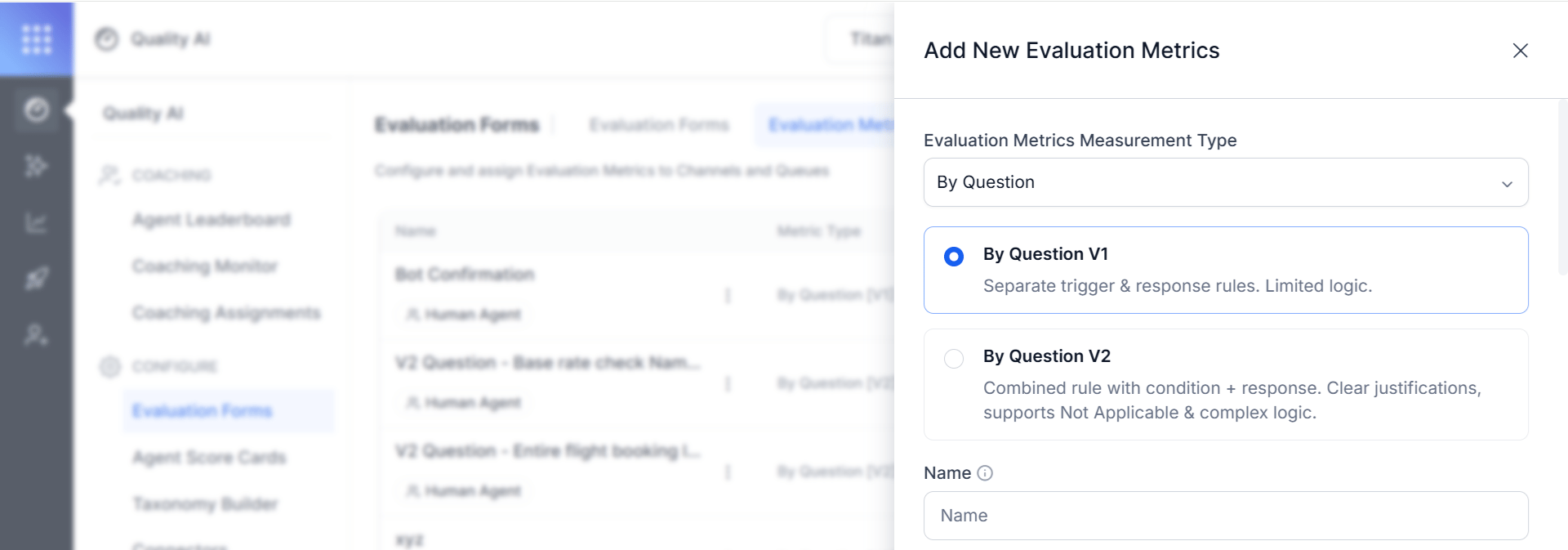
Choose a Version: V1 or V2
When you add a By Question metric, select the version that matches the complexity of the rule you need to evaluate.- By Question V1: Separate trigger and response rules. Limited logic.
- By Question V2: Combined rule with condition and response. Clear justifications, supports Not Applicable and complex logic.
How the Metric Works
The metric operates through a question-driven evaluation process with two main adherence approaches. Both approaches are available in V1 and V2.- Static Adherence: Evaluates every response across all conversations; used for universal rules (for example, greetings). No triggers needed.
- Dynamic Adherence: Evaluates responses only when specific triggers or conditions occur; used for conditional rules that apply in certain situations.
Configure a By Question Metric
These steps are common to both versions. The version-specific configuration follows in the sections below.- Navigate to Quality AI > Configure > Evaluation Forms > Evaluation Metrics.
- Select + New Evaluation Metric.
-
From the Evaluation Metrics Measurement Type dropdown, select By Question.
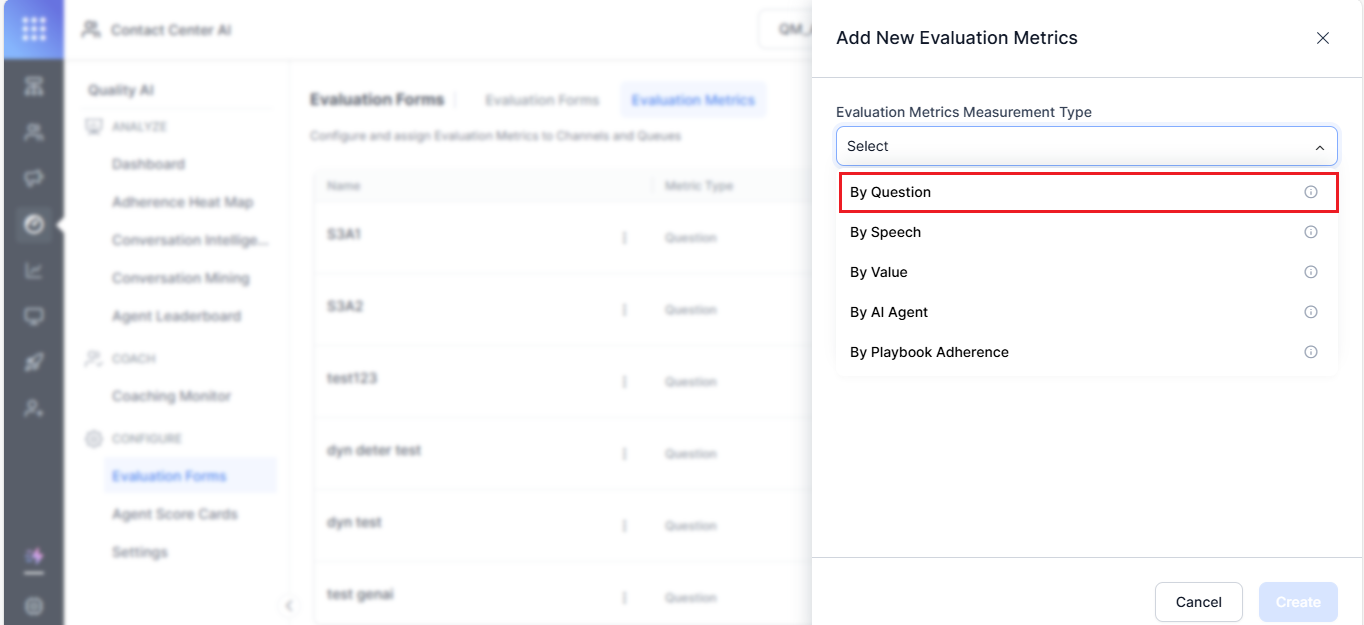
- Select the version — By Question V1 or By Question V2.
-
Enter a descriptive Name (for example,
Agent's Warm Greeting). - Select a Language used for evaluation.
-
Enter an evaluation Question, which is a reference prompt for supervisors during audits and reviews.
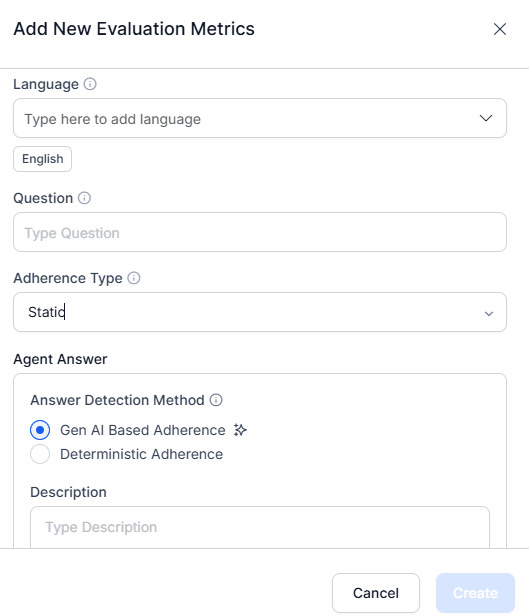
- Select the Adherence Type (Static or Dynamic).
For Static, configure at least one agent answer utterance. For Dynamic, configure at least one trigger and one agent answer utterance.
By Question V1 Configuration
V1 configures the trigger and the agent answer as two separate rules. Use V1 for straightforward checks that do not require Not Applicable justifications or multi-condition logic.Adherence Type Configuration
V1 supports two evaluation modes. Static Adherence: Applies to all calls without any condition or trigger. Use for mandatory, universal compliance items like greeting scripts or regulatory disclaimers.- Define acceptable utterances for the queue.
- Set a similarity threshold to evaluate whether the agent’s response matches the predefined utterance.
- Configure at least one agent utterance template.
- Define at least one trigger (customer or agent utterance) and one acceptable agent response.
- Set the similarity threshold based on criticality:
- Lower threshold (~60%, yellow) — for casual interactions or greetings.
- Higher threshold (~100%, green) — for critical topics such as legal disclaimers or privacy policies.
Trigger Configuration
Choose the utterance source that initiates the trigger:
You can add multiple trigger utterances and define AND/OR conditions to control when the trigger activates.
Trigger Detection Method
Agent Answer Configuration
GenAI-Based Adherence
Uses LLMs to detect meaning, context, and intent. Evaluates whether the agent’s answer fulfills the intent, even if phrased differently.- Select GenAI-Based Adherence as the answer detection method.
- Enter a Description explaining the metric’s intent.
Before using GenAI-based adherence, ensure supported models and the GenAI features (GenAI-based agent answer adherence and customer trigger detection) are enabled. No sample utterances or thresholds are required — LLMs evaluate adherence using zero-shot prompts.
Deterministic Adherence
Evaluates responses based on semantic similarity to predefined reference utterances.- Select Deterministic Adherence.
- Define an Answer — acceptable utterances per queue. Use Generative AI to suggest similar variations.
- Set the Similarity threshold:
- Lower threshold (~60%) for soft skills like greetings and etiquette.
- Higher threshold (~100%) for compliance-critical statements (Policy, Privacy, Disclaimers).
Count Type Configuration
Choose how the metric evaluates adherence across the conversation: Entire Conversation: Evaluates adherence throughout the entire interaction at any point. Time Bound: Focuses on specific timeframes — the first or last X seconds or messages.- Select Parameter — First Part or Last Part of the conversation.
-
Set the evaluation window:
- Voice — enter number of seconds.
- Chat — enter number of messages.
- Select Create to save and activate the metric.
By Question V2 Configuration
V2 replaces the split trigger/answer architecture with a single unified rule definition. Instead of two disconnected rules, V2 describes the trigger condition and the expected agent behavior in one natural-language description. Use V2 when you need Not Applicable justifications or multi-condition logic.Unified Rule Definition
Define the condition and the expected agent behavior together in a single natural-language description rather than as separate trigger and answer rules. The auditor reads this description to return one of three verdicts for the conversation.Write the Metric Description (Best Practices)
Write the description as a set of labeled sections. The auditor reads these sections in a fixed order, so a clear, well-structured description produces consistent verdicts. Follow the structure, connectors, and style rules below.Description Structure
A description uses up to four sections. Always write them in this order. OnlyEXPECTED BEHAVIOR is mandatory; CONDITION, PROHIBITED, and EXCEPTION are optional.
Simple and Extended Form
Use the simple form when a section holds a single statement (see Patterns A and B). Use the extended form when a section holds multiple components joined by connectors:Logical Connectors
Join multiple items with one of the following connectors. Use a single connector type per list.Don’t mix AND and OR in the same list. Mixed connectors make the logic ambiguous. If you need branching logic, create separate metrics instead.
How the Auditor Evaluates the Description
The auditor applies the sections in a fixed order and returns the first verdict that matches:- If any EXCEPTION matches, the verdict is NA.
- If any PROHIBITED action occurs, the verdict is NO.
- If the CONDITION is not met, the verdict is NA.
- If the EXPECTED BEHAVIOR is fully satisfied, the verdict is YES.
- Otherwise, the verdict is NO.
Style Rules
- Write in the present tense and active voice.
- Describe observable actions, not subjective qualities.
- Refer to each speaker clearly so responsibilities are unambiguous.
- Write section headers and connectors in uppercase.
- End every statement with a period.
- Keep each bullet to 20 words or fewer, and the full description to about 12 lines.
Do and Don’t
Avoid subjective language. Describe what the agent does, not how they seem.Standard Patterns
Start from one of these patterns and adapt it to your requirements. Pattern A — Trigger and responseDescription Template
Use this template as your starting point:Not Applicable Handling
Not Applicable is a first-class output in V2. When an exception matches or the condition isn’t met, the auditor returns Not Applicable directly, along with its own justification explaining why the metric did not apply. The application no longer infers Not Applicable from a trigger result.Evaluation Window Constraints
V2 evaluates the rule against a turn-based window. Choose where in the conversation the metric applies:- Entire conversation — evaluate at any point.
- First X turns — evaluate only the opening turns.
- Last X turns — evaluate only the closing turns.
Audit Screen (V2)
For V2 metrics, the Audit Screen shows two separate justification fields, giving evaluators a clear, auditable explanation for every outcome:- Condition determination — why the condition did or did not apply.
- Adherence verdict — whether the agent complied when the condition applied.
Enable GenAI-Based Features (Prerequisites)
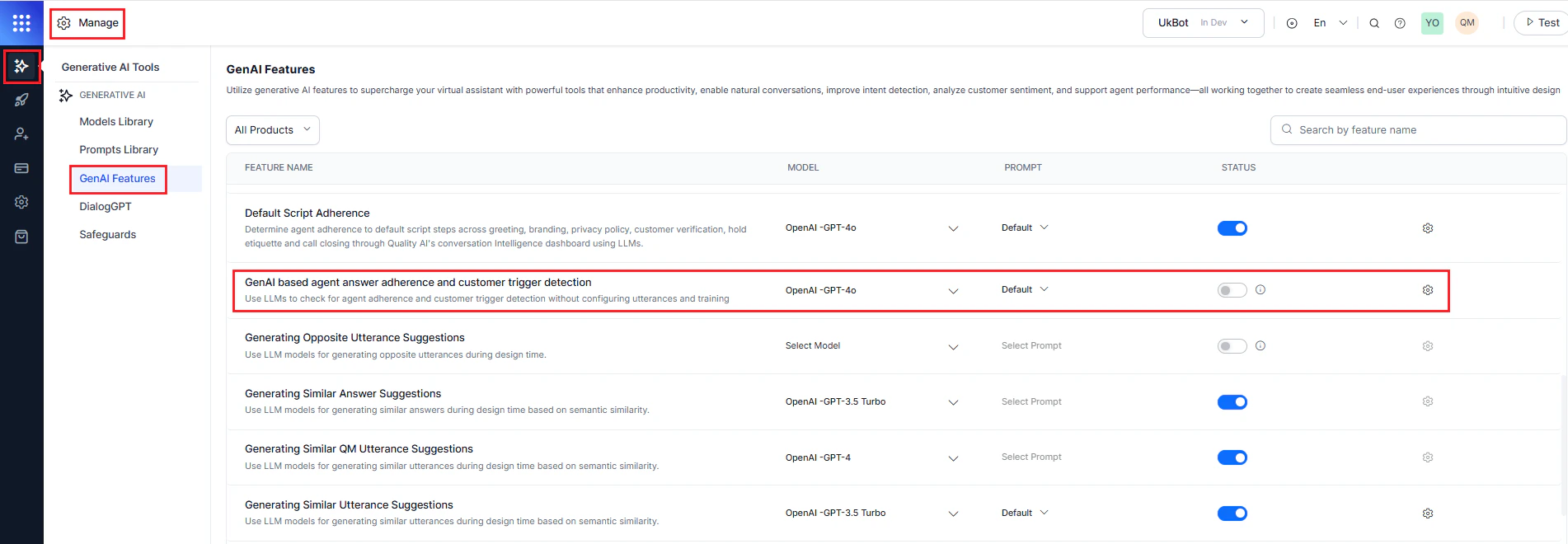
To activate GenAI-based features:- Navigate to Manage > Generative AI > GenAI Features.
-
Enable and publish the following features:
- GenAI-based agent answer adherence
- GenAI-based customer trigger detection
Edit or Delete a By Question Metric
-
Select the metric from the By Question category.
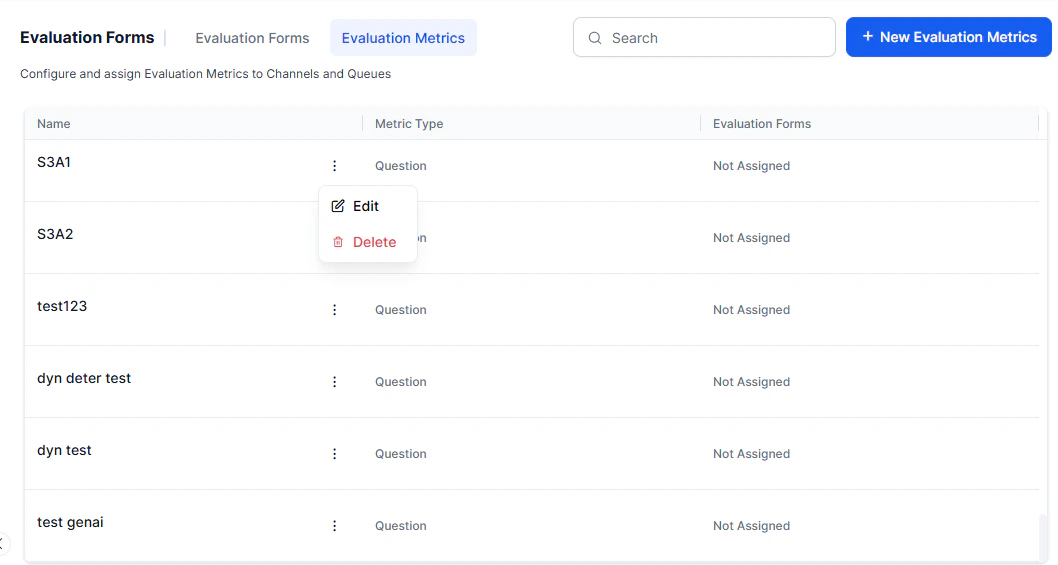
- Choose an option: Edit to modify the required details, or Delete to remove.
- Select Update to save changes.
Language Dependency Warnings
You can’t remove a language while any evaluation form or metric uses it. Remove the language from all linked forms and metrics before deleting it.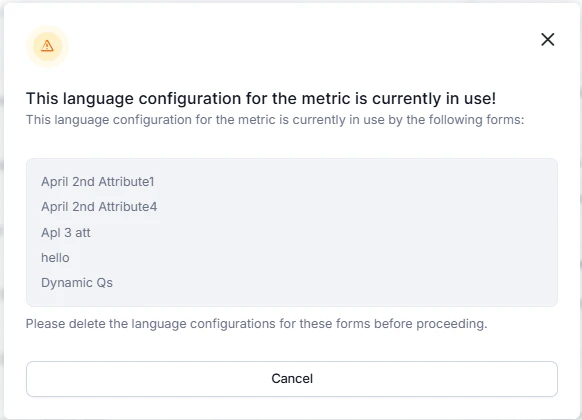
Delete Warnings
Before deleting a metric:- Remove it from all associated evaluation forms.
- If any attributes link to the metric, reassign them to a different metric first.
- Resolve all dependencies before deleting the metric.