Why Use This Metric
- Automates manual QA by verifying agent-mentioned customer data without reviewing transcripts.
- Validates agent statements against CRM or trusted systems in real-time.
- Detects compliance violations across all interactions with instant alerts.
- Supports complex business rules including tolerance ranges, negotiation clauses, and multi-language.
- Provides full transparency with audit logs of API calls, extraction confidence, and rule evaluations.
- Enables real-time agent feedback through GenAI and co-pilot integration.
Use Cases
- Interest Rate Adherence
- Balance Verification
- Fee Disclosure
Prerequisites
The By Value metric requires the following GenAI features to be enabled and published via Manage > Generative AI > GenAI Features:- By Value Adherence Validation for Quality AI
- By Value Metric Extraction for Quality AI
The By Value measurement type only appears in the metric creation dropdown when these GenAI features are enabled. All languages used in the metric must be valid and properly configured.
Configure By Value Metric
- Navigate to Quality AI > Configure > Evaluation Forms > Evaluation Metrics.
- Select + New Evaluation Metric.
-
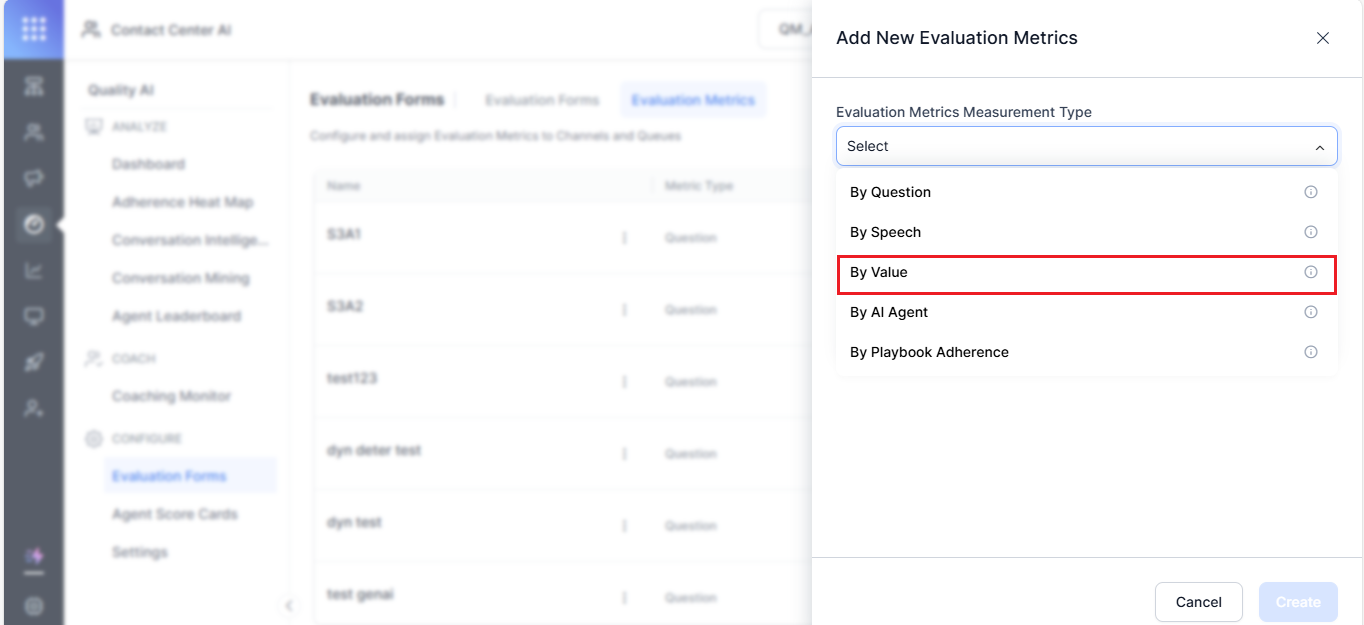
From the Evaluation Metrics Measurement Type dropdown, select By Value.
- Enter a descriptive Name (for example, “Discount Rate Verification” or “Interest Rate Adherence Check”).
- Enter an evaluation Question for manual evaluation reference.
-
Select the required Languages.
You can select multiple languages. The system applies an AND condition — if a metric doesn’t support all selected languages, it doesn’t appear in the dropdown.
Adherence Type
-
Select an Adherence Type:
For Dynamic, the metric scores only when the trigger is detected. If no trigger appears, the metric is marked Not Applicable (NA).
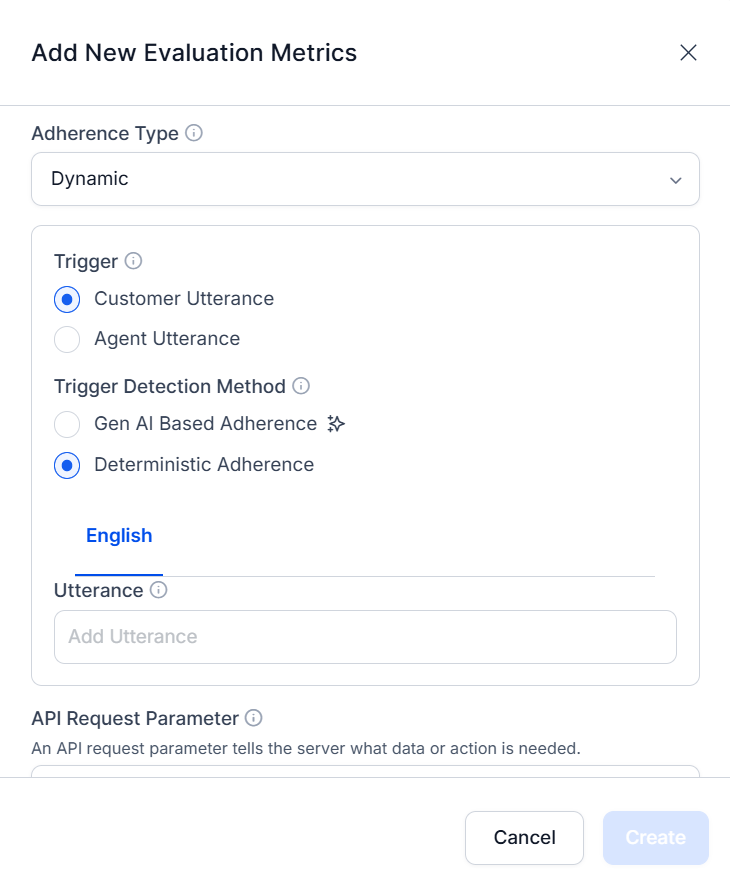
Trigger Configuration (Dynamic Adherence Only)
-
Choose the Trigger Utterance source:
Trigger Detection Method
-
Choose the detection method:
API Request Parameter Configuration
The API setup enables calls to your backend systems (CRM, databases) to retrieve ground-truth data for validating agent-mentioned values. Choose how the request parameter is sourced:Context Variable
Use when a customer identifier (phone number, customer ID, email) is mentioned in the conversation.-
Select Context Variable.
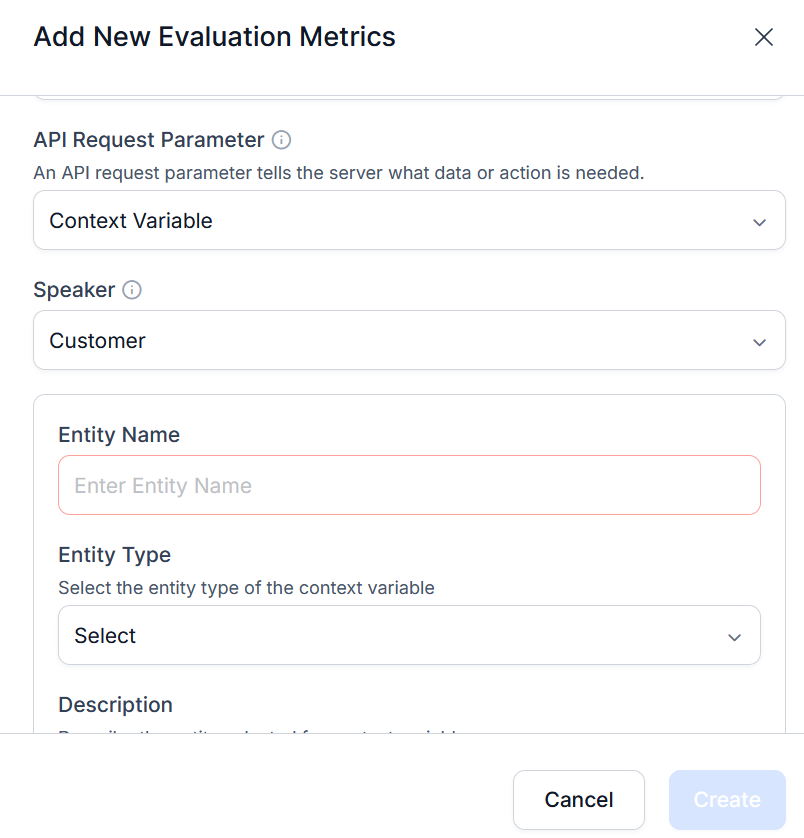
- Choose who provides the identifier-Customer or Agent.
-
Configure the Entity Type:
- Entity Name-descriptive name for the data type (for example, “Customer ID”).
- Entity Type-String (text/alphanumeric) or Number (numeric identifiers).
- Description-instructions for the AI to identify and extract this entity from the conversation.
- Configure Service Request Authorization-authentication profiles that secure API calls to backend systems.
-
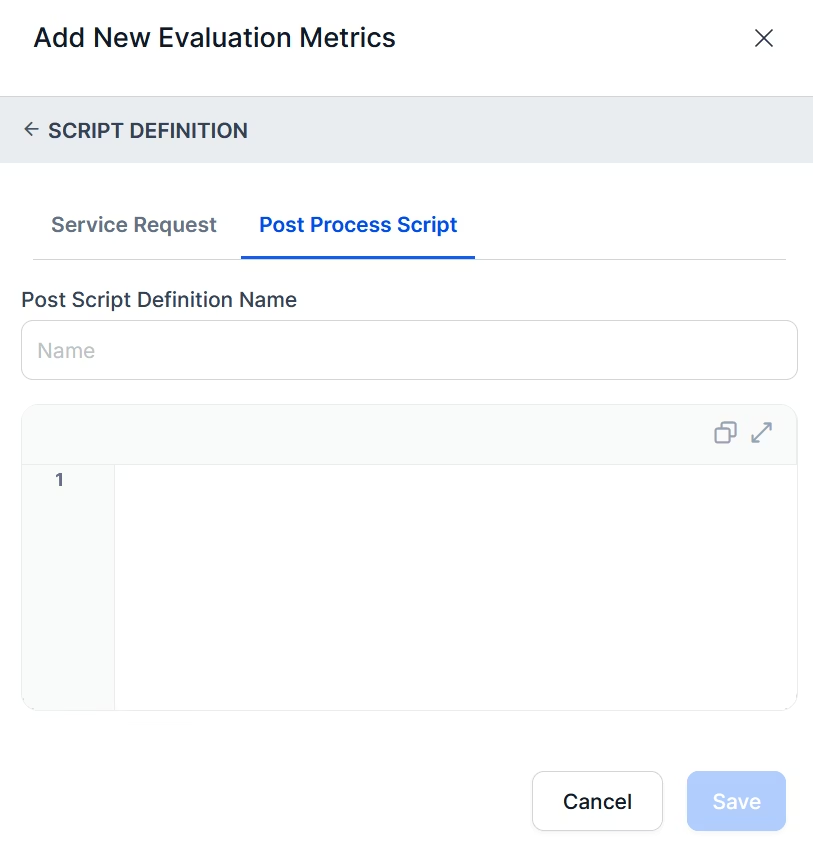
Select + Define Request and configure:
For POST: define the Body using the context variable (for example,
{"userId": "{{context.user_id}}"}). Optionally add a Post Process Script to extract or transform the response.Test Request is enabled for Context Variable configurations. For Conversation ID-based configurations, it’s disabled. - Select Save.
Conversation ID
Use when customer identifiers are missing and SFTP integration is in place. The custom conversation ID from CSV metadata triggers sequential API calls.The Conversation ID option is only available when a connector is configured for Quality AI Express. System-generated and CCAI system-generated conversation IDs aren’t supported. Use only conversation IDs sourced from metadata delivered via SFTP.
- Map the custom Conversation ID from the CSV upload metadata.
-
Configure Script Definition:
- Select an Auth profile (must be consistent across all APIs in the function).
- Set request-specific Headers.
- Map the API Response (JSON object or path).
- For POST: define the Body using the conversation ID (for example,
{"conversationId": "abc123-xyz"}). - Optionally configure a Post Process Script for nested or chained API calls.
-
Select Save.
Agent Answer Configuration
Defines how the system identifies and extracts values mentioned by the agent during the conversation (for example, an interest rate percentage), then compares them against backend references.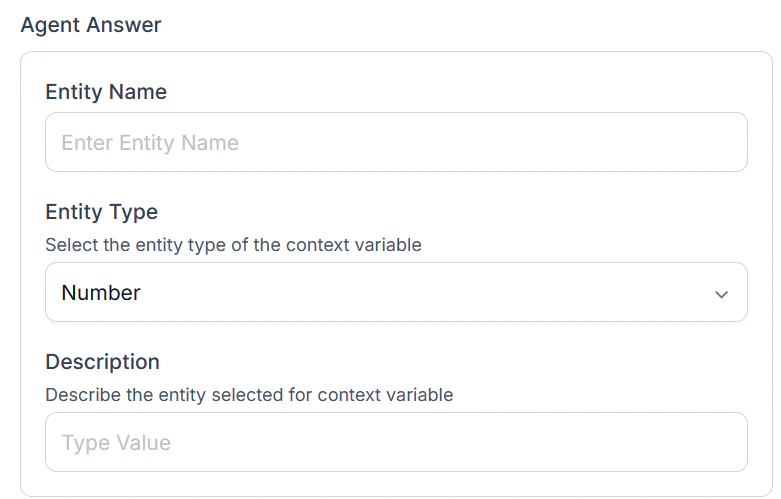
Business Rules
Business Rules guide the AI when selecting the correct agent-mentioned value, especially in negotiation scenarios where multiple values are discussed.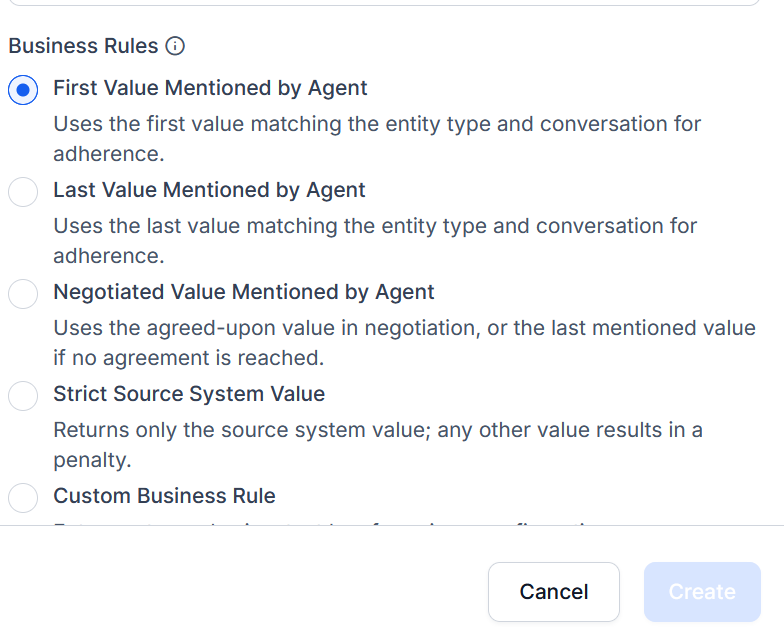
Score Logic and Adherence Criteria
Gen AI-Based Adherence
Uses LLMs to evaluate whether the agent communicated the expected value correctly.Custom Script-Based Adherence
Uses rule-based logic to enforce specific validation. Suitable for deterministic or compliance-critical scenarios.When Custom Script is selected, the system applies the defined logic to validate all mentioned values and selects the most relevant one (for example, final or negotiated value).
- Select Create to save the metric.
Edit or Delete By Value Metric
- Select the By Value metric and select the ellipsis.
- Choose Edit to modify or Delete to remove.
- Select Update to save changes.
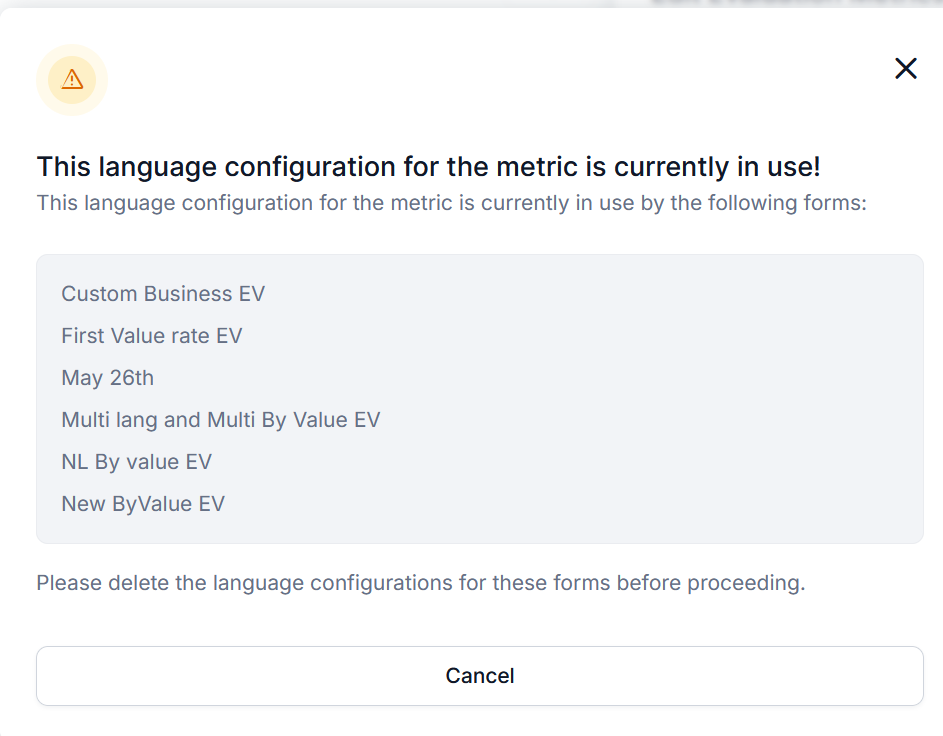
Language Dependency Warnings
- You can’t remove a language currently used by any evaluation form.
- Remove the language from all associated forms before modifying.
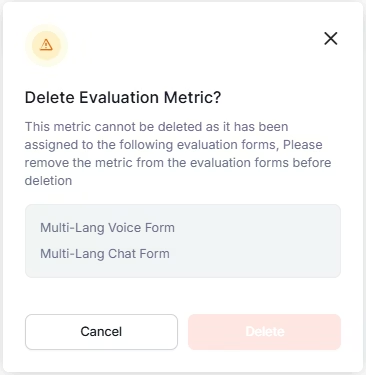
Delete Warnings
Before deleting a metric:- Remove it from all associated evaluation forms.
- Resolve all dependencies.
- The system permits deletion only after clearing dependencies.