

Authorization Support
The connector supports three authentication methods:- Basic Authentication — No server-side configuration required. Proceed directly to Step 2.
- OAuth 2.0 — Register Search AI as an OAuth client in Confluence Server, then configure the connector with the generated credentials.
- Header-Based Authorization — Configure required headers (for example,
Authorization: Bearer <token>orX-API-Key) in the Search AI connector settings. Ensure the external system is configured to accept and validate these headers. Proceed directly to Step 2.
Step 1: Register Search AI in Confluence Server (OAuth 2.0 Only)
OAuth 2.0 requires creating an incoming link under Application Links in the Confluence Server. During setup, use the Redirect URL for your region:
After creating the link, you receive a Client ID and Client Secret. These values are required in Step 2. For details, refer to Atlassian’s documentation on configuring an incoming link.
Step 2: Configure the Confluence Server Connector
- Go to Content > Connectors and choose Confluence (Server).
- Under Authentication, enter the required fields:
- Authorization Type — Basic, OAuth 2.0, or Header-Based
- Grant Type — For OAuth 2.0, select Authorization Code or Client Credentials. For more details, refer to Authentication.
- Basic Auth — Connector name, username, password, and Confluence Data Center host URL
- OAuth 2.0 — Connector name, Client ID, Client Secret, Confluence Data Center base URL, and domain name
- Header-Based — Header, Token, and Host URL
- Real-Time Sync — Toggle to enable or disable automatic syncing of content changes using Confluence webhook notifications.
- Webhook Client Secret — Generated automatically (with option to regenerate).
- Webhook URL — Copy the provided URL for use when configuring the Confluence webhook.
- Click Connect to initiate authorization.
Webhook sync updates document entities only. Associated users and permissions within those entities must be synchronized through regular incremental or manual sync.
Multiple Authentication Profiles
A single Confluence Server connector supports multiple authentication profiles, allowing it to sync content from multiple Confluence Server accounts. Each profile authenticates independently using its own credentials (such as OAuth 2.0, Basic Auth, or Header-based authorization) and syncs content from spaces accessible to that authenticated user. Content accessible by multiple profiles is automatically deduplicated, ensuring no duplicate search results appear. Deleting a profile removes only content exclusive to that profile; content shared with other profiles remains accessible. This approach simplifies multi-account management, reduces the need for multiple connectors, and improves scalability for enterprise use cases.Webhook Configuration for Real-Time Sync
Search AI uses Confluence webhook notifications to manage real-time content updates and deletion events. When configured, webhooks automatically sync content changes and remove deleted pages and blog posts from the Search AI index. Perform the following steps in your Confluence server:- Go to Settings > General Configuration.
- Search for “Webhook” and select Webhooks from the left navigation under Configuration.
- Click Create webhook.
- Enter the following details:
- Name — SearchAI Webhook Sync
- URL — The webhook endpoint URL provided in the Search AI connector configuration
- Secret — The webhook secret token displayed in the Search AI connector Authentication configuration
- Click Test connection to verify Confluence can reach the endpoint.
- From the Events dropdown, select the subscribed events:
page_created,page_restored,page_updated,page_removed(orpage_deleted),page_moved,page_trashed,blog_created,blog_updated,blog_restored,blog_trashed,blog_removed(orblog_deleted). - Ensure Active is selected, then click Save.
Real-Time sync updates document entities only. Associated users and permissions within those entities must be synchronized through regular incremental or manual sync.
Content Ingestion
Go to the Manage Content tab in the connector configuration to define how content is ingested. Choose between two modes:- Ingest all content — Syncs all available content from Confluence.
- Ingest filtered content — Syncs only the content you specify.
- Select Ingest filtered content and click Edit configuration to open the Ingestion Filters page.
- Click Browse & Select, then mark the spaces or content types you want to sync.
- Use the search box to locate spaces, check or uncheck items to include or exclude, and click View More to load additional spaces.
- Save the configuration.
Incremental Sync
During each sync cycle, only newly created or modified Pages, Blogs, Spaces, and Comments are fetched and updated in Search AI.Content Filters
To selectively ingest content, select Sync Specific Content and click Configure. Define rules using a parameter, operator, and value.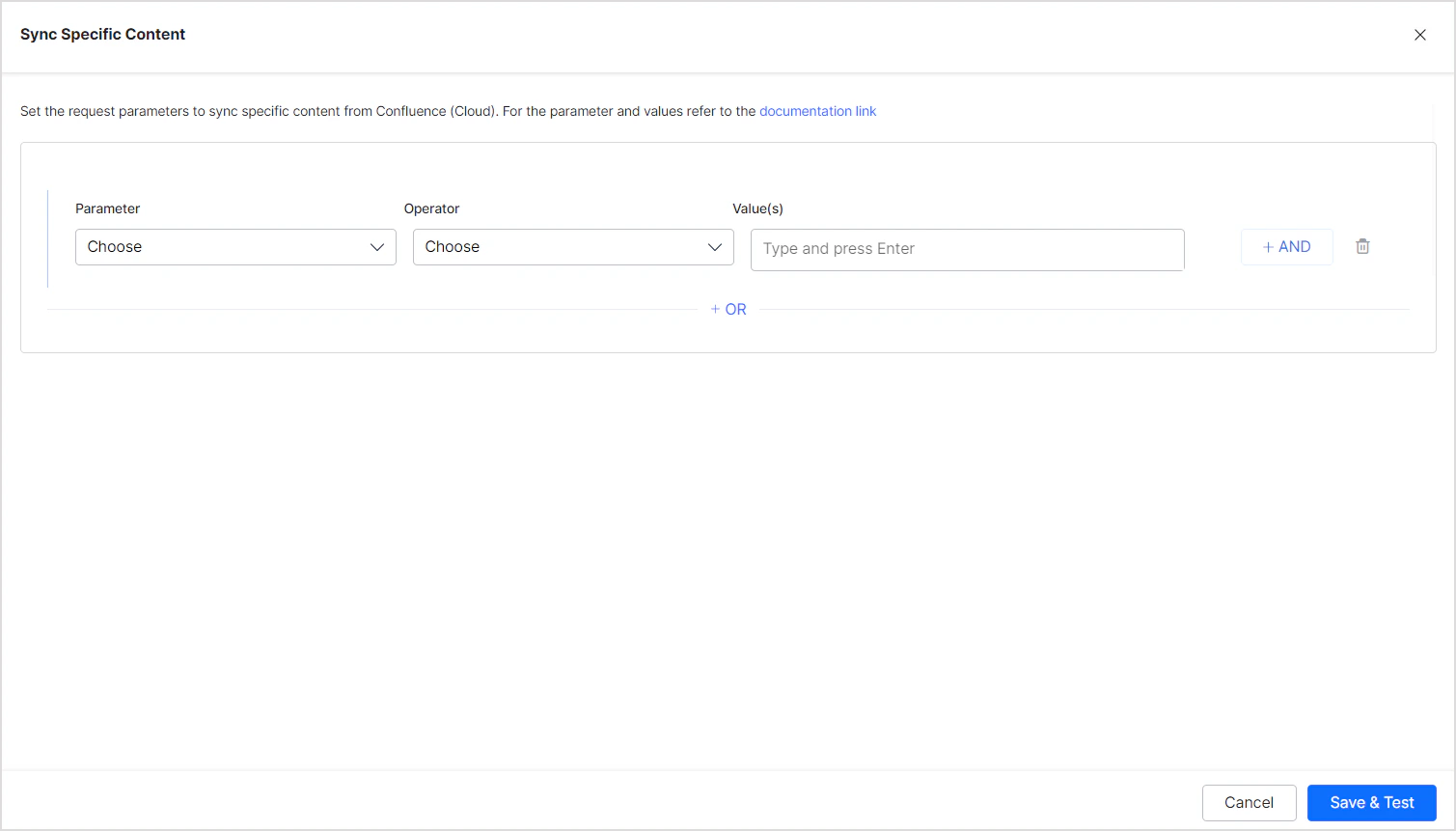
You can also add custom CQL fields. Refer to the complete list of supported CQL fields.
Example: Ingest all pages and sub-pages under a given ancestor:
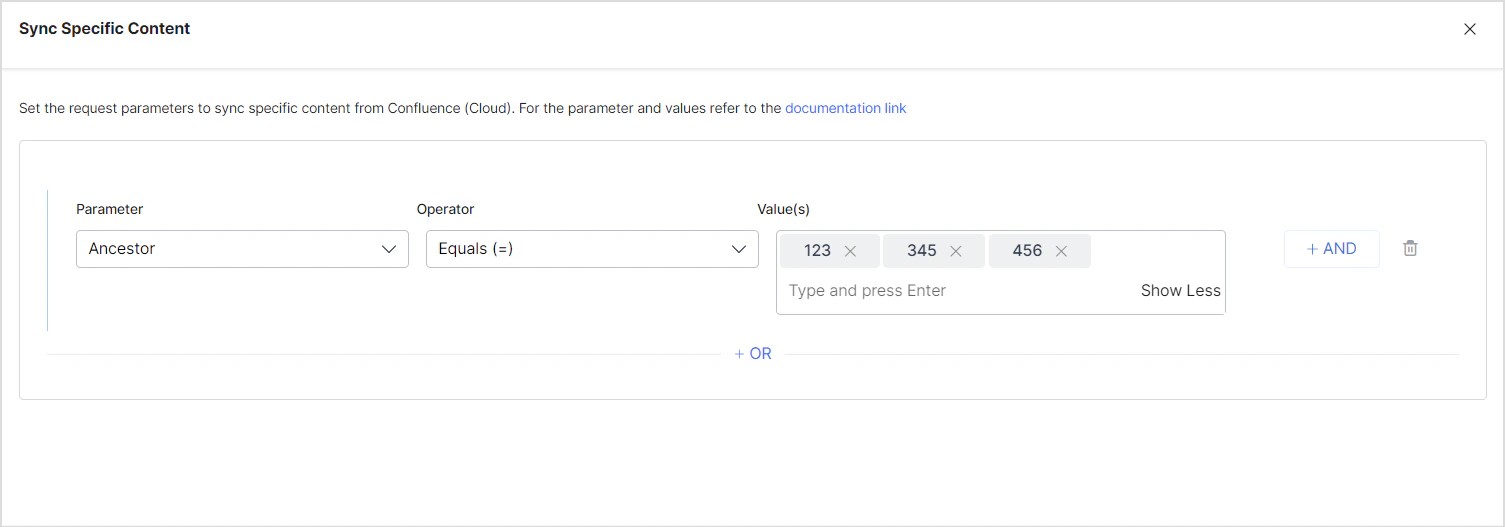
- Use the OR operator to combine multiple rules for different content types.
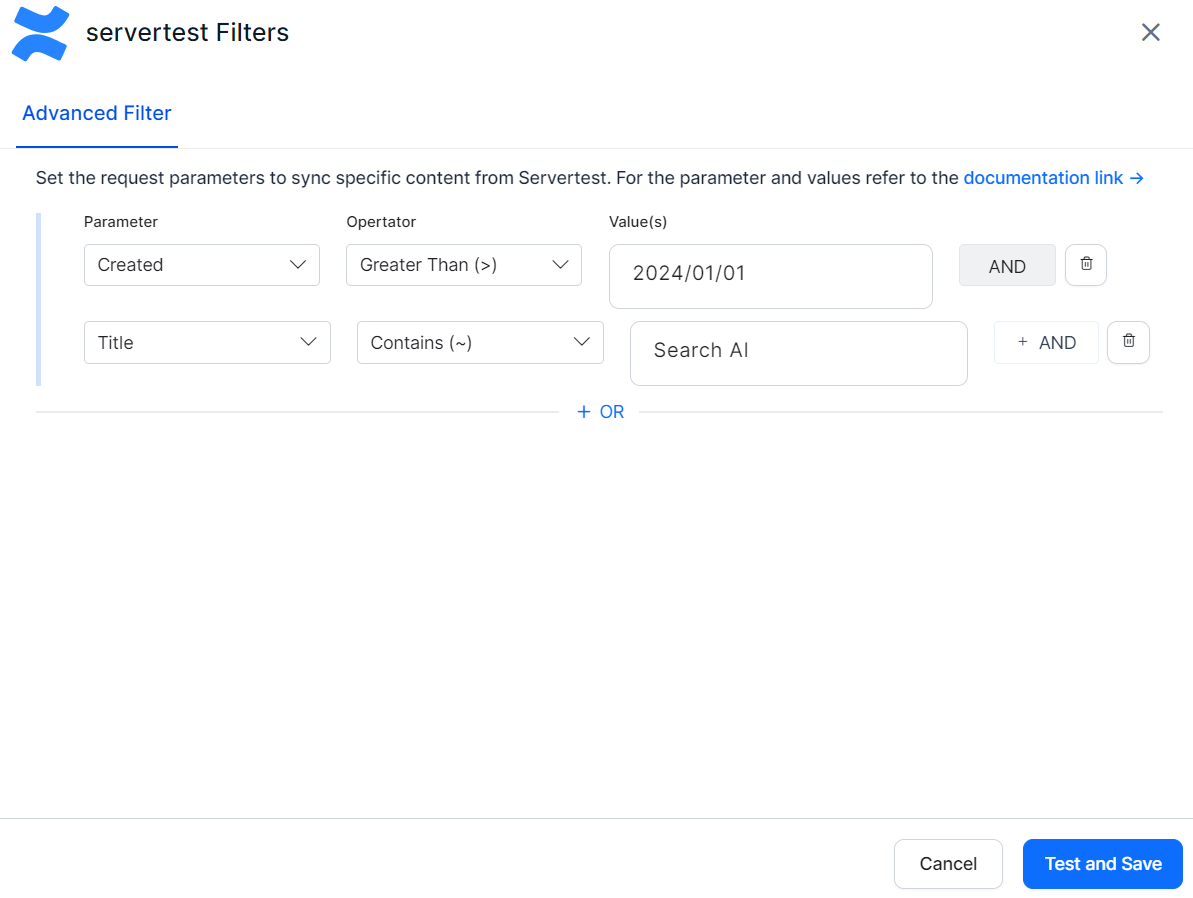
- Use the AND operator within a rule to apply multiple conditions. For example, to ingest content created after January 1, 2024 with “SearchAI” in the title:
Access Control
Search AI supports access control for content ingested via the Confluence Server Connector. Go to the Permissions and Security tab and select the access mode:- Permission Aware — Honors user permissions from Confluence Server. Users can only view search results for content they can access in Confluence.
- Public Access — Overrides Confluence permissions. All ingested content is visible to all Search AI users regardless of actual Confluence access.
Prerequisites
Access control relies on user email addresses as unique identifiers. The ingestion account must have access to:- Read page-level and space-level permissions
- Retrieve user and group details via API tokens with appropriate access
Permission Sets in Confluence Server
Space Permissions — Each space defines its own set of permissions managed by space administrators. These permissions control who can view, edit, or administer content in that space. Search AI requires at least view access to ingest and apply access control correctly. Blog Restrictions — Blog posts inherit permissions from their parent space but can have their own view or edit restrictions. Blog permissions follow the same model as page permissions. The Blog Post ID must be set in thesys_racl field. Permissions inherited from the parent space apply unless overridden by blog-specific restrictions.
Page Restrictions — Pages may inherit permissions from their parent space but can also define their own view or edit restrictions. If a page is restricted to specific users or groups, those restrictions override inherited space permissions.
How Permissions Are Handled in Search AI
- Individual access — Users added directly to a space or specific page are included in the
sys_raclfield of the ingested document, represented by email addresses or usernames depending on your Confluence setup. - Group access — When access is granted to groups (for example,
confluence-usersorengineering-team), Search AI creates Permission Entities based on group identifiers stored in thesys_raclfield. Use the Permission Entity APIs to associate users with the appropriate group or entity in Search AI.
Limitations
- Anonymous access — Search AI doesn’t support anonymous access. If a page is publicly viewable in Confluence without login, it won’t be searchable unless explicitly shared with known users or groups.
- Webhook sync — User synchronization isn’t supported through webhooks. Document entities are updated via webhook, but associated users within those entities must be synchronized through regular incremental or manual sync.