Back to Search AI connectors list The JSON connector lets you ingest pre-chunked content directly into Search AI. Content is immediately added to the index, enabling efficient data retrieval. This gives you the flexibility to bring any type of data into the application by structuring it in the required JSON format. Content is uploaded as one or more JSON files, each containing an array of objects where every object represents a chunk. The keys of each object must exactly match the chunk fields defined below.

File Format

Each JSON file must be an array of objects, where each object represents a single chunk. Key requirements:
  • The file name is used as the recordTitle.
  • The JSON structure must be an array of objects.
  • Each object’s keys must match the supported chunk fields listed in the table below.
FieldDescriptionMandatory
chunkTextContent used to render the final answer for extractive responses and sent to the LLM for generative answersYes
recordUrlURL used to generate user references — indicates where the content was originally sourcedYes
sourceACLList of user identities that have access to this chunkNo
sourceUrlURL of the primary source (e.g., www.example.org). If empty, defaults to the value of recordUrlNo
chunkMetaMetadata associated with the chunk, used for further processing or embedding generationNo
chunkTitleTitle used to render the final answer for extractive responses and sent to the LLM for generative answersNo
cfa1Custom array field available for use based on your requirementsNo
cfa2Custom array field available for use based on your requirementsNo
cfa3Custom array field available for use based on your requirementsNo
cfa4Custom array field available for use based on your requirementsNo
cfa5Custom array field available for use based on your requirementsNo
cfs1Custom string field available for use based on your requirementsNo
cfs2Custom string field available for use based on your requirementsNo
cfs3Custom string field available for use based on your requirementsNo
cfs4Custom string field available for use based on your requirementsNo
cfs5Custom string field available for use based on your requirementsNo
Refer to the sample file for a reference implementation.

Configuration Steps

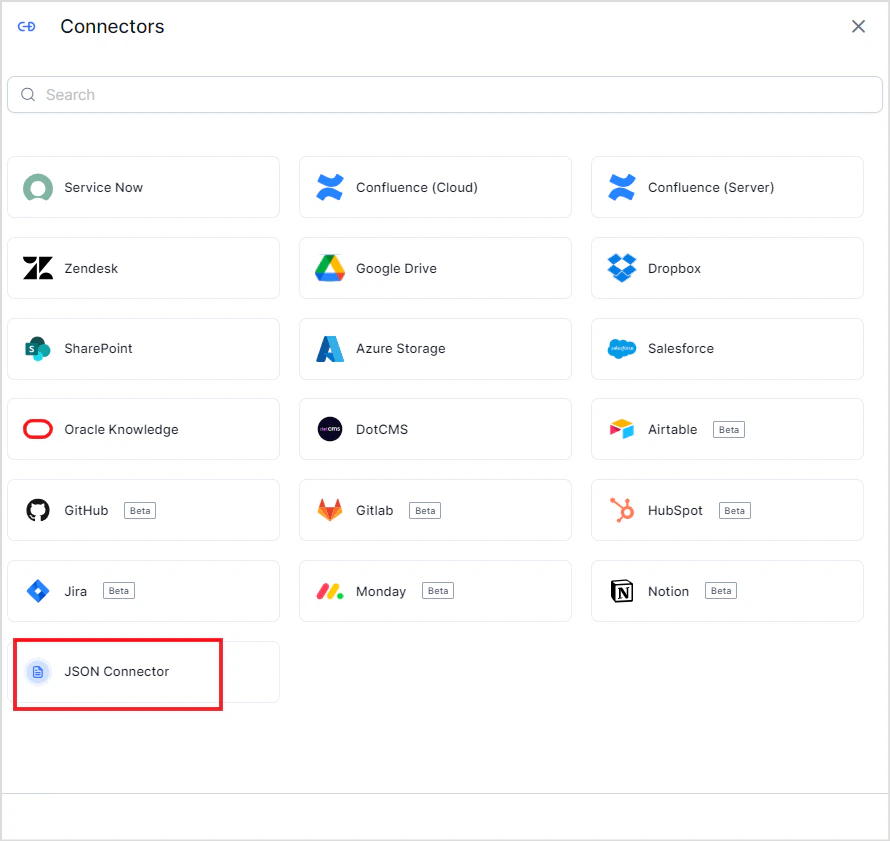
  1. Go to Content > Connectors and add the JSON Connector. Home
  2. Select the source name to upload the JSON content to. If no source exists, create a new one. Upload the JSON file with your structured data. Configure
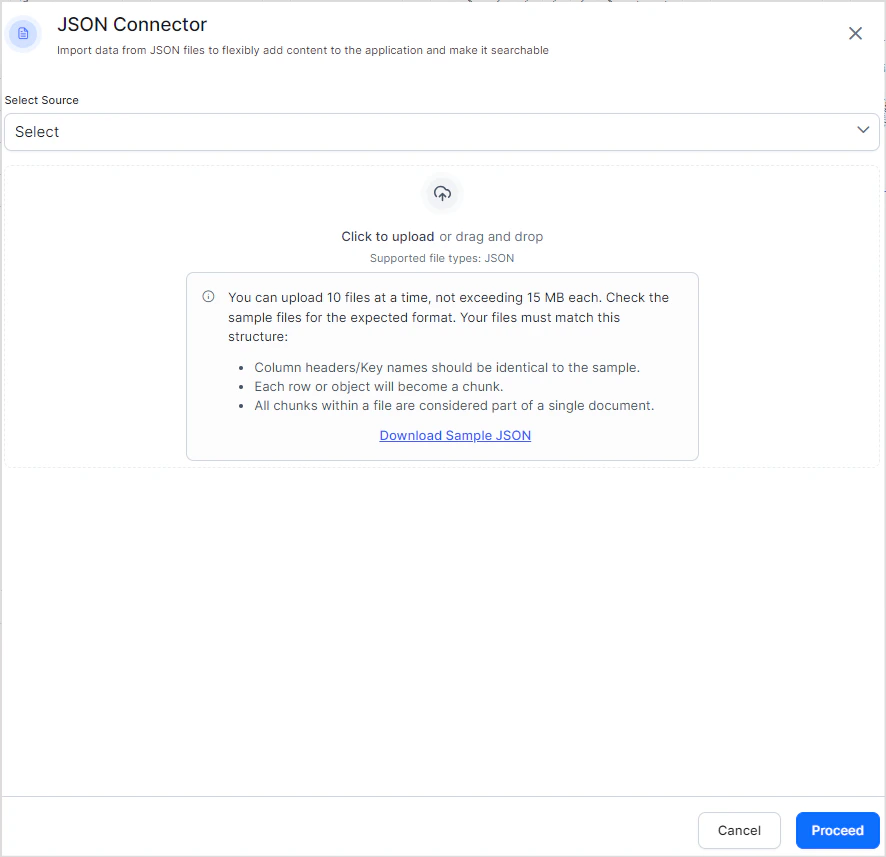
  3. Click Proceed. Search AI ingests the content from the uploaded files immediately.
  4. Click the Files tab to view the contents of the connector at any time. Files
To add more content to an existing source, add the JSON connector again, select the same source name, and upload additional files. Add Files Upload limits:
  • Up to 10 files per upload
  • Maximum 15 MB per file
  • The file name is used as the recordTitle