
Back to Admin Console Manage user accounts, roles, and profile settings from User Management > Users in the Admin Console.Documentation Index
Fetch the complete documentation index at: https://koreai.mintlify.app/llms.txt
Use this file to discover all available pages before exploring further.
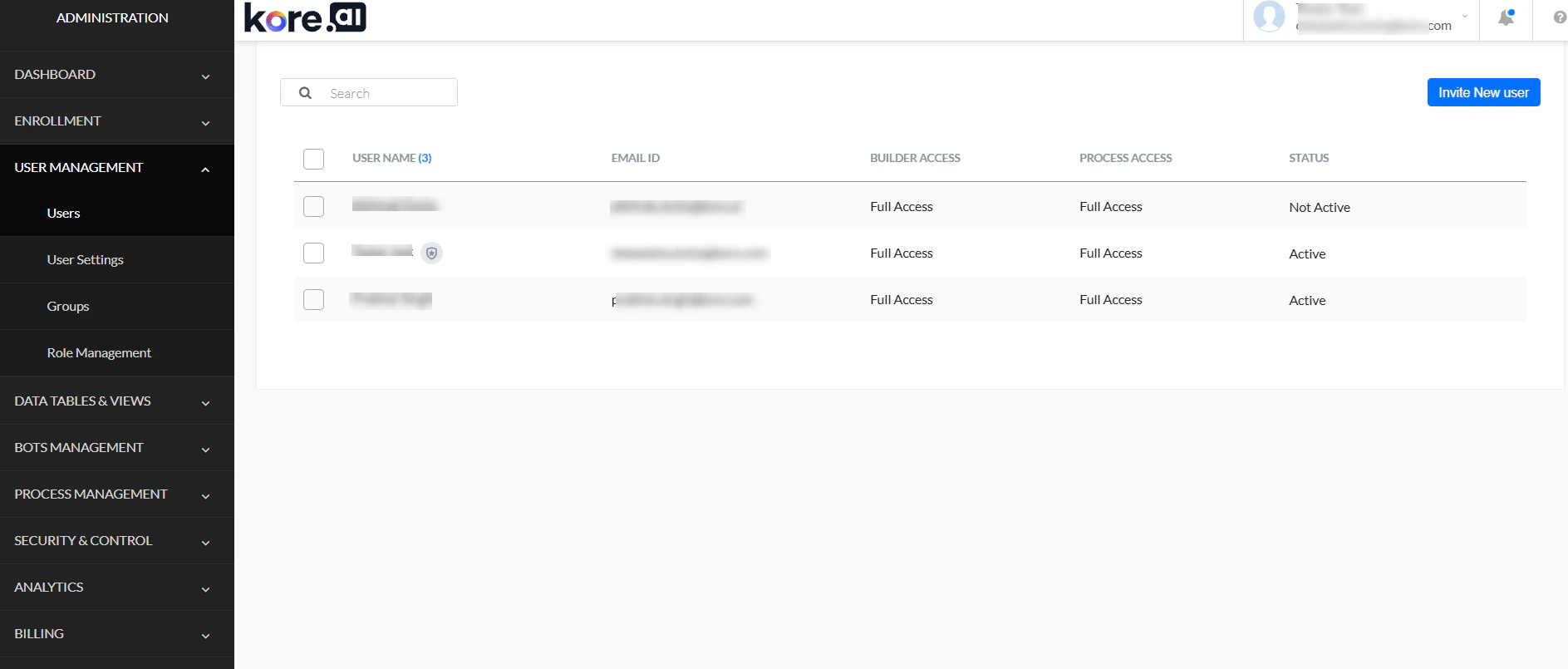
Users List
Columns
| Column | Description |
|---|---|
| Name | Username and selection checkbox |
| Email Id | Registered email address |
| Account Role | Assigned role |
| Status | Active (can interact with platform users), Inactive (invited but not yet joined), or Locked (exceeded max login attempts) |
User Profile
View and edit a user’s profile from the Profile tab.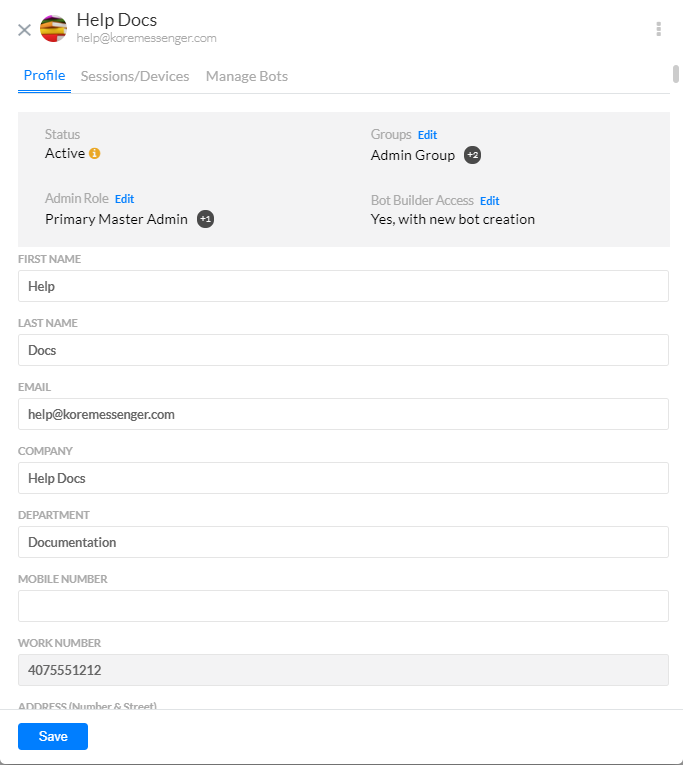
| Field | Description |
|---|---|
| Status | Active (shows last login), Not Active (shows invite sent date), or Suspended (shows last login; use the More icon to activate) |
| Groups | Groups the user is assigned to. Use Edit to add or remove. |
| Admin Role | Current admin role. Use Edit to add or remove. |
| Bot Builder Access | Modify using the Edit link. |
| User Details | First Name, Last Name, email (read-only), and other profile fields. |
Sessions / Devices
The Sessions/Devices tab shows the user’s active sessions with session ID, device type, and last activity timestamp. Select Kill Session to immediately end a specific session, with no confirmation prompt.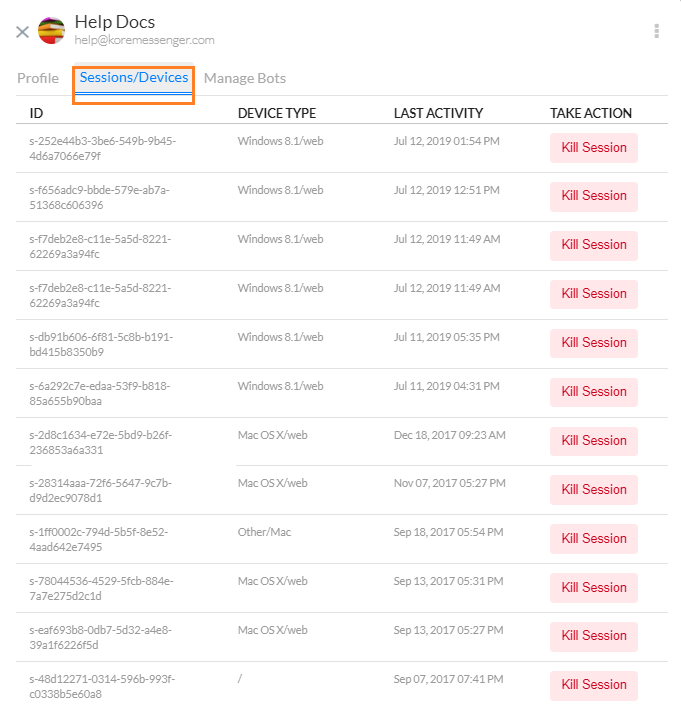
Cross-Workspace Session Management
The platform manages sessions at the platform level, not per workspace. A single session is shared across all workspaces a user belongs to. Admins can view and terminate sessions regardless of workspace. Security considerations:- Users’ sessions in one workspace are visible to admins of other workspaces they belong to.
- Cross-workspace monitoring helps detect suspicious activity.
- Users may be logged out if an admin from any workspace terminates their session.
| For Admins | For Users |
|---|---|
| Use session management responsibly | Be aware sessions are visible across workspaces |
| Notify users before terminating their sessions, especially those in other workspaces | Log out of inactive sessions |
| Regularly review active sessions | Report suspicious session activity to the workspace admin |
Manage Bots
The Manage Bots tab shows the bots the user has access to and their role (Owner, Developer, or Tester). As admin, you can edit or delete a user’s bot role. Bot Owner role can’t be modified — it’s assigned at bot creation. To assign a bot role to the user, select a bot and a role from the dropdowns.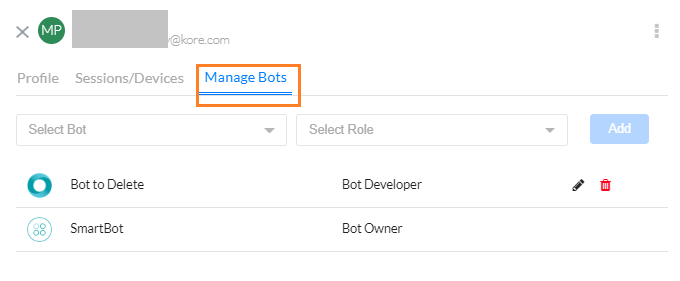
User Actions
Access these options from the More icon on the User Profile page.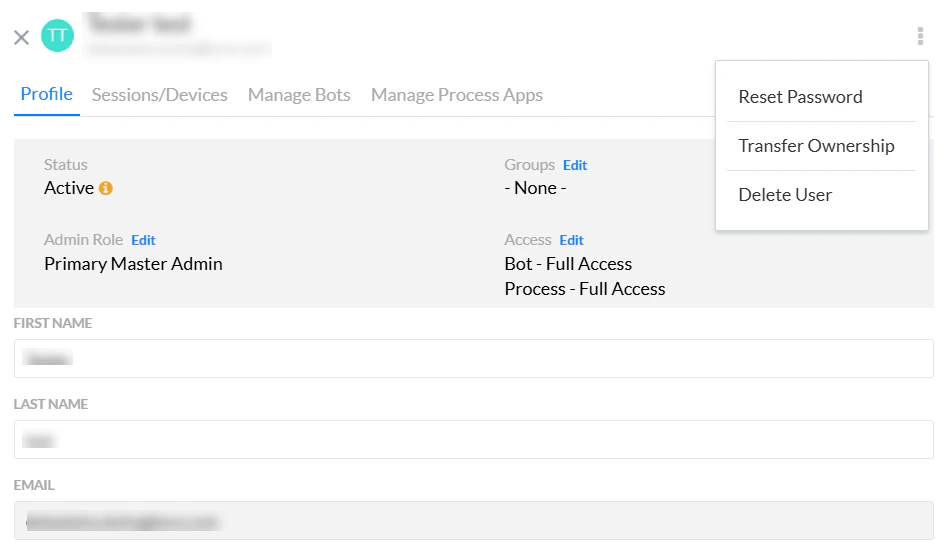
Reset Password
Send a password reset email to the user. Available only when SSO isn’t enabled.When SSO is enabled, password policies are managed by the SSO provider, not the platform. Admins can still access the Admin Console directly using their password credentials — see Bypass SSO.
Delete User
Delete a user from the More icon, or from the Users list by hovering over the row and selecting the delete icon.You cannot delete a user who is the owner of an app. Transfer bot ownership before deleting the user.
Transfer Ownership
Available only to the Primary Master Admin. Transfers ownership of a specific bot to another user. Enter the new owner’s email ID or name.User Settings
Configure which profile fields are visible on user profile pages, and whether users can edit them. Go to User Management > User Settings.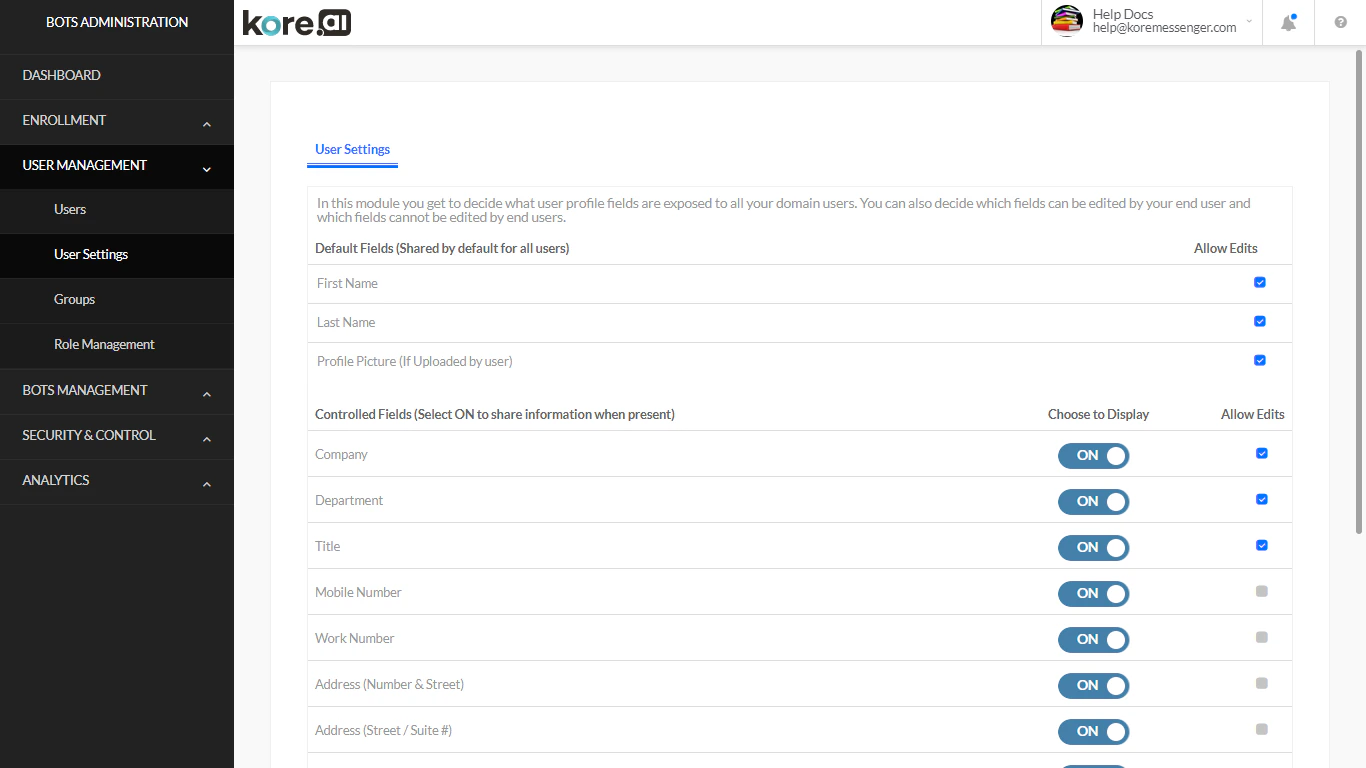
Default Fields (Always Visible)
| Field | Editable by User |
|---|---|
| First Name | Configurable via Allow Edits |
| Last Name | Configurable via Allow Edits |
| Profile Picture | Configurable via Allow Edits |
Controlled Fields (Disabled by Default)
Admins can enable these fields for user profiles:- Company
- Department
- Title
- Mobile Number
- Work Number
- Address (Number & Street)
- Address (Street/Suite #)
- City, State, Zip, Country