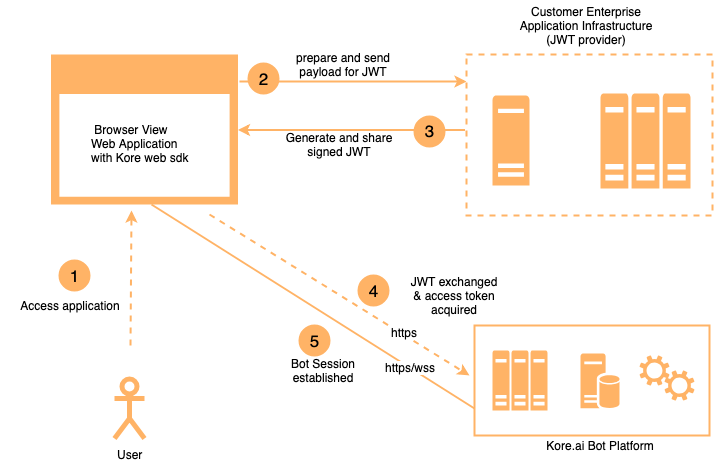
Authentication Flow
- Your SDK signs a JWT with the user identity and Client credentials.
- The Platform verifies the signature using the registered public key or shared secret.
- Your SDK exchanges the JWT for a Bearer Token used in all subsequent API calls.
JWT Flow
JWT Structure
A JWT has three dot-separated parts:header.payload.signature
Header
Payload
JWT Parameters
JTI Validations
Whenjti is included, the Platform enforces:
-
Expiry ≤ 1 hour — If violated:
-
No replay — If the same
jtiis reused:
Hosting the JWT Generation Service
The Client Secret or RSA Private Key must never be exposed client-side. Host JWT generation as a REST web service:- For the Web SDK: the service is called from the user’s browser.
- For mobile SDKs: the service is called from the user’s device.
To register your app and get credentials, see SDK App Registration.
JSON Web Encryption (JWE)
Use JWE to send sensitive data alongside the user identity in the JWT. Include the data insecureCustomData or privateClaims — it becomes available in the dialog context at context.session.UserContext.privateClaims.<field>.
JWE Token Structure
A JWE token has five parts:Header.EncryptedKey.IV.CipherText.AuthTag
JWE Header Parameters
Sample decoded JWE header:
Generate a JWE Token
Steps:- Choose a JWE library for your language (Python:
PyJWT, Java:javax.crypto, Node.js:node-jose). - Prepare your payload — include sensitive fields under
privateClaimsorsecureCustomData. - Choose encryption algorithms.
- Use the Platform’s public key for asymmetric encryption.
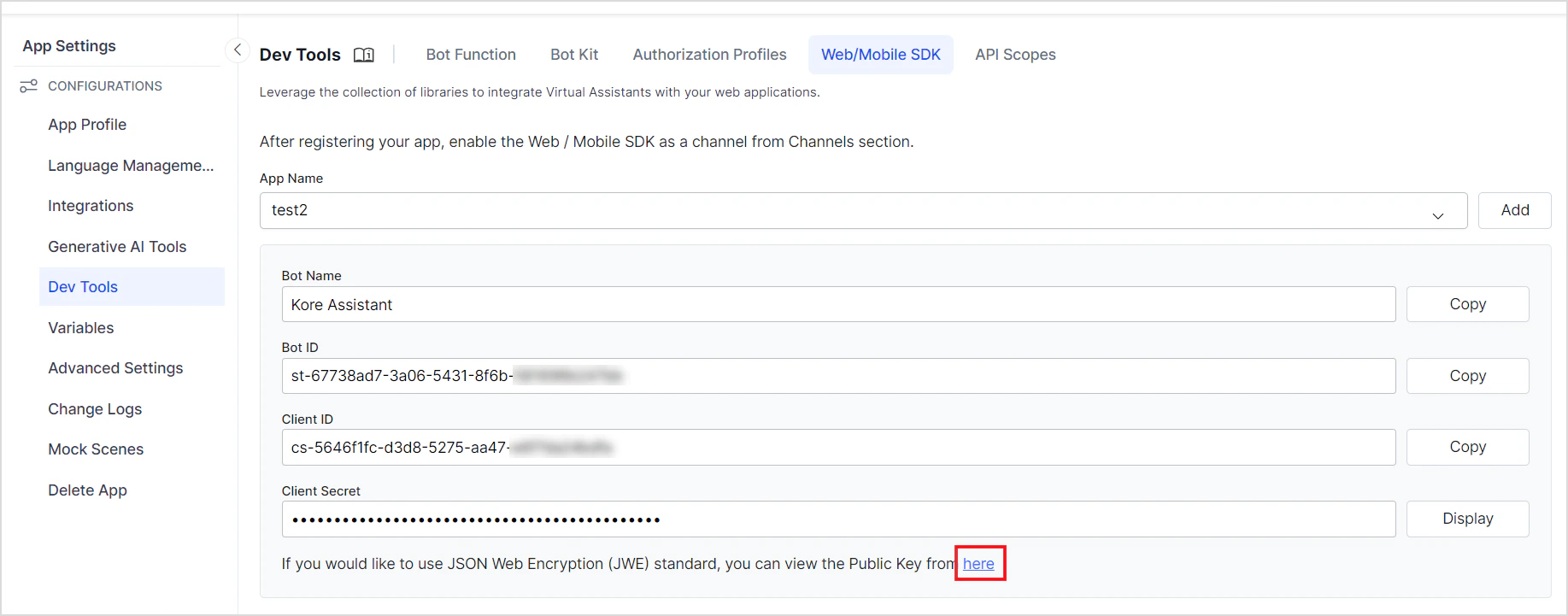
Find the JWE Public Key
Enable the JWE option when creating an SDK app. The public key is displayed in JWK format.