

The platform regularly integrates new models from providers like OpenAI, Azure OpenAI, and Anthropic. To use a model not yet available as a pre-built integration, add it using Provider’s New LLM Integration.
Model Feature Matrix
(✅ Supported | ❌ Not supported)Runtime Features
Designtime Features
System Prompt Limitation — The platform doesn’t provide system prompts in the following cases and you must create a custom prompt:
- OpenAI GPT-4o mini or Azure OpenAI GPT-4o mini models.
- Amazon Bedrock, Google Gemini, Provider’s New LLM, and Custom models.
- Rephrase User Query with OpenAI or Azure OpenAI models.
- Azure OpenAI or OpenAI GPT-5 series models used with Repeat Responses, Rephrase User Query, Zero-shot ML Model, Automatic Dialog Generation, Conversation Test Case Suggestions, Conversation Summary, NLP Batch Test Case Suggestions, or Training Utterance Suggestions.
Runtime Features
Agent Node
Adds an Agent Node to Dialog Tasks that collects entities from users in a free-flowing conversation using LLM and generative AI. Supports English and non-English app languages. You can define the entities to collect, rules, and scenarios, and reuse the node across Dialog Tasks.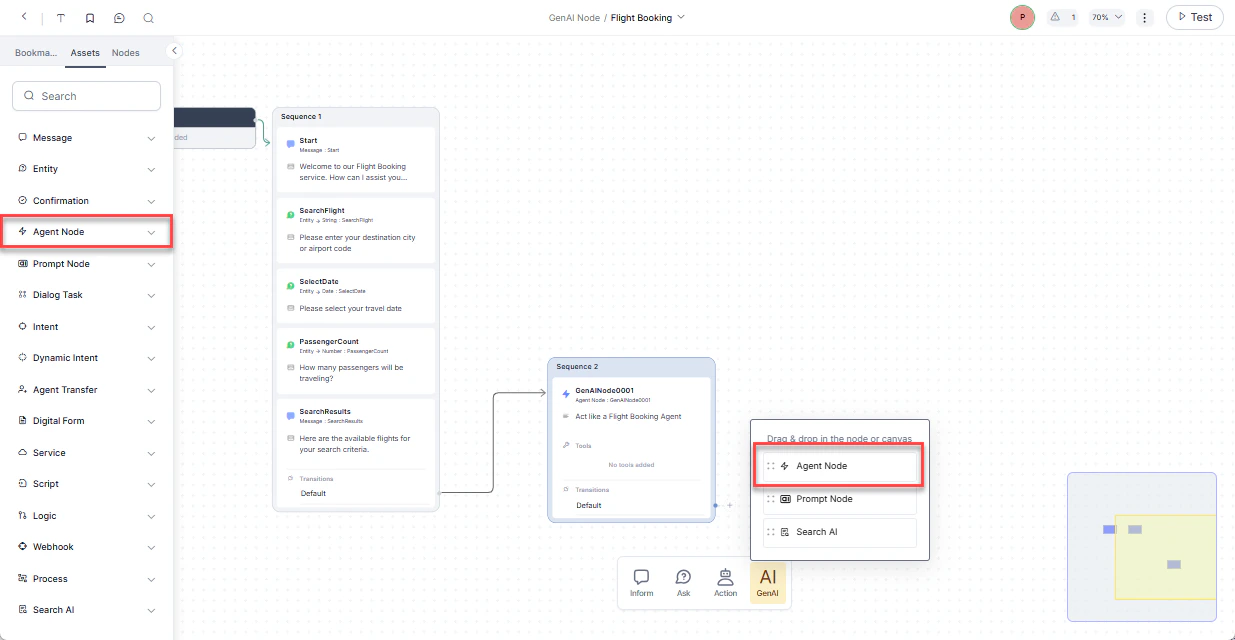
Prompt Node
Defines custom prompts based on conversation context and LLM responses. Select a model, configure its settings, and preview responses within the dialog flow.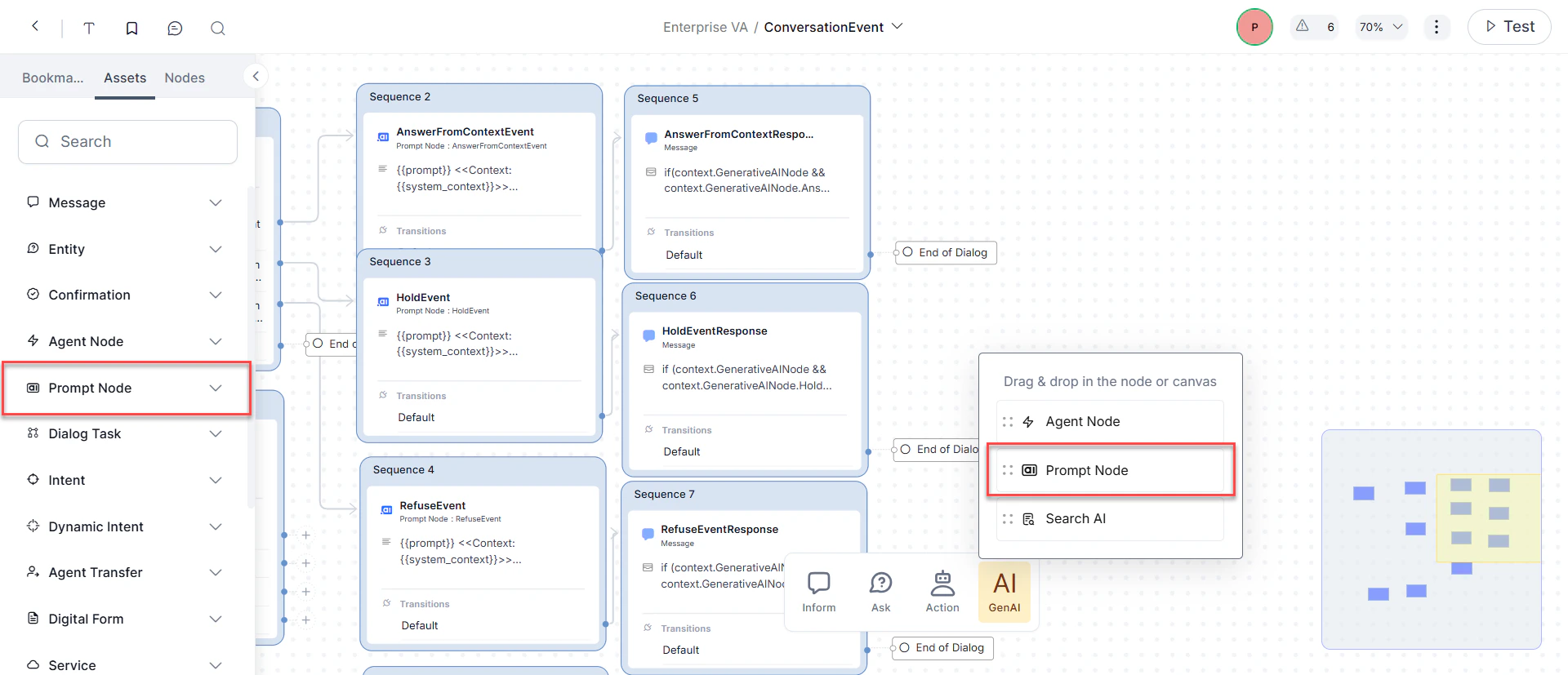
- In the Dialog Builder, click Gen AI and select Prompt Node.
- Configure Component Properties:
- General Settings: Set the node Name, Display Name, and write your prompt.
- Advanced Settings: Configure Model, System Context, Temperature, and Max Tokens.
- Under Advanced Controls, set the Timeout wait time and timeout error handling.
- Under Instance Properties, add custom tags to the current message, user profile, and session to build custom conversation profiles.
- Configure node connections to define transition conditions and conversation paths.
Repeat Responses
Uses LLM to reiterate recent app responses when the Repeat Response event is triggered. Currently supported for IVR, Audiocodes, and Twilio Voice channels.Rephrase Responses
Rephrases app responses to be more natural, empathetic, and human-like. Supports standard and structured content types (JSON and JavaScript). The system sends all User Prompts, Error Prompts, and app responses along with conversation context to the LLM. TheDefault_V2 system prompt supports advanced content formats and is available exclusively with OpenAI GPT-4o. Starting with v10.14, all new custom prompts use the V2 format by default; existing prompts are unaffected.
Node Level Configuration
Enable rephrasing per node for User Prompts, Error Prompts, and app responses from Message, Entity, and Confirmation nodes. Off by default.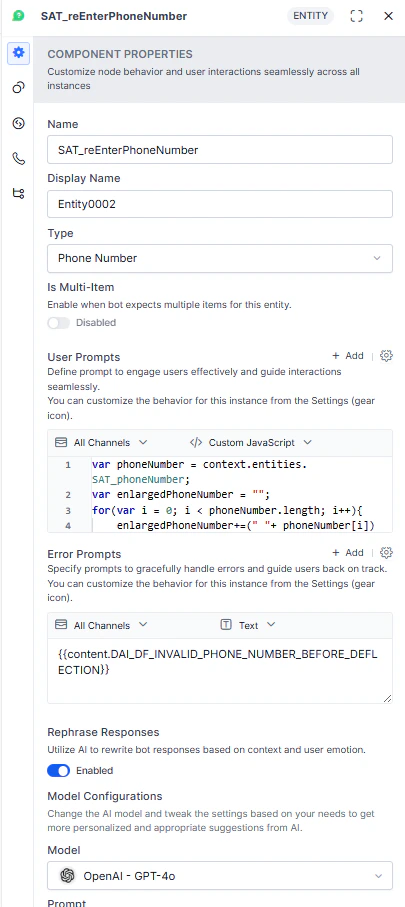
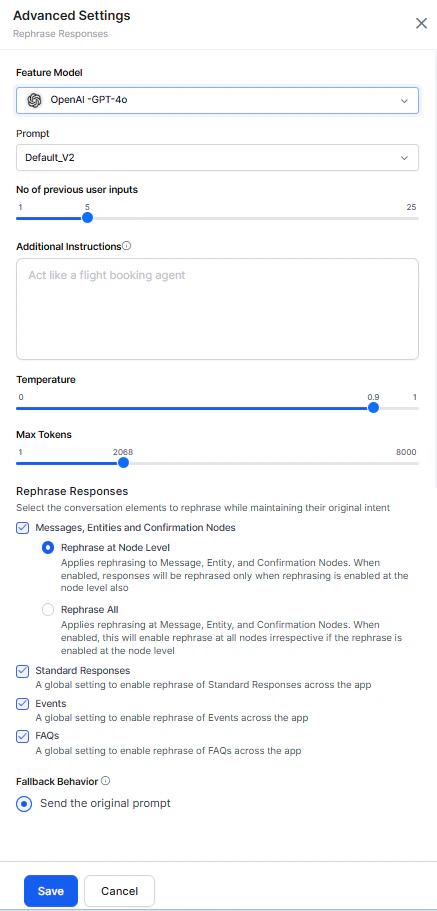
Feature Level Advanced Settings
Global rephrasing settings that maintain tonal consistency across the conversation. Configure which response types to send to the LLM:- Messages, Entities, and Confirmation Nodes:
- Rephrase at Node Level: Rephrases only nodes with rephrasing explicitly enabled.
- Rephrase All: Rephrases all Message, Entity, and Confirmation nodes. Nodes with defined settings use their own; others use global settings.
- Standard Responses: Rephrases all Standard Responses.
- Events: Rephrases all event-based responses.
- FAQs: Rephrases all FAQ responses.
Rephrase User Query
Improves intent detection and entity extraction by enriching user queries with conversation history context. Handles three scenarios:Conversation History Length
Controls the number of recent messages (user and AI Agent) sent to the LLM as rephrasing context. Default: 5. Limited to the session’s available history. Access from Rephrase User Query > Advanced Settings.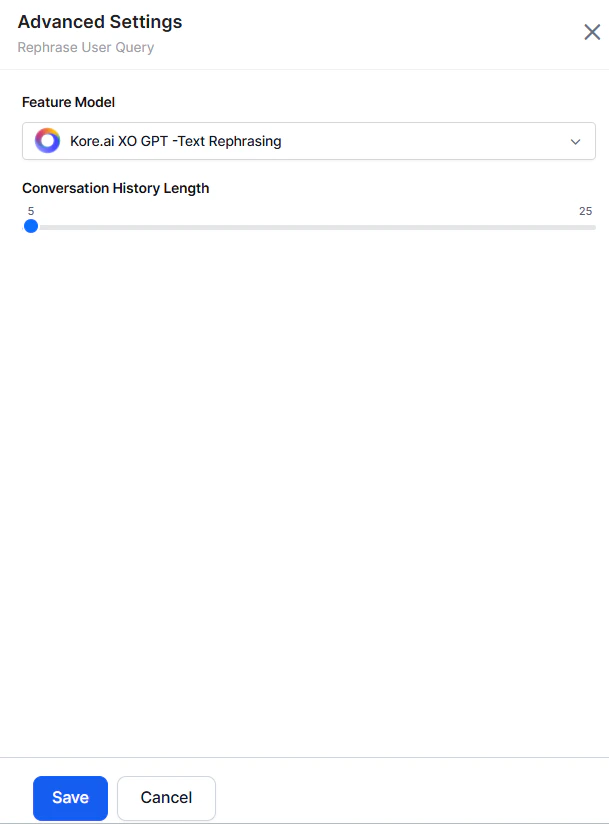
Zero-shot ML Model
Production-ready in English. Experimental in other languages — use caution in non-English production environments.
Conversation History Length
Applies only to Zero-shot V2 prompts.
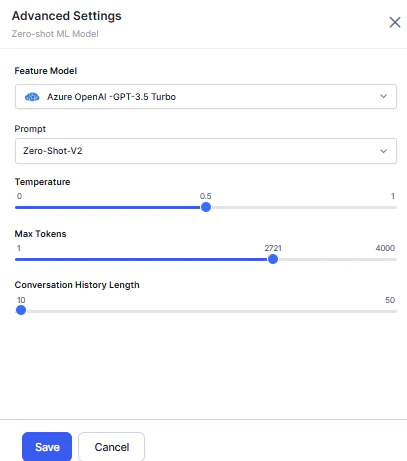
- Before utterance testing, select Zero-shot Model as the Network Type.
- Provide a descriptive input with subject, object, and nouns.
- The system compares the utterance against intent names and displays the most logical match.
Designtime Features
Few-shot ML Model
Production-ready in English. Experimental in other languages.
- Before utterance testing, select Few-Shot Model (Kore.ai Hosted Embeddings) as the network type.
- Provide a descriptive intent name and training utterances.
- The system identifies the most logical match using default configuration, user utterance, and intent names.
Automatic Dialog Generation
Auto-generates conversations and dialog flows in the selected language based on the intent description. The platform uses LLM to build Dialog Tasks for Conversation Design, Logic Building, and Training, including Entities, Prompts, Error Prompts, App Action nodes, Service Tasks, Request Definitions, and Connection Rules. You only need to configure flow transitions..gif?s=5538780b81fd68fbbf3aa5b054206278)
- Launch a Dialog Task for the first time — the platform triggers the generation flow.
- Provide an intent description and choose to generate a conversation.
- Preview the generated conversation, edit the description, and regenerate if needed.
- The platform sends the updated description to Generative AI and returns a new conversation.
- When satisfied, generate the dialog task.
The platform uses the configured API Key to authorize and generate suggestions from OpenAI.
Conversation Test Cases Suggestions
Creates a test suite for each intent (new and existing) to evaluate the impact of changes on conversation execution. Supports English and non-English app languages..gif?s=116199ef9de3a2ea8e170391ebaed1ce)
- Create a test suite by recording a live conversation with an AI Agent.
- An icon indicates Generative AI-generated input suggestions at each step.
- The platform sends the following to OpenAI or Anthropic Claude-1 to generate suggestions:
- Randomly selected intents (Dialog, FAQ)
- Conversation flow and current intent
- Node type details: entity name, type, and sample values
- Input scenarios: entities, no entities, entity combinations, digression, and error triggers
- Accept suggestions or enter custom input at each step.
- Stop recording and validate the model to create the test suite.
Conversation Summarization
Generates natural language summaries of interactions between the AI Agent, users, and human agents. Distills intents, entities, decisions, and outcomes into a concise synopsis. Pre-integrated with Kore.ai’s Contact Center platform and extensible via API.For existing apps, the feature is enabled by default with the XO GPT Model. For new apps, it’s disabled.

NLP Batch Test Cases Suggestions
Generates test cases for each intent based on the selected NLU language. Supports English and non-English app languages. For multilingual NLU, utterances are generated in the language you specify. Usage- When creating a New Test Suite, select Add Manually or Upload Test Cases File.
- Add Manually creates an empty test suite. Select a Dialog Task and Generative AI generates test cases based on intent context.
- Click Generate Test Cases. The platform sends the following to OpenAI or Anthropic Claude-1:
- Intent, entities, and probable entity values
- Scenarios for simulating end-user utterances
- Random training utterances (to avoid duplicates)
Training Utterance Suggestions
Generates suggested training utterances and NER annotations for each intent based on the selected NLU language, eliminating the need to create them manually..gif?s=67d9555a9d846e61488bfade940fedda)
- Intent
- Entities and entity types
- Probable entity values
- Structural variations: entity combinations, different sentence structures, and more