

Overview
Personally identifiable information (PII) includes any data that can identify, contact, or locate an individual—such as Social Security Numbers, email addresses, credit card numbers, CVV codes, passport numbers, and home addresses. The Platform detects sensitive data using regex patterns you define, anonymizes it before sending it to the LLM, and restores the original values after the LLM responds. Conversation history and debug logs always show the original data. LLM-layer anonymization works alongside globally declared PII. Global settings take precedence.Limit Anonymization Scope
Enable Limit Anonymization Scope to anonymize only user input and conversation history instead of the entire outbound LLM request payload. This helps prevent non-PII content that matches a configured regex from being unintentionally anonymized while protecting sensitive user data. Default: Disabled.Publish the app to apply the changes.
Anonymization Methods
Supported Features
Data anonymization applies during LLM interactions for the following features:- Agent Node
- Conversation Summary
- DialogGPT
- Disposition Prediction for Agent Wrap-Up
- Prompt Node
- Rephrase Response
- Sentiment Analysis
Configure Data Anonymization
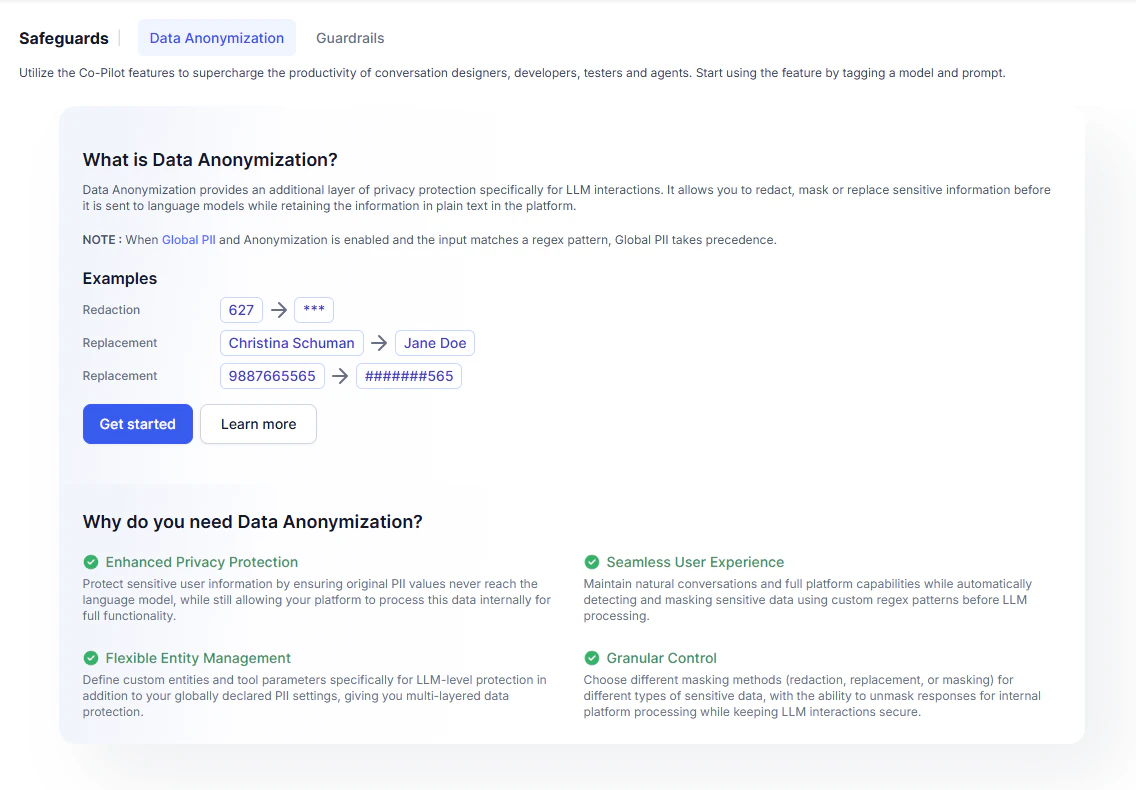
- Go to Generative AI Tools > Safeguards > Data Anonymization.
-
Click Get Started or + New Field.
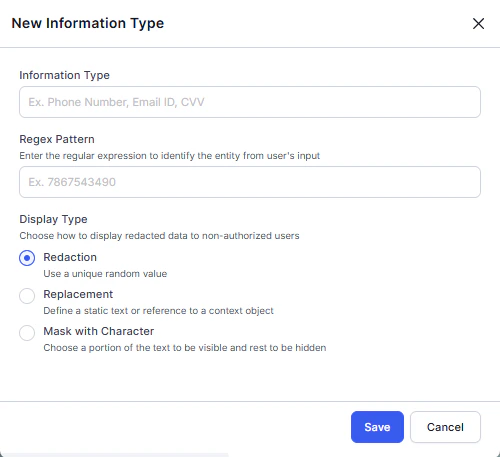
-
Enter the Information Type and Regex Pattern, then select the Display Type.
Define patterns as substrings, not exact values. The Platform scans the entire request payload—not just user input. Use a regex that matches the target value within a broader context. For example, use
(?<!\d)890839(?!\d)instead of^890839$to redact890839. - Click Save.
Prompt Guidance for Smaller Models
For smaller LLMs, add explicit instructions in the system prompt to prevent the model from modifying redacted values. If the model alters a redacted value, the Platform can’t restore the original, which breaks end-to-end functionality. The Platform wraps redacted values with##. Use this marker in your prompt instructions.
Example 1 — Masked value: